1. ບົດແນະນຳ
Thank you for choosing the CREATE NETBOT S15 Robot Vacuum Cleaner. This manual provides essential information for the safe operation, maintenance, and troubleshooting of your device. Please read it thoroughly before first use and retain it for future reference.
ສິນຄ້າເກີນview

The image above displays the CREATE NETBOT S15 Robot Vacuum Cleaner, its dedicated remote control, and a smartphone screen showing the companion application interface. The robot is black with a textured top surface and a central green power button. The remote control features a digital display and various control buttons. The app shows a map of a cleaned area.
The NETBOT S15 is designed to simplify your cleaning routine, offering multiple cleaning modes and smart features for efficient floor maintenance.
2. ຄໍາແນະນໍາຄວາມປອດໄພ
ເພື່ອຮັບປະກັນການເຮັດວຽກທີ່ປອດໄພ ແລະປ້ອງກັນຄວາມເສຍຫາຍ, ກະລຸນາປະຕິບັດຕາມຂໍ້ຄວນລະວັງດ້ານຄວາມປອດໄພຕໍ່ໄປນີ້:
- ອ່ານຄໍາແນະນໍາທັງຫມົດກ່ອນທີ່ຈະໃຊ້ເຄື່ອງໃຊ້.
- ບໍ່ອະນຸຍາດໃຫ້ເດັກນ້ອຍດໍາເນີນການສູນຍາກາດຫຸ່ນຍົນ. ເບິ່ງແຍງເດັກນ້ອຍແລະສັດລ້ຽງໃນເວລາທີ່ຫຸ່ນຍົນກໍາລັງປະຕິບັດງານ.
- Ensure the charging base is placed against a wall on a hard, level surface, with adequate clear space around it.
- ຮັກສາຜົມ, ເຄື່ອງນຸ່ງວ່າງ, ນິ້ວມື, ແລະທຸກພາກສ່ວນຂອງຮ່າງກາຍໃຫ້ຫ່າງຈາກຊ່ອງເປີດ ແລະພາກສ່ວນທີ່ເຄື່ອນຍ້າຍ.
- Do not pick up large objects, sharp objects, liquids, or burning/smoking materials.
- ຢ່າໃຊ້ຫຸ່ນຍົນໃນສະພາບແວດລ້ອມທີ່ປຽກ ຫຼື ເທິງໜ້າດິນທີ່ປຽກ.
- Remove power cords, small objects, and fragile items from the floor before operation to prevent entanglement or damage.
- ໃຊ້ສະເພາະເຄື່ອງສາກ ແລະ ແບັດເຕີຣີຕົ້ນສະບັບທີ່ຜູ້ຜະລິດສະໜອງໃຫ້ເທົ່ານັ້ນ.
- Do not modify or attempt to repair the robot vacuum yourself. Contact qualified service personnel for repairs.
3. ເນື້ອໃນຊຸດ
ກວດສອບວ່າອົງປະກອບທັງໝົດມີຢູ່ໃນຊຸດ:

The image shows the retail box for the CREATE NETBOT S15 Robot Vacuum Cleaner, indicating the product and its key features.
- CREATE NETBOT S15 Robot Vacuum Cleaner
- ຖານສາກໄຟ
- Power Adapter
- ການຄວບຄຸມໄລຍະໄກ
- Dustbin (600 ml capacity)
- ຖັງນໍ້າ (ຄວາມຈຸ 400 ມລ)
- Side Brushes (2 + 2 replacements)
- HEPA Filter (1 + 1 replacement)
- Cleaning Mop (1 + 1 replacement)
- ແປງລ້າງ
- ແຖບແມ່ເຫຼັກ
- ຄູ່ມືຜູ້ໃຊ້
4. ຕັ້ງຄ່າ
4.1 ການວາງຖານສາກໄຟ

The image shows the CREATE NETBOT S15 Robot Vacuum Cleaner correctly docked on its charging station, indicating proper placement for recharging.
- Place the charging base against a wall in an open area.
- Ensure there is at least 1 meter (3 feet) of clear space on both sides of the charging base and 2 meters (6 feet) in front of it.
- ເຊື່ອມຕໍ່ອະແດບເຕີໄຟກັບຖານສາກໄຟ ແລະສຽບໃສ່ກັບປລັກສຽບໃສ່ຝາ.
- Ensure the power indicator light on the charging base is illuminated.
4.2 ການສາກໄຟເບື້ອງຕົ້ນ

This image depicts the CREATE NETBOT S15 Robot Vacuum Cleaner positioned near its charging dock in a room, ready for or undergoing charging.
Before first use, fully charge the robot vacuum. Place the robot onto the charging base, ensuring the charging contacts align. The indicator light on the robot will show charging status. A full charge typically takes 4-5 hours.
4.3 ການຕິດຕັ້ງແອັບ ແລະ ການເຊື່ອມຕໍ່
The CREATE NETBOT S15 can be controlled via a smartphone application, compatible with Alexa and Google Home.
- Download the official CREATE app from your smartphone's app store.
- ລົງທະບຽນບັນຊີແລະເຂົ້າສູ່ລະບົບ.
- Follow the in-app instructions to add your NETBOT S15 device. This typically involves putting the robot into pairing mode and connecting it to your home Wi-Fi network.
- Once connected, you can program cleaning schedules, select cleaning modes, and monitor the robot's status from your phone.
- For voice control, link the CREATE app with your Alexa or Google Home account through their respective applications.
5. ຄໍາແນະນໍາການດໍາເນີນງານ
5.1 ຮູບແບບການທໍາຄວາມສະອາດ
The NETBOT S15 offers four cleaning functions:
- ກວາດ: Uses side brushes to gather debris.
- ສູນຍາກາດ: Utilizes suction power to collect dust and dirt. Features up to 1500 Pa suction power with adjustable levels.
- ຜ້າປູ: Wipes floors with a damp cloth from the water tank.
- ລ້າງ: Combines sweeping, vacuuming, and mopping for comprehensive cleaning.

This image illustrates the CREATE NETBOT S15 Robot Vacuum Cleaner actively cleaning under a sofa, demonstrating its ability to reach confined spaces. Two dogs are visible in the foreground, suggesting a pet-friendly environment.
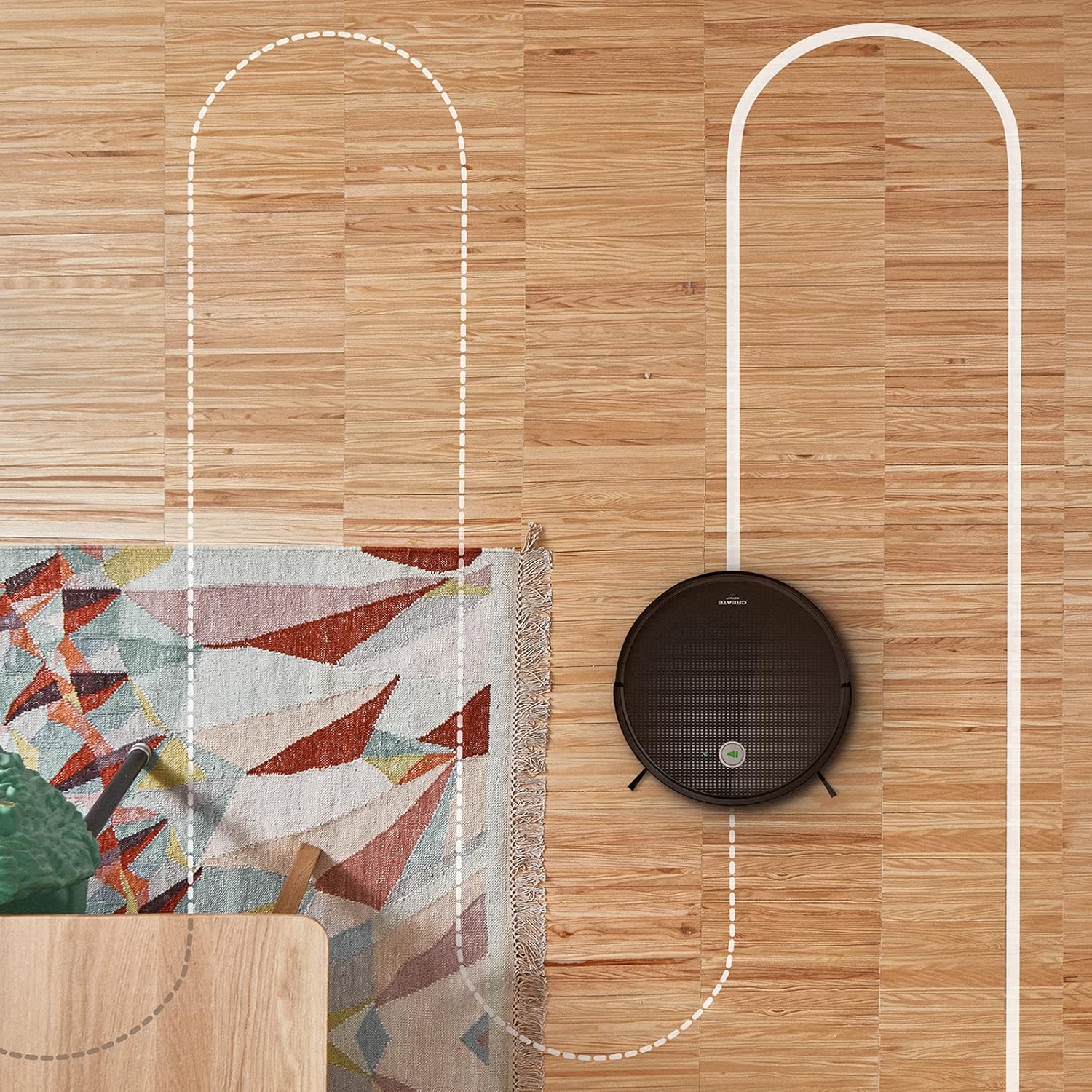
ທາງອາກາດ view shows the CREATE NETBOT S15 Robot Vacuum Cleaner moving across a wooden floor, with a dotted line indicating its systematic cleaning path, highlighting its gyroscopic navigation.
5.2 ການນໍາໃຊ້ການຄວບຄຸມໄລຍະໄກ
The included remote control allows for direct operation of the robot vacuum. Refer to the remote control diagram in your quick start guide for button functions. Common functions include:
- ເລີ່ມ/ຢຸດການທໍາຄວາມສະອາດ
- ກັບໄປທີ່ພື້ນຖານການສາກໄຟ
- Directional Control (manual steering)
- ການອະນາໄມຈຸດ
- ການເຮັດຄວາມສະອາດຂອບ
- ການຕັ້ງຄ່າຕາຕະລາງ
5.3 Magnetic Strip Usage
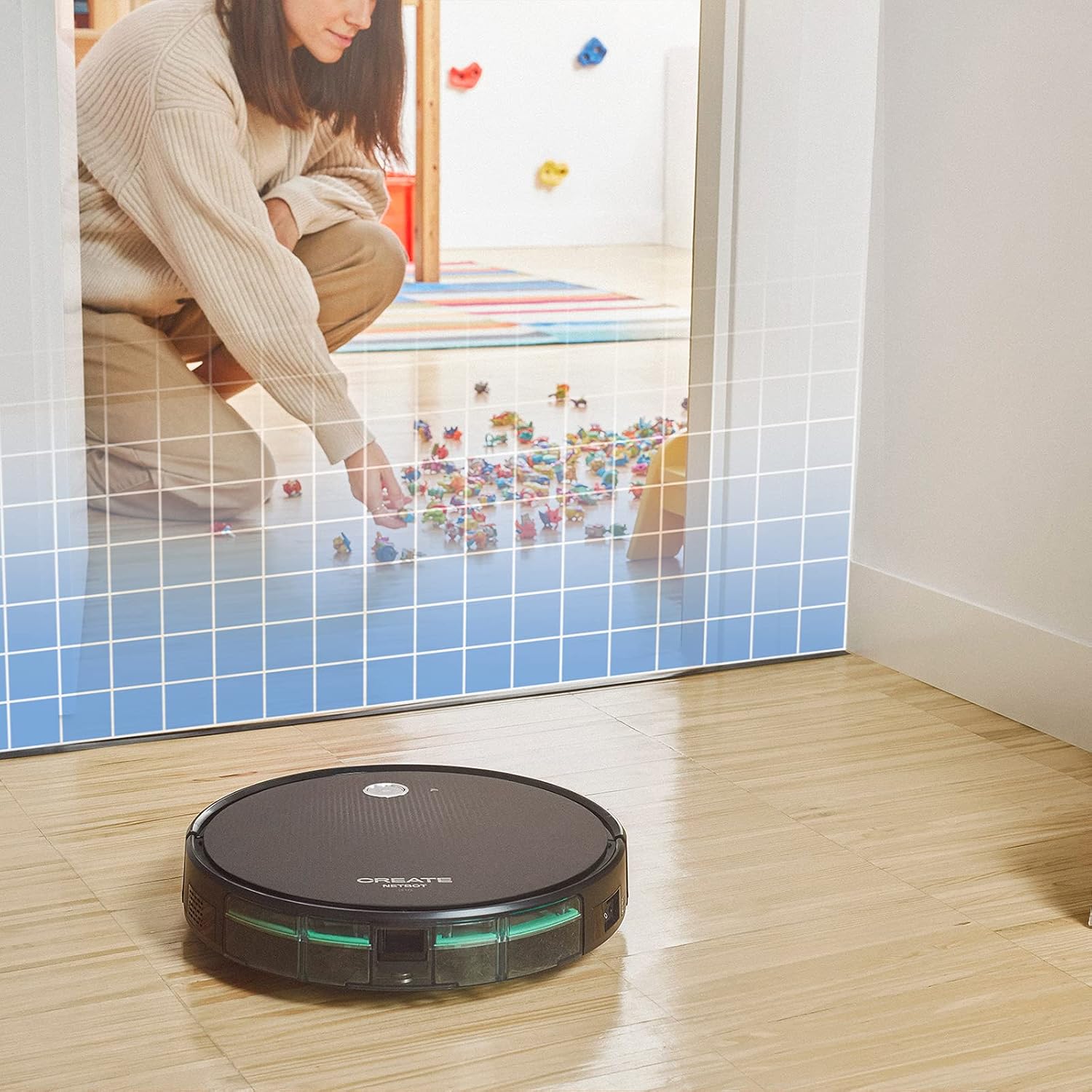
This illustration demonstrates the CREATE NETBOT S15 Robot Vacuum Cleaner approaching a virtual boundary, represented by a grid, which prevents it from entering a specific area, such as where toys are located.
Use the provided magnetic strip to create virtual boundaries that the robot will not cross. Place the strip on the floor to delimit areas where the robot should not enter, such as pet feeding zones or areas with delicate items.
5.4 ອາຍຸແບັດເຕີຣີ
The NETBOT S15 is equipped with a long-lasting LG Lithium battery, providing up to 120 minutes of cleaning autonomy on a single charge, depending on the selected power mode.
6. ບໍາລຸງຮັກສາ
ການບໍາລຸງຮັກສາເປັນປົກກະຕິຮັບປະກັນການປະຕິບັດທີ່ດີທີ່ສຸດແລະຍືດອາຍຸຂອງເຄື່ອງດູດຝຸ່ນຫຸ່ນຍົນຂອງທ່ານ.
6.1 ການອະນາໄມຖັງຂີ້ຝຸ່ນ ແລະຖັງນໍ້າ
Empty the dustbin after each use. The 600 ml dustbin is easily removable. If using the mopping function, empty and rinse the 400 ml water tank after each use to prevent mold or odors.
6.2 ການເຮັດຄວາມສະອາດແປງ

ໃກ້ຊິດ view of the CREATE NETBOT S15 Robot Vacuum Cleaner's side brush, showing its design for sweeping debris into the main suction path.
- ແປງດ້ານຂ້າງ: Regularly check for hair or debris entanglement. Remove and clean as needed. Replace worn brushes with the provided spares.
- ແປງຫຼັກ: ເອົາຝາປິດແປງຫຼັກອອກ ແລະ ຍົກແປງອອກ. ໃຊ້ເຄື່ອງມືທຳຄວາມສະອາດເພື່ອກຳຈັດຜົມ ແລະ ສິ່ງເສດເຫຼືອທີ່ພັນກັນອອກ.
6.3 ການທຳຄວາມສະອາດ/ປ່ຽນການກັ່ນຕອງ
The robot uses a double filter system: a sponge filter and a HEPA filter. Tap the filters to remove loose dirt. Do not wash HEPA filters with water. Replace filters every 3-6 months, or more frequently with heavy use, to maintain suction performance.
6.4 ການເຮັດຄວາມສະອາດເຊັນເຊີ
Wipe the cliff sensors (located on the bottom of the robot) and the bumper sensors (on the front) with a clean, dry cloth to ensure proper navigation and obstacle detection.
7. ການແກ້ໄຂບັນຫາ
If you encounter issues with your NETBOT S15, refer to the following common problems and solutions:
| ບັນຫາ | ສາເຫດທີ່ເປັນໄປໄດ້ | ການແກ້ໄຂ |
|---|---|---|
| ຫຸ່ນຍົນບໍ່ເລີ່ມຕົ້ນຫຼືຕອບສະຫນອງ. | ຫມໍ້ໄຟຕ່ໍາ; ປິດເປີດປິດ; ຫຸ່ນຍົນຕິດ. | ສາກຫຸ່ນຍົນ; ຮັບປະກັນວ່າສະວິດໄຟເປີດຢູ່; ເອົາສິ່ງກີດຂວາງອອກ. |
| ປະສິດທິພາບທໍາຄວາມສະອາດບໍ່ດີ. | Full dustbin; Clogged brushes/filters; Worn brushes. | Empty dustbin; Clean brushes and filters; Replace brushes/filters. |
| ຫຸ່ນຍົນບໍ່ສາມາດຊອກຫາຖານສາກໄຟໄດ້. | ຖານສາກໄຟຂັດຂວາງ; ຫຸ່ນຍົນໄກເກີນໄປຈາກຖານ; ພື້ນຖານບໍ່ໄດ້ຂັບເຄື່ອນ. | Ensure clear space around base; Manually place robot closer; Check power connection to base. |
| ຫຸ່ນຍົນຕິດຢູ່ເລື້ອຍໆ. | Cables/small objects on floor; Uneven surfaces; Dark colored carpets. | Clear floor of obstacles; Use magnetic strips for problem areas; Robot may struggle on very dark surfaces. |
| ບັນຫາການເຊື່ອມຕໍ່ Wi-Fi. | ລະຫັດຜ່ານ Wi-Fi ບໍ່ຖືກຕ້ອງ; ເຣົາເຕີ້ຢູ່ໄກເກີນໄປ; ເຄືອຂ່າຍ 5GHz. | Verify password; Move robot closer to router; Ensure connection to a 2.4GHz Wi-Fi network. |
8. ຂໍ້ມູນຈໍາເພາະ
Key technical specifications for the CREATE NETBOT S15 Robot Vacuum Cleaner:
- ຍີ່ຫໍ້: ສ້າງ
- ໝາຍເລກຕົວແບບ: Netbot S15
- ສີ: Black - Turquoise
- ຂະໜາດ (L x W x H): 33 x 33 x 7.5 cm
- ນ້ຳໜັກ: 3 ກິໂລກຣາມ
- ພະລັງງານ: 25 ວັດ
- ແຮງດູດ: ເຖິງ 1500 Pa
- ລະດັບສຽງລົບກວນ: 62 dB
- ປະເພດຫມໍ້ໄຟ: ລິດທຽມ-ໄອອອນ
- ຊີວິດຫມໍ້ໄຟ: ເຖິງ 120 ນາທີ
- ຄວາມອາດສາມາດ Dustbin: 600 ມລ
- ຄວາມອາດສາມາດຂອງຖັງນໍ້າ: 400 ມລ
- ລະບົບການກັ່ນຕອງ: Double sponge Clean + HEPA filter
- ການເຊື່ອມຕໍ່: Wi-Fi, App Control
- ຄວາມເຂົ້າກັນໄດ້ຂອງຜູ້ຊ່ວຍສຽງ: Google Home, Alexa
- ຄຸນນະສົມບັດພິເສດ: Gyroscopic navigation, Magnetic strip boundary, 4 cleaning modes (sweep, vacuum, mop, wash)
9. ການຮັບປະກັນແລະການສະຫນັບສະຫນູນ
For warranty information, technical support, or service inquiries, please refer to the warranty card included with your product or visit the official CREATE webເວັບໄຊ. ຮັກສາໃບຮັບເງິນການຊື້ຂອງທ່ານໄວ້ເປັນຫຼັກຖານການຊື້.


