
Amazon Basics MPPDA-08CRN8-BCG2
Amazon Basics 3-In-1 Portable Air Conditioner User Manual
Model: MPPDA-08CRN8-BCG2 | Brand: Amazon Basics
ຂໍ້ມູນຄວາມປອດໄພທີ່ສໍາຄັນ
Please read all instructions carefully before operating the appliance and retain for future reference. Always follow basic safety precautions to reduce the risk of fire, electric shock, and personal injury.
- ໃຫ້ແນ່ໃຈວ່າການສະຫນອງພະລັງງານກົງກັບ voltage ຂໍ້ກໍານົດຂອງຫນ່ວຍງານ.
- ຫ້າມໃຊ້ອຸປະກອນດ້ວຍສາຍໄຟ ຫຼືປລັກສຽບທີ່ເສຍຫາຍ.
- ຫ້າມປິດທາງເຂົ້າຫຼືຊ່ອງອອກອາກາດ.
- ເກັບຮັກສາອຸປະກອນໃຫ້ຫ່າງຈາກວັດຖຸໄວໄຟ.
- ຖອດປລັກເຄື່ອງທຸກຄັ້ງກ່ອນທຳຄວາມສະອາດ ຫຼືໃຫ້ບໍລິການ.
- ເຄື່ອງໃຊ້ນີ້ບໍ່ໄດ້ມີຈຸດປະສົງເພື່ອໃຊ້ໂດຍບຸກຄົນ (ລວມທັງເດັກນ້ອຍ) ທີ່ມີຄວາມສາມາດທາງຮ່າງກາຍ, ຄວາມຮູ້ສຶກ ຫຼືຈິດໃຈທີ່ຫຼຸດລົງ, ຫຼືຂາດປະສົບການ ແລະຄວາມຮູ້, ເວັ້ນເສຍແຕ່ວ່າພວກເຂົາໄດ້ຮັບການຊີ້ນໍາ ຫຼືຄໍາແນະນໍາກ່ຽວກັບການນໍາໃຊ້ເຄື່ອງໃຊ້ໂດຍບຸກຄົນທີ່ຮັບຜິດຊອບຄວາມປອດໄພຂອງເຂົາເຈົ້າ.
ສິນຄ້າເກີນview
The Amazon Basics 3-In-1 Portable Air Conditioner provides cooling, dehumidifying, and fan-only functions for versatile climate control in your home or office.

ຮູບພາບ: ທາງຫນ້າ view of the Amazon Basics Portable Air Conditioner unit with its remote control.
ຄຸນນະສົມບັດທີ່ສໍາຄັນ:
- 3-in-1 versatility: Cool, Dry (Dehumidifier), and Fan-only functions.
- ຄວາມອາດສາມາດເຮັດຄວາມເຢັນ: 12,000 BTU (ASHRAE) / 8,000 BTU (SACC) for spaces up to 550 sq. ft.
- Advanced Comfort: Auto-swing louvers, Sleep mode, 3 fan speeds, 3 cooling settings.
- ເປັນມິດກັບຜູ້ໃຊ້: Digital display, programmable timer (0.5 to 24 hours), remote control with "FOLLOW ME" function.
- ການເຄື່ອນຍ້າຍ: Built-in wheels and ergonomic handles for easy movement.

Image: Diagram showing the dimensions of the portable air conditioner, adjustable fan levers, remote control range (26 ft / 8 m), and rolling caster wheels.
ການຕິດຕັ້ງແລະການຕິດຕັ້ງ
Proper installation is crucial for efficient operation. The unit comes with a complete window kit for easy setup.
ການຕິດຕັ້ງຊຸດປ່ອງຢ້ຽມ:
The window kit is compatible with standard, crank, and egress windows, allowing for both horizontal and vertical venting.

Image: Illustrations demonstrating how to install the window kit for both horizontal and vertical window orientations.
- ການກະກຽມປ່ອງຢ້ຽມ: Open the window where you intend to install the unit.
- Assemble Window Slider Kit: Connect the window slider panels to fit the width or height of your window opening.
- Insert Slider: Insert the assembled window slider into the window opening. Close the window sash to secure the slider.
- Secure Slider: Adjust the window slider to the height/width of the window assembly and secure it with the provided plastic bolt.
- ຄັດຕິດທໍ່ລະບາຍອາກາດ: Connect one end of the exhaust hose to the air conditioner's exhaust port and the other end to the window kit adapter. Ensure a tight seal to prevent hot air from re-entering the room.
- ຫນ່ວຍງານຕໍາແໜ່ງ: Place the portable AC unit on a flat, stable surface near the window, ensuring the exhaust hose is not kinked or bent sharply.

Image: Diagrams illustrating flexible installation options for both sash and sliding windows, showing compatible window dimensions (26.6 to 49.1 inches / 67.6 cm to 124.7 cm wide/tall).
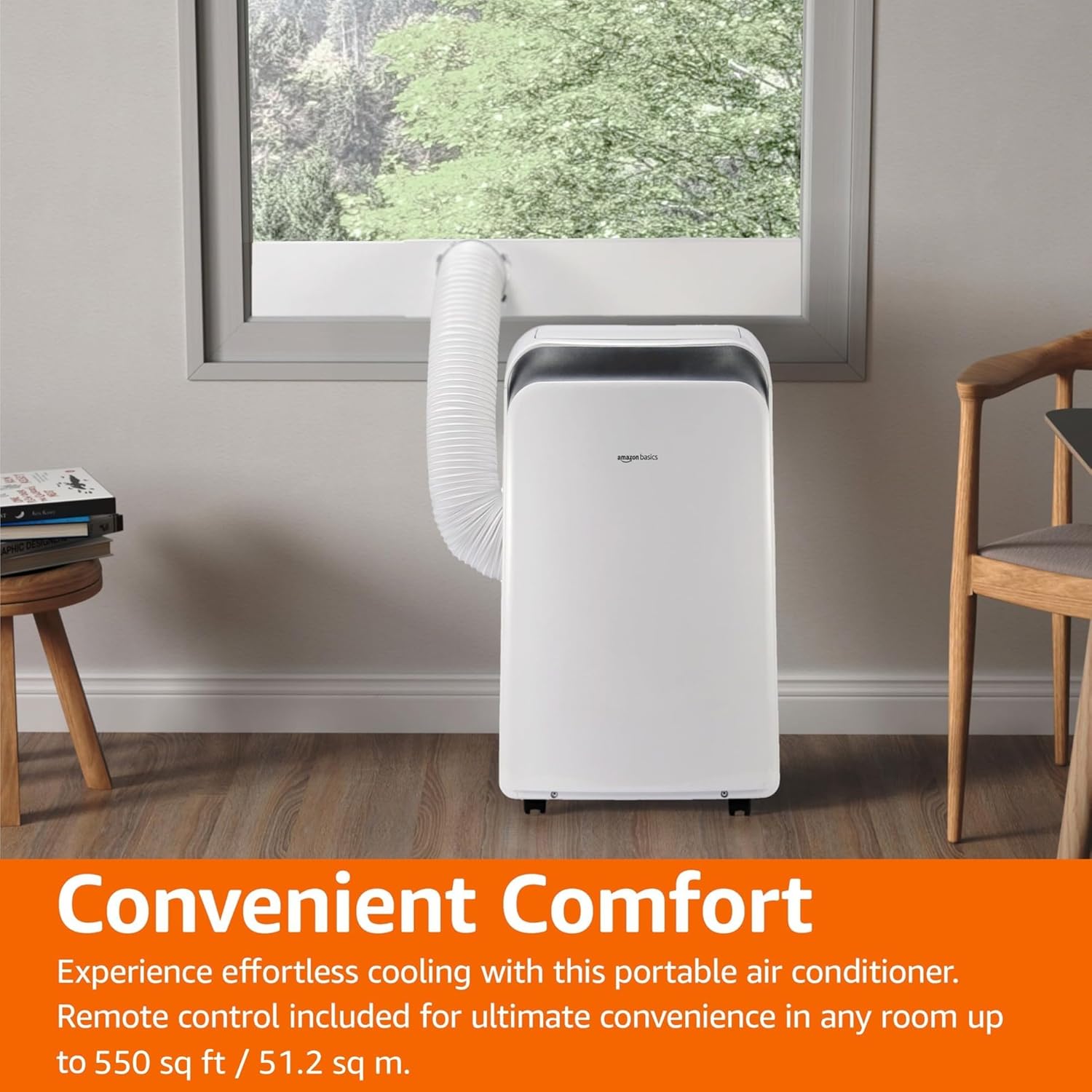
Image: The portable air conditioner unit installed in a living space, with the exhaust hose connected to a window, demonstrating its convenient placement.
ຄໍາແນະນໍາການດໍາເນີນງານ
The unit can be operated using the control panel on the unit or the included remote control.

Image: Close-up of the portable air conditioner's digital display and control buttons, highlighting its 3-in-1 design, automatic timer, 3 cooling settings, and 12,000 BTU capacity.
ແຜງຄວບຄຸມ ແລະໄລຍະໄກ:
- ປຸ່ມເປີດປິດ: ເປີດ/ປິດເຄື່ອງ.
- ປຸ່ມໂໝດ: ໝຸນວຽນຜ່ານໂໝດເຢັນ, ແຫ້ງ (ເຄື່ອງດູດຄວາມຊຸ່ມຊື່ນ) ແລະ ພັດລົມ.
- ປຸ່ມອຸນຫະພູມ (+/-): ປັບອຸນຫະພູມທີ່ຕ້ອງການ.
- ປຸ່ມຄວາມໄວພັດລົມ: ເລືອກຄວາມໄວພັດລົມ (ຕໍ່າ, ປານກາງ, ສູງ).
- ປຸ່ມຈັບເວລາ: Sets the auto ON/OFF timer (0.5 to 24 hours).
- ຮູບແບບການນອນ: Activates energy-saving sleep function.
- ແບບອັດຕະໂນມັດ: The unit intelligently selects between cooling and fan-only operation based on room temperature.
- Follow Me Function (Remote): ການຄວບຄຸມໄລຍະໄກເຮັດຫນ້າທີ່ເປັນເຄື່ອງຄວບຄຸມອຸນຫະພູມ, ເຮັດໃຫ້ຫນ່ວຍບໍລິການເຢັນກັບອຸນຫະພູມຢູ່ທີ່ສະຖານທີ່ຂອງຫ່າງໄກສອກຫຼີກ.
ຮູບແບບການເຮັດວຽກ:
- ແບບເຢັນ: ໃຫ້ຄວາມເຢັນທີ່ມີປະສິດທິພາບ. ຕັ້ງອຸນຫະພູມ ແລະ ຄວາມໄວພັດລົມທີ່ຕ້ອງການ.
- ໂໝດແຫ້ງ (ເຄື່ອງດັບຄວາມຊຸ່ມ): Removes excess moisture from the air. Fan speed is typically fixed in this mode.
- ແບບພັດລົມ: ໝູນວຽນອາກາດໂດຍບໍ່ເຮັດໃຫ້ເຢັນ. ເລືອກຄວາມໄວພັດລົມທີ່ຕ້ອງການ.
- ແບບອັດຕະໂນມັດ: The unit intelligently selects between cooling and fan-only operation to maintain the set temperature.
ບໍາລຸງຮັກສາ
Regular maintenance ensures optimal performance and extends the life of your portable air conditioner.
ການເຮັດຄວາມສະອາດການກັ່ນຕອງອາກາດ:
ການກັ່ນຕອງອາກາດຄວນເຮັດຄວາມສະອາດທຸກໆສອງອາທິດຫຼືເລື້ອຍໆຂື້ນກັບການນໍາໃຊ້ແລະຄຸນນະພາບຂອງອາກາດ.
- ຖອດປລັກໜ່ວຍອອກຈາກປລັກສຽບໄຟ.
- ຊອກຫາແລະເອົາການກັ່ນຕອງອາກາດອອກຈາກດ້ານຫລັງຫຼືດ້ານຂ້າງຂອງຫນ່ວຍງານ.
- ລ້າງການກັ່ນຕອງດ້ວຍນ້ໍາສະບູທີ່ອົບອຸ່ນ. ລ້າງໃຫ້ສະອາດ.
- ປ່ອຍໃຫ້ການກັ່ນຕອງອາກາດແຫ້ງຫມົດກ່ອນທີ່ຈະໃສ່ມັນເຂົ້າໄປໃນຫນ່ວຍບໍລິການ.
ການລະບາຍນ້ໍາ:
In Dry (Dehumidifier) mode or high humidity conditions, the internal water tank may fill up. The unit will typically stop operating and display an error code when the tank is full.
- ວາງຖາດ ຫຼືຖັງນໍ້າຕື້ນໄວ້ໃຕ້ຮູລະບາຍນໍ້າຢູ່ດ້ານຫຼັງຂອງເຄື່ອງ.
- ຖອດທໍ່ລະບາຍນ້ໍາອອກເພື່ອໃຫ້ນ້ໍາໄຫຼອອກ.
- ເມື່ອລະບາຍອອກແລ້ວ, ໃຫ້ປ່ຽນທໍ່ລະບາຍນ້ຳຢ່າງປອດໄພ.
- For continuous drainage, connect a drain hose (not included) to the continuous drain port.
ການເກັບຮັກສາ:
If storing the unit for an extended period, ensure it is completely drained and the filter is clean and dry. Store in a cool, dry place, preferably in its original packaging.
ການແກ້ໄຂບັນຫາ
ກ່ອນທີ່ຈະຕິດຕໍ່ສະຫນັບສະຫນູນລູກຄ້າ, ກະລຸນາເບິ່ງບັນຫາທົ່ວໄປຕໍ່ໄປນີ້ແລະວິທີແກ້ໄຂ.
| ບັນຫາ | ສາເຫດທີ່ເປັນໄປໄດ້ | ການແກ້ໄຂ |
|---|---|---|
| ຫນ່ວຍບໍລິການບໍ່ເປີດ. | ບໍ່ມີສາຍໄຟ, ຖອດສາຍໄຟອອກ, ເຄື່ອງຕັດວົງຈອນປິດ. | ກວດເບິ່ງການເຊື່ອມຕໍ່ພະລັງງານ, ປັບຕົວຕັດວົງຈອນ. |
| ຫນ່ວຍບໍລິການບໍ່ເຢັນປະສິດທິຜົນ. | Dirty air filter, blocked air intake/outlet, room too large, windows/doors open, exhaust hose not properly installed. | Clean air filter, clear obstructions, ensure room size is within capacity, close windows/doors, check exhaust hose connection. |
| ໜ່ວຍມີສຽງດັງ. | ໜ່ວຍງານບໍ່ຢູ່ໃນລະດັບໃດໜຶ່ງ, ພັດລົມກີດຂວາງ. | Place unit on a flat surface, check for foreign objects in fan. |
| ນໍ້າຮົ່ວ. | Drain plug loose, continuous drain hose kinked or blocked, internal water tank full. | Ensure drain plug is secure, clear any kinks/blockages in drain hose, empty internal water tank. |
| ການຄວບຄຸມໄລຍະໄກບໍ່ເຮັດວຽກ. | ຫມໍ້ໄຟທີ່ຕາຍແລ້ວ, ການຂັດຂວາງລະຫວ່າງຫ່າງໄກສອກຫຼີກແລະຫນ່ວຍ. | Replace batteries, ensure clear line of sight to unit's receiver. |
ຂໍ້ມູນຈໍາເພາະ
| ຄຸນສົມບັດ | ລາຍລະອຽດ |
|---|---|
| ໝາຍເລກຕົວແບບ | MPPDA-08CRN8-BCG2 |
| ຄວາມອາດສາມາດເຮັດຄວາມເຢັນ (ASHRAE) | 12,000 BTU |
| ຄວາມອາດສາມາດເຮັດຄວາມເຢັນ (SACC) | 8,000 BTU |
| ພື້ນທີ່ການຄຸ້ມຄອງທີ່ແນະນໍາ | ເຖິງ 550 ຕາແມັດ. |
| ຟັງຊັນ | Cool, Dry (Dehumidifier), Fan |
| ສະບັບtage | 115 ໂວນ |
| ຕູ້ເຢັນ | R32 |
| ຂະໜາດສິນຄ້າ (L x W x H) | 45.39 x 36.5 x 70 ຊມ (17.87 x 14.37 x 27.56 ນິ້ວ) |
| ນ້ໍາຫນັກລາຍການ | 22.68 ກິໂລ (50 ປອນ) |
| ອັດຕາສ່ວນປະສິດທິພາບພະລັງງານຕາມລະດູການ (SEER) | 10 |
| ຄຸນນະສົມບັດພິເສດ | 3-In-1 (Cool/Dry/Ventilation), Digital Display, Remote Control, Auto Mode, Sleep Mode, Auto-Swing Louvers |
ການຮັບປະກັນແລະການສະຫນັບສະຫນູນ
For warranty information or technical support, please refer to the Amazon Basics product page or contact Amazon customer service directly. Keep your purchase receipt for warranty claims.
ສະຫນັບສະຫນູນອອນໄລນ໌: Visit the Amazon Basics store page for FAQs and additional resources.
ບໍລິການລູກຄ້າ: Contact Amazon customer service for assistance with product issues or warranty claims.
Ask a question about this manual
Ask about setup, troubleshooting, compatibility, parts, safety, or missing instructions. Manuals+ will review the question and use this page’s manual context to help answer it.