
1. ບົດແນະນຳ
This manual provides comprehensive instructions for the Microsoft Surface Laptop 3, Model VGY-00001. Designed for productivity and portability, this device features a 13.5-inch touchscreen, Intel Core i5 processor, 8GB RAM, and a 128GB Solid State Drive. Please read this manual thoroughly to ensure proper setup, operation, and maintenance of your device.
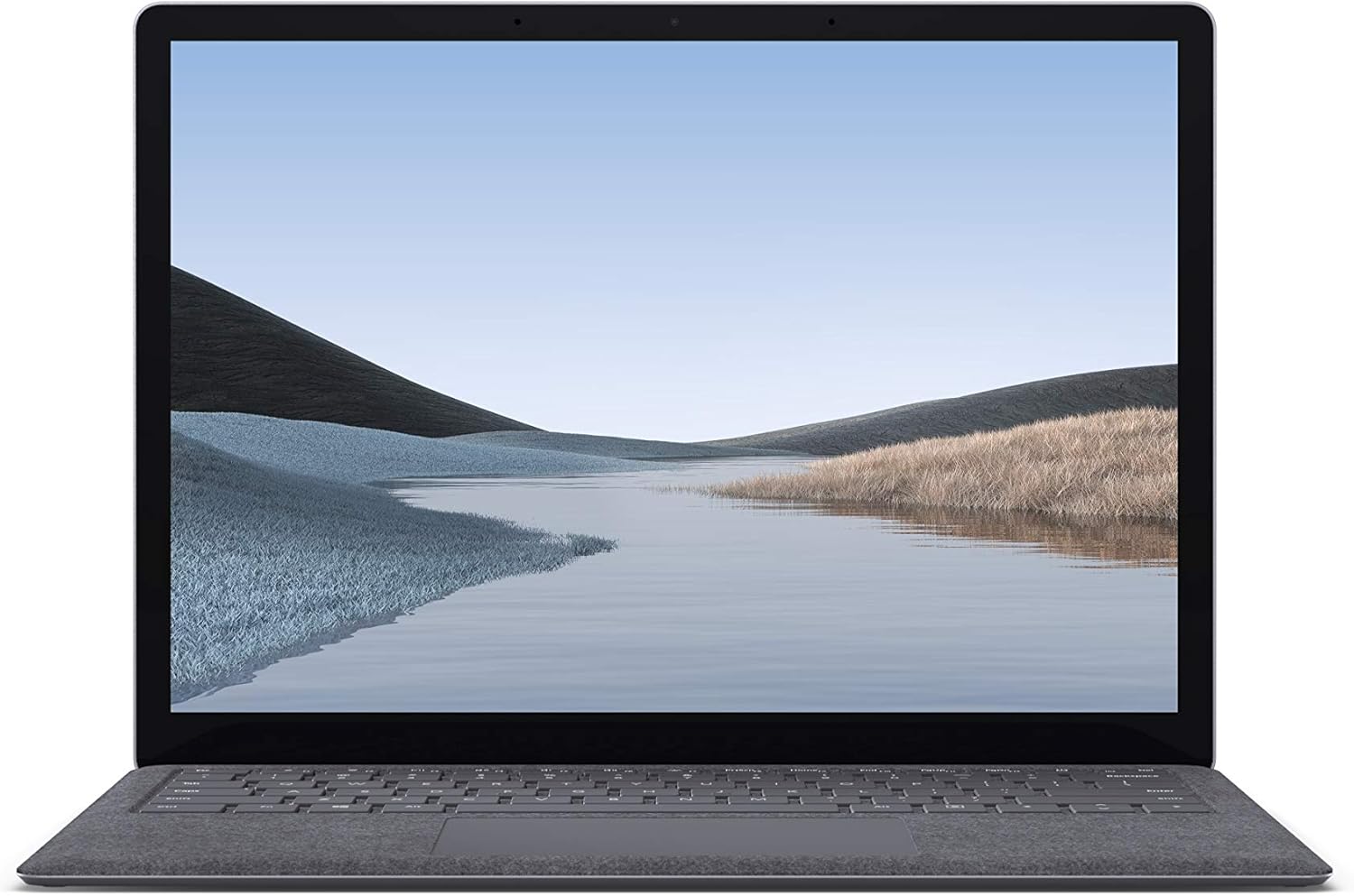
ຮູບພາບ 1.1: ດ້ານຫນ້າ view of the Microsoft Surface Laptop 3 with its display active.
The Surface Laptop 3 offers a clean, elegant design, weighing approximately 2.79 pounds, making it easy to carry. It features improved speed and performance with its 10th Gen Intel Core processors, offering up to two times faster performance than previous models. Connectivity options include USB-C and USB-A ports for connecting to displays, docking stations, and accessories. The device provides up to 11.5 hours of battery life and supports fast charging, reaching up to 80% in about one hour.
2. ສິ່ງທີ່ຢູ່ໃນກ່ອງ
Upon unboxing your Microsoft Surface Laptop 3, verify that all the following items are present:
- Microsoft Surface Laptop 3 (Model VGY-00001)
- ຄູ່ມືເລີ່ມຕົ້ນດ່ວນ (QSG)
- ການສະຫນອງພະລັງງານ (ອະແດບເຕີ AC)
3. ຕັ້ງຄ່າ
3.1 ການເປີດເຄື່ອງເບື້ອງຕົ້ນ
- ເຊື່ອມຕໍ່ພະລັງງານ: Plug the power supply into a wall outlet and connect the magnetic Surface Connect port to your laptop. The LED indicator on the connector will light up when properly connected.
- ເປີດ: ເປີດຝາແລັບທັອບ ຫຼືກົດປຸ່ມເປີດປິດທີ່ຕັ້ງຢູ່ເທິງແປ້ນພິມ.
- ການຕິດຕັ້ງ Windows: ປະຕິບັດຕາມຄໍາແນະນໍາໃນຫນ້າຈໍເພື່ອເຮັດສໍາເລັດການຕິດຕັ້ງ Windows 10 Home. ນີ້ລວມມີການເລືອກພາກພື້ນຂອງທ່ານ, ການເຊື່ອມຕໍ່ກັບເຄືອຂ່າຍ Wi-Fi, ແລະການສ້າງບັນຊີຜູ້ໃຊ້.
- Windows ສະບາຍດີ: Configure Windows Hello for secure and fast login using facial recognition.
3.2 ການເຊື່ອມຕໍ່ອຸປະກອນຕໍ່
Your Surface Laptop 3 includes various ports for connecting external devices:
- ຜອດ USB-C: ສຳລັບການໂອນຂໍ້ມູນ, ການສົ່ງວິດີໂອອອກ ແລະ ການສາກໄຟອຸປະກອນທີ່ເຂົ້າກັນໄດ້.
- ພອດ USB-A: For connecting traditional USB devices like mice, keyboards, and external storage.
- ຊ່ອງສຽບຫູຟັງ 3.5 ມມ: ສໍາລັບສຽງອອກໄປຫາຫູຟັງຫຼືລໍາໂພງພາຍນອກ.
- Surface Connect Port: For the power supply and compatible Surface docking stations.

ຮູບພາບ 3.1: ຂ້າງ view illustrating the available ports on the Surface Laptop 3.
4. ການໃຊ້ງານແລັບທັອບ Surface ຂອງທ່ານ 3
4.1 ຈໍສະແດງຜົນ ແລະໜ້າຈໍສຳຜັດ
The 13.5-inch PixelSense touchscreen display offers a resolution of 2256 x 1504 pixels. It supports multi-touch gestures and is compatible with the Surface Pen (sold separately) for writing and drawing directly on the screen.
4.2 ແປ້ນພິມ ແລະ ແຜ່ນສໍາຜັດ
The full-size ergonomic keyboard features backlighting for comfortable typing in various lighting conditions. The large precision touchpad supports multi-finger gestures for navigation and control.
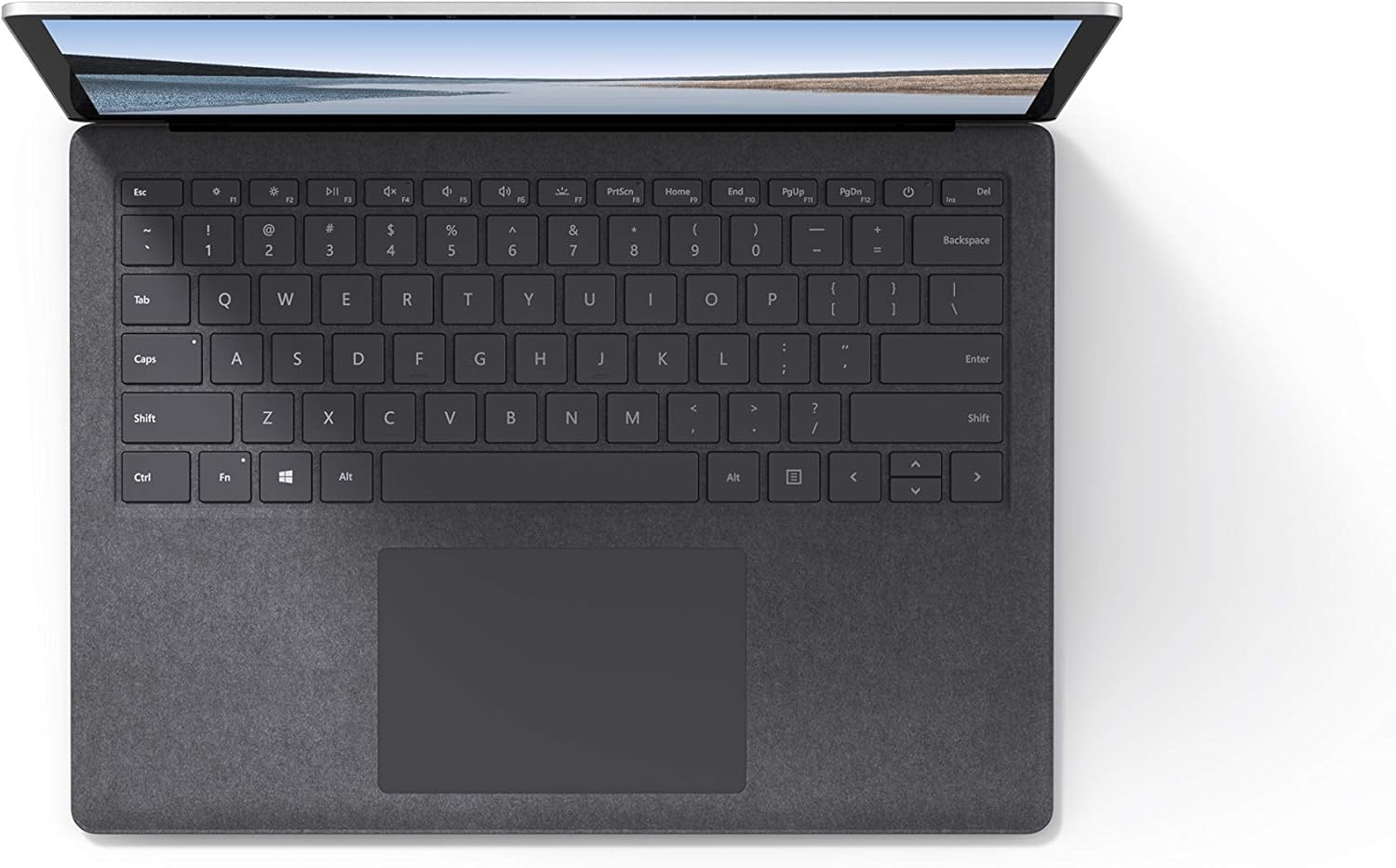
ຮູບພາບ 4.1: ເທິງລົງລຸ່ມ view ພື້ນທີ່ຂອງແປ້ນພິມ ແລະ touchpad.
4.3 ສຽງແລະກ້ອງຖ່າຍຮູບ
The laptop is equipped with Omnisonic Speakers with Dolby Audio Premium for clear sound. Dual far-field Studio Mics enhance voice clarity for calls and recordings. A front-facing 720p HD camera supports video conferencing and Windows Hello facial authentication.
4.4 ການເຊື່ອມຕໍ່ໄຮ້ສາຍ
The Surface Laptop 3 supports Wi-Fi 6 (802.11ax) for fast and reliable internet access, and Bluetooth 5.0 for connecting wireless accessories.
Video 4.1: Official Microsoft video showcasing the Surface Laptop 3's features and design.
5. ບໍາລຸງຮັກສາ
5.1 ການທໍາຄວາມສະອາດອຸປະກອນຂອງທ່ານ
- ໃຊ້ຜ້າແພທີ່ອ່ອນນຸ້ມ ງampened with water or an approved screen cleaner to clean the display.
- ສໍາລັບແປ້ນພິມ ແລະຕົວເຄື່ອງ, ໃຫ້ໃຊ້ຜ້າອ່ອນ, ແຫ້ງ. ຫຼີກເວັ້ນການສານເຄມີທີ່ຮຸນແຮງຫຼືວັດສະດຸຂັດ.
- ຮັກສາທ່າເຮືອບໍ່ໃຫ້ມີຂີ້ຝຸ່ນ ແລະສິ່ງເສດເຫຼືອ.
5.2 ການປັບປຸງຊອບແວ
ກວດສອບ ແລະ ຕິດຕັ້ງການອັບເດດ Windows ເປັນປະຈຳເພື່ອຮັບປະກັນປະສິດທິພາບ, ຄວາມປອດໄພ ແລະ ການເຂົ້າເຖິງຄຸນສົມບັດລ່າສຸດທີ່ດີທີ່ສຸດ. ໄປທີ່ ການຕັ້ງຄ່າ > ອັບເດດ ແລະຄວາມປອດໄພ > Windows Update.
5.3 ການດູແລຫມໍ້ໄຟ
- ຫຼີກເວັ້ນອຸນຫະພູມທີ່ຮຸນແຮງ.
- ເພື່ອອາຍຸການໃຊ້ງານຂອງແບັດເຕີຣີທີ່ດີທີ່ສຸດ, ຄວນຫຼີກລ່ຽງການສາກແບັດເຕີຣີໃຫ້ເຫຼືອ 0% ຢ່າງຕໍ່ເນື່ອງ ຫຼື ຮັກສາແບັດເຕີຣີໄວ້ທີ່ 100% ເປັນເວລາດົນ.
- ໃຊ້ພຽງແຕ່ການສະຫນອງພະລັງງານທີ່ສະຫນອງໃຫ້.
6. ການແກ້ໄຂບັນຫາ
6.1 ບັນຫາພະລັງງານ
- ອຸປະກອນບໍ່ເປີດ: Ensure the power supply is securely connected and the outlet is functional. Try a forced shutdown by holding the power button for 30 seconds, then release and press again briefly to restart.
- ແບັດເຕີຣີບໍ່ສາກໄຟ: Verify the Surface Connect cable is properly attached. Check for any damage to the cable or port.
6.2 ບັນຫາການປະຕິບັດ
- ປະສິດທິພາບຊ້າ: Close unnecessary applications. Check Task Manager for resource-intensive processes. Ensure Windows is up to date.
- ຄວາມຮ້ອນເກີນ: Ensure ventilation vents are not blocked. Avoid using the laptop on soft surfaces that can obstruct airflow.
6.3 ບັນຫາການເຊື່ອມຕໍ່
- Wi-Fi ບໍ່ເຊື່ອມຕໍ່: Restart your router and the laptop. Check Wi-Fi settings and ensure the correct network is selected and password entered.
- ອຸປະກອນ Bluetooth ບໍ່ໄດ້ຈັບຄູ່: ກວດໃຫ້ແນ່ໃຈວ່າອຸປະກອນ Bluetooth ຢູ່ໃນໂໝດຈັບຄູ່ ແລະຢູ່ໃນຂອບເຂດ. ກວດເບິ່ງການຕັ້ງຄ່າ Bluetooth ໃນແລັບທັອບຂອງທ່ານ.
7. ຂໍ້ມູນຈໍາເພາະ
| ຄຸນສົມບັດ | ລາຍລະອຽດ |
|---|---|
| ຍີ່ຫໍ້ | Microsoft |
| ຊື່ຕົວແບບ | Surface Laptop 3 |
| ໝາຍເລກຕົວແບບ | VGY-00001 |
| ຂະໜາດໜ້າຈໍ | 13.5 ນິ້ວ |
| ຄວາມລະອຽດ | 2256 x 1504 ພິກເຊລ |
| ຕົວແບບ CPU | Intel Core i5 (10th Generation) |
| ຄວາມໄວປະມວນຜົນ | 1.2 GHz (up to 3.7 GHz with Turbo Boost) |
| RAM ຂະຫນາດທີ່ຕິດຕັ້ງ | 8 GB LPDDR4 |
| ຂະຫນາດຮາດດິດ | SSD 128 GB |
| ລະບົບປະຕິບັດການ | Windows 10 Home (Free Upgrade to Windows 11 when available) |
| Graphics Coprocessor | Intel Iris Plus |
| ເຕັກໂນໂລຊີການເຊື່ອມຕໍ່ | 1 x USB-C, 1 x USB-A, 3.5 mm headphone jack, 1 x Surface Connect port |
| ເຕັກໂນໂລຊີໄຮ້ສາຍ | Wi-Fi 6 (802.11ax), Bluetooth 5.0 |
| ຊີວິດຫມໍ້ໄຟ | ສູງສຸດ 11.5 ຊົ່ວໂມງ |
| ນ້ໍາຫນັກລາຍການ | 2.79 ປອນ |
| Dimensions (L x W x Thickness) | 8.8"L x 12.1"W x 0.57"ທ |
| ກ້ອງຖ່າຍຮູບ | Front-facing 720p HD camera with Windows Hello face authentication |
| ສຽງ | Omnisonic Speakers with Dolby Audio Premium, Dual far-field Studio Mics |
8. ການຮັບປະກັນແລະການສະຫນັບສະຫນູນ
8.1 ການຮັບປະກັນຜະລິດຕະພັນ
The Microsoft Surface Laptop 3 (Model VGY-00001) comes with a ການຮັບປະກັນຂອງຜູ້ຜະລິດ 1 ປີຈໍາກັດ. This warranty covers defects in materials and workmanship under normal use. For specific terms and conditions, please refer to the warranty documentation included with your product or visit the official Microsoft support webເວັບໄຊ.
8.2 ສະຫນັບສະຫນູນລູກຄ້າ
For technical assistance, troubleshooting, or warranty claims, please contact Microsoft Support. You can find contact information and additional resources on the official Microsoft Surface support website. Keep your proof of purchase and product serial number readily available when contacting support.
ສະຫນັບສະຫນູນອອນໄລນ໌: ຢ້ຽມຢາມ support.microsoft.com/surface ສຳລັບຄຳຖາມທີ່ຖືກຖາມເລື້ອຍໆ, ໄດຣເວີ ແລະ ການດາວໂຫຼດຊອບແວ.