
1. ບົດແນະນຳ
Thank you for choosing the WholeFire XHP50 LED Flashlight. This powerful and versatile flashlight is designed for various applications, offering high brightness, multiple lighting modes, and convenient USB recharging. Please read this manual carefully before use to ensure proper operation and maintenance.
ເນື້ອໃນຊຸດ:
- 2 x WholeFire XHP50 LED Flashlights
- 2 x ແບັດເຕີຣີທີ່ສາມາດສາກໄດ້
- 2 x ສາຍສາກ USB
- 1 x ຄູ່ມືຜູ້ໃຊ້
2. ຂໍ້ມູນຄວາມປອດໄພ
- ຄວາມປອດໄພຕາ: Do not point the flashlight directly into eyes, as the high brightness (4000 lumens) can cause temporary vision impairment or discomfort.
- ຄວາມຕ້ານທານນ້ໍາ: The flashlight is water-resistant (IP67 rated) and can withstand rain and splashes. It is not suitable for diving or prolonged submersion in water. Ensure the charging port cover is securely closed when not charging to maintain water resistance.
- ຄວາມປອດໄພຫມໍ້ໄຟ: Use only the specified rechargeable batteries. Do not attempt to disassemble, short-circuit, or expose batteries to extreme heat or fire. Dispose of batteries according to local regulations.
- ການສາກໄຟ: Use the provided USB cable for charging. Do not use damaged cables or chargers.
- ຄວາມຮ້ອນ: The flashlight may become warm during prolonged use, especially on high mode. This is normal. Avoid touching the head of the flashlight directly after extended use.
- ເດັກນ້ອຍ: ຮັກສາໃຫ້ໄກຈາກເດັກນ້ອຍ.
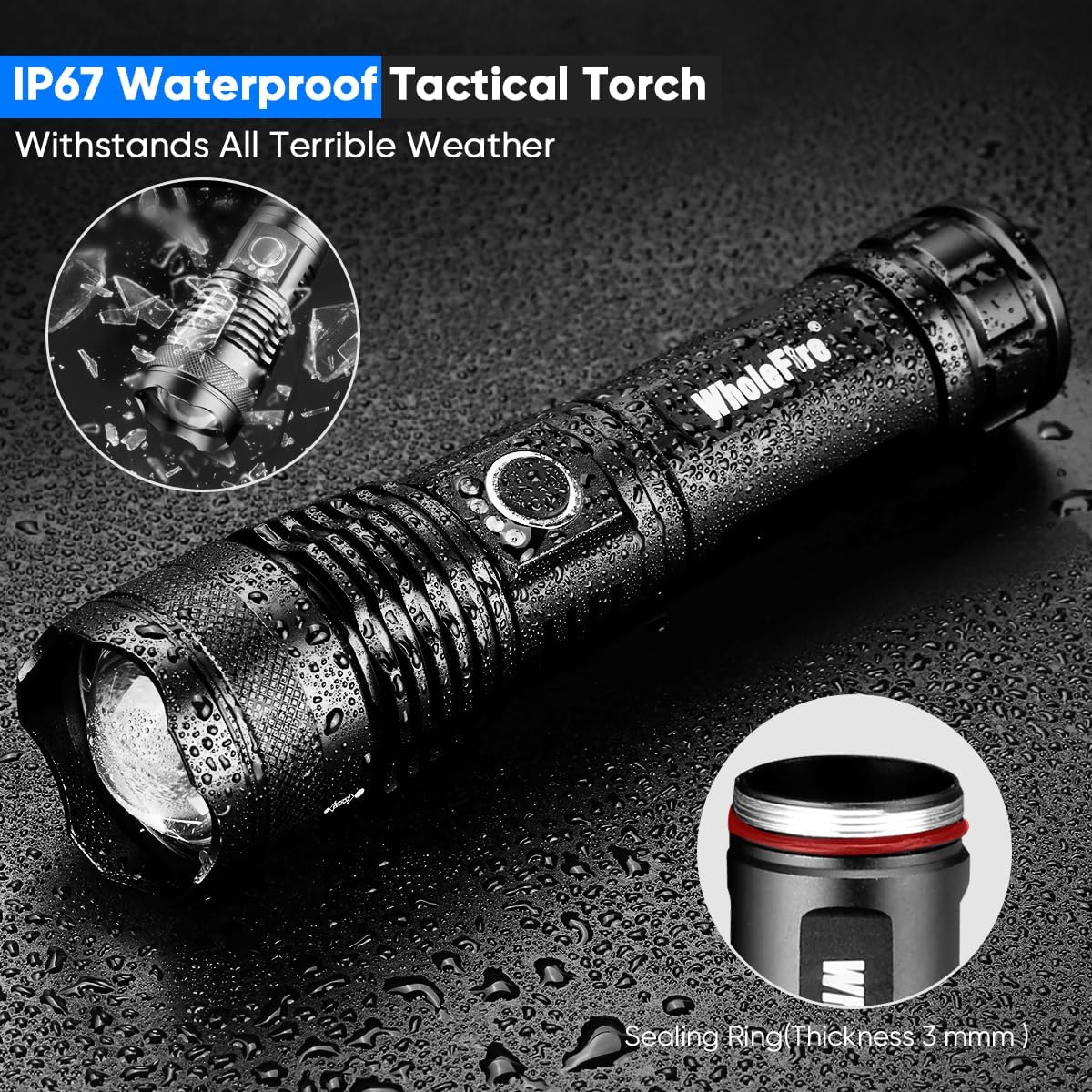
Image: The flashlight demonstrating its water-resistant design, suitable for use in wet conditions but not for submersion.
3. ຕັ້ງຄ່າ
3.1 ການຕິດຕັ້ງຫມໍ້ໄຟ
- ໝຸນຝາປິດຫາງຂອງໄຟສາຍອອກໂດຍການໝຸນມັນທວນກັບເຂັມໂມງ.
- ສຽບແບັດເຕີລີທີ່ສາມາດສາກໄຟໄດ້ໂດຍທີ່ດ້ານບວກ (+) ຫັນໄປທາງຫົວຂອງໄຟສາຍ.
- ຂັນຝາປິດຫາງກັບຄືນຕາມເຂັມໂມງຈົນກວ່າມັນຈະແໜ້ນດີ.
3.2 ການສາກໄຟເບື້ອງຕົ້ນ
- Locate the Micro USB charging port on the side of the flashlight. Open the protective rubber cover.
- Connect one end of the provided USB charging cable to the flashlight's Micro USB port.
- Connect the other end of the USB cable to a USB power source (e.g., wall adapter, computer, power bank).
- The power indicator lights (4 blue LEDs) will flash during charging and turn solid blue when fully charged.
- Once charging is complete, disconnect the USB cable and securely close the rubber cover to maintain water resistance.

Image: Flashlight showing the Micro USB input port and the 4-segment blue LED power display during charging.

Image: An exploded diagram illustrating the flashlight's components, including battery compartment, power switch, indicator light, and lens.
4. ຄໍາແນະນໍາການດໍາເນີນງານ
4.1 ເປີດ/ປິດ
- ກົດປຸ່ມເປີດ/ປິດ ໜຶ່ງ ຄັ້ງເພື່ອເປີດໄຟສາຍ.
- ກົດປຸ່ມເປີດປິດຄ້າງໄວ້ປະມານ 2 ວິນາທີເພື່ອປິດໄຟສາຍ.
4.2 ການປ່ຽນໂໝດ
With the flashlight ON, press the power button repeatedly to cycle through the 5 lighting modes:
- ຄວາມສະຫວ່າງສູງ (4000 lumens)
- ຄວາມສະຫວ່າງປານກາງ
- ຄວາມສະຫວ່າງຕໍ່າ
- Strobe (Flash)
- ສັນຍານ SOS
4.3 ໂຟກັສທີ່ສາມາດປັບໄດ້ (ຟັງຊັນຊູມ)
The flashlight features an adjustable focus mechanism to switch between a wide floodlight and a focused spotlight beam.
- ເຖິງ ຊູມເຂົ້າ (narrow beam/spotlight), push the head of the flashlight forward.
- ເຖິງ ຊູມອອກ (wide beam/floodlight), pull the head of the flashlight backward.
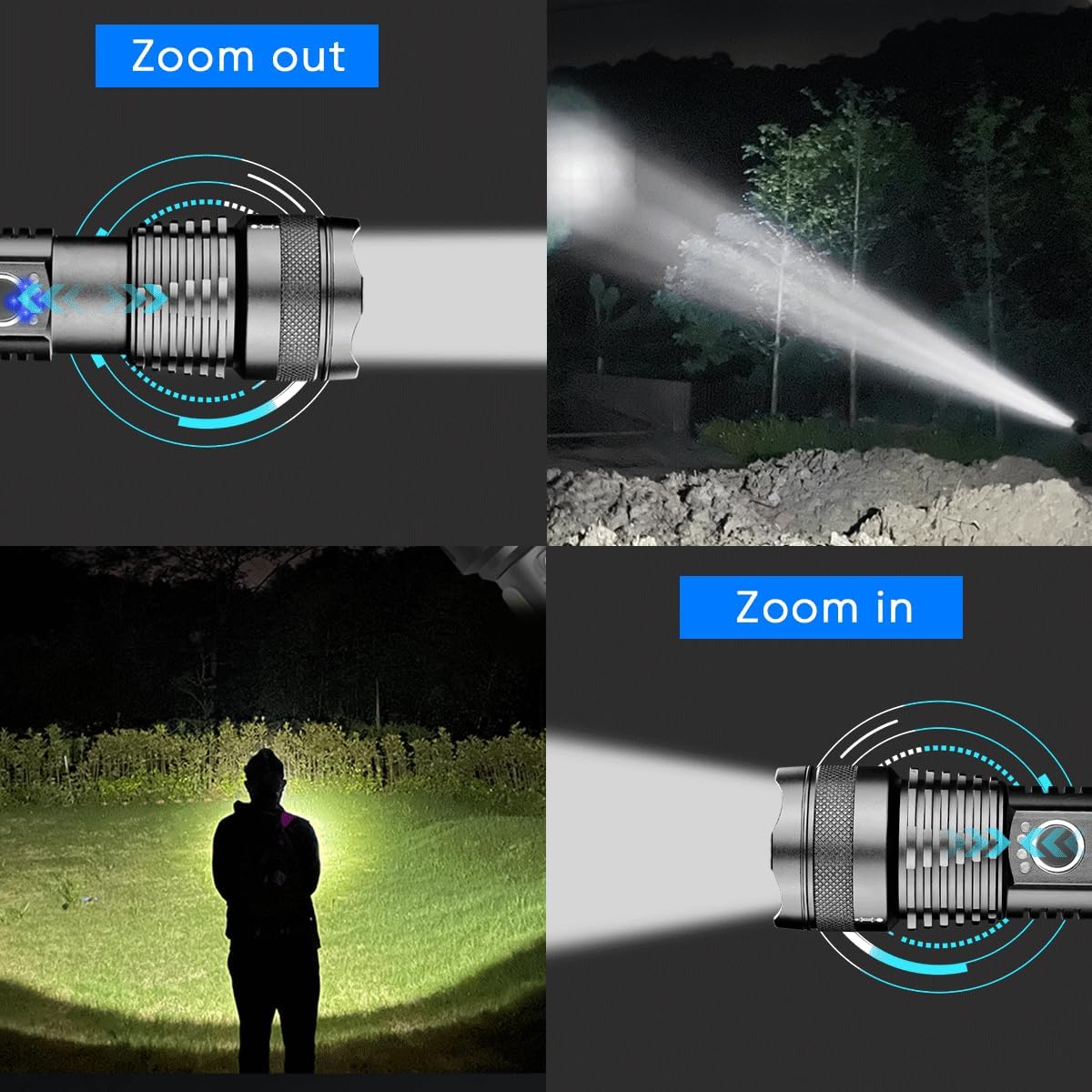
Image: Visual representation of the flashlight's adjustable focus, showing how to zoom in for a concentrated beam and zoom out for a wider illumination area.
4.4 ຕົວຊີ້ວັດພະລັງງານ
The 4 blue LED lights above the power button indicate the remaining battery charge:
- 4 lights: 75-100% charge
- 3 lights: 50-75% charge
- 2 lights: 25-50% charge
- 1 light: Below 25% charge (recharge soon)
5. ບໍາລຸງຮັກສາ
5.1 ການທໍາຄວາມສະອາດ
- ເຊັດຮ່າງກາຍໄຟສາຍດ້ວຍຄວາມອ່ອນ, ງamp ຜ້າ.
- ຢ່າໃຊ້ເຄື່ອງເຮັດຄວາມສະອາດຂັດຫຼືສານລະລາຍ.
- ຄ່ອຍໆເຊັດເລນໃຫ້ສະອາດດ້ວຍຜ້າເຊັດເລນເພື່ອຮັກສາແສງສະຫວ່າງໃຫ້ອອກມາດີທີ່ສຸດ.
5.2 ການເກັບຮັກສາ
- ເກັບຮັກສາໄຟສາຍໄວ້ໃນບ່ອນທີ່ເຢັນ, ແຫ້ງ, ຫ່າງຈາກແສງແດດໂດຍກົງແລະອຸນຫະພູມທີ່ຮຸນແຮງ.
- If storing for an extended period, remove the battery to prevent leakage and charge it periodically (every 3-6 months) to prolong battery life.
5.3 ການດູແລຫມໍ້ໄຟ
- ຫຼີກລ້ຽງການປະຈຸຫມໍ້ໄຟຢ່າງເຕັມທີ່ເລື້ອຍໆ.
- Charge the battery before it is completely depleted.
- If the flashlight will not be used for a long time, charge the battery to about 50% before storage.
6. ການແກ້ໄຂບັນຫາ
| ບັນຫາ | ສາເຫດທີ່ເປັນໄປໄດ້ | ການແກ້ໄຂ |
|---|---|---|
| ໄຟສາຍບໍ່ເປີດ. | ແບັດເຕີຣີໝົດ ຫຼື ຕິດຕັ້ງບໍ່ຖືກຕ້ອງ. | Charge the battery. Ensure the battery is inserted with the correct polarity (+ towards the head) and the tail cap is tightened. |
| ແສງສະຫວ່າງອ່ອນໆຫຼື flickers. | ແບັດເຕີຣີອ່ອນ. ການເຊື່ອມຕໍ່ວ່າງ. | Recharge the battery. Ensure the tail cap and head are securely tightened. |
| ໄຟສາຍບໍ່ໄດ້ສາກໄຟ. | USB cable or power source issue. Charging port dirty. | Try a different USB cable or power source. Clean the charging port gently. Ensure the cable is fully inserted. |
| ຟັງຊັນຊູມແຂງ. | ຝຸ່ນຫຼືສິ່ງເສດເຫຼືອຢູ່ໃນກົນໄກ. | Clean the exterior of the flashlight. Avoid forcing the zoom mechanism. |
7. ຂໍ້ມູນຈໍາເພາະ
| ຄຸນສົມບັດ | ລາຍລະອຽດ |
|---|---|
| ໝາຍເລກຕົວແບບ | WF1161 |
| ປະເພດແຫຼ່ງແສງ | ໄຟ LED XHP50 |
| ຄວາມສະຫວ່າງ | 4000 ລູເມນ (ສູງສຸດ) |
| ໄລຍະຫ່າງ Beam | ເຖິງ 300 ແມັດ |
| ຮູບແບບເຮັດໃຫ້ມີແສງ | ສູງ, ກາງ, ຕໍ່າ, Strobe, SOS |
| ແຫຼ່ງພະລັງງານ | ໃຊ້ພະລັງງານແບັດເຕີຣີ (Li-ion ສາມາດສາກໄຟໄດ້) |
| ປະເພດຫມໍ້ໄຟ | Li-ion (2 required, included) |
| ເວລາແລ່ນ (ໂໝດສູງ) | ປະມານ. 3 ຊົ່ວໂມງ |
| ເວລາແລ່ນ (ໂໝດຕ່ຳ) | ຫຼາຍກວ່າ 8 ຊົ່ວໂມງ |
| ພອດສາກໄຟ | Micro USB |
| ລະດັບຄວາມຕ້ານທານນ້ໍາ | ກັນນ້ຳ (IP67) |
| ວັດສະດຸ | ອາລູມີນຽມ |
| ສີ | ດຳ |
| ຂະໜາດ (LxWxH) | 166mm x 40mm x 33mm |
| ການນໍາໃຊ້ທີ່ແນະນໍາ | Camping, Hiking, Emergency Use |
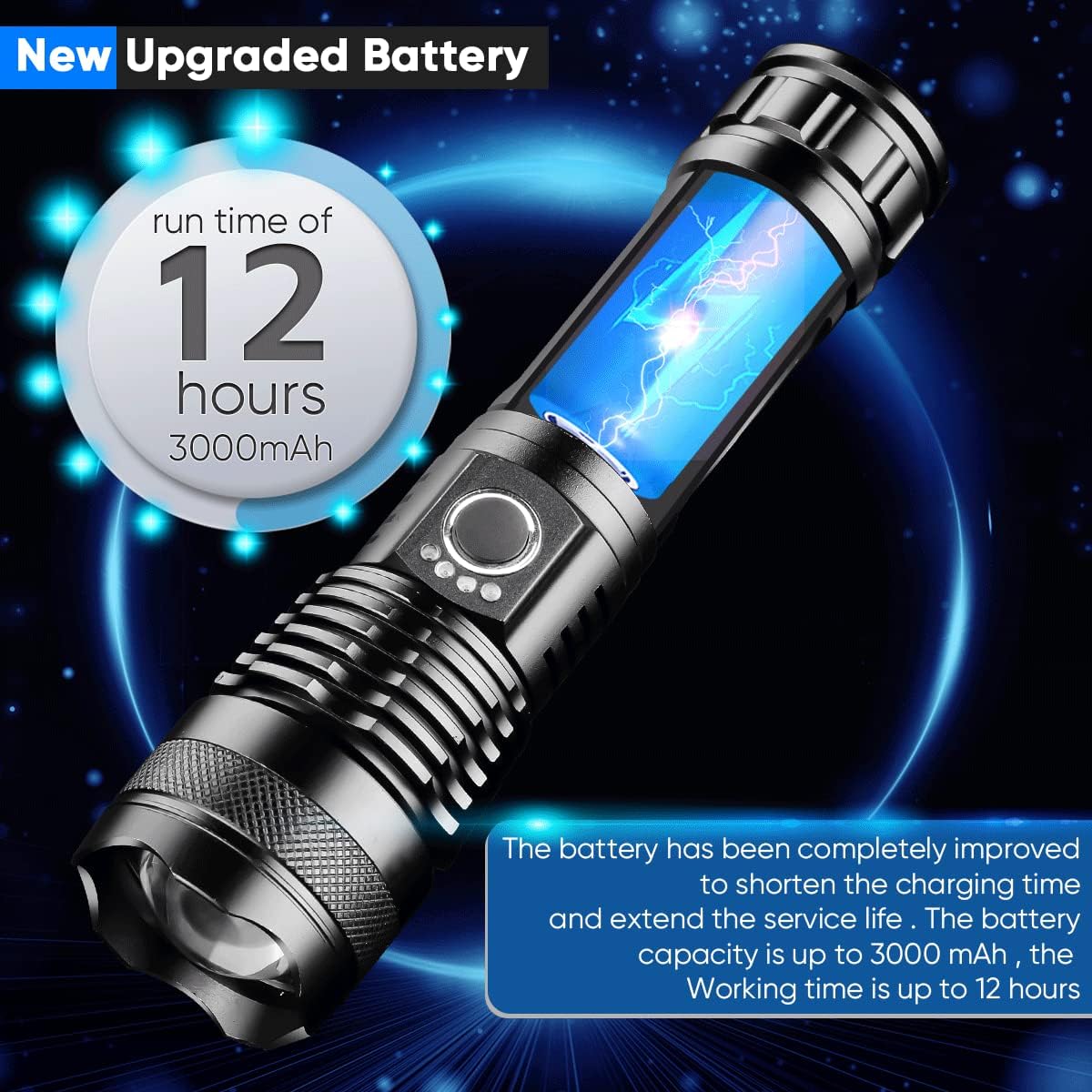
Image: The flashlight showcasing its battery life, indicating up to 12 hours of run time with a 3000mAh battery.
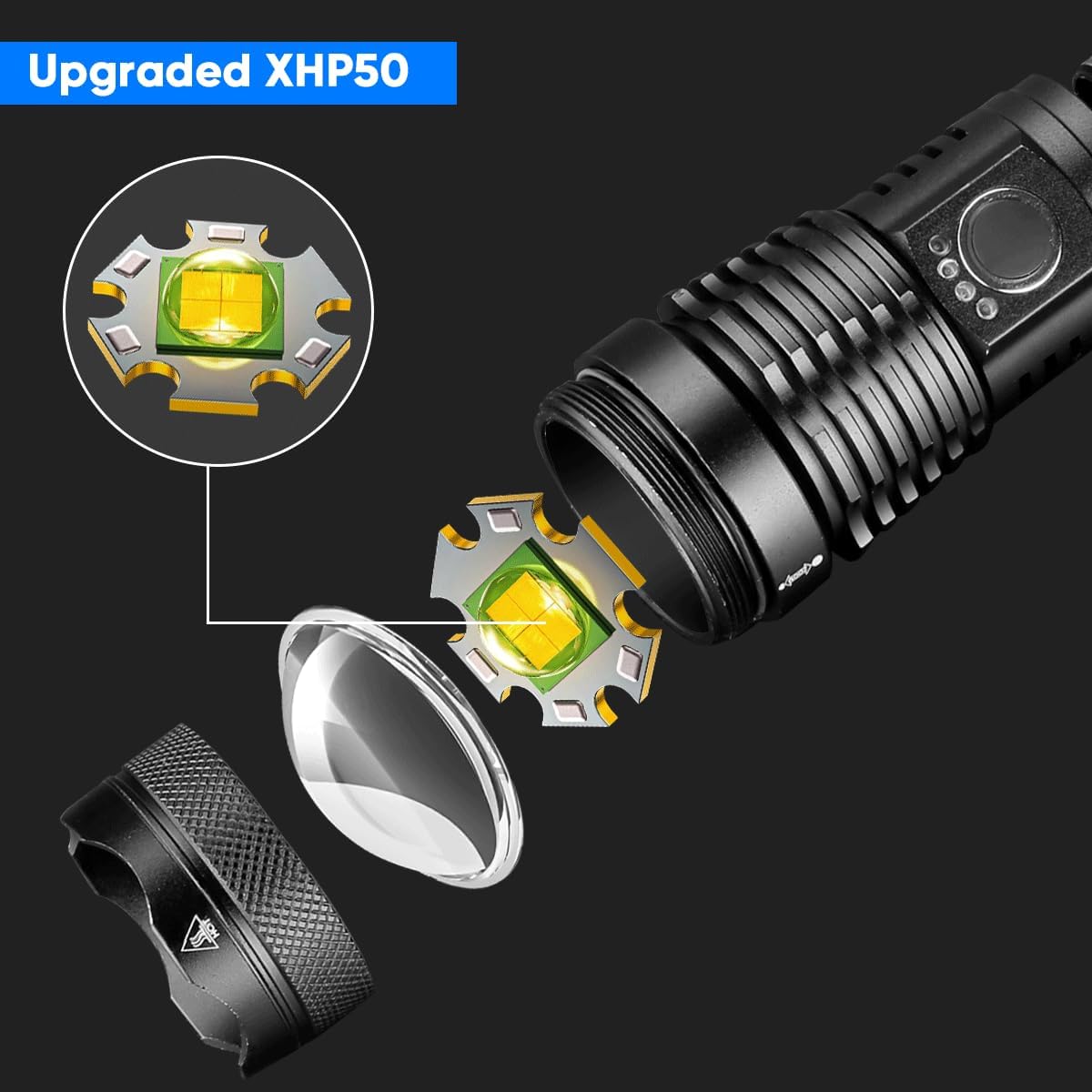
ຮູບພາບ: A ລາຍລະອຽດ view of the upgraded XHP50 LED chip and its placement within the flashlight head, emphasizing its high-performance design.
8. ການຮັບປະກັນແລະການສະຫນັບສະຫນູນ
WholeFire products are manufactured with quality and reliability in mind. For any questions, concerns, or technical support regarding your XHP50 LED Flashlight, please contact the seller or WholeFire customer service through the platform where you purchased the product.
ກະລຸນາຮັກສາຫຼັກຖານການຊື້ຂອງທ່ານສໍາລັບການຮຽກຮ້ອງການຮັບປະກັນໃດໆ.