
1. ບົດແນະນຳ
This manual provides essential information for the proper setup, operation, and maintenance of your Blueendless Ultra Slim Portable External Hard Drive. This device offers convenient, high-speed storage for your digital files, compatible with various operating systems.
2. ຂໍ້ມູນຄວາມປອດໄພ
- ຢ່າປ່ອຍໃຫ້ອຸປະກອນຖືກນ້ໍາຫຼືຄວາມຊຸ່ມຊື່ນຫຼາຍເກີນໄປ.
- ຫຼີກລ່ຽງອຸນຫະພູມທີ່ຮຸນແຮງ, ແສງແດດໂດຍກົງ, ຫຼື ສະພາບແວດລ້ອມທີ່ມີຝຸ່ນ.
- ຈັດການອຸປະກອນດ້ວຍຄວາມລະມັດລະວັງເພື່ອປ້ອງກັນຄວາມເສຍຫາຍທາງຮ່າງກາຍ.
- ຢ່າພະຍາຍາມຖອດປະກອບ ຫຼືສ້ອມແປງອຸປະກອນດ້ວຍຕົນເອງ. ອ້າງອີງເຖິງພະນັກງານບໍລິການທີ່ມີຄຸນວຸດທິ.
- ຮັບປະກັນການລະບາຍອາກາດທີ່ເໝາະສົມໃນເວລານຳໃຊ້.
3. ເນື້ອໃນຊຸດ
ກວດສອບວ່າລາຍການທັງຫມົດແມ່ນມີຢູ່ໃນຊຸດຂອງທ່ານ:
- 1 x Blueendless Portable External Hard Drive
- 1 x USB 3.0 ສາຍ
- 1 x ຄູ່ມືຜູ້ໃຊ້ (ເອກະສານນີ້)

Image: The Blueendless portable hard drive shown alongside its included USB 3.0 cable, ready for connection.
4. ຕັ້ງຄ່າ
- ເຊື່ອມຕໍ່ Hard Drive: Plug the included USB 3.0 cable into the port on the external hard drive. Then, connect the other end of the USB cable to an available USB port on your computer (PC, Desktop, Laptop, or Mac). For optimal performance, use a USB 3.0 port on your computer.
- ການຮັບຮູ້ອັດຕະໂນມັດ: The Blueendless external hard drive is designed for plug-and-play operation. Your operating system (Windows 98SE, 2000, Linux, Vista, WIN7, WIN8, WIN10, or macOS) should automatically detect and install the necessary drivers. No additional software installation is typically required.
- ພ້ອມສໍາລັບການນໍາໃຊ້: Once recognized, the drive will appear as a new storage device in your computer's file explorer or Finder. You can now begin transferring files.

Image: The Blueendless external hard drive connected to a laptop, illustrating a typical setup for immediate use.
5. ຄໍາແນະນໍາການດໍາເນີນງານ
- ການໂອນຂໍ້ມູນ: ລາກແລະວາງ files or folders to and from the external hard drive icon in your computer's file management system. The USB 3.0 connection provides fast data transfer speeds for efficient backups and file ການຄຸ້ມຄອງ.
- ຄວາມອາດສາມາດເກັບຮັກສາ: ໃຊ້ ample storage space for your music, movies, documents, and other digital files.
- ການກຳຈັດທີ່ປອດໄພ: Always safely eject the hard drive from your operating system before physically disconnecting the USB cable. This prevents data corruption and ensures the longevity of the device.
6. ບໍາລຸງຮັກສາ
- ການປົກປ້ອງທາງດ້ານຮ່າງກາຍ: The drive features an internal shock sensor and ramp loading technology designed to protect your data. However, avoid dropping or subjecting the drive to strong impacts.
- ທໍາຄວາມສະອາດ: ໃຊ້ຜ້າປຽກແຫ້ງເພື່ອເຮັດຄວາມສະອາດດ້ານນອກຂອງໄດ. ຢ່າໃຊ້ນໍ້າສະອາດ ຫຼືສານລະລາຍ.
- ການເກັບຮັກສາ: When not in use, store the hard drive in a cool, dry place away from direct sunlight and strong magnetic fields.
7. ການແກ້ໄຂບັນຫາ
- ໄດຣຟ໌ບໍ່ຮັບຮູ້:
- ກວດໃຫ້ແນ່ໃຈວ່າສາຍ USB ໄດ້ເຊື່ອມຕໍ່ຢ່າງປອດໄພກັບທັງໄດຣຟ໌ ແລະຄອມພິວເຕີ.
- ລອງເຊື່ອມຕໍ່ກັບຜອດ USB ອັນອື່ນຢູ່ໃນຄອມພິວເຕີຂອງທ່ານ.
- If using Windows, check Disk Management to see if the drive is listed but uninitialized or unallocated. You may need to initialize the disk and create a new simple volume.
- For advanced Windows users: If the drive does not appear, ensure the 'Virtual Disk' service is running (set to Automatic start) and check `diskpart` in Command Prompt to ensure `automount` is enabled.
- ຄວາມໄວການໂອນຊ້າ:
- Ensure you are connected to a USB 3.0 port on your computer for optimal speed. USB 2.0 ports will result in slower transfer rates.
- Avoid running multiple data-intensive applications during large file ການໂອນ.
- Capacity Discrepancy: The displayed capacity of the hard drive may appear slightly less than the nominal capacity (e.g., 500GB showing as 465GB). This is normal and due to the difference in how hard disk manufacturers (decimal arithmetic: 1GB = 1000MB) and operating systems (binary arithmetic: 1GB = 1024MB) calculate storage space. This is not an indication of a defect.
8. ຂໍ້ມູນຈໍາເພາະ
| ປະເພດຮາດໄດຣຟ໌ | 2.5" Mechanical Hard Disk |
| ຄວາມອາດສາມາດເກັບຮັກສາ | 500 GB |
| ການໂຕ້ຕອບ USB | USB 3.0 (ເຂົ້າກັນໄດ້ກັບ USB 2.0 ດ້ານຫຼັງ) |
| ຄວາມໄວການຫມຸນ | 5400 RPM |
| ໝາຍເລກຕົວແບບ | U23PA |
| ຂະໜາດ (L x W x H) | 11.94 x 7.62 x 1.3 ຊມ (4.7 x 3 x 0.51 ນິ້ວ) |
| ນ້ຳໜັກ | 210 g |
| ສີ | ດຳ |
| ອຸປະກອນທີ່ເຂົ້າກັນໄດ້ | PC, Desktop, Laptop, Mac |
| ແຫຼ່ງພະລັງງານ | DC (USB-powered) |
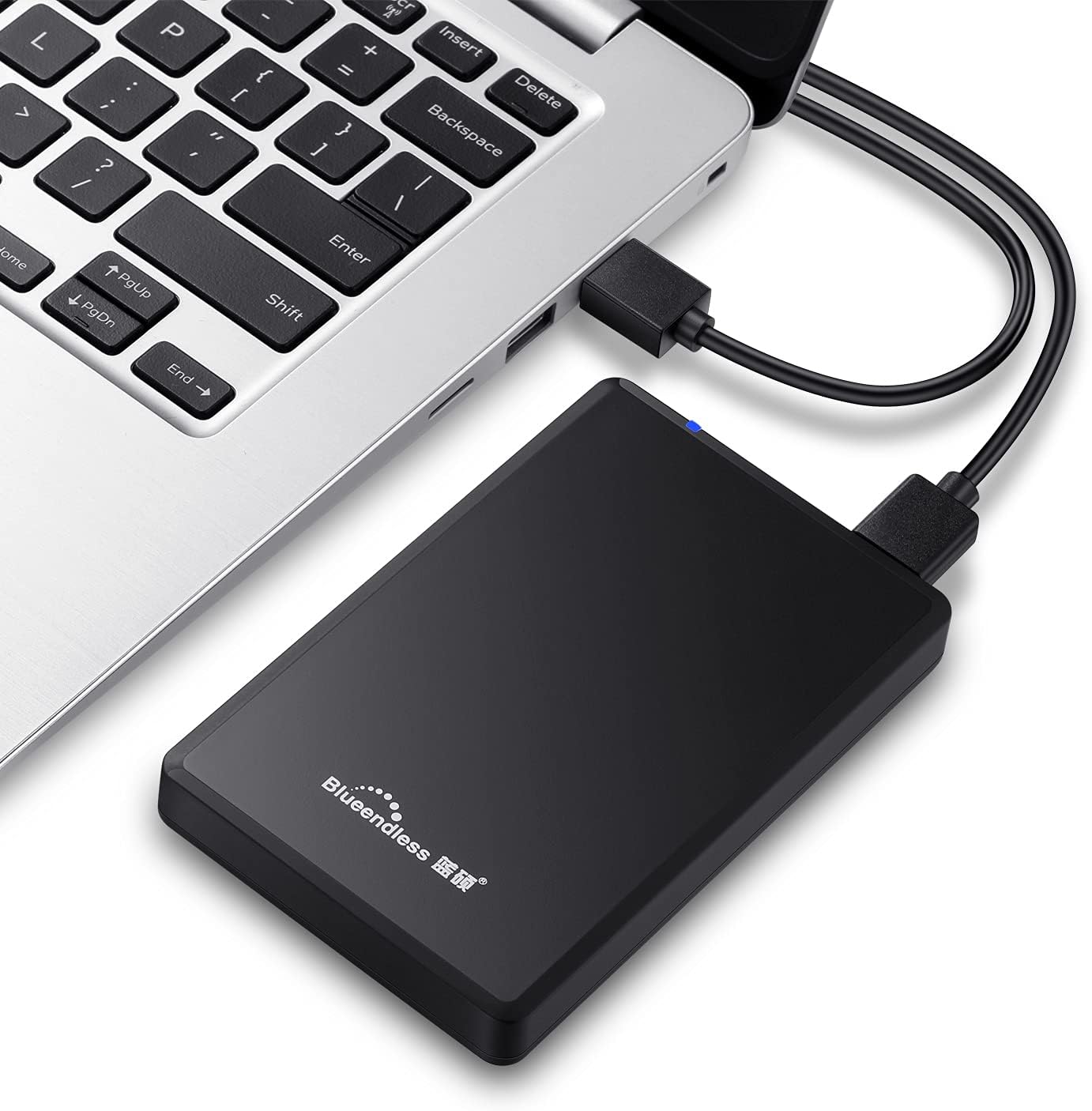
Image: Diagram illustrating the compact dimensions of the Blueendless external hard drive.
9. ຂໍ້ມູນການຮັບປະກັນ
This Blueendless external hard drive comes with a ການຮັບປະກັນຜູ້ຜະລິດ 1 ປີ ຈາກວັນທີ່ຊື້. ການຮັບປະກັນນີ້ກວມເອົາຄວາມບົກຜ່ອງດ້ານການຜະລິດພາຍໃຕ້ການນໍາໃຊ້ປົກກະຕິ. ກະລຸນາຮັກສາຫຼັກຖານການຊື້ຂອງທ່ານສໍາລັບການຮຽກຮ້ອງການຮັບປະກັນ.
ການຮັບປະກັນບໍ່ໄດ້ກວມເອົາຄວາມເສຍຫາຍທີ່ເກີດຈາກ:
- ອຸບັດຕິເຫດ, ການລ່ວງລະເມີດ, ການໃຊ້ໃນທາງທີ່ຜິດ, ຫຼື ການຕິດຕັ້ງທີ່ບໍ່ຖືກຕ້ອງ.
- Natural disasters or acts of God.
- ການສ້ອມແປງຫຼືການດັດແກ້ທີ່ບໍ່ໄດ້ຮັບອະນຸຍາດ.
- ການບໍ່ປະຕິບັດຕາມຄໍາແນະນໍາໃນຄູ່ມືນີ້.
10. ສະຫນັບສະຫນູນ
If you encounter any issues not covered in the troubleshooting section or require further assistance, please contact Blueendless customer support through your retailer or the official Blueendless website. Have your product model number (U23PA) and proof of purchase ready when contacting support.