
1. ບົດແນະນຳ
The Glorious Model O- (Minus) is a compact, wired gaming mouse designed for speed, control, and comfort. Featuring a superlight honeycomb design, customizable RGB lighting, a high-precision Pixart 3360 sensor, and durable Omron switches, it is engineered for competitive gaming. Its ambidextrous shape is ideal for users with medium and small hands.
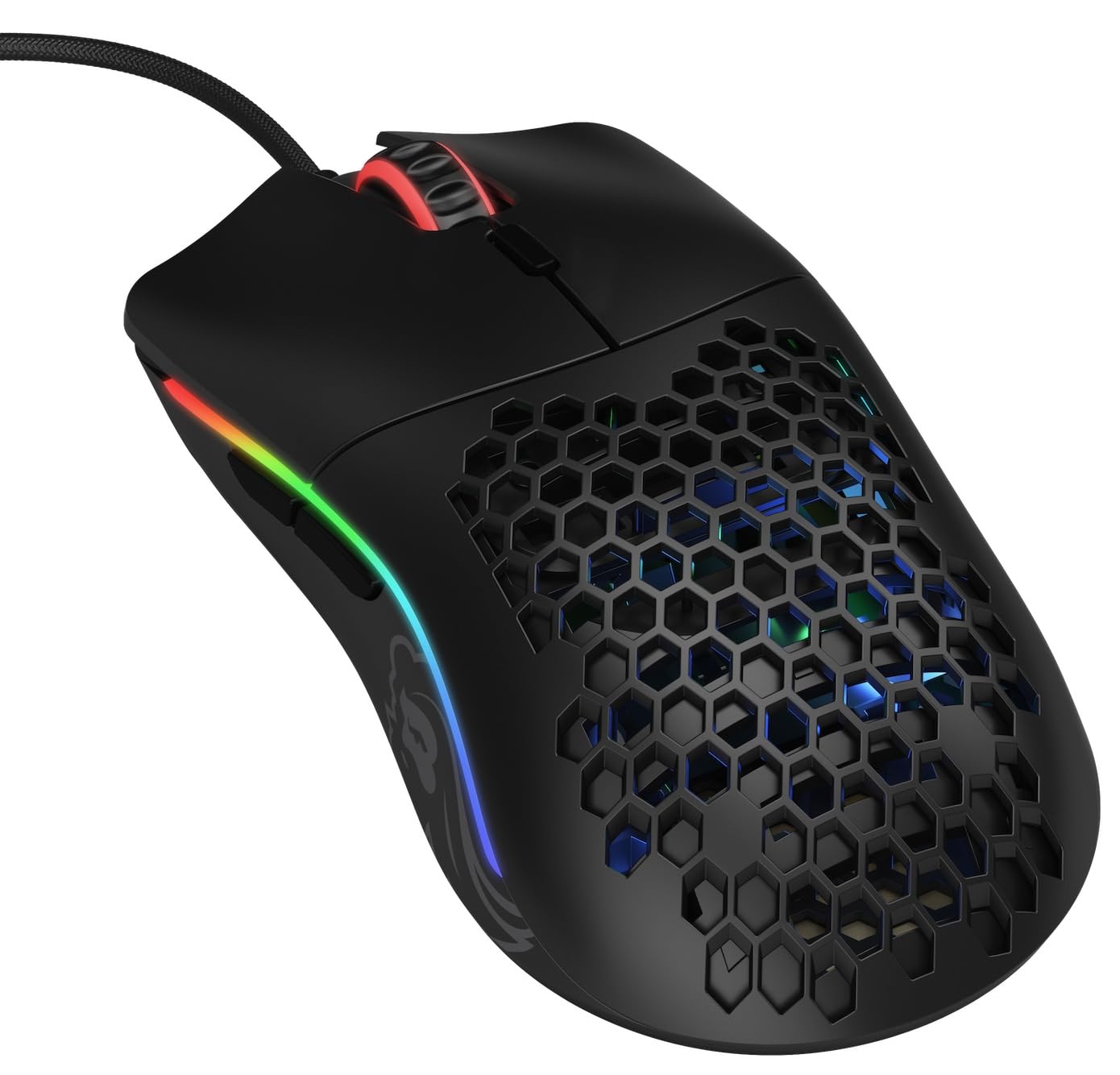
ຮູບພາບ: ເທິງລົງລຸ່ມ view of the Glorious Model O- (Minus) mouse, showcasing ເປືອກຮັງເຜິ້ງ ແລະ ໄຟ RGB ຂອງມັນ.
2. ຕັ້ງຄ່າ
- Unpack ຫນູ: Carefully remove the Glorious Model O- (Minus) mouse and its Ascended Cord from the packaging.
- ເຊື່ອມຕໍ່ກັບຄອມພິວເຕີ: Plug the USB connector of the mouse's Ascended Cord into an available USB port on your computer.
- ການຕິດຕັ້ງໄດເວີ: Your operating system (Windows, macOS, Linux) should automatically detect and install the necessary drivers. Allow a few moments for this process to complete.
- ການຕິດຕັ້ງຊອບແວ (ທາງເລືອກ): For advanced customization of DPI settings, RGB lighting, and button macros, download and install the official Glorious Core software from the GLORIOUS webເວັບໄຊ.

Image: The Glorious Model O- (Minus) mouse connected via its lightweight, flexible Ascended Cord.
3. ຄໍາແນະນໍາການດໍາເນີນງານ
- ການທໍາງານພື້ນຖານ: Once connected, the mouse will function immediately for basic navigation and clicking.
- ການປັບ DPI: Use the dedicated DPI button located on the top of the mouse, behind the scroll wheel, to cycle through preset DPI levels. The RGB lighting will change to indicate the current DPI setting.
- ປຸ່ມຂ້າງ: The mouse features two side buttons, typically used for forward and backward navigation in web browsers or customizable functions in games.
- ການປັບແຕ່ງ RGB: Utilize the Glorious Core software to personalize the RGB lighting effects, colors, and brightness.
- Macro Support: The software also allows for programming the 6 buttons with custom macros for enhanced productivity or gaming performance.
ວີດີໂອ: ຫຍໍ້ໆview of the Glorious Model O mouse, highlighting its design and features.
4. ຄຸນນະສົມບັດທີ່ສໍາຄັນ
- Superlight Honeycomb Design: Weighing only 58 grams, the mouse's honeycomb shell reduces weight without compromising durability, allowing for swift and precise movements. This design also aids in ventilation, keeping your hand cool during extended use.
- Ascended Paracord Cable: The ultra-flexible, braided cable is designed to minimize drag, providing a near-wireless feel and unrestricted mouse movement.
- G-Skates Premium Mouse Feet: Made from 100% pure Virgin PTFE, these mouse feet ensure an incredibly smooth glide across any surface, offering superior control.
- Pixart 3360 Sensor: Experience pixel-perfect tracking with zero mouse acceleration and no spinouts. The sensor supports up to 12000 DPI and a 1000 Hz polling rate, with a lift-off distance of less than 0.7mm.
- Omron Switches: Equipped with state-of-the-art Omron switches, rated for 20 million clicks, ensuring long-lasting responsiveness and durability.
- ການອອກແບບຜິດປົກກະຕິ: The symmetrical shape of the mouse is comfortable for both left and right-handed users, catering to various grip styles.
Video: A brief promotional video by Glorious PC Gaming showcasing the Model O mouse.
5. ຂໍ້ມູນຈໍາເພາະ
| ຍີ່ຫໍ້ | ສະຫງ່າງາມ |
| ຊື່ຕົວແບບ | Glorious Model O Minus |
| ໝາຍເລກຕົວແບບ | GOM-BLACK |
| ເຕັກໂນໂລຊີການເຊື່ອມຕໍ່ | USB |
| ເຕັກໂນໂລຍີກວດຈັບການເຄື່ອນໄຫວ | Optical (Pixart 3360 Sensor) |
| ຄວາມອ່ອນໄຫວສູງສຸດ | 12000 DPI |
| ອັດຕາການລົງຄະແນນສຽງ | 1000 Hz |
| ໄລຍະຍົກ-ປິດ | ຫນ້ອຍກວ່າ 0.7mm |
| ປະລິມານປຸ່ມ | 6 (ໂປຣແກມໄດ້) |
| ປະເພດສະຫຼັບ | Omron (rated for 20M clicks) |
| ທິດທາງມື | ຂີ້ຄ້ານ |
| ນ້ໍາຫນັກລາຍການ | 58 ກຣາມ |
| ຂະໜາດລາຍການ (L x W) | 4.72"L x 2.48"ວ |
| ປະເພດສາຍ | Ascended Paracord |
| Mouse Feet Material | 100% Pure Virgin PTFE (G-Skates) |

Image: Diagram showing the dimensions of the Glorious Model O- (Minus) mouse.
6. ບໍາລຸງຮັກສາ
- ທໍາຄວາມສະອາດ: Regularly clean the mouse surface with a soft, dry cloth. For the honeycomb areas, use compressed air to remove dust and debris. Avoid using harsh chemicals or abrasive materials.
- ການດູແລເຊັນເຊີ: Keep the optical sensor on the underside of the mouse clean and free from obstructions to ensure optimal tracking performance.
- ການຄຸ້ມຄອງສາຍໄຟ: While the Ascended Cord is flexible, avoid sharp bends or excessive pulling to prolong its lifespan. Consider using a mouse bungee to prevent cable drag and wear.
- ການເກັບຮັກສາ: ເມື່ອບໍ່ໄດ້ໃຊ້, ໃຫ້ເກັບຮັກສາຫນູໃນສະພາບແວດລ້ອມທີ່ສະອາດ, ແຫ້ງຫ່າງຈາກອຸນຫະພູມທີ່ຮຸນແຮງ.
7. ການແກ້ໄຂບັນຫາ
- ເມົາສ໌ບໍ່ຕອບສະໜອງ:
- ໃຫ້ແນ່ໃຈວ່າສາຍ USB ຖືກສຽບເຂົ້າກັບຄອມພິວເຕີຂອງທ່ານຢ່າງປອດໄພແລ້ວ.
- ລອງສຽບເມົາສ໌ໃສ່ຊ່ອງສຽບ USB ອື່ນ.
- ປິດເປີດຄອມພິວເຕີຂອງທ່ານຄືນໃໝ່.
- ບັນຫາການຕິດຕາມ:
- ເຮັດຄວາມສະອາດເຊັນເຊີ optical ຢູ່ຂ້າງລຸ່ມຂອງຫນູ.
- ໃຫ້ແນ່ໃຈວ່າທ່ານກຳລັງໃຊ້ເມົາສ໌ຢູ່ເທິງພື້ນຜິວທີ່ສະອາດ, ສະໝໍ່າສະເໝີ ຫຼື ຢູ່ເທິງແຜ່ນຮອງເມົາສ໌ທີ່ມີຄຸນນະພາບສູງ.
- Check DPI settings via the mouse button or Glorious Core software.
- ແສງ RGB ບໍ່ເຮັດວຽກ / ບໍ່ຖືກຕ້ອງ:
- Verify that the Glorious Core software is installed and running.
- Check RGB settings within the software.
- ໃຫ້ແນ່ໃຈວ່າເຟີມແວເມົາສ໌ທັນສະໄໝແລ້ວ.
- ປຸ່ມທີ່ບໍ່ເຮັດວຽກ:
- Check for any software conflicts or re-map buttons using the Glorious Core software.
- ໃຫ້ແນ່ໃຈວ່າເຟີມແວເມົາສ໌ທັນສະໄໝແລ້ວ.
8. ການຮັບປະກັນແລະການສະຫນັບສະຫນູນ
The Glorious Model O- (Minus) Compact Wired Gaming Mouse comes with a ການຮັບປະກັນຜູ້ຜະລິດ 2 ປີ. For technical support, warranty claims, or further assistance, please visit the official GLORIOUS website ຫຼືຕິດຕໍ່ສະຫນັບສະຫນູນລູກຄ້າຂອງເຂົາເຈົ້າໂດຍກົງ. ຮັກສາຫຼັກຖານການຊື້ຂອງທ່ານສໍາລັບການຮັບປະກັນຄວາມຖືກຕ້ອງ.
ສຳລັບຂໍ້ມູນເພີ່ມເຕີມ ແລະ ຊັບພະຍາກອນ, ເຂົ້າເບິ່ງທີ່ GLORIOUS Store on Amazon.