
ແນະນຳ
Thank you for choosing TRANYA B530 True Wireless Earbuds. This manual provides essential information for setting up, operating, and maintaining your earbuds. Please read it thoroughly before use to ensure optimal performance and longevity of your device.
The TRANYA B530 earbuds feature Bluetooth 5.0 technology, Aptx/AAC compatibility for high-quality audio, CVC8.0 noise cancellation for clear calls, and an IPX5 waterproof rating, making them suitable for various activities including sports and exercise.
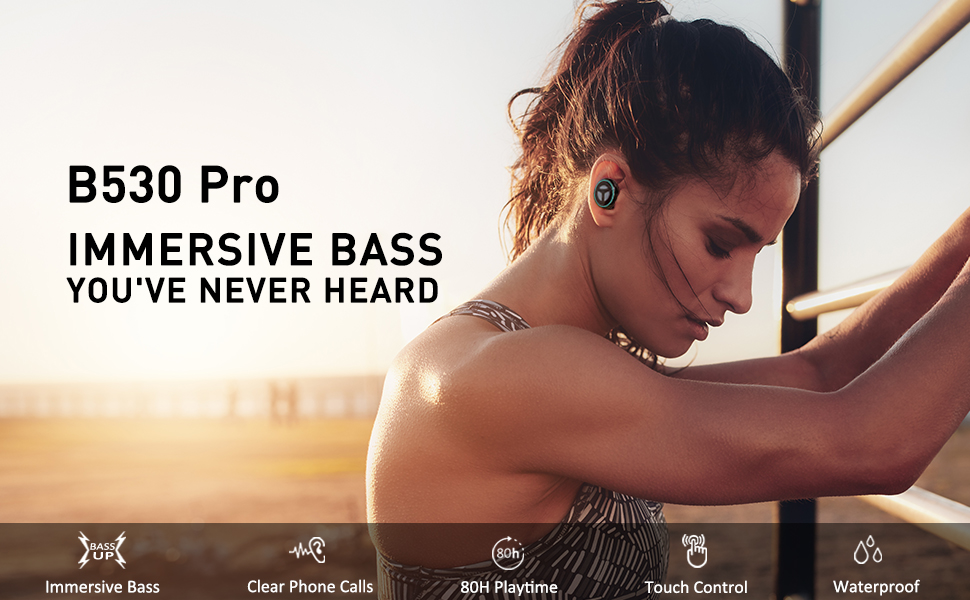
Image: TRANYA B530 True Wireless Earbuds and their charging case, showcasing ການອອກແບບສີດໍາ sleek.
ເນື້ອໃນຊຸດ
ໃຫ້ແນ່ໃຈວ່າທຸກລາຍການຢູ່ໃນຊຸດຂອງທ່ານ:
- TRANYA B530 True Wireless Earbuds (Left & Right)
- ກ່ອງສາກ
- Silicone Eartips (3 pairs: Small, Medium, Large)
- ສາຍສາກ Micro USB
- ຄູ່ມືຜູ້ໃຊ້


Image: Micro USB charging cable and various sizes of silicone eartips included in the package.
ຕັ້ງຄ່າ
1. ການສາກຫູຟັງ ແລະ ເຄສ
Before first use, fully charge the earbuds and the charging case. Connect the Micro USB charging cable to the charging port on the case and a power source. The LED indicators on the case will show the charging status.
- ຕູ້ສາກໄຟ: ເວລາຫຼິ້ນທັງໝົດສູງສຸດ 80 ຊົ່ວໂມງ.
- ຕຸ້ມຫູ: ເວລາຫຼິ້ນດົນເຖິງ 10 ຊົ່ວໂມງດ້ວຍການສາກຄັ້ງດຽວ.

Image: TRANYA B530 earbuds shown with their charging case, highlighting the ultra-long playtime of up to 80 hours.
2. ການຈັບຄູ່ກັບອຸປະກອນຂອງທ່ານ
The earbuds support effortless pairing and automatic on/off functionality.
- ເອົາຫູຟັງຫູຟັງທັງສອງອອກຈາກກ່ອງສາກ. ພວກເຂົາຈະເປີດເຄື່ອງອັດຕະໂນມັດ ແລະເຂົ້າສູ່ໂໝດຈັບຄູ່.
- On your device (smartphone, tablet, etc.), go to Bluetooth settings and select "TRANYA B530" from the list of available devices.
- Once connected, you will hear a confirmation tone, and the earbud indicator lights will turn off.
The earbuds support both Sync Mode (stereo) and Mono Mode (single earbud use).

Image: Illustration showing TRANYA B530 earbuds in both Sync Mode (stereo) and Mono Mode (single earbud), with a smartphone screen displaying successful Bluetooth pairing.
ຄໍາແນະນໍາການດໍາເນີນງານ
The TRANYA B530 earbuds feature multi-functional touch controls for easy management of music and calls.

Image: A person using TRANYA B530 earbuds, demonstrating the multi-functional touch controls for volume, calling, voice assistance, and audio playback.
ການຄວບຄຸມດົນຕີ
- ຫຼິ້ນ/ຢຸດ: ແຕະເທື່ອດຽວໃສ່ຫູຟັງຫູຟັງ.
- ປະລິມານຂຶ້ນ: ແຕະສອງເທື່ອໃສ່ຫູຟັງເບື້ອງຂວາ.
- ປະລິມານລົງ: ແຕະສອງເທື່ອໃສ່ຫູຟັງທາງຊ້າຍ.
- ເພງຕໍ່ໄປ: ແຕະສາມເທື່ອໃສ່ຫູຟັງຂ້າງຂວາ.
- ຕິດຕາມກ່ອນ ໜ້າ ນີ້: ແຕະສາມເທື່ອທີ່ຫູຟັງຂ້າງຊ້າຍ.
ການຄຸ້ມຄອງການໂທ
- ຮັບ/ສາຍໂທ: ແຕະເທື່ອດຽວໃສ່ຫູຟັງຫູຟັງ.
- ປະຕິເສດການໂທ: ກົດຫູຟັງອັນໃດອັນໜຶ່ງຄ້າງໄວ້ 2 ວິນາທີ.
ຜູ້ຊ່ວຍສຽງ
- ເປີດໃຊ້ຜູ້ຊ່ວຍສຽງ (Siri, Google Assistant): ກົດຫູຟັງອັນໃດອັນໜຶ່ງຄ້າງໄວ້ 3 ວິນາທີ.
ບໍາລຸງຮັກສາ
Proper maintenance ensures the longevity and performance of your TRANYA B530 earbuds.
- ທໍາຄວາມສະອາດ: ອະນາໄມຫູຟັງຫູຟັງ ແລະກະເປົ໋າສາກໄຟເປັນປະຈຳດ້ວຍຜ້າປຽກອ່ອນໆ. ຫຼີກເວັ້ນການນໍາໃຊ້ສານເຄມີທີ່ຮຸນແຮງຫຼືວັດສະດຸຂັດ.
- ການເກັບຮັກສາ: ເມື່ອບໍ່ໄດ້ໃຊ້, ໃຫ້ເກັບຮັກສາຫູຟັງໃສ່ໃນກະເປົ໋າສາກໄຟເພື່ອປົກປ້ອງພວກມັນຈາກຝຸ່ນ ແລະຄວາມເສຍຫາຍ.
- ການເປີດເຜີຍນ້ໍາ: While IPX5 waterproof, avoid prolonged exposure to water or submersion. Ensure earbuds are dry before placing them back in the charging case.
ການແກ້ໄຂບັນຫາ
ຖ້າທ່ານພົບບັນຫາກັບຫູຟັງເອຍບັດຂອງທ່ານ, ລອງໃຊ້ວິທີແກ້ໄຂຕໍ່ໄປນີ້:
| ບັນຫາ | ການແກ້ໄຂ |
|---|---|
| ຫູຟັງບໍ່ຈັບຄູ່ | Ensure earbuds are fully charged. Turn off and on your device's Bluetooth. Try resetting the earbuds (refer to user manual for specific reset instructions). |
| ຫູຟັງຫູຟັງອັນດຽວເຮັດວຽກໄດ້ | Place both earbuds back in the case, then remove them simultaneously to re-establish stereo connection. Check battery levels of both earbuds. |
| ຄຸນນະພາບສຽງບໍ່ດີ | Ensure earbuds are properly seated in your ears with the correct size eartips for a good seal. Check for obstructions in the earbud nozzles. Ensure your device is within Bluetooth range. |
| ບັນຫາການສາກໄຟ | Ensure the charging cable is securely connected. Try a different charging cable or power adapter. Clean the charging contacts on the earbuds and inside the case. |
ຂໍ້ມູນຈໍາເພາະ
- ຕົວແບບ: B530
- ລຸ້ນ Bluetooth: 5.0
- ເຕັກໂນໂລຊີໄຮ້ສາຍ: Bluetooth
- ລະດັບ Bluetooth: 10 ແມັດ
- ຕົວແປງສັນຍານສຽງ: Aptx, AAC
- ການຄວບຄຸມສິ່ງລົບກວນ: CVC8.0 Noise Cancellation (for calls)
- ຄົນຂັບລົດ: Nano-Ti Diaphragm
- ລະດັບຄວາມຕ້ານທານນ້ໍາ: IPX5 (ກັນນໍ້າ)
- ເວລາຫຼິ້ນ Earbud (ການສາກເທື່ອດຽວ): ສູງສຸດ 10 ຊົ່ວໂມງ
- ເວລາຫຼິ້ນທັງໝົດ (ພ້ອມກ່ອງສາກ): ສູງສຸດ 80 ຊົ່ວໂມງ
- ປະເພດການຄວບຄຸມ: Touch Control (Media, Call, Voice Assistant, Volume)
- ນ້ຳໜັກ: 4.54 ກຣາມ (ຕໍ່ຫູຟັງ)
- ວັດສະດຸ: ພາດສະຕິກ
ການຮັບປະກັນ & ສະຫນັບສະຫນູນ
TRANYA B530 True Wireless Earbuds come with a standard 12-month warranty. You can extend your warranty to 15 months by registering your product on the official TRANYA webສະຖານທີ່ພາຍໃນ 14 ມື້ຂອງການຊື້.
For product information, support, or warranty claims, please visit www.tranya.com ຫຼືຕິດຕໍ່ສະຫນັບສະຫນູນລູກຄ້າທີ່ support@tranya.com.
ວິດີໂອຜະລິດຕະພັນຢ່າງເປັນທາງການ
ວິດີໂອ: ຜະລິດຕະພັນຢ່າງເປັນທາງການຫຼາຍກວ່າview of the TRANYA B530 Pro Wireless Earbuds, highlighting key features and design.