
SIMOLIO JH-712
ຄູ່ມືການໃຊ້ຫູຟັງ Bluetooth ສຳລັບເດັກນ້ອຍ SIMOLIO
ຮູບແບບ: JH-712
1. ບົດແນະນຳ
Thank you for choosing SIMOLIO Kids Bluetooth Headphones. These headphones are designed with children's hearing safety in mind, featuring multiple volume limiting levels and a comfortable, durable design. This manual provides detailed instructions for setup, operation, and maintenance to ensure optimal performance and longevity of your headphones.
2. ຄຸນນະສົມບັດທີ່ສໍາຄັນ
- ການປ້ອງກັນການໄດ້ຍິນ: Exclusive 3-level volume limiter (75dB/85dB/94dB) suitable for toddlers, kids, and adults.
- ການເຊື່ອມຕໍ່ສອງໂໝດ: ຮອງຮັບທັງ Bluetooth ໄຮ້ສາຍ ແລະການເຊື່ອມຕໍ່ສຽງ 3.5 ມມ.
- ໄມໂຄຣໂຟນໃນຕົວ: Enables hands-free calling in Bluetooth mode.
- Share Port: Allows daisy-chaining another headphone for shared listening.
- ຊີວິດຫມໍ້ໄຟຍາວ: Up to 15 hours of music/talk time in wireless mode.
- ຄວາມສະດວກສະບາຍ ແລະທົນທານ: Adjustable headband with memory stainless steel strips and soft noise-isolating memory foam earmuffs.
- ການອອກແບບແບບພົກພາ: Foldable design with an included hard EVA carrying case for easy storage and travel.

Image: SIMOLIO Kids Bluetooth Headphones in grey, shown with charging cable, AUX cable, and hard EVA carrying case.
3. ສິ່ງທີ່ຢູ່ໃນກ່ອງ
ເມື່ອເປີດຊຸດດັ່ງກ່າວ, ກະລຸນາກວດສອບວ່າລາຍການທັງໝົດຕໍ່ໄປນີ້ແມ່ນລວມຢູ່ແລ້ວ:
- SIMOLIO Kids Bluetooth Headphones (Model: JH-712)
- ສາຍສາກ USB
- ສາຍສຽງ AUX 3.5 ມມ
- Hard EVA Carrying Case
- ຄູ່ມືຜູ້ໃຊ້ (ເອກະສານນີ້)
4. ຄູ່ມືການຕິດຕັ້ງ
4.1 ການສາກຫູຟັງ
Before first use, fully charge the headphones. A full charge takes approximately 2-3 hours.
- Connect the small end of the USB charging cable to the charging port on the headphone.
- ເຊື່ອມຕໍ່ປາຍໃຫຍ່ກວ່າຂອງສາຍສາກ USB ກັບອະແດັບເຕີໄຟ USB (ບໍ່ລວມ) ຫຼືພອດ USB ຂອງຄອມພິວເຕີ.
- The LED indicator light will turn red during charging and turn off when fully charged.
4.2 Adjusting Volume Limit
The headphones feature a 3-level volume limiter to protect hearing. The switch is located on the left earcup.
- 75dB: Toddler Mode (lowest volume, recommended for very young children).
- 85dB: Kids Mode (standard safe listening level for most children).
- 94dB: Travel Mode (higher volume for noisy environments, suitable for older children/adults).

Image: Close-up of the headphone earcup highlighting the 3-level volume limit switch (75dB, 85dB, 94dB).
5. ຄໍາແນະນໍາການດໍາເນີນງານ
5.1 Wireless (Bluetooth) Mode
- ເປີດ: Press and hold the Multi-function Button (MFB) for 3 seconds until the LED indicator flashes blue.
- ການຈັບຄູ່: The headphones will automatically enter pairing mode (LED flashes red and blue alternately).
- ເຊື່ອມຕໍ່: On your device (smartphone, tablet, laptop), enable Bluetooth and select "SIMOLIO JH-712" from the list of available devices. The LED will turn solid blue when connected.
- ການຄວບຄຸມ:
- Press MFB once to Play/Pause music or Answer/End calls.
- Press MFB twice to Redial last number.
- Press MFB three times to activate voice assistant (Siri, Google Assistant).
- Press Volume + to increase volume.
- Press Volume - to decrease volume.
- Press Next Track button to skip to the next song.
- Press Previous Track button to go to the previous song.
- ປິດພະລັງງານ: Press and hold the MFB for 3 seconds until the LED indicator turns red and then off.

Image: A child wearing SIMOLIO headphones while using a laptop, illustrating the "Safe Volume Limited" feature in a study environment.

Image: Two children demonstrating wireless and wired modes. One child uses headphones wirelessly with a laptop, the other uses them wired with a smartphone. Note: Microphone only works in Bluetooth mode.
5.2 ໂໝດສາຍ
The headphones can be used as wired headphones even if the battery is depleted.
- Insert one end of the 3.5mm AUX audio cable into the audio input port on the headphone.
- Insert the other end of the 3.5mm AUX audio cable into the audio output jack of your device (e.g., tablet, phone, computer).
- In wired mode, the headphone's battery is not used, and the volume limiting feature remains active. Note that the built-in microphone will not function in wired mode.
5.3 Share Port Function
The share port allows multiple headphones to listen to the same audio source.
- Connect the first SIMOLIO headphone to your device via Bluetooth (wireless) or AUX cable (wired).
- Connect one end of a 3.5mm AUX audio cable to the share port on the first headphone.
- Connect the other end of the 3.5mm AUX audio cable to the audio input port of a second headphone.
- Both headphones will now play audio from the same source.
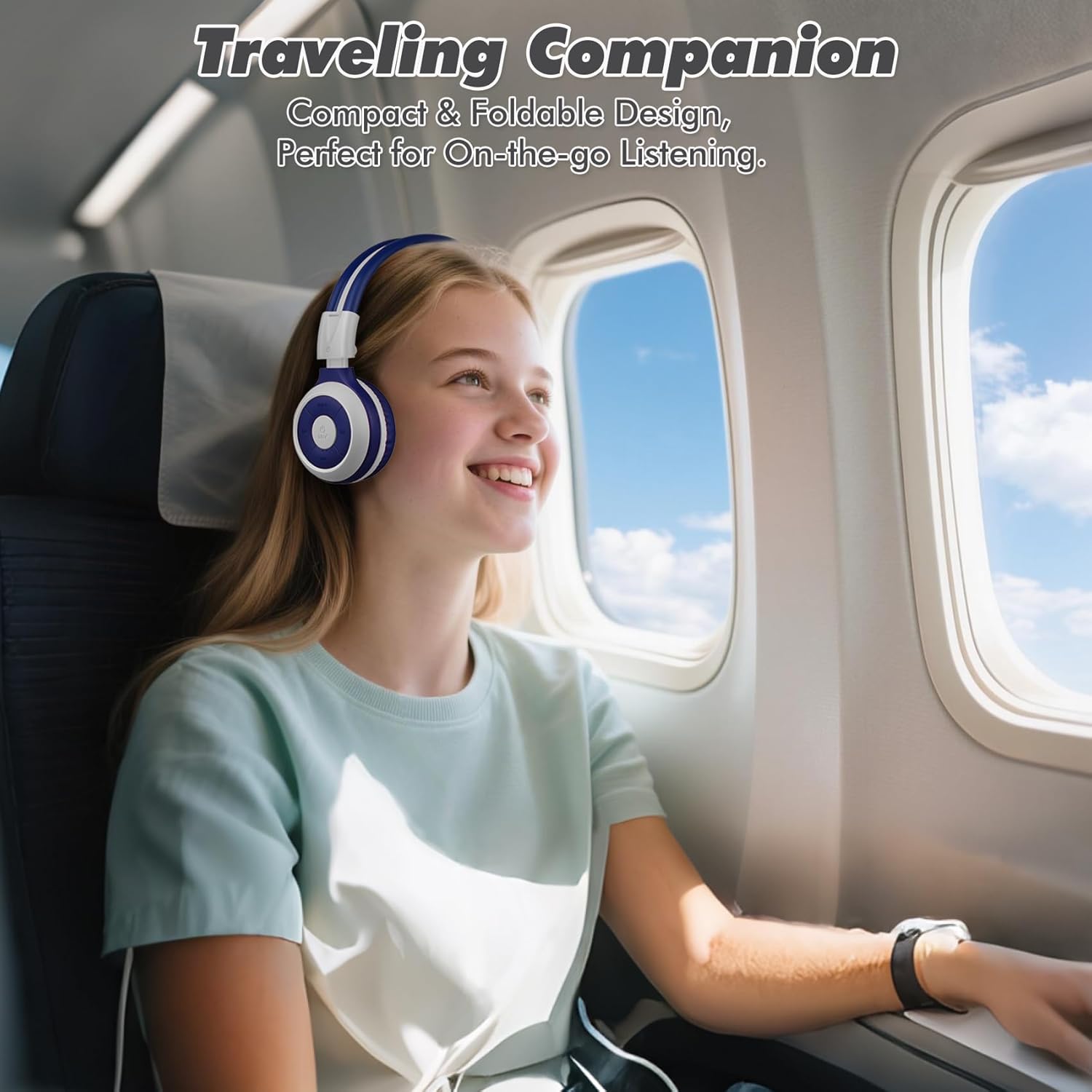
Image: A child comfortably wearing SIMOLIO headphones on an airplane, highlighting the compact and foldable design for travel.
6. ການບໍາລຸງຮັກສາແລະການດູແລ
- ທໍາຄວາມສະອາດ: ໃຊ້ຜ້າອ່ອນ, ແຫ້ງເພື່ອເຮັດຄວາມສະອາດຫູຟັງ. ຢ່າໃຊ້ເຄື່ອງເຮັດຄວາມສະອາດຂັດຫຼືສານລະລາຍ.
- ການເກັບຮັກສາ: When not in use, fold the headphones and store them in the provided hard EVA carrying case to protect them from dust and damage.
- ອຸນຫະພູມ: ຫຼີກເວັ້ນການເປີດຫູຟັງຢູ່ໃນອຸນຫະພູມທີ່ຮຸນແຮງ (ຮ້ອນຫຼືເຢັນ) ຫຼືຄວາມຊຸ່ມຊື່ນສູງ.
- ການເປີດເຜີຍນ້ໍາ: ຫູຟັງເຫຼົ່ານີ້ແມ່ນບໍ່ກັນນ້ໍາ. ຫຼີກເວັ້ນການສໍາຜັດກັບນ້ໍາຫຼືຂອງແຫຼວອື່ນໆ.
- ການຈັດການ: Do not bend the headband hinge excessively. While durable, improper force can cause damage.

Image: Diagram illustrating the flexibility of the headband with memory elastic metal strips, showing how it can be remoulded to fit the user's head. Important note: Do not bend the hinge.
7. ການແກ້ໄຂບັນຫາ
| ບັນຫາ | ສາເຫດທີ່ເປັນໄປໄດ້ | ການແກ້ໄຂ |
|---|---|---|
| ຫູຟັງບໍ່ເປີດ. | ແບັດເຕີຣີເຫຼືອໜ້ອຍ ຫຼືໝົດແລ້ວ. | ສາກຫູຟັງໃຫ້ເຕັມໂດຍໃຊ້ສາຍ USB ທີ່ໃຫ້ມາ. |
| ບໍ່ສາມາດຈັບຄູ່ຜ່ານ Bluetooth ໄດ້. | ຫູຟັງບໍ່ຢູ່ໃນໂໝດຈັບຄູ່; ອຸປະກອນ Bluetooth ປິດ; ໄກຈາກອຸປະກອນ. | Ensure headphones are in pairing mode (flashing red/blue). Turn device Bluetooth off/on. Move headphones closer to device (within 10 meters). |
| ບໍ່ມີສຽງຢູ່ໃນໂໝດໄຮ້ສາຍ. | ປະລິມານຕ່ໍາເກີນໄປ; ບໍ່ເຊື່ອມຕໍ່; ເລືອກສຽງອອກບໍ່ຖືກຕ້ອງໃນອຸປະກອນ. | Increase headphone and device volume. Ensure headphones are successfully paired. Check device's audio output settings. |
| ບໍ່ມີສຽງຢູ່ໃນໂໝດມີສາຍ. | AUX cable not fully inserted; cable damaged; device audio jack issue. | Ensure AUX cable is fully inserted into both headphone and device. Try a different AUX cable. Test with another device. |
| ໄມໂຄຣໂຟນບໍ່ເຮັດວຽກ. | ຫູຟັງໃນຮູບແບບສາຍ; ການຕັ້ງຄ່າໄມໂຄຣໂຟນຂອງອຸປະກອນ. | The microphone only functions in Bluetooth mode. Ensure headphones are connected wirelessly. Check device's microphone privacy settings. |
8. ຂໍ້ມູນຈໍາເພາະ
| ຄຸນສົມບັດ | ລາຍລະອຽດ |
|---|---|
| ຊື່ຕົວແບບ | Kids Wireless Bluetooth Headphones JH-712G |
| ເຕັກໂນໂລຊີການເຊື່ອມຕໍ່ | ໄຮ້ສາຍ (Bluetooth), ມີສາຍ (3.5 ມມ AUX) |
| ຊ່ວງ Bluetooth | 10 ແມັດ (33 ຟຸດ) |
| ຊີວິດຫມໍ້ໄຟ | Up to 15 Hours (wireless mode) |
| ຂະໜາດໄດເວີສຽງ | 40 ມິນລິແມັດ |
| Volume Limiting Levels | 75dB, 85dB, 94dB |
| ວັດສະດຸ | Acrylonitrile Butadiene Styrene (ABS) |
| ຂະໜາດສິນຄ້າ | 5.51 x 3.15 x 5.31 ນິ້ວ |
| ນ້ໍາຫນັກລາຍການ | 13.4 ອອນ |
| ອົງປະກອບລວມ | Charging Cable, AUX Cable, User Manual, Carrying EVA Case |
9. ການຮັບປະກັນແລະການສະຫນັບສະຫນູນ
SIMOLIO provides a 12-month hassle-free warranty for these headphones. For any product-related inquiries, technical support, or warranty claims, please contact SIMOLIO customer service through the following channels:
- ອີເມວ: Refer to the contact information provided on the product packaging or SIMOLIO official webເວັບໄຊ.
- ສະຫນັບສະຫນູນອອນໄລນ໌: Visit the SIMOLIO Store on Amazon: SIMOLIO Store
Please have your model number (JH-712) and purchase date ready when contacting support.
Ask a question about this manual
Ask about setup, troubleshooting, compatibility, parts, safety, or missing instructions. Manuals+ will review the question and use this page’s manual context to help answer it.