
ແນະນຳ
This manual provides detailed instructions for the safe and efficient operation, maintenance, and troubleshooting of your Amazon Basics 18-Sheet Cross-Cut Paper, CD, and Credit Card Shredder. Please read this manual thoroughly before using the shredder and retain it for future reference.
The Amazon Basics 18-Sheet Cross-Cut Shredder is designed to shred paper, CDs, DVDs, and credit cards, providing a secure way to dispose of sensitive information. It features a cross-cut mechanism for enhanced security, turning documents into small confetti-like pieces.
ຂໍ້ມູນຄວາມປອດໄພ
To reduce the risk of fire, electric shock, or injury, always follow basic safety precautions when using this product.
- ຮັກສາໃຫ້ໄກຈາກເດັກນ້ອຍ ແລະສັດລ້ຽງ.
- Keep loose clothing, jewelry, hair, and other small items away from the shredder opening.
- ຢ່າວາງມື ຫຼື ນິ້ວມືເຂົ້າໄປໃນຊ່ອງເປີດຂອງເຄື່ອງຕັດ.
- Always unplug the shredder when not in use or before moving, cleaning, or emptying the waste bin.
- Do not operate the shredder with a damaged power cord or plug.
- Do not shred adhesive labels, continuous forms, or plastic other than credit cards.
- Do not spray any flammable products onto the shredder or use near flammable materials.
- ຜະລິດຕະພັນນີ້ປະກອບດ້ວຍສານເຄມີທີ່ຮູ້ຈັກກັບລັດຄາລິຟໍເນຍເພື່ອເຮັດໃຫ້ເກີດມະເຮັງແລະຄວາມບົກຜ່ອງດ້ານການເກີດລູກຫຼືອັນຕະລາຍຕໍ່ການຈະເລີນພັນອື່ນໆ.
ຕັ້ງຄ່າ
ການຫຸ້ມຫໍ່
- ລະມັດລະວັງເອົາເຄື່ອງຕັດອອກຈາກການຫຸ້ມຫໍ່ຂອງມັນ.
- Remove all packing materials, including any protective films or inserts.
- Inspect the shredder for any signs of damage. If damaged, do not operate and contact customer support.
ການຈັດວາງ
- ວາງເຄື່ອງຕັດເທິງພື້ນທີ່ຮາບພຽງ, ຄົງທີ່.
- Ensure there is adequate space around the shredder for ventilation and access to the waste bin.
- The shredder is equipped with casters for easy mobility. Lock the casters once the shredder is in its desired position.

ໂດຍລວມ view of the Amazon Basics 18-Sheet Cross-Cut Shredder, showing its compact design and casters.
ການເຊື່ອມຕໍ່ພະລັງງານ
- Ensure the shredder is in the 'OFF' position (or unplugged) before connecting to power.
- ສຽບສາຍໄຟເຂົ້າໄປໃນປ່ຽງໄຟຟ້າມາດຕະຖານ.
ຄໍາແນະນໍາການດໍາເນີນງານ
ການຄວບຄຸມແລະຕົວຊີ້ວັດ
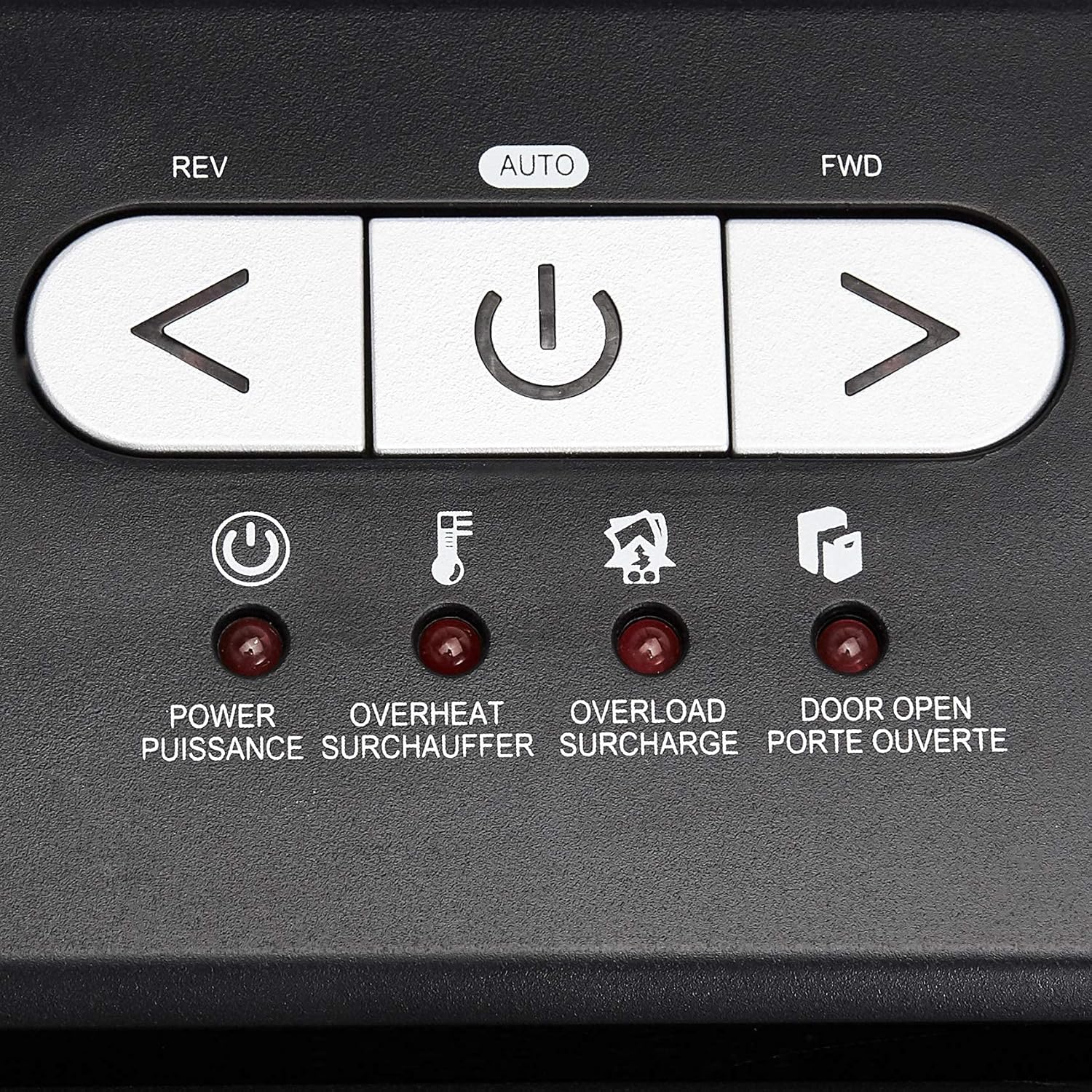
ໃກ້ຊິດ view of the shredder's control panel, showing the REV, AUTO, FWD buttons and LED indicators.
| ການຄວບຄຸມ/ຕົວຊີ້ວັດ | ລາຍລະອຽດ |
|---|---|
| REV (Reverse) Button | Moves the shredder blades in reverse to clear paper jams. |
| AUTO (Power/Auto) Button | Activates the shredder's automatic shredding function. The shredder will start when paper is inserted. |
| FWD (Forward) Button | Moves the shredder blades forward continuously. Useful for clearing small debris. |
| ພະລັງງານໄຟ LED | Indicates the shredder is powered on. |
| ໄຟ LED ເກີນຄວາມຮ້ອນ | Illuminates when the shredder has exceeded its maximum continuous run time and needs to cool down. |
| ໄຟ LED ເກີນ | Illuminates when too much material is inserted, causing the motor to strain. |
| Door Open LED | Indicates that the shredder head is not properly seated on the waste bin, or the bin is not fully closed. |
ການປະຕິບັດການ shredding ຂັ້ນພື້ນຖານ
- Ensure the shredder is plugged in and the power switch on the back (if present) is ON.
- ກົດ ອັດຕະໂນມັດ button on the control panel. The Power LED will illuminate.
- For Paper: Insert up to 18 sheets of 20-pound bond paper into the paper entry slot. The shredder will automatically start and stop once the paper has passed through. Staples and small paper clips do not need to be removed.
- For CDs/DVDs: Insert one CD or DVD into the dedicated CD/DVD slot. The shredder will process the disc.
- For Credit Cards: Insert one credit card into the dedicated credit card slot. The shredder will process the card.
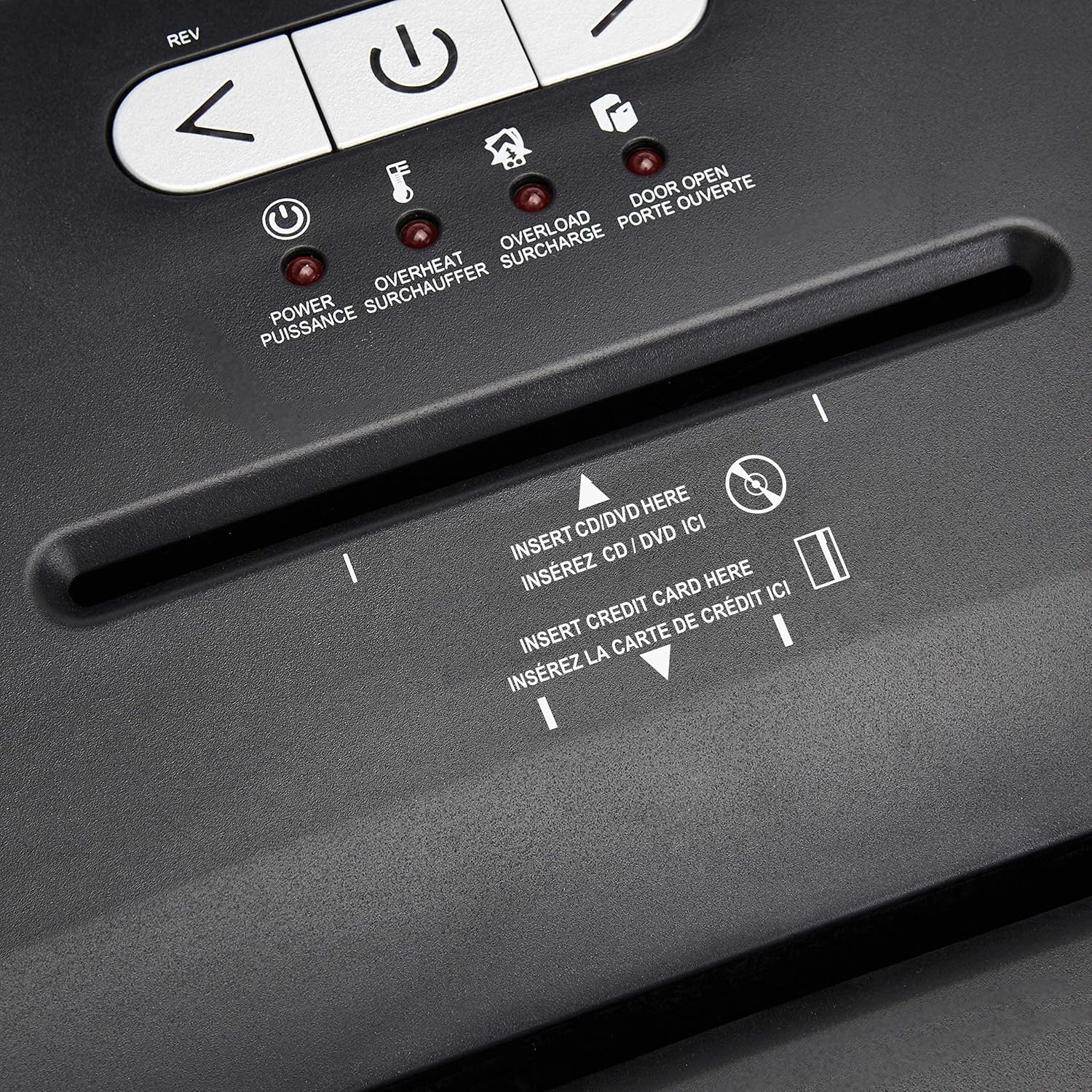
ລະອຽດ view of the dedicated slots for shredding CDs/DVDs and credit cards.
ເວລາແລ່ນຕໍ່ເນື່ອງ ແລະ ການປ້ອງກັນຄວາມຮ້ອນເກີນ
The shredder is designed for a continuous run time of 30 minutes, followed by a 10-minute cool-down period. If the shredder operates continuously beyond its maximum run time, it will automatically shut off to protect the motor from overheating. The Overheat LED will illuminate. Allow the shredder to cool down for at least 10 minutes before resuming operation. The shredder will automatically reset once cooled.
ການປ້ອງກັນການໂຫຼດເກີນ
If too many sheets of paper or an item too thick is inserted, the shredder may jam and the Overload LED will illuminate. To clear an overload, press the REV button to reverse the blades and remove the excess material. Reduce the amount of material and re-insert.
ບໍາລຸງຮັກສາ
Emptying the Shredder Bin
- Always unplug the shredder before emptying the waste bin.
- The 6-gallon bin has a window to monitor the fill level.
- ຄ່ອຍໆດຶງຖັງຂີ້ເຫຍື້ອອອກຈາກດ້ານໜ້າຂອງເຄື່ອງບົດ.
- ຖອກວັດສະດຸທີ່ຂູດແລ້ວລົງໃນຖັງຂີ້ເຫຍື້ອ ຫຼື ຖັງຣີໄຊເຄີນທີ່ເໝາະສົມ.
- Slide the waste bin back into place, ensuring it is fully seated. The Door Open LED should turn off.
ທໍາຄວາມສະອາດ
- Unplug the shredder before cleaning.
- ເຊັດດ້ານນອກຂອງເຄື່ອງບົດດ້ວຍຜ້າອ່ອນໆແລະແຫ້ງ. ຢ່າໃຊ້ນໍ້າຢາທໍາຄວາມສະອາດທີ່ມີສານຂັດ ຫຼື ສານລະລາຍ.
- Periodically clean the shredder blades by running a shredder lubricant sheet or applying shredder oil to a sheet of paper and shredding it. This helps maintain optimal performance and extends the life of the blades.
ການແກ້ໄຂບັນຫາ
| ບັນຫາ | ສາເຫດທີ່ເປັນໄປໄດ້ | ການແກ້ໄຂ |
|---|---|---|
| ເຄື່ອງຕັດເຄື່ອງບໍ່ເປີດ. | Not plugged in; Power switch OFF; Waste bin not properly seated; Overheated. | Ensure power cord is securely plugged in. Turn the power switch ON. Push the waste bin firmly into place. Allow shredder to cool down if Overheat LED is on. |
| ເຈ້ຍຕິດ. | ໃສ່ເຈ້ຍຫຼາຍເກີນໄປ; ໃສ່ເຈ້ຍບໍ່ຊື່. | ກົດ REV button to clear the jam. Remove excess paper. Reduce the amount of paper per pass. |
| Shredder stops during operation and Overheat LED is on. | Exceeded continuous run time. | Allow the shredder to cool down for at least 10 minutes. The shredder will automatically reset. |
| Shredder stops and Overload LED is on. | Too much material inserted. | ກົດ REV button to remove the material. Reduce the amount of material and re-insert. |
| Door Open LED is on. | Waste bin not fully inserted or shredder head not properly seated. | Ensure the waste bin is pushed all the way in and the shredder head is correctly positioned on top. |
ຂໍ້ມູນຈໍາເພາະ
| ຄຸນສົມບັດ | ລາຍລະອຽດ |
|---|---|
| ໝາຍເລກຕົວແບບ | C218-A |
| ປະເພດ shred | ຂ້າມຕັດ |
| ຂະຫນາດ Shred | 4 x 35 ມມ |
| ລະດັບຄວາມປອດໄພ | P-3 |
| ຄວາມອາດສາມາດຂອງແຜ່ນ | Up to 18 sheets (20-pound bond paper) |
| ກຳ ຈັດ | Paper, CDs, DVDs, Credit Cards |
| ຄວາມອາດສາມາດຂອງຖັງ | 6 ກາລອນ |
| ເວລາແລ່ນຢ່າງຕໍ່ເນື່ອງ | 30 ນາທີ |
| ເວລາເຢັນລົງ | 10 ນາທີ |
| ຂະໜາດ (L x W x H) | 10.35 x 14.45 x 20.47 ນິ້ວ |
| ນ້ໍາຫນັກລາຍການ | 24.4 ປອນ |
| ສີ | ດຳ |
| ປະເພດວັດສະດຸ | Alloy Steel, Metal, Plastic |
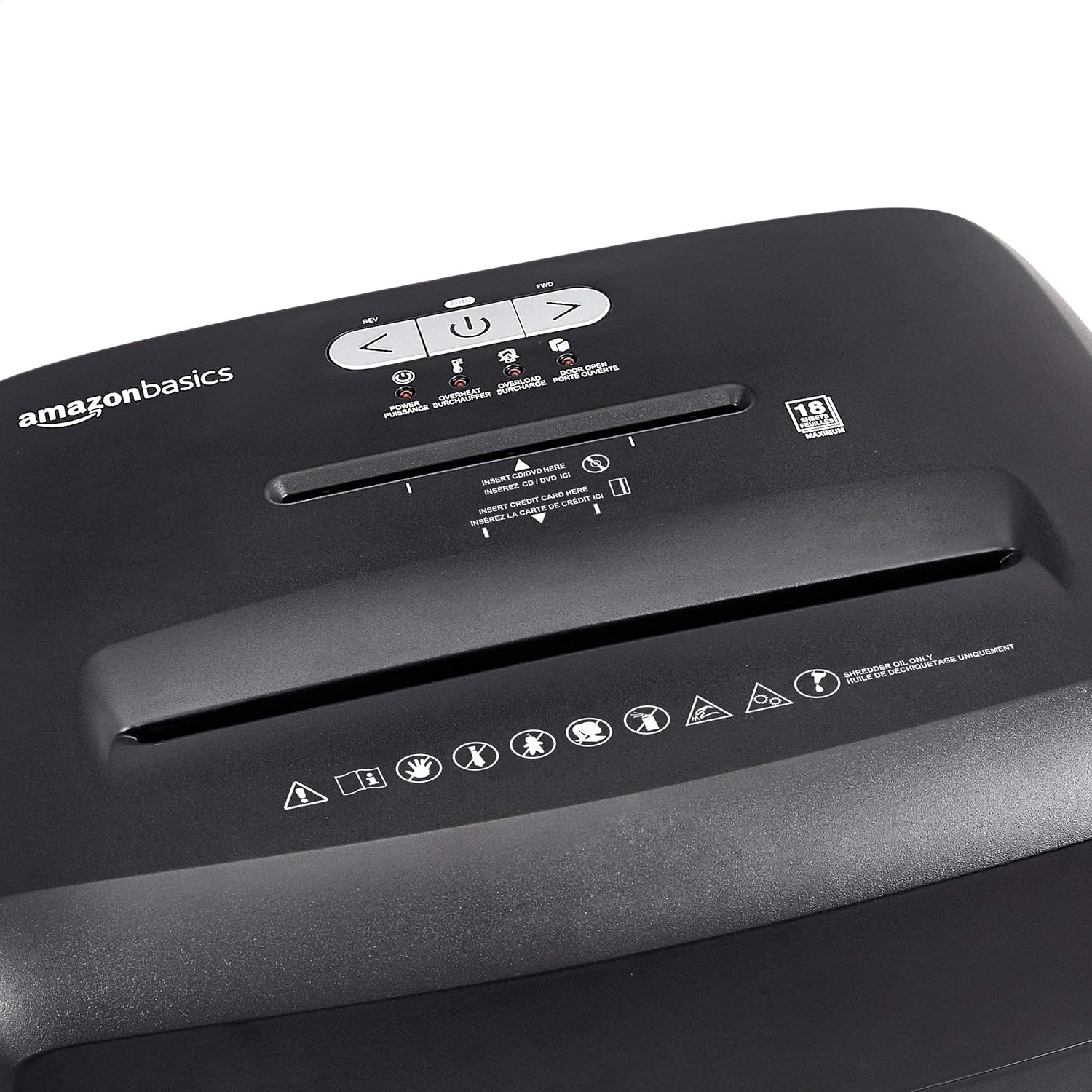
Diagram illustrating the dimensions of the shredder: 20.47 inches (51.51 cm) in height.
ຂໍ້ມູນການຮັບປະກັນ
This Amazon Basics product is backed by a limited warranty. For specific details regarding warranty coverage, duration, and terms, please refer to the warranty document included with your purchase or visit the official Amazon Basics webເວັບໄຊ. ຮັກສາຫຼັກຖານການຊື້ຂອງທ່ານສໍາລັບການຮ້ອງຂໍການຮັບປະກັນ.
ການຊ່ວຍເຫຼືອລູກຄ້າ
For any questions, assistance, or troubleshooting not covered in this manual, please contact Amazon Basics Customer Service. You can typically find contact information on the Amazon website under the 'Help' or 'Customer Service' sections, or by visiting the ຮ້ານ Amazon Basics.