
1. ບົດແນະນຳ
Thank you for choosing the Hoco ES24 Wireless Sound Earphones. This manual provides detailed instructions on how to set up, operate, and maintain your earphones. Please read this manual carefully before use to ensure optimal performance and longevity of your device.
2. ເນື້ອໃນຊຸດ
ໃຫ້ແນ່ໃຈວ່າທຸກລາຍການທີ່ມີລາຍຊື່ຂ້າງລຸ່ມນີ້ມີຢູ່ໃນຊຸດຂອງທ່ານ:
- Hoco ES24 Wireless Earphones (Left and Right)
- ກ່ອງສາກ
- ສາຍສາກ USB
- ເຄັດລັບຫູຫຼາຍຂະໜາດ (S,M,L)
- ຄູ່ມືຜູ້ໃຊ້

Image: The Hoco ES24 earphones, charging case, USB cable, and various ear tip sizes included in the package.
3. ຜະລິດຕະພັນເກີນview
The Hoco ES24 earphones are designed for comfortable, wireless audio experience. They come with a compact charging case that not only protects the earphones but also recharges them on the go.

Image: The Hoco ES24 earphones resting inside their open charging case, showcasing ການອອກແບບທີ່ຫນາແຫນ້ນຂອງພວກເຂົາ.
4. ຕັ້ງຄ່າ
4.1 ການສາກໄຟເບື້ອງຕົ້ນ
- ກ່ອນທີ່ຈະໃຊ້ຄັ້ງທຳອິດ, ໃຫ້ສາກຫູຟັງ ແລະ ຊ່ອງສາກໃຫ້ເຕັມ.
- ວາງຫູຟັງທັງສອງໃສ່ໃນຊ່ອງສາກໄຟ.
- Connect the USB charging cable to the charging port on the case and a power source (e.g., USB wall adapter, computer USB port).
- The LED indicator on the charging case will show the charging status. A full charge typically takes about 1 hour for fast charging.

Image: The Hoco ES24 charging case displaying the battery percentage via an LED screen, indicating charging status and capacity.
5. ຄໍາແນະນໍາການດໍາເນີນງານ
5.1 ການເປີດ/ປິດ
- ເປີດ: Open the charging case, and the earphones will automatically power on. Alternatively, press and hold the touch control area on both earphones for 3 seconds.
- ປິດພະລັງງານ: Place the earphones back into the charging case and close the lid. They will automatically power off and begin charging. Alternatively, press and hold the touch control area on both earphones for 5 seconds.
5.2 ການຈັບຄູ່ Bluetooth
- ການຈັບຄູ່ຄັ້ງທໍາອິດ:
a. Ensure the earphones are charged.
b. Open the charging case. The earphones will automatically enter pairing mode, indicated by a flashing LED light on one of the earbuds.
c. On your device (smartphone, tablet, etc.), enable Bluetooth and search for available devices.
d. Select "Hoco ES24" from the list of devices. Once connected, the LED indicator on the earphone will stop flashing. - ການຈັບຄູ່ຕໍ່ມາ:
Once paired, the earphones will automatically connect to the last paired device when taken out of the charging case, provided Bluetooth is enabled on your device.
5.3 ແຕະການຄວບຄຸມ
The Hoco ES24 earphones feature touch-sensitive controls for easy management of music and calls.
- ຫຼິ້ນ/ຢຸດ: ແຕະເທື່ອດຽວໃສ່ຫູຟັງທັງສອງອັນ.
- ເພງຕໍ່ໄປ: ແຕະສອງເທື່ອໃສ່ຫູຟັງເບື້ອງຂວາ.
- ຕິດຕາມກ່ອນ ໜ້າ ນີ້: ແຕະສອງເທື່ອໃສ່ຫູຟັງຊ້າຍ.
- ຮັບ/ສາຍໂທ: ແຕະເທື່ອດຽວໃສ່ຫູຟັງລະຫວ່າງສາຍໂທເຂົ້າ ຫຼືສາຍທີ່ເປີດຢູ່.
- ປະຕິເສດການໂທ: ກົດຫູຟັງຂ້າງໜຶ່ງຄ້າງໄວ້ 2 ວິນາທີໃນລະຫວ່າງສາຍໂທເຂົ້າ.
- ກະຕຸ້ນຜູ້ຊ່ວຍສຽງ: ແຕະສາມເທື່ອໃສ່ຫູຟັງທັງສອງຂ້າງ.

Image: A user wearing the Hoco ES24 earphones, illustrating their in-ear fit and highlighting features like Bluetooth 5.0 connectivity and clear call quality.
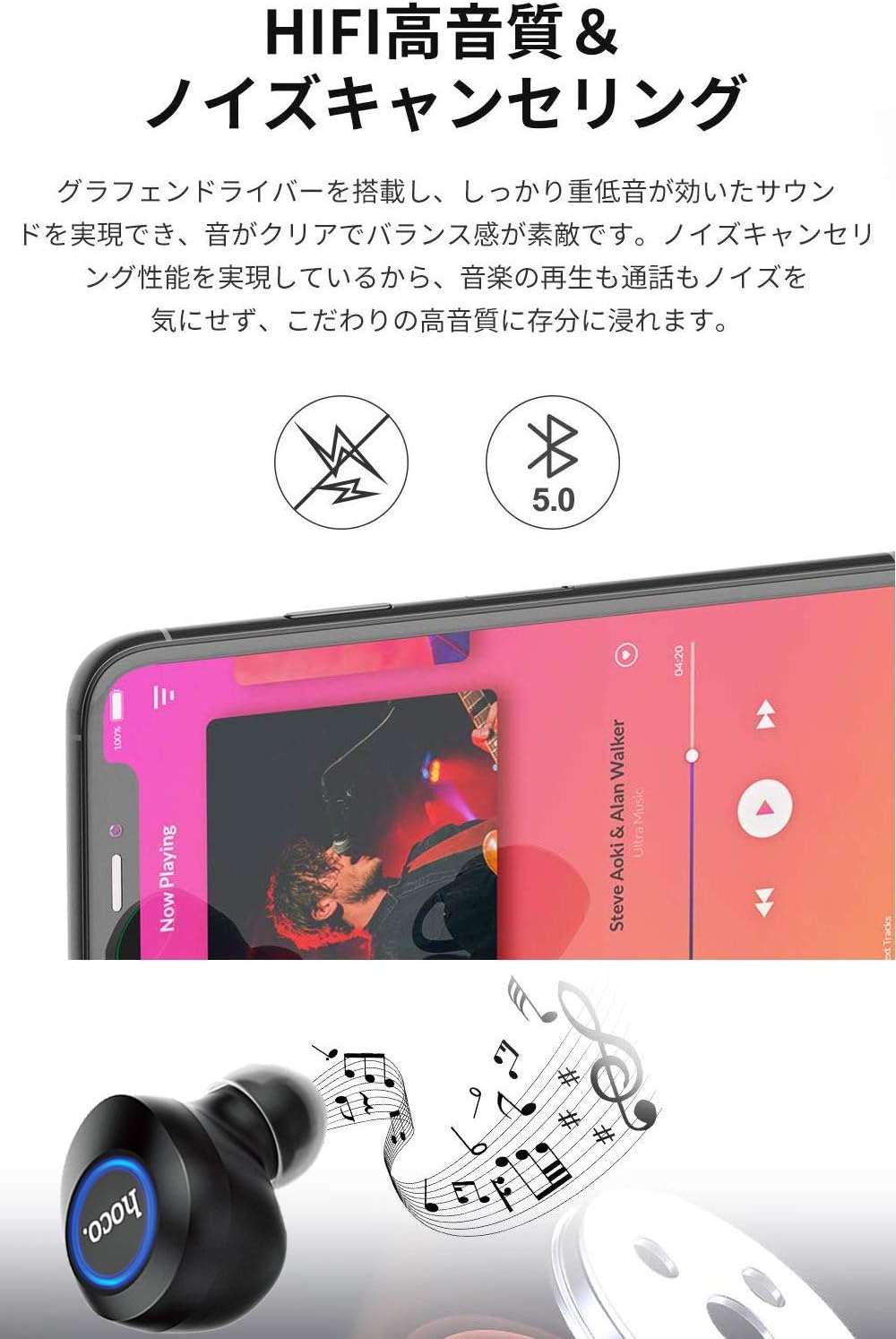
Image: A close-up of a Hoco ES24 earphone, with a smartphone screen in the background showing music playback, emphasizing HiFi sound quality and noise cancellation capabilities.
6. ບໍາລຸງຮັກສາ
6.1 ການທໍາຄວາມສະອາດ
- ອະນາໄມຫູຟັງ ແລະ ກະເປົ໋າສາກໄຟເປັນປະຈຳດ້ວຍຜ້າແພທີ່ອ່ອນ, ແຫ້ງ, ບໍ່ມີເສັ້ນດ່າງ.
- ຢ່າໃຊ້ເຄື່ອງເຮັດຄວາມສະອາດຂັດ, ເຫຼົ້າ, ຫຼືສານລະລາຍສານເຄມີ.
- ຄ່ອຍໆເອົາຂີ້ຫູ ຫຼືສິ່ງເສດເຫຼືອອອກຈາກປາຍຫູ ແລະຕາໜ່າງລຳໂພງ ໂດຍໃຊ້ແປງນ້ອຍໆ ຫຼືຜ້າຝ້າຍ.
6.2 ການເກັບຮັກສາ
- ເມື່ອບໍ່ໄດ້ໃຊ້, ໃຫ້ເກັບຮັກສາຫູຟັງໃສ່ໃນກະເປົ໋າສາກໄຟເພື່ອປົກປ້ອງພວກມັນຈາກຝຸ່ນ ແລະຄວາມເສຍຫາຍ.
- Avoid storing the device in extreme temperatures (hot or cold) or in humid environments.
6.3 ການດູແລຫມໍ້ໄຟ
- ເພື່ອຍືດອາຍຸແບັດເຕີຣີ, ຫຼີກເວັ້ນການຖອດຫູຟັງອອກເຕັມທີ່ ແລະ ກ່ອງສາກໄຟເລື້ອຍໆ.
- ໃຫ້ສາກອຸປະກອນເປັນປະຈຳ, ເຖິງແມ່ນວ່າຈະບໍ່ໄດ້ໃຊ້ເລື້ອຍໆກໍຕາມ.
7. ການແກ້ໄຂບັນຫາ
If you encounter any issues with your Hoco ES24 earphones, refer to the following common problems and solutions:
| ບັນຫາ | ການແກ້ໄຂ |
|---|---|
| ຫູຟັງບໍ່ເປີດ. | Ensure the earphones and charging case are fully charged. Place earphones in the case and close the lid, then open again. |
| ບໍ່ສາມາດຈັບຄູ່ກັບອຸປະກອນໄດ້. | Make sure Bluetooth is enabled on your device. Ensure earphones are in pairing mode (flashing LED). Turn off and on your device's Bluetooth. Forget "Hoco ES24" from your device's Bluetooth list and try pairing again. |
| ບໍ່ມີສຽງຈາກຫູຟັງຂ້າງໜຶ່ງ ຫຼື ທັງສອງຂ້າງ. | Check device volume. Ensure earphones are properly connected. Try re-pairing. Clean any debris from the speaker mesh. |
| ກ່ອງສາກບໍ່ສາກ. | Verify the USB cable is securely connected to both the case and the power source. Try a different USB cable or power adapter. |
| ການຄວບຄຸມການສໍາພັດບໍ່ຕອບສະໜອງ. | Ensure your fingers are clean and dry. Restart the earphones by placing them in the case and taking them out again. |
8. ຂໍ້ມູນຈໍາເພາະ
Below are the technical specifications for the Hoco ES24 Wireless Sound Earphones:
- ຕົວແບບ: ES24
- ການເຊື່ອມຕໍ່: ໄຮ້ສາຍ (Bluetooth 5.0)
- ປັດໄຈແບບຟອມ: ໃນຫູ
- ວັດສະດຸ: ພາດສະຕິກ
- ວິທີການຄວບຄຸມ: ແຕະ
- ໄມໂຄຣໂຟນ: ແມ່ນແລ້ວ
- ການຕັດສຽງລົບກວນ: No (Passive noise isolation may be present due to in-ear design)
- ອຸປະກອນທີ່ເຂົ້າກັນໄດ້: All devices with Bluetooth functionality
- ນ້ໍາຫນັກລາຍການ: 55 grams (earphones + case)
- ຂະໜາດຜະລິດຕະພັນ: 2.38 x 2.1 x 2.35 cm (earphone dimensions)
- ອົງປະກອບລວມ: Protective charging case
- ສີ: ດຳ
- ຊ່ວງອາຍຸ: ຜູ້ໃຫຍ່
- ເວລາສາກໄຟ: Approximately 1 hour (fast charge)
- ເວລານຳໃຊ້: Approximately 4-5 hours (single use)
9. ຂໍ້ມູນຄວາມປອດໄພ
ກະລຸນາປະຕິບັດຕາມຄຳແນະນຳດ້ານຄວາມປອດໄພຕໍ່ໄປນີ້ເພື່ອປ້ອງກັນຄວາມເສຍຫາຍຕໍ່ອຸປະກອນ ຫຼື ການບາດເຈັບຕໍ່ຕົວທ່ານເອງ:
- ຫ້າມຖອດປະກອບ, ສ້ອມແປງ, ຫຼືດັດແປງຜະລິດຕະພັນ.
- ຮັກສາອຸປະກອນໃຫ້ຫ່າງຈາກນ້ໍາ, ຄວາມຊຸ່ມຊື່ນ, ແລະອຸນຫະພູມທີ່ສຸດ.
- ຫຼີກເວັ້ນການສໍາຜັດກັບລະດັບສຽງສູງເປັນເວລາດົນນານເພື່ອປ້ອງກັນຄວາມເສຍຫາຍຂອງການໄດ້ຍິນ.
- ຮັກສາໃຫ້ໄກຈາກເດັກນ້ອຍ ແລະສັດລ້ຽງ.
- ກໍາຈັດຜະລິດຕະພັນຢ່າງມີຄວາມຮັບຜິດຊອບຕາມລະບຽບການທ້ອງຖິ່ນ.
10. ການຮັບປະກັນແລະການສະຫນັບສະຫນູນ
Hoco products are designed and manufactured to the highest quality standards. For warranty information, technical support, or customer service inquiries, please refer to the warranty card included in your package or contact your local retailer or Hoco customer support directly. Please retain your proof of purchase for any warranty claims.