
ແນະນຳ
The Elitech PG-30Pro Digital Pressure Gauge is designed for precise real-time pressure measurement in various systems, including pipeline and refrigeration applications. It features a clear backlight display, automatic shutdown, low battery indication, and an over-pressure warning light for enhanced safety and usability. Its robust design and long battery life make it a reliable tool for professionals.
This manual provides essential information for the safe and effective operation, maintenance, and troubleshooting of your PG-30Pro Digital Pressure Gauge. Please read it thoroughly before use.
ຄຸນສົມບັດຜະລິດຕະພັນ
- ຈໍສະແດງຜົນ Backlight: ຮັບປະກັນການເບິ່ງເຫັນທີ່ຊັດເຈນຂອງການອ່ານໃນສະພາບແສງສະຫວ່າງຕ່າງໆ.
- Max/Min Value Display and Reset: Records maximum and minimum pressure values, with an option to reset for new data collection.
- ຟັງຊັນ Zeroing: Allows for calibration to correct any deviation at the zero point.
- ຄວາມເຂົ້າກັນໄດ້ຂອງສານເຮັດຄວາມເຢັນທີ່ກວ້າງຂວາງ: Supports over 90 common refrigerants, making it versatile for various AC and refrigeration systems.
- Auto Shut-Off Setting: ປະຢັດອາຍຸແບັດເຕີຣີໂດຍການປິດອັດຕະໂນມັດຫຼັງຈາກໄລຍະເວລາທີ່ບໍ່ມີການເຄື່ອນໄຫວ.
- Adjustable Temperature and Pressure Units: Users can select preferred units for both temperature and pressure measurements.
- ຕົວຊີ້ວັດແບັດເຕີຣີຕໍ່າ: Displays "LOB" when battery power is low.
- Over-Pressure Warning: Alerts the user to potentially damaging pressure levels.
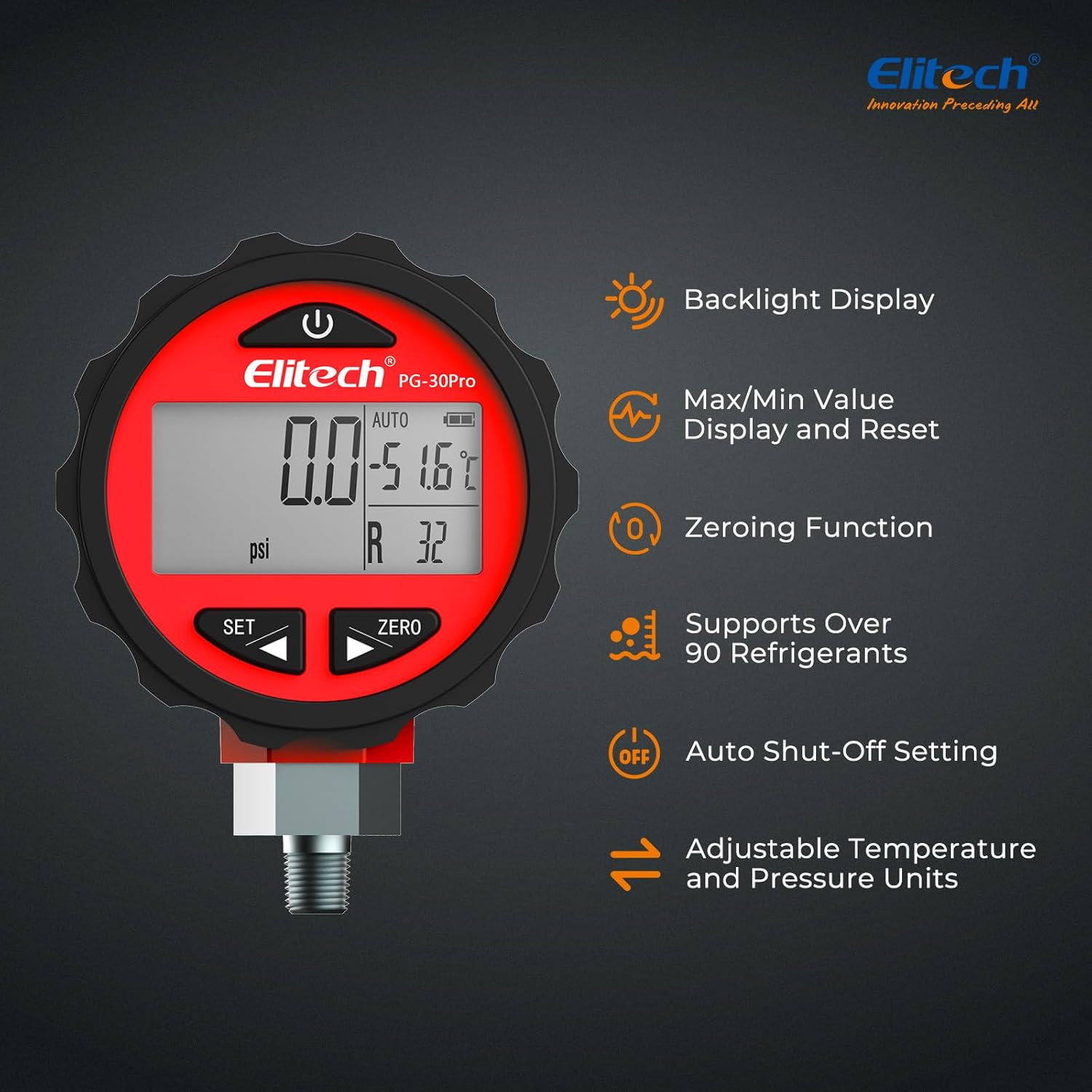
Image: Elitech PG-30Pro Digital Pressure Gauge showcasing its main features including backlight, Max/Min display, zeroing function, refrigerant compatibility, auto shut-off, and adjustable units.
ຕັ້ງຄ່າ
1. ການຕິດຕັ້ງຫມໍ້ໄຟ
- ຊອກຫາຝາປິດຊ່ອງໃສ່ຫມໍ້ໄຟຢູ່ດ້ານຫຼັງຂອງອຸປະກອນ.
- Open the cover and insert three (3) AAA batteries, ensuring correct polarity (+/-).
- ປິດຝາປິດຊ່ອງໃສ່ຫມໍ້ໄຟຢ່າງປອດໄພ.
2. Connecting the Gauge
- The PG-30Pro is equipped with a standard 1/8-inch NPT fitting.
- Ensure the system you are connecting to is compatible with this fitting size.
- Carefully thread the gauge onto the system's pressure port. Do not overtighten.
- Verify a secure, leak-free connection before proceeding with measurements.

Image: The Elitech PG-30Pro Digital Pressure Gauge illustrating its 1/8-inch NPT fitting and overall dimensions for connection reference.
ຄໍາແນະນໍາການດໍາເນີນງານ
1. ເປີດ/ປິດ
ກົດ ພະລັງງານ button (usually marked with a circle and vertical line) to turn the device on. Press and hold the ພະລັງງານ ປຸ່ມເພື່ອປິດມັນ.
2. ການເລືອກຫົວ ໜ່ວຍ
ກົດ SET button to cycle through available pressure units (MPa, kPa, bar, psi, kg/cm²) and temperature units (°C, °F). Select the desired units for your measurement.

Image: The Elitech PG-30Pro Digital Pressure Gauge showing its display with adjustable temperature and pressure units, such as psi and °C/°F.

Image: A close-up of the Elitech PG-30Pro Digital Pressure Gauge's LCD display with its blue backlight activated, showing pressure and temperature readings.
3. Zeroing Function
Before taking a measurement, especially in a new environment or after a long period of storage, it is recommended to zero the gauge. With no pressure applied, press the ZERO button to reset the reading to zero. This corrects any potential deviation and ensures accurate measurements.
4. Max/Min Value Recording
The gauge automatically records the maximum and minimum pressure values during operation. To view these values, press the SET button repeatedly until "MAX" or "MIN" appears on the display. To clear these recorded values and start a new recording cycle, press and hold the ZERO ປຸ່ມໃນຂະນະທີ່ viewing the MAX/MIN display.

Image: The Elitech PG-30Pro Digital Pressure Gauge highlighting the Power and Zero buttons, used for Max/Min value display and reset.
5. Refrigerant Selection (PT Table)
The PG-30Pro has a built-in pressure-temperature (PT) comparison table for over 90 common refrigerants. This allows for convenient reference during HVAC and refrigeration system work. Consult the device's specific menu or accompanying documentation for how to access and utilize this feature.
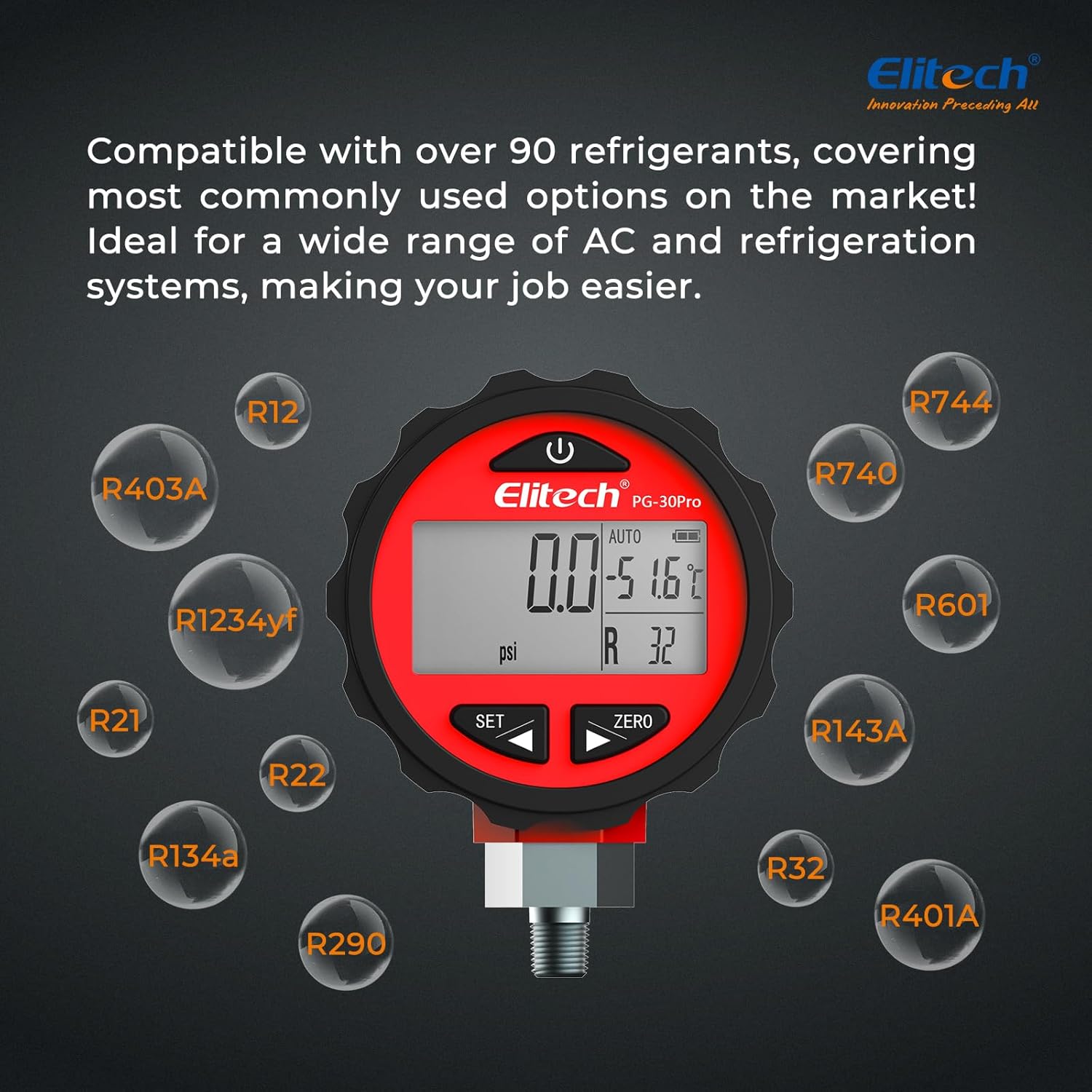
Image: The Elitech PG-30Pro Digital Pressure Gauge demonstrating its compatibility with a wide range of refrigerants, including R12, R22, R134a, R401A, and others.
ບໍາລຸງຮັກສາ
- ທໍາຄວາມສະອາດ: ເຊັດອຸປະກອນດ້ວຍຄວາມອ່ອນ, ງamp ຜ້າ. ຢ່າໃຊ້ເຄື່ອງເຮັດຄວາມສະອາດຂັດຫຼືສານລະລາຍ.
- ການເກັບຮັກສາ: Store the gauge in a dry, cool place away from direct sunlight and extreme temperatures. If storing for extended periods, remove the batteries to prevent leakage.
- ການປ່ຽນແບັດເຕີຣີ: Replace batteries when the "LOB" indicator appears on the display. Ensure to use three (3) new AAA batteries.
- ການກວດກາ: Regularly inspect the pressure port and fitting for any signs of damage or wear. Replace if necessary to ensure accurate and safe operation.
ການແກ້ໄຂບັນຫາ
| ບັນຫາ | ສາເຫດທີ່ເປັນໄປໄດ້ | ການແກ້ໄຂ |
|---|---|---|
| ອຸປະກອນບໍ່ເປີດ. | ແບັດເຕີຣີຕາຍ ຫຼື ຕິດຕັ້ງບໍ່ຖືກຕ້ອງ. | ກວດເບິ່ງຂົ້ວຂອງຫມໍ້ໄຟ. ປ່ຽນແບັດ AAA ໃໝ່. |
| ການອ່ານບໍ່ຖືກຕ້ອງ. | Gauge not zeroed; faulty connection; sensor issue. | Perform zeroing function. Check for leaks at the connection. If problem persists, contact support. |
| "LOB" displayed. | ພະລັງງານຫມໍ້ໄຟຕ່ໍາ. | ປ່ຽນແບັດເຕີລີທັນທີ. |
| ຈໍສະແດງຜົນແມ່ນມືດ ຫຼືກະພິບ. | Low battery power; environmental conditions. | Replace batteries. Ensure operating within specified temperature range. |
ຂໍ້ມູນຈໍາເພາະ
| ພາລາມິເຕີ | ມູນຄ່າ |
|---|---|
| ຕົວແບບ | PG-30Pro |
| ຂອບເຂດການວັດແທກຄວາມກົດດັນ | -0.100 to 5.515 MPa (0 to 800 psi) |
| ອຸນຫະພູມປະຕິບັດການ | 10°C ຫາ 60°C (50°F ຫາ 140°F) |
| ຄວາມຊຸ່ມຊື່ນປະຕິບັດການ | 35% ຫາ 85% RH |
| ຄວາມລະອຽດ | 0.001 MPa, 0.1 psi |
| ຄວາມຖືກຕ້ອງ | ±0.5% FS (Full Scale) |
| ຫົວໜ່ວຍອຸນຫະພູມ | ° C / ° F |
| ຊີວິດຫມໍ້ໄຟ | ສູງສຸດ 1 ປີ |
| ການສະຫນອງພະລັງງານ | 3 x ຫມໍ້ໄຟ AAA |
| Sampໄລຍະເວລາ | 1 ວິນາທີ |
| ຈໍສະແດງຜົນ | 1.9 x 1 inch LCD with Blue Backlight |
| ຫົວໜ່ວຍວັດແທກ | MPa, kPa, bar, psi, kg/cm², cmHg |
| ພໍດີ | NPT 1/8 ນິ້ວ |
| ຂະໜາດສິນຄ້າ (L x W x H) | 45 x 45 x 197 ມມ (1.77 x 1.77 x 7.76 ນິ້ວ) |
| ນ້ຳໜັກສິນຄ້າ | 248 g (8.78 ອໍ) |
| ວັດສະດຸ | ພາດສະຕິກ |
| ຄວາມເຂົ້າກັນໄດ້ຂອງເຄື່ອງເຮັດຄວາມເຢັນ | Over 90 types |

ຮູບພາບ: Examples of the Elitech PG-30Pro Digital Pressure Gauge in use across various applications, including automotive AC maintenance, residential AC installation, cold storage temperature control, commercial refrigeration inspection, heat pump system pressure testing, and refrigerant recovery and charging.
ການຮັບປະກັນແລະການສະຫນັບສະຫນູນ
For warranty information, technical support, or service inquiries, please contact Elitech customer service. Refer to the product packaging or Elitech's official webເວັບໄຊສໍາລັບລາຍລະອຽດການຕິດຕໍ່ໃນປະຈຸບັນຫຼາຍທີ່ສຸດ.
Webເວັບໄຊ: www.elitech.com
Please have your product model (PG-30Pro) and purchase date available when contacting support.