1. ບົດແນະນຳ
This manual provides detailed instructions for the proper use and maintenance of your Edifier W820BT Bluetooth Headphones. Please read this manual thoroughly before using the product to ensure optimal performance and longevity.
2. ເນື້ອໃນຊຸດ
Verify that all items listed below are included in your package. If any items are missing or damaged, please contact Edifier customer support.
- ຫູຟັງບູທູດ Edifier W820BT
- ສາຍສາກ (USB)
- ສາຍສຽງ (3.5mm)
- ຄູ່ມືຜູ້ໃຊ້ (ເອກະສານນີ້)
3. ຜະລິດຕະພັນເກີນview
The Edifier W820BT headphones are designed for comfort and extended listening, featuring Bluetooth v4.1 connectivity and a long-lasting battery.
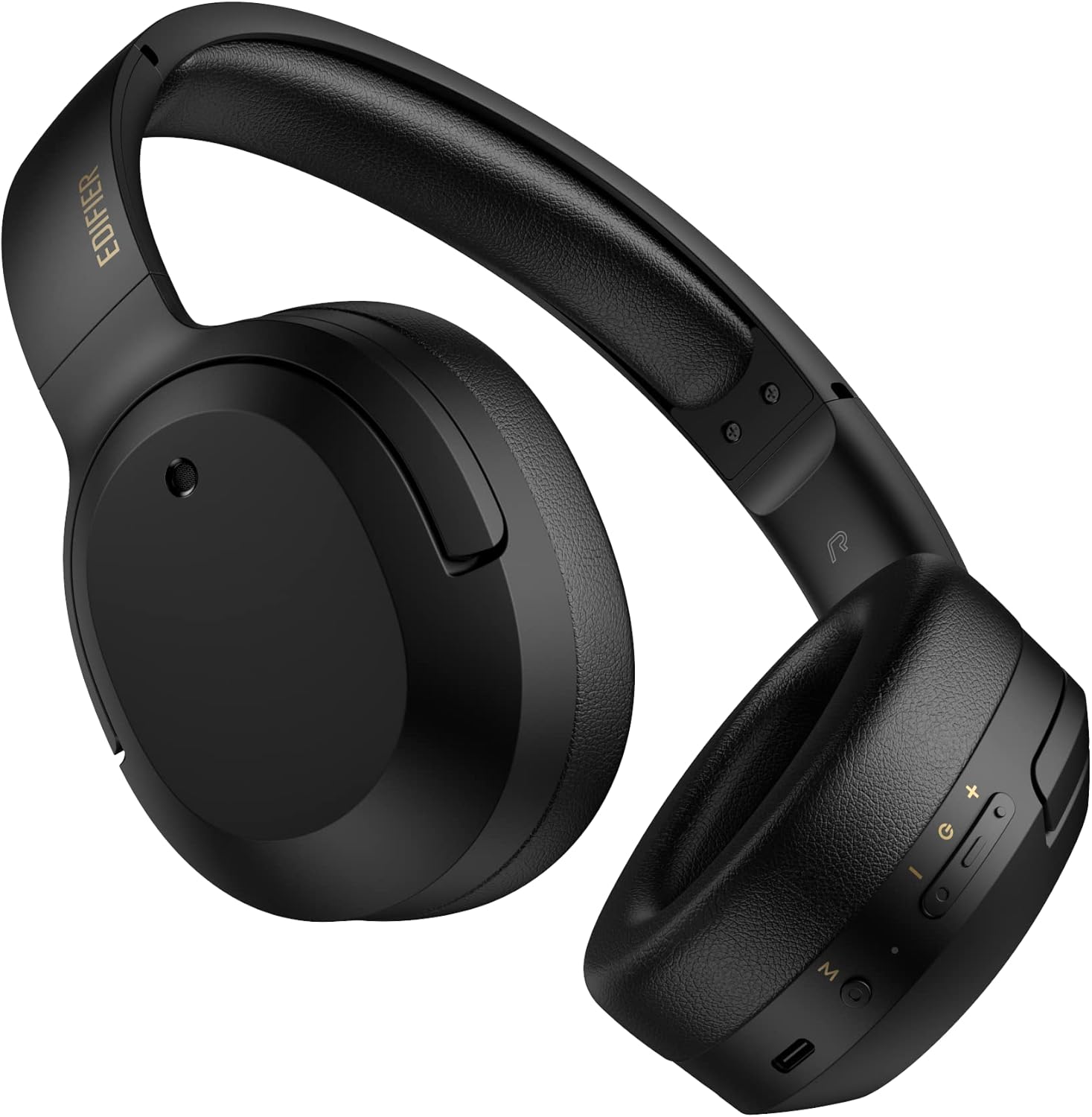
ຮູບ 3.1: ດ້ານຫນ້າ view ຂອງຫູຟັງບູທູດ Edifier W820BT.

ຮູບ 3.2: ຂ້າງ view of the Edifier W820BT Bluetooth Headphones, highlighting the control buttons.
ຄຸນນະສົມບັດທີ່ສໍາຄັນ:
- Bluetooth V4.1 with CSR Technology for stable wireless connection.
- ເຖິງ 80 ຊົ່ວໂມງຂອງຊີວິດຫມໍ້ໄຟ.
- ການອອກແບບທີ່ສາມາດພັບໄດ້ເພື່ອຄວາມສະດວກໃນການພົກພາ.
- Soft leather ear pads for comfort.
- Durable and flexible steel headband.
- On-ear controls for media playback and calls.
4. ຕັ້ງຄ່າ
4.1 ການສາກຫູຟັງ
ກ່ອນການນຳໃຊ້ຄັ້ງທຳອິດ, ໃຫ້ສາກຫູຟັງໃຫ້ເຕັມກ່ອນ.
- Connect the micro-USB end of the charging cable to the charging port on the headphone (located on the right earcup).
- ເຊື່ອມຕໍ່ປາຍສາຍສາກໄຟ USB-A ເຂົ້າກັບອະແດບເຕີໄຟ USB (ບໍ່ໄດ້ໃຫ້ມາ) ຫຼື ພອດ USB ຂອງຄອມພິວເຕີ.
- ໄຟ LED ຈະສະຫວ່າງຂຶ້ນໃນລະຫວ່າງການສາກໄຟ ແລະ ຈະດັບລົງເມື່ອສາກເຕັມແລ້ວ.
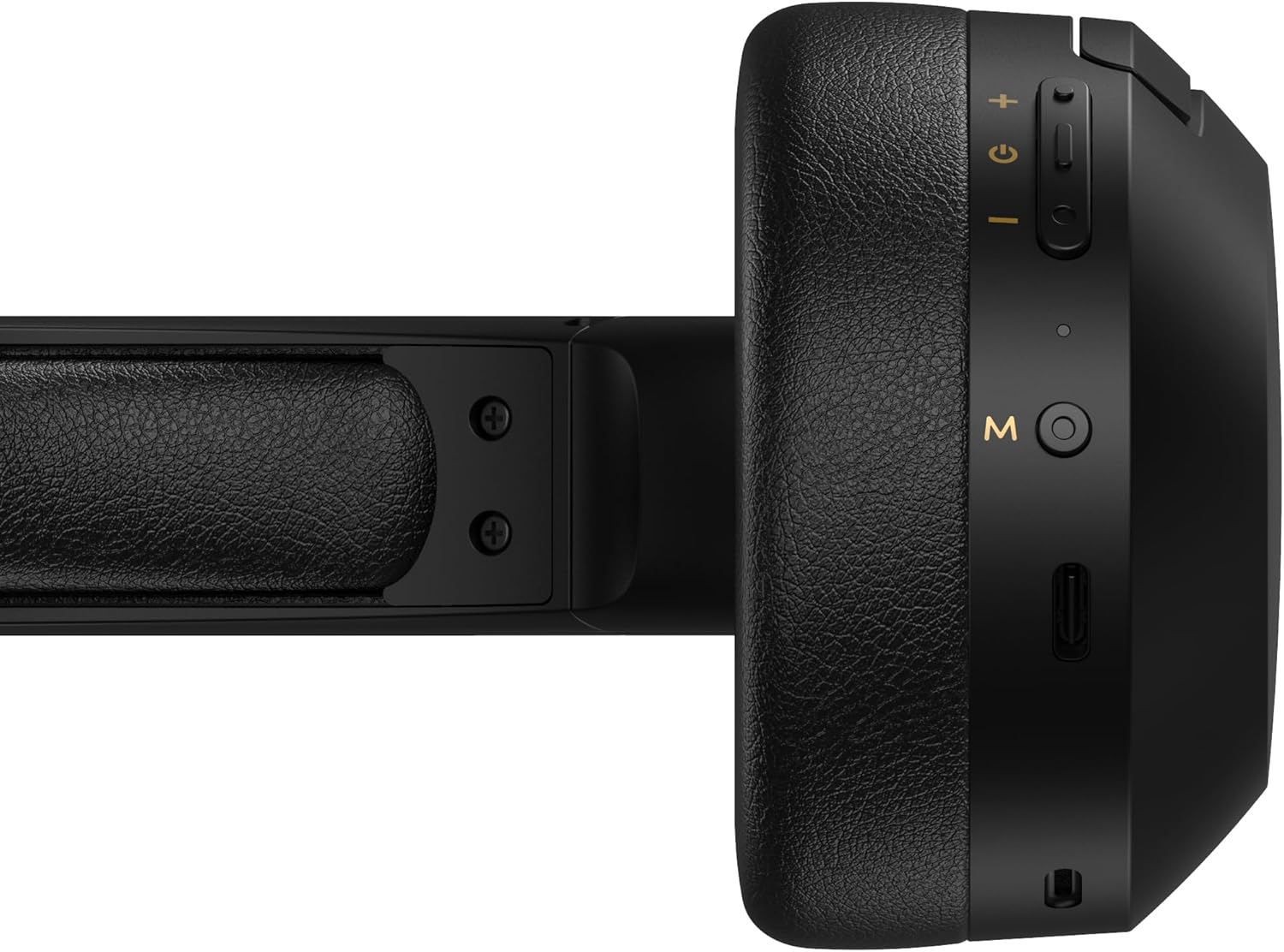
Figure 4.1: Close-up of the charging port and control buttons on the right earcup.
4.2 ການເປີດ/ປິດ
- ເພື່ອເປີດເຄື່ອງ: Press and hold the multi-function button (usually marked with a power icon or 'M') for approximately 3 seconds until the LED indicator flashes blue.
- ປິດເຄື່ອງ: ກົດປຸ່ມຫຼາຍຟັງຊັນຄ້າງໄວ້ປະມານ 5 ວິນາທີ ຈົນກວ່າໄຟ LED ຈະກະພິບເປັນສີແດງ ແລະຈາກນັ້ນປິດລົງ.
4.3 ການຈັບຄູ່ Bluetooth
ເພື່ອເຊື່ອມຕໍ່ຫູຟັງຂອງທ່ານກັບອຸປະກອນທີ່ເປີດໃຊ້ Bluetooth:
- ກວດໃຫ້ແນ່ໃຈວ່າປິດຫູຟັງແລ້ວ.
- Press and hold the multi-function button for approximately 5-7 seconds until the LED indicator flashes red and blue alternately. This indicates pairing mode.
- ໃນອຸປະກອນຂອງທ່ານ (ໂທລະສັບສະຫຼາດ, ແທັບເລັດ, ຄອມພິວເຕີ), ເປີດ Bluetooth ແລະຊອກຫາອຸປະກອນທີ່ມີຢູ່.
- ເລືອກ "EDIFIER W820BT" ຈາກລາຍຊື່ອຸປະກອນທີ່ພົບ.
- ເມື່ອຈັບຄູ່ແລ້ວ, ຕົວຊີ້ວັດ LED ຈະກະພິບສີຟ້າຊ້າໆ.
ໝາຍເຫດ: ຫູຟັງຈະພະຍາຍາມເຊື່ອມຕໍ່ໃໝ່ກັບອຸປະກອນທີ່ຈັບຄູ່ສຸດທ້າຍໂດຍອັດຕະໂນມັດເມື່ອເປີດເຄື່ອງ.
5. ຄໍາແນະນໍາການດໍາເນີນງານ
5.1 ການຄວບຄຸມໃນຫູ
ປຸ່ມຄວບຄຸມແມ່ນຕັ້ງຢູ່ເທິງຫູຟັງເບື້ອງຂວາ.
| ປຸ່ມ/ການກະທຳ | ຟັງຊັນ |
|---|---|
| Multi-function Button (M) |
|
| ປະລິມານຂຶ້ນ (+) |
|
| ບໍລິມາດລົງ (-) |
|
5.2 ສາຍເຊື່ອມຕໍ່
The W820BT headphones can also be used with a wired connection.
- Connect one end of the 3.5mm audio cable to the audio input jack on the left earcup of the headphones.
- ເຊື່ອມຕໍ່ອີກສົ້ນຂອງສາຍສຽງ 3.5 ມມ ກັບຊ່ອງສຽບອອກສຽງຂອງອຸປະກອນຂອງທ່ານ.
- ຫູຟັງຈະປ່ຽນເປັນໂໝດໃຊ້ສາຍໂດຍອັດຕະໂນມັດ. ການເຮັດວຽກຂອງ Bluetooth ຈະຖືກປິດໃຊ້ງານ.

Figure 5.1: Connecting the 3.5mm audio cable for wired listening.
6. ບໍາລຸງຮັກສາ
- ເຊັດຫູຟັງດ້ວຍຜ້າອ່ອນໆແຫ້ງ. ຢ່າໃຊ້ນໍ້າຢາທຳຄວາມສະອາດທີ່ມີສີຂັດ ຫຼື ສານລະລາຍ.
- ຫຼີກເວັ້ນການເປີດຫູຟັງກັບອຸນຫະພູມທີ່ຮຸນແຮງ, ຄວາມຊຸ່ມຊື່ນ, ຫຼືແສງແດດໂດຍກົງ.
- ເກັບຮັກສາຫູຟັງໄວ້ໃນບ່ອນທີ່ເຢັນ, ແຫ້ງເມື່ອບໍ່ໄດ້ໃຊ້. ການອອກແບບທີ່ສາມາດພັບໄດ້ຊ່ວຍໃຫ້ມີການເກັບຮັກສາທີ່ຫນາແຫນ້ນ.
- Do not disassemble the headphones. This will void the warranty.
7. ການແກ້ໄຂບັນຫາ
If you encounter issues with your Edifier W820BT headphones, refer to the following common problems and solutions:
| ບັນຫາ | ການແກ້ໄຂ |
|---|---|
| ບໍ່ສາມາດເປີດໄດ້ | ໃຫ້ແນ່ໃຈວ່າຫູຟັງສາກໄຟແລ້ວ. ເຊື່ອມຕໍ່ກັບແຫຼ່ງພະລັງງານໂດຍໃຊ້ສາຍສາກໄຟ. |
| ບໍ່ສາມາດຈັບຄູ່ຜ່ານ Bluetooth ໄດ້ |
|
| ບໍ່ມີສຽງ |
|
| ຄຸນນະພາບສຽງບໍ່ດີ |
|
8. ຂໍ້ມູນຈໍາເພາະ
| ຄຸນສົມບັດ | ລາຍລະອຽດ |
|---|---|
| ຊື່ຕົວແບບ | W820BT |
| ເຕັກໂນໂລຊີການເຊື່ອມຕໍ່ | ໄຮ້ສາຍ (Bluetooth), ມີສາຍ ( Jack 3.5mm) |
| ລຸ້ນ Bluetooth | 4.1 |
| ຊີວິດຫມໍ້ໄຟ | ສູງສຸດ 80 ຊົ່ວໂມງ |
| ຮູບຮ່າງຫູຫູ | ເກີນຫູ |
| ວັດສະດຸ | ເຫຼັກກ້າ |
| ນ້ໍາຫນັກລາຍການ | 1.14 ປອນ (ປະມານ 517g) |
| ຂະໜາດສິນຄ້າ | 9.25 x 7.64 x 3.41 ນິ້ວ |
| ຜູ້ຜະລິດ | Edifier |
9. ການຮັບປະກັນແລະການສະຫນັບສະຫນູນ
Edifier provides a ການຮັບປະກັນຫນຶ່ງປີ in the USA and Canada for the W820BT headphones. For warranty claims or technical support, please contact Edifier customer service.
For more information, visit the official Edifier webເວັບໄຊ ຫຼືອ້າງອີງໃສ່ເອກະສານການຊື້ຂອງທ່ານ.
10. ວິດີໂອສາທິດ
Watch the official product video for a visual guide on the Edifier W820BT Bluetooth Headphones' features and usage.
ວິດີໂອທີ 10.1: ຜະລິດຕະພັນຢ່າງເປັນທາງການແລ້ວview of the Edifier W820BT Bluetooth Headphones, demonstrating features like battery life, comfort, foldable design, and on-ear controls.


