
Viotek NB24CW
Viotek NB24CW 24-Inch Curved Monitor User Manual
Model: NB24CW
ແນະນຳ
This manual provides essential information for the safe and efficient operation of your Viotek NB24CW 24-Inch LED Curved Monitor. Please read this guide thoroughly before using the product and retain it for future reference.
The Viotek NB24CW is a 24-inch curved LED monitor featuring a 1920x1080p Full-HD resolution, 75Hz refresh rate, and FreeSync technology. It includes built-in speakers, VGA and HDMI 1.4 ports, and is VESA mount compatible. Its bezel-less design offers an immersive viewປະສົບການທີ່ຫຼາກຫຼາຍທັງດ້ານວຽກງານ ແລະ ຄວາມບັນເທີງ.
ຂໍ້ມູນຄວາມປອດໄພ
ເພື່ອຮັບປະກັນການດໍາເນີນງານທີ່ປອດໄພແລະປ້ອງກັນຄວາມເສຍຫາຍ, ໃຫ້ສັງເກດເບິ່ງຄວາມລະມັດລະວັງຕໍ່ໄປນີ້:
- ຢ່າເຮັດໃຫ້ຈໍສະແດງຜົນຖືກຝົນ, ຄວາມຊຸ່ມຊື່ນ, ຫຼືອຸນຫະພູມທີ່ຮຸນແຮງ.
- ຫຼີກເວັ້ນການວາງຈໍພາບຢູ່ໃກ້ກັບແຫຼ່ງຄວາມຮ້ອນ ຫຼືຢູ່ໃນແສງແດດໂດຍກົງ.
- ໃຊ້ພຽງແຕ່ອະແດັບເຕີພະລັງງານທີ່ສະໜອງໃຫ້ກັບຈໍພາບເທົ່ານັ້ນ.
- ຫ້າມກີດຂວາງການເປີດລະບາຍອາກາດ.
- ເຮັດຄວາມສະອາດຫນ້າຈໍດ້ວຍຜ້າອ່ອນໆ, ທີ່ບໍ່ມີເສັ້ນດ່າງ. ຫຼີກລ້ຽງການເຮັດຄວາມສະອາດຂັດ.
- If any issues arise, disconnect the power cable and contact customer support.
ເນື້ອໃນຊຸດ
ກວດສອບວ່າລາຍການທັງຫມົດແມ່ນມີຢູ່ໃນຊຸດ:
- Viotek NB24CW Monitor
- Monitor Stand (ຖານ ແລະ ຄໍ)
- Power Adapter
- ສາຍ HDMI
- VESA Adapter (75x75mm)
- ຄູ່ມືຜູ້ໃຊ້ (ເອກະສານນີ້)
ຕັ້ງຄ່າ
1. ການປະກອບຂາຕັ້ງ
- ເອົາຈໍຕິດອອກຈາກການຫຸ້ມຫໍ່ຂອງມັນຢ່າງລະມັດລະວັງ.
- ແນບຄໍຂາຕັ້ງໃສ່ກັບແຜງຈໍພາບໂດຍໃຊ້ສະກູທີ່ໃຫ້ໄວ້.
- ຍຶດຖານຂາຕັ້ງໃສ່ຄໍຂາຕັ້ງ.
- ວາງຈໍສະແດງຜົນທີ່ປະກອບໃສ່ໃນພື້ນທີ່ຮາບພຽງທີ່ຫມັ້ນຄົງ.
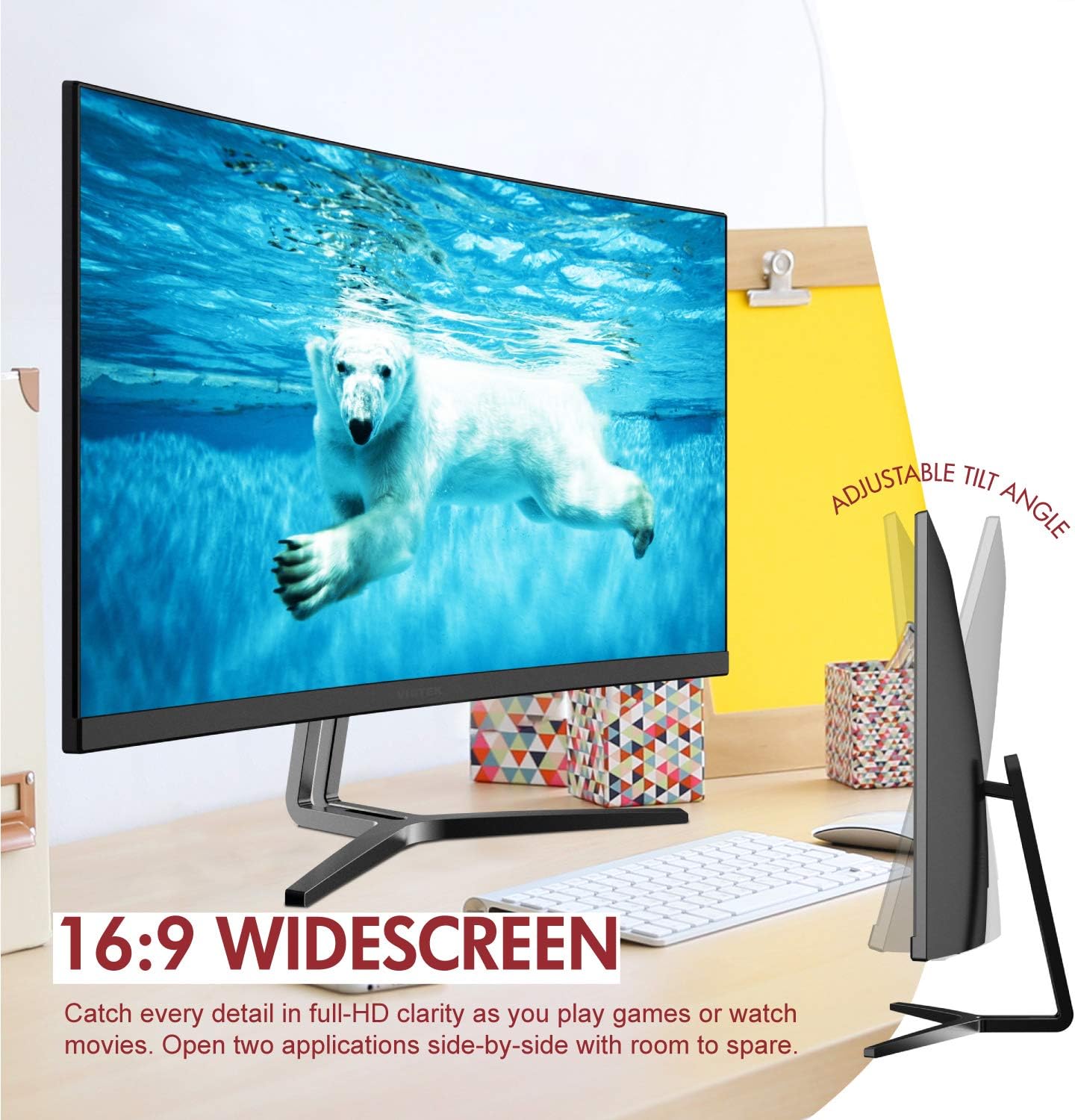
Image: The Viotek NB24CW monitor with its stand, highlighting the 16:9 widescreen aspect ratio and adjustable tilt angle. The monitor is shown displaying a polar bear underwater.
2. ການເຊື່ອມຕໍ່ກັບອຸປະກອນ
ຈໍພາບຮອງຮັບການເຊື່ອມຕໍ່ HDMI ແລະ VGA.
- ການເຊື່ອມຕໍ່ HDMI: Connect one end of the HDMI cable (included) to the HDMI port on your computer or gaming console, and the other end to the HDMI 1.4 port on the monitor.
- ການເຊື່ອມຕໍ່ VGA: Connect one end of the VGA cable (not included) to the VGA port on your computer, and the other end to the VGA port on the monitor.

ຮູບພາບ: A ລາຍລະອຽດ view of the monitor's rear panel, illustrating the HDMI 1.4 and VGA input ports for connecting to various devices.
3. ການເຊື່ອມຕໍ່ພະລັງງານ
ເຊື່ອມຕໍ່ອະແດບເຕີໄຟກັບອິນພຸດໄຟຂອງຈໍພາບ, ຈາກນັ້ນສຽບອະແດັບເຕີໃສ່ປລັກສຽບໄຟ.
4. ການຕິດຕັ້ງ VESA (ທາງເລືອກ)
The monitor is VESA 75x75mm compatible. Use the included VESA adapter to mount the monitor to a wall or compatible monitor arm.

Image: The back of the Viotek NB24CW monitor, highlighting its VESA mounting capability, integrated speakers, and connectivity options including VGA and HDMI.
ຄໍາແນະນໍາການດໍາເນີນງານ
1. ເປີດ/ປິດ
ກົດປຸ່ມເປີດປິດຢູ່ເບື້ອງຂວາລຸ່ມຂອງຈໍສະແດງຜົນເພື່ອເປີດ ຫຼື ປິດມັນ.
2. ເມນູການສະແດງເທິງໜ້າຈໍ (OSD).
Use the buttons next to the power button to navigate the OSD menu. This menu allows you to adjust various settings such as brightness, contrast, color temperature, input source, and audio volume.
3. ປັບການຕັ້ງຄ່າການສະແດງຜົນ
- ຄວາມສະຫວ່າງ/ຄວາມຄົມຊັດ: ປັບການຕັ້ງຄ່າເຫຼົ່ານີ້ເພື່ອຄວາມສະດວກສະບາຍທາງສາຍຕາທີ່ດີທີ່ສຸດ.
- ການຕັ້ງຄ່າສີ: Select from preset color modes or customize RGB values.
- ແຫຼ່ງປ້ອນຂໍ້ມູນ: Manually select between HDMI and VGA inputs if auto-detection fails.
- ແສງສີຟ້າຕ່ຳ: Activate this feature to reduce eye strain during prolonged use.
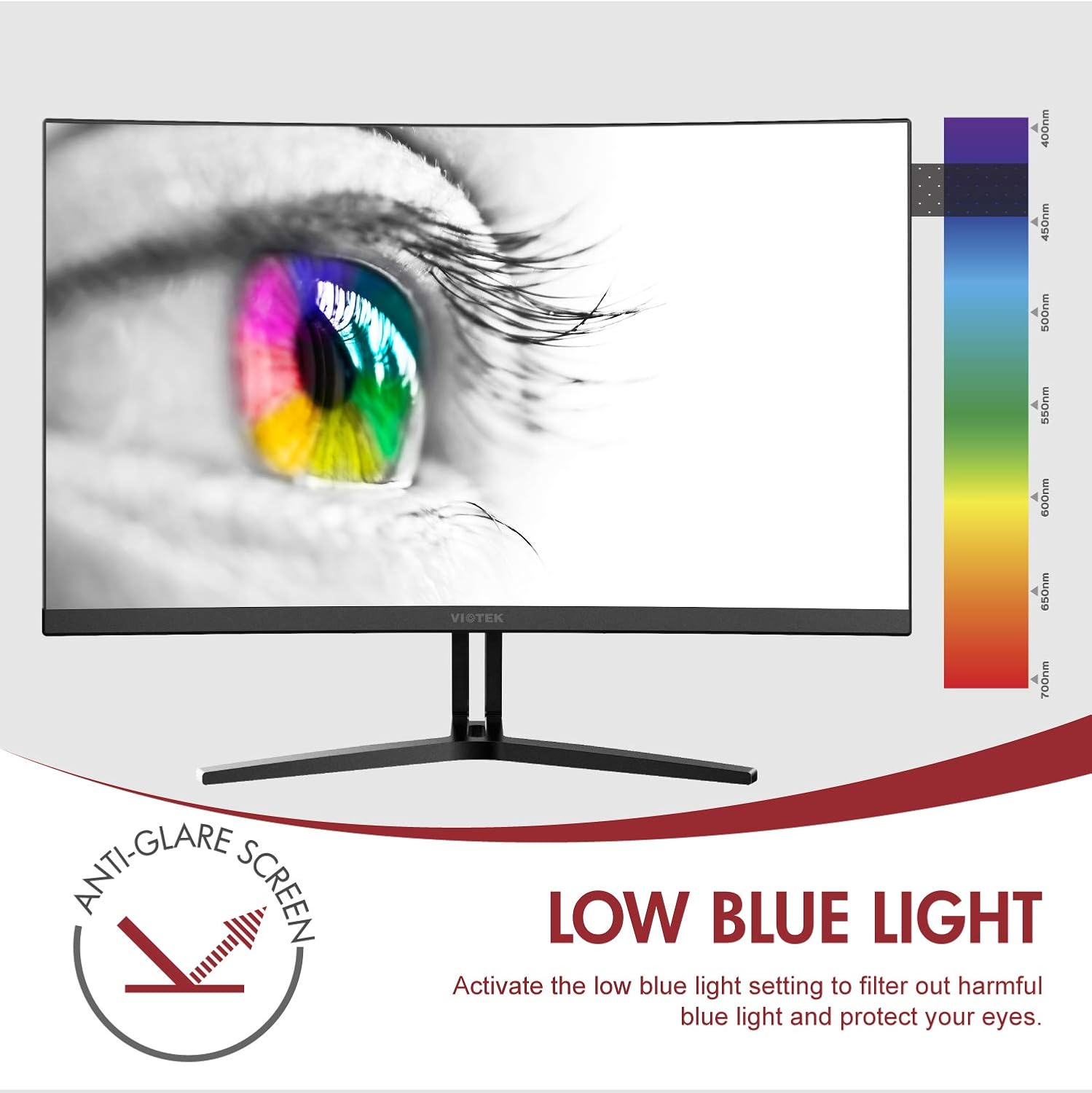
Image: The monitor screen showing an eye with a color spectrum, indicating the Low Blue Light feature designed to protect vision.
4. ຄຸນສົມບັດການຫຼິ້ນເກມ
The NB24CW monitor includes features optimized for gaming:
- FreeSync: Enable FreeSync in the OSD menu and on your compatible graphics card to eliminate screen tearing and stuttering.
- GamePlus: Access GamePlus features like integrated crosshairs for improved aiming in FPS/RTS games.
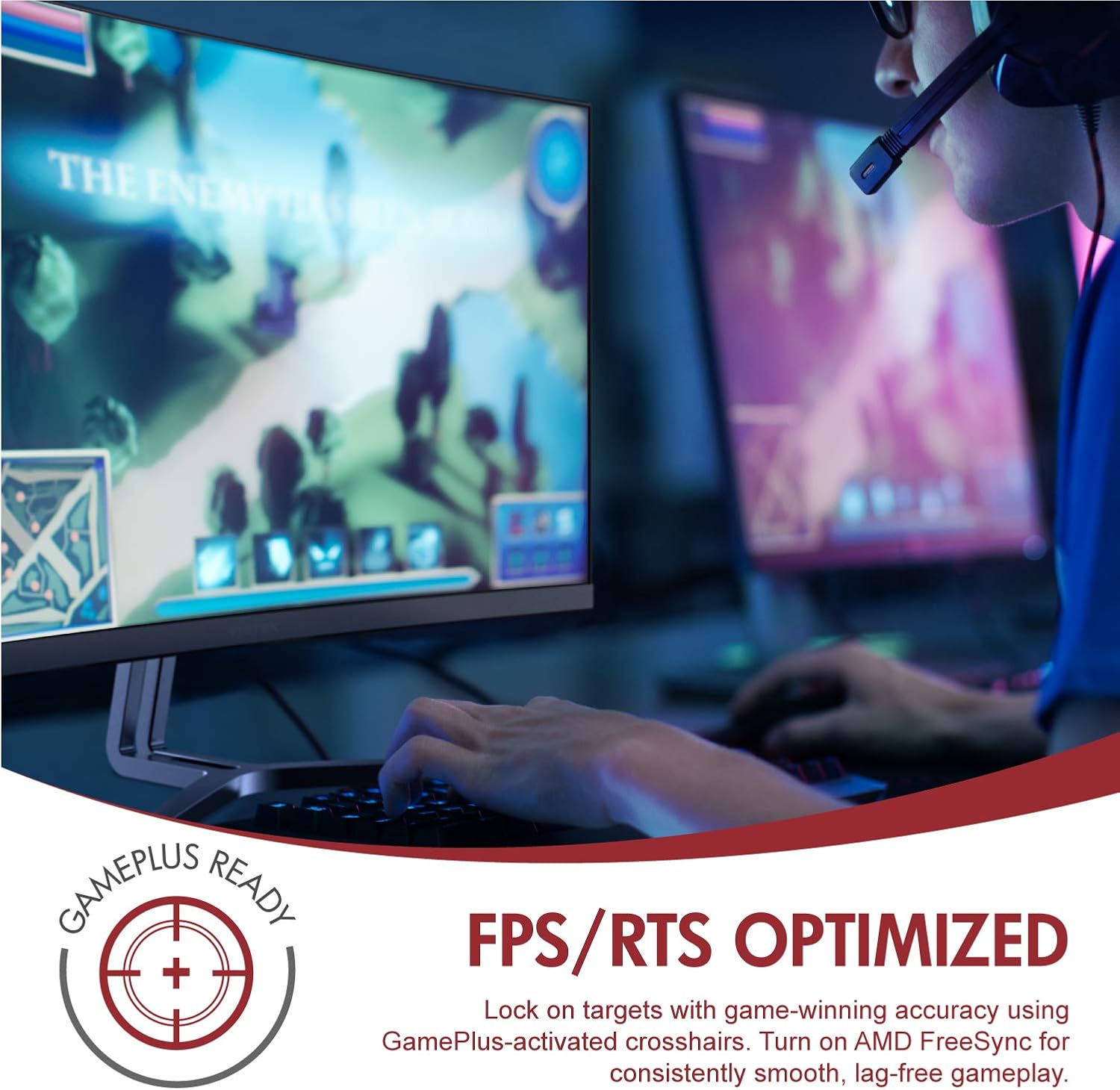
Image: A user engaged in gaming on the Viotek NB24CW monitor, highlighting its FPS/RTS optimized features and GamePlus functionality for enhanced gameplay.
ບໍາລຸງຮັກສາ
- ທໍາຄວາມສະອາດຫນ້າຈໍ: ເຊັດໜ້າຈໍຄ່ອຍໆດ້ວຍຜ້າອ່ອນ, ແຫ້ງ, ບໍ່ມີສານຂັດ. ສໍາລັບຮອຍແຂງ, ເບົາບາງ dampໃສ່ຜ້າດ້ວຍນ້ໍາຫຼືການແກ້ໄຂການທໍາຄວາມສະອາດຫນ້າຈໍສະເພາະ. ຢ່າສີດຂອງແຫຼວໂດຍກົງໃສ່ຫນ້າຈໍ.
- ທໍາຄວາມສະອາດ Casing: ໃຊ້ຜ້າປຽກອ່ອນໆເພື່ອເຮັດຄວາມສະອາດຈໍສະແດງຜົນ casing. ຫຼີກເວັ້ນການນໍາໃຊ້ສານເຄມີທີ່ຮຸນແຮງຫຼືວັດສະດຸຂັດ.
- ການເກັບຮັກສາ: If storing the monitor for an extended period, disconnect it from power, pack it in its original packaging, and store in a cool, dry place.
ການແກ້ໄຂບັນຫາ
| ບັນຫາ | ສາເຫດທີ່ເປັນໄປໄດ້ | ການແກ້ໄຂ |
|---|---|---|
| ບໍ່ມີຮູບພາບໃນ ໜ້າ ຈໍ | Power cable disconnected, incorrect input source, video cable loose. | Check power connections, select correct input source via OSD, ensure video cable is securely connected. |
| ຮູບພາບມົວຫຼືບິດເບືອນ | ຄວາມລະອຽດບໍ່ຖືກຕ້ອງ, ສາຍວິດີໂອມີບັນຫາ. | Set display resolution to 1920x1080p, try a different HDMI cable. |
| ບໍ່ມີສຽງຈາກ ລຳ ໂພງ | Volume too low, audio source not selected, external speakers connected. | Increase volume in OSD and computer settings, ensure audio is routed to monitor, disconnect external speakers if not needed. |
| ໜ້າຈໍກະພິບ | Refresh rate mismatch, faulty cable, FreeSync issue. | Ensure refresh rate is set to 75Hz, try a different video cable, disable FreeSync temporarily to diagnose. |
ຂໍ້ມູນຈໍາເພາະ
| ຄຸນສົມບັດ | ລາຍລະອຽດ |
|---|---|
| ຕົວແບບ | NB24CW |
| ຂະໜາດໜ້າຈໍ | 24 ນິ້ວ |
| ປະເພດແຜງ | LED Curved |
| ເສັ້ນໂຄ້ງ | 1800R |
| ຄວາມລະອຽດ | 1920 x 1080 (Full HD) |
| ອັດຕາສ່ວນ | 16:9 |
| ອັດຕາການໂຫຼດຂໍ້ມູນຄືນໃໝ່ | 75 Hz |
| ເວລາຕອບສະຫນອງ | 5ms |
| Viewໃນມຸມ | 178° |
| ອັດຕາສ່ວນກົງກັນຂ້າມ | 1,000,000:1 (ໄດນາມິກ) |
| ສະຫນັບສະຫນູນສີ | 16.7 ລ້ານສີ, 96% sRGB |
| ການເຊື່ອມຕໍ່ | 1x HDMI 1.4, 1x VGA |
| ສຽງ | Built-in Speakers (2x4Ω/3W) |
| ຄວາມເຂົ້າກັນໄດ້ຂອງ VESA | 75x75mm (Adapter Included) |
| Adaptive Sync | FreeSync |
| ການປັບຕົວອຽງ | -5° ເຖິງ 15° |
| ຄຸນນະສົມບັດພິເສດ | Bezel-less design, GamePlus, FPS/RTS modes, Low Blue Light, Anti-glare screen |

Image: The Viotek NB24CW monitor showcasing its key performance specifications: 1080p resolution, 1800R curvature, 75Hz refresh rate, and 5ms response time.
ຂໍ້ມູນການຮັບປະກັນ
Your Viotek NB24CW monitor is covered by a ການຮັບປະກັນຈຳກັດ 3 ປີຂອງຜູ້ຜະລິດ. This warranty covers defects in materials and workmanship under normal use. Additionally, Viotek offers an industry-leading Zero-Tolerance Dead Pixel Policy, ensuring your display is free from dead pixels.
For full warranty terms and conditions, please refer to the official Viotek webເວັບໄຊທ໌ຫຼືຕິດຕໍ່ສະຫນັບສະຫນູນລູກຄ້າ.

Image: A visual representation of Viotek's commitment to quality, featuring a "3 Year Warranty" and "Zero Dead Pixel - Parts & Labor" guarantee.
ການຊ່ວຍເຫຼືອລູກຄ້າ
For technical assistance, warranty claims, or general inquiries, please contact our 100% U.S.-based Customer Support Team. They are available 7 days a week via live-chat, email, and social media support.
- Webເວັບໄຊ: www.viotek.com
- ອີເມວ: Refer to the Viotek webເວັບໄຊທ໌ສຳລັບການຕິດຕໍ່ອີເມວສະເພາະ.
- ສົນທະນາສົດ: Available on the official Viotek webເວັບໄຊ.
ສິນຄ້າເກີນview ວິດີໂອ
ວິດີໂອ: ຜະລິດຕະພັນຢ່າງເປັນທາງການຫຼາຍກວ່າview video for the Viotek NB24CB (similar model to NB24CW) monitor, showcasing its curved display, thin design, connectivity ports, and key features like 75Hz refresh rate, FreeSync, and built-in speakers. This video provides a visual guide to the monitor's design and capabilities.
Ask a question about this manual
Ask about setup, troubleshooting, compatibility, parts, safety, or missing instructions. Manuals+ will review the question and use this page’s manual context to help answer it.