
1. ບົດແນະນຳ
This manual provides essential information for setting up, operating, maintaining, and troubleshooting your ASUS ROG Strix Hero II Gaming Laptop (Model GL504GM-DS74). Designed for high-performance gaming and demanding tasks, this laptop combines powerful hardware with a sleek design to deliver an exceptional user experience.
The ASUS ROG Strix Hero II features a 15.6-inch 144Hz IPS-Type display, an Intel Core i7-8750H processor, NVIDIA GeForce GTX 1060 graphics, and a dual storage solution for speed and capacity. Please read this manual thoroughly to ensure proper use and longevity of your device.
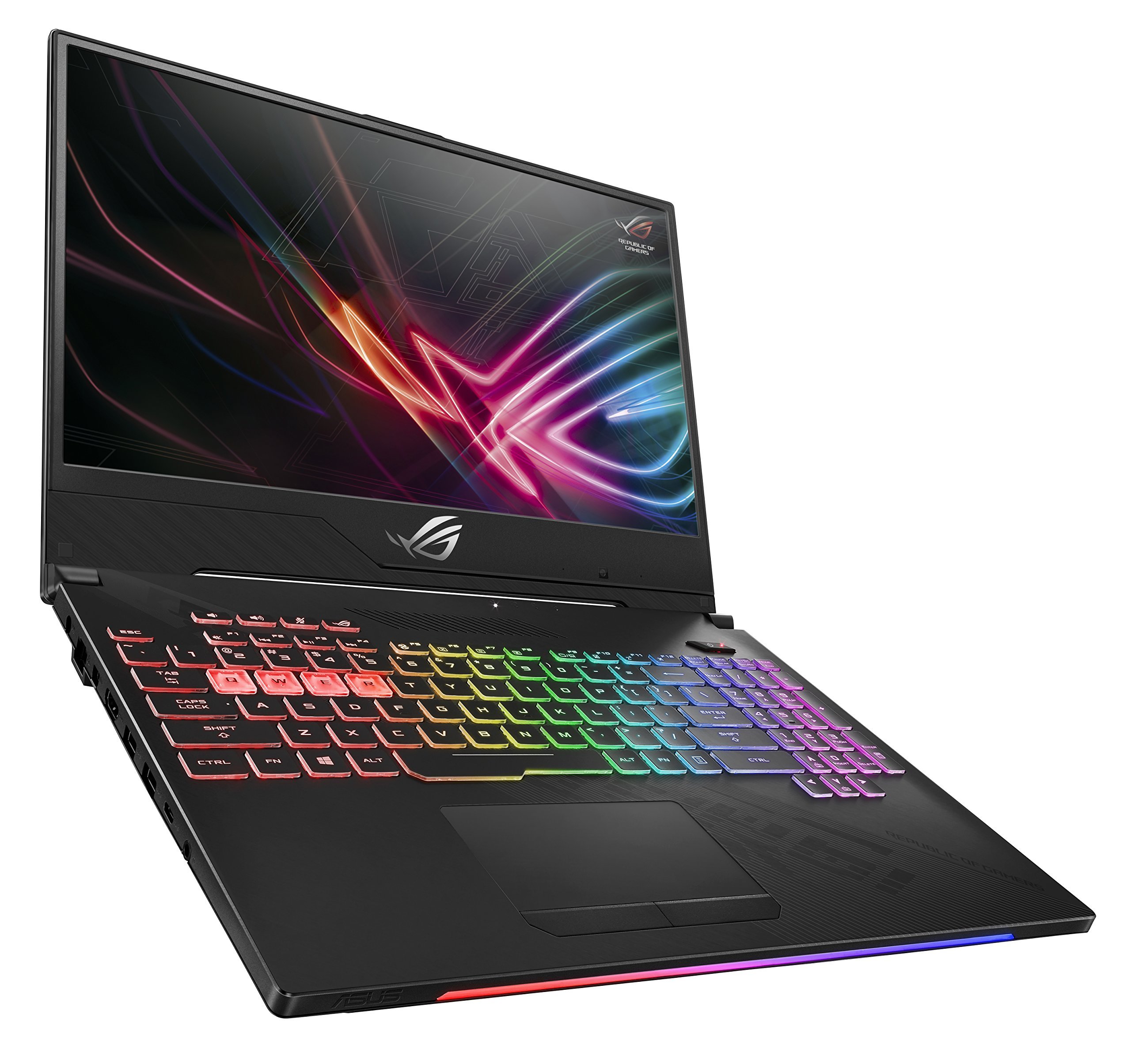
Figure 1: ASUS ROG Strix Hero II Gaming Laptop (GL504GM-DS74)
2. ຕັ້ງຄ່າ
2.1 Unboxing ແລະ Initial Inspection
ເອົາສ່ວນປະກອບທັງຫມົດອອກຈາກການຫຸ້ມຫໍ່ຢ່າງລະມັດລະວັງ. ໃຫ້ແນ່ໃຈວ່າມີລາຍການຕໍ່ໄປນີ້:
- ASUS ROG Strix Hero II Laptop (GL504GM)
- Power Adapter & ສາຍໄຟ
- User E-Manual (digital copy)
- ບັດຮັບປະກັນ
ໃຫ້ກວດສອບຄອມພິວເຕີໂນດບຸກ ແລະ ອຸປະກອນເສີມຕ່າງໆ ເພື່ອຫາຮ່ອງຮອຍຄວາມເສຍຫາຍ. ຖ້າມີລາຍການໃດຫາຍໄປ ຫຼື ເສຍຫາຍ, ໃຫ້ຕິດຕໍ່ຮ້ານຄ້າປີກ ຫຼື ຝ່າຍຊ່ວຍເຫຼືອ ASUS ຂອງທ່ານທັນທີ.
2.2 ການເຊື່ອມຕໍ່ພະລັງງານ
ເຊື່ອມຕໍ່ອະແດບເຕີໄຟຟ້າເຂົ້າກັບພອດສຽບໄຟຂອງແລັບທັອບ ແລະ ຈາກນັ້ນສຽບສາຍໄຟເຂົ້າກັບປລັກສຽບຝາ. ແນະນຳໃຫ້ສາກແບັດເຕີຣີໃຫ້ເຕັມກ່ອນການນຳໃຊ້ຄັ້ງທຳອິດ.
2.3 Initial Boot-up and Operating System Setup
Press the power button to turn on the laptop. Follow the on-screen instructions to complete the Windows 10 Home setup process. This includes setting up your user account, network connection, and basic preferences.
3. ການໃຊ້ງານແລັບທັອບ
3.1 ຄຸນສົມບັດການສະແດງ
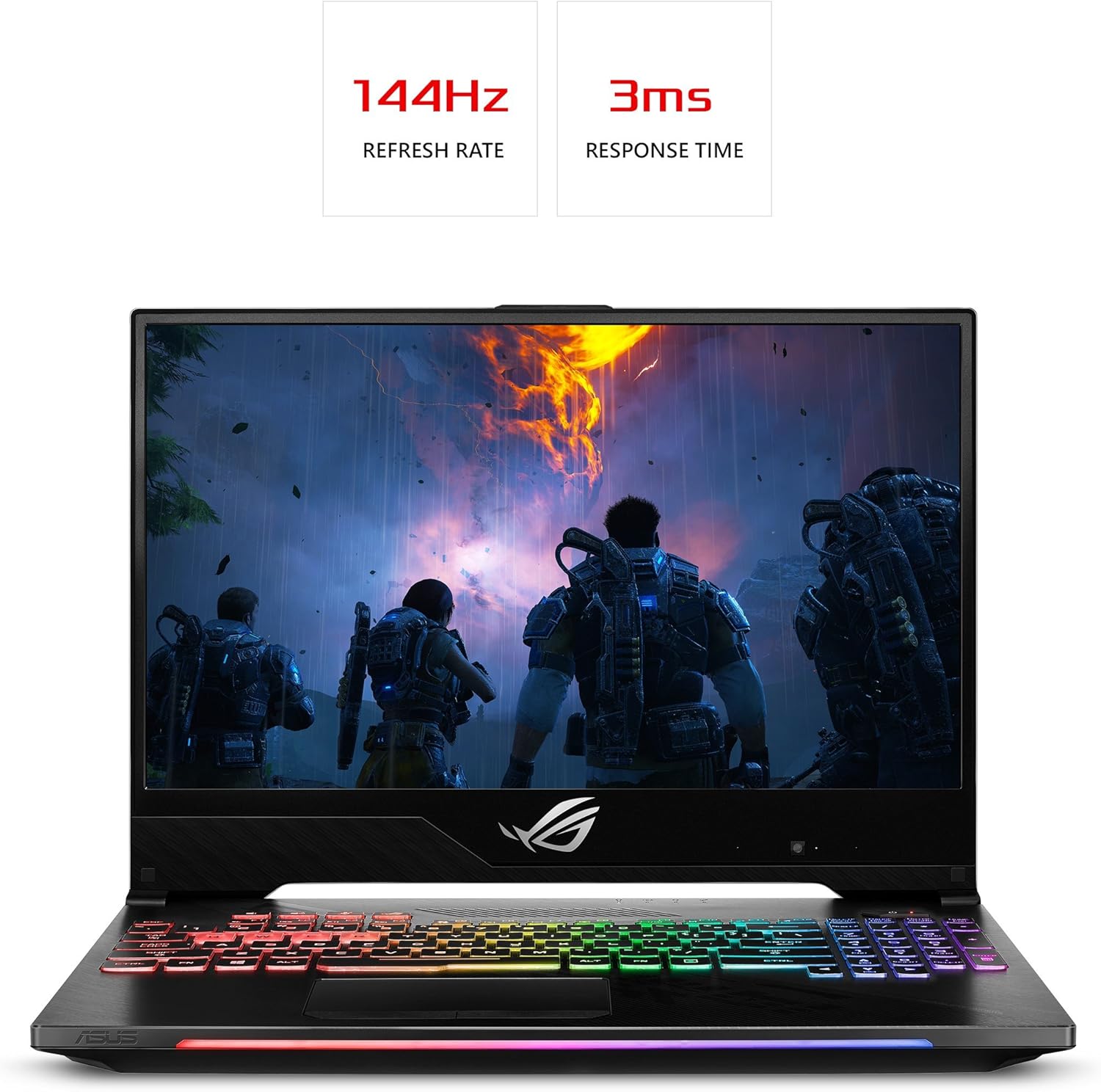
The ROG Strix Hero II is equipped with a 15.6-inch IPS-Type display ມີ ກ ອັດຕາການໂຫຼດຫນ້າຈໍຄືນ 144Hz ແລະ ກ ເວລາຕອບສະຫນອງ 3ms. This combination ensures smooth visuals and reduced motion blur, crucial for fast-paced gaming. The slim bezel design maximizes screen real estate for an immersive viewປະສົບການ.

Figure 2: Display with 144Hz Refresh Rate and 3ms Response Time
3.2 Keyboard and RGB Lighting
The laptop features a desktop-inspired keyboard ກັບ ກ ອາຍຸການໃຊ້ງານ 20 ລ້ານຄັ້ງຕໍ່ການກົດປຸ່ມ, designed for durability and responsiveness. The integrated ແສງ RGB can be customized through ASUS Aura Sync software, allowing you to personalize the keyboard's appearance to match your gaming setup or mood.
3.3 ປະສິດທິພາບເກີນview
The GL504GM-DS74 is powered by an ໂປເຊດເຊີ Intel Core i7-8750H (up to 3.9GHz) and an NVIDIA GeForce GTX 1060 6GB GDDR5 graphics card. Coupled with 16GB DDR4 2666MHz RAM, this configuration provides ample power for running modern games at high settings and handling demanding applications like video editing or 3D rendering. Storage includes a fast 256GB PCIe NVMe SSD for the operating system and frequently used applications, alongside a HDD 1TB for larger game libraries and data storage.
Video 1: Official ASUS ROG Strix Hero II Product Overview. This video highlights the laptop's design, display, keyboard, and internal components, demonstrating its capabilities for gaming and performance.
3.4 ການເຊື່ອມຕໍ່
ແລັບທັອບມີຊຸດພອດທີ່ສົມບູນແບບສຳລັບອຸປະກອນເສີມ ແລະ ຈໍສະແດງຜົນພາຍນອກຕ່າງໆ:
- 4 x USB 3.0 ພອດ: For connecting external devices such as mice, keyboards, and external storage.
- 1 x USB 3.1 Type C Port: A versatile port for data transfer and display output.
- 1 x HDMI 2.0 ພອດ: For connecting to external monitors or TVs.
- 1 x Mini DisplayPort: Another option for connecting to external displays.
- 1 x Ethernet Port: For stable wired network connections.
Wireless connectivity is enhanced with RangeBoost Technology, providing wider Wi-Fi coverage and improved signal stability.
ຮູບທີ 3: ດ້ານຂ້າງຂອງຄອມພິວເຕີໂນດບຸກ View with Connectivity Ports
4. ບໍາລຸງຮັກສາ
Regular maintenance helps ensure optimal performance and extends the lifespan of your laptop.
4.1 ການທໍາຄວາມສະອາດ
- ໜ້າຈໍ: ໃຊ້ຜ້າແພອ່ອນໆທີ່ບໍ່ມີເສັ້ນດ່າງເລັກນ້ອຍ dampສໍາເລັດດ້ວຍນ້ໍາຫຼືເຄື່ອງເຮັດຄວາມສະອາດຫນ້າຈໍ. ຫຼີກເວັ້ນການສານເຄມີທີ່ຮຸນແຮງ.
- Keyboard and Chassis: Use a soft brush or compressed air to remove dust and debris. Wipe surfaces with a slightly damp ຜ້າ.
- ຕູ້ລະບາຍຄວາມເຢັນ: Periodically clean the cooling vents with compressed air to prevent dust buildup, which can hinder airflow and lead to overheating. The HyperCool Pro system benefits from clear vents.
4.2 ການປັບປຸງຊອບແວ
Regularly update your Windows operating system, device drivers (especially graphics drivers), and ASUS utilities to ensure system stability, security, and performance. You can check for updates through Windows Update and the NVIDIA GeForce Experience application.
4.3 ການດູແລຫມໍ້ໄຟ
To prolong battery life, avoid fully discharging the battery frequently. If you primarily use the laptop while plugged in, consider using battery care software (if provided by ASUS) to limit the charge level to around 80%.
5. ການແກ້ໄຂບັນຫາ
ຖ້າທ່ານພົບບັນຫາກັບແລັບທັອບຂອງທ່ານ, ລອງຂັ້ນຕອນການແກ້ໄຂບັນຫາພື້ນຖານຕໍ່ໄປນີ້:
- ບໍ່ມີພະລັງງານ: Ensure the power adapter is securely connected to both the laptop and a working power outlet. Try a different outlet.
- ສະແດງບັນຫາ: If the screen is blank, try connecting an external monitor to check if the issue is with the laptop's display. Ensure graphics drivers are up to date.
- ການປະຕິບັດຊ້າລົງ: Close unnecessary applications, check for background processes, and ensure the cooling vents are clear. Update drivers and scan for malware.
- ຄວາມບໍ່ສະຖຽນລະພາບຂອງລະບົບ: Perform a system restart. If issues persist, check for recent software installations or updates that might be causing conflicts.
For more complex issues, refer to the comprehensive User E-Manual (digital copy) or visit the official ASUS support webເວັບໄຊທ໌ນີ້ສຳລັບຄູ່ມືການແກ້ໄຂບັນຫາລະອຽດ ແລະ ການດາວໂຫຼດໄດຣເວີ.
6. ຂໍ້ມູນຈໍາເພາະ
| ຄຸນສົມບັດ | ຂໍ້ມູນຈໍາເພາະ |
|---|---|
| ຊື່ຕົວແບບ | ROG Strix Hero II (GL504GM-DS74) |
| ຂະໜາດໜ້າຈໍ | 15.6 ນິ້ວ |
| ຄວາມລະອຽດໜ້າຈໍ | - ຄວາມລະອຽດ 1920 x 1080 ພິກເຊວ (Full HD) |
| ໂຮງງານຜະລິດ | Intel Core i7-8750H (ສູງສຸດ 3.9 GHz) |
| RAM | 16 GB DDR4 2666 MHz |
| ການເກັບຮັກສາ | 256GB PCIe NVMe SSD + 1TB HDD (5400 RPM) |
| Graphics Coprocessor | NVIDIA GeForce GTX 1060 6GB GDDR5 |
| ລະບົບປະຕິບັດການ | ໜ້າຫຼັກ Windows 10 |
| ພອດ USB | 4 x USB 3.0, 1 x USB 3.1 Type C |
| ຜົນຜະລິດວິດີໂອ | HDMI 2.0, Mini DisplayPort |
| ປະເພດໄຮ້ສາຍ | 802.11a/b/g/n/ac |
| ນ້ໍາຫນັກລາຍການ | 5.29 ປອນ |
| ຂະໜາດສິນຄ້າ | 14.21 x 10.31 x 1.03 ນິ້ວ |
| ແບັດເຕີຣີ | ແບັດເຕີຣີ Lithium Polymer 1 ອັນ (ລວມ) |
7. ການຮັບປະກັນແລະການສະຫນັບສະຫນູນ
Your ASUS ROG Strix Hero II Gaming Laptop comes with a manufacturer's warranty. Please refer to the included ບັດຮັບປະກັນ for detailed terms and conditions, including coverage period and service procedures.
ສຳລັບການຊ່ວຍເຫຼືອດ້ານເຕັກນິກ, ການດາວໂຫຼດໄດຣເວີ, ຫຼື ການສະໜັບສະໜູນເພີ່ມເຕີມ, ກະລຸນາເຂົ້າເບິ່ງທີ່ຝ່າຍສະໜັບສະໜູນ ASUS ຢ່າງເປັນທາງການ website or contact their customer service. Keep your product's serial number (found on the bottom of the laptop or packaging) handy when seeking support.
For the most up-to-date information, please visit the official ASUS webເວັບໄຊ.