
ແນະນຳ
This user manual provides comprehensive instructions for the VTech VM3252-2 Digital Video Baby Monitor. Please read this manual thoroughly before using the product to ensure proper operation and safety. Keep this manual for future reference.
ເນື້ອໃນຊຸດ
Your VTech VM3252-2 package includes:
- One (1) Parent Unit with 2.8-inch color LCD screen
- Two (2) Baby Units (cameras)
- Three (3) Power Adapters (one for Parent Unit, two for Baby Units)
- One (1) Rechargeable Battery (pre-installed in Parent Unit)
- ຄູ່ມືຜູ້ໃຊ້ (ເອກະສານນີ້)

Image: The VTech VM3252-2 Digital Video Baby Monitor system, showing the parent unit and two baby units.
ຕັ້ງຄ່າ
1. Charging the Parent Unit Battery
The parent unit operates on a rechargeable battery or AC power. To maximize battery life, charge the parent unit for at least 12 hours before initial use. The battery icon on the screen indicates the charge level.
- ເຊື່ອມຕໍ່ປລັກສຽບຂະໜາດນ້ອຍຂອງອະແດັບເຕີໄຟຂອງໜ່ວຍແມ່ກັບປລັກສຽບໄຟຢູ່ດ້ານຂ້າງຂອງໜ່ວຍແມ່.
- Connect the large end of the power adapter to a wall outlet.
2. Connecting the Baby Units (Cameras)
The baby units operate on AC power only. Ensure they are placed within range of the parent unit and have a clear line of sight to the baby.
- ເຊື່ອມຕໍ່ປລັກສຽບຂະຫນາດນ້ອຍຂອງຕົວອະແດບເຕີສາຍໄຟຂອງໜ່ວຍເດັກກັບປລັກສຽບໄຟຢູ່ດ້ານຫຼັງຂອງໜ່ວຍເດັກ.
- Connect the large end of the power adapter to a wall outlet.
- Position the baby unit at least 3 feet (1 meter) away from the baby.
- Adjust the camera angle manually to get the desired view.

Image: A hand demonstrates adjusting the camera angle of the baby unit.
3. ເປີດ / ປິດພະລັງງານ
- ເພື່ອເປີດເຄື່ອງແມ່, ໃຫ້ກົດຄ້າງໄວ້ ພະລັງງານ button until the VTech logo appears.
- To turn off the parent unit, press and hold the ພະລັງງານ ກົດປຸ່ມຈົນກ່ວາຫນ້າຈໍປິດ.
- To turn on a baby unit, slide the ເປີດ/ປິດ ສະຫຼັບກັບ ON ຕໍາແຫນ່ງ.
- To turn off a baby unit, slide the ເປີດ/ປິດ ສະຫຼັບກັບ ປິດ ຕໍາແຫນ່ງ.
ການດໍາເນີນງານ
1. Monitoring Your Baby
Once both units are powered on and linked, the parent unit will automatically display video from the baby unit. If you have two cameras, the parent unit will cycle between them or allow manual selection.

Image: The parent unit's 2.8-inch color LCD screen showing a clear view ຂອງເດັກນ້ອຍ.
2. Two-Way Talk Intercom
You can speak to your baby through the baby unit from the parent unit.
- ກົດຄ້າງໄວ້ ສົນທະນາ ປຸ່ມເທິງຫົວຫນ່ວຍ.
- ເວົ້າຢ່າງຊັດເຈນເຂົ້າໄປໃນໄມໂຄຣໂຟນຢູ່ໃນຫນ່ວຍງານແມ່.
- ປ່ອຍຕົວ ສົນທະນາ ປຸ່ມເພື່ອຢຸດເວົ້າ ແລະໄດ້ຍິນລູກຂອງເຈົ້າ.

Image: A user interacting with the parent unit, demonstrating the two-way talk feature.
3. ສຽງທີ່ຜ່ອນຄາຍ ແລະສຽງຂັບລຳ
The baby unit can play pre-set lullabies and soothing sounds to help calm your baby.
- Access the menu on the parent unit.
- Navigate to the Lullaby/Sound option.
- Select a melody or sound to play.
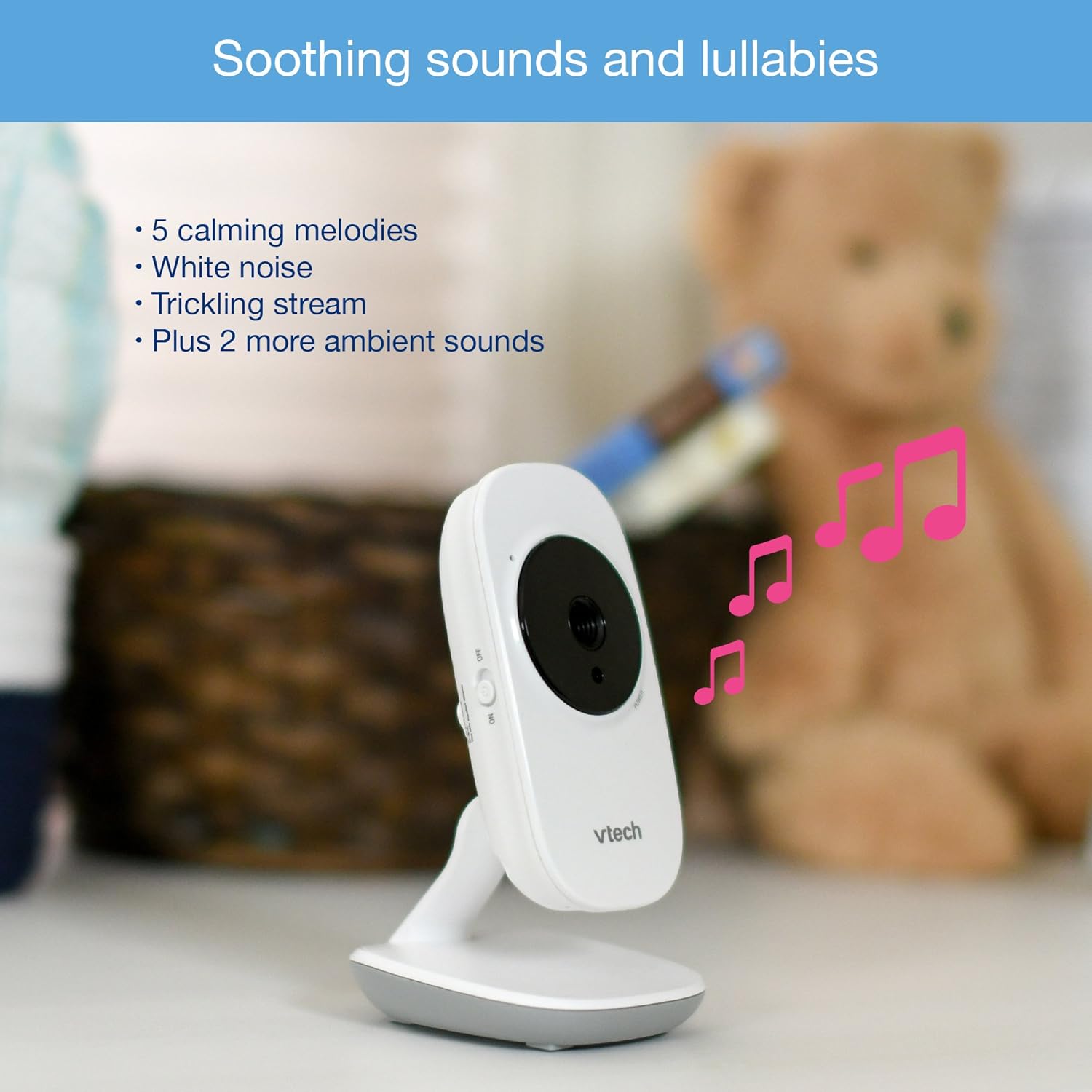
Image: The baby unit, illustrating its ability to play soothing sounds and lullabies.
4. ການຄວບຄຸມປະລິມານ
Adjust the listening volume on the parent unit using the volume buttons.
- ກົດ ປະລິມານຂຶ້ນ ປຸ່ມເພື່ອເພີ່ມປະລິມານ.
- ກົດ ປະລິມານລົງ ປຸ່ມເພື່ອຫຼຸດລະດັບສຽງ.
- The parent unit features a 6-level sound indicator to visually represent the sound level detected by the baby unit.
ຄຸນນະສົມບັດທີ່ສໍາຄັນ
- ຈໍ LCD ສີ 2.8 ນິ້ວຄວາມລະອຽດສູງ: ໃຫ້ການຮັບວິດີໂອທີ່ຊັດເຈນຂອງລູກນ້ອຍຂອງທ່ານ.
- ວິໄສທັດກາງຄືນອິນຟາເຣດອັດຕະໂນມັດ: Automatically activates in low-light conditions for clear viewຢູ່ໃນຄວາມມືດ.
- ເຊັນເຊີອຸນຫະພູມ: Monitors the room temperature around the baby unit and displays it on the parent unit. Alerts can be set for temperature fluctuations.
- ມຸມກ້ອງທີ່ສາມາດປັບໄດ້: Manually adjust the baby unit's camera to achieve the optimal viewມຸມ ing.
- 2x ຊູມດິຈິຕອນ: Zoom in on your baby for a closer look.
- Up to 1,000 feet of Range: Stay connected to your baby from various rooms in your home.

Image: A visual summary of key features including temperature monitoring, night vision, adjustable camera, and sound indicators.
ບໍາລຸງຮັກສາ
ອະນາໄມຈໍສະແດງຜົນ
- ເຊັດພື້ນຜິວຂອງເຄື່ອງແມ່ ແລະ ເຄື່ອງເດັກນ້ອຍດ້ວຍຜ້າອ່ອນໆ.amp ຜ້າ.
- ຢ່າໃຊ້ສີດລ້າງຫຼືເຄື່ອງເຮັດຄວາມສະອາດຂອງແຫຼວ.
- ໃຫ້ແນ່ໃຈວ່າຫົວຫນ່ວຍແຫ້ງກ່ອນທີ່ຈະເຊື່ອມຕໍ່ກັບພະລັງງານ.
ການດູແລຫມໍ້ໄຟ
- The parent unit uses a rechargeable battery. If the battery life significantly decreases, it may need replacement.
- Only use the specified replacement battery type.
- Do not dispose of batteries in fire. Check local regulations for proper battery disposal.
ການແກ້ໄຂບັນຫາ
No Link / Out of Range
If the parent unit displays "No Link" or "Out of Range":
- Ensure both the parent unit and baby units are powered on.
- ຍ້າຍ ໜ່ວຍ ບໍລິການພໍ່ແມ່ເຂົ້າໃກ້ ໜ່ວຍ ເດັກນ້ອຍ.
- Relocate the baby unit to a position with fewer obstructions (e.g., walls, furniture).
- Avoid placing the monitor near other electronic devices that may cause interference (e.g., Wi-Fi routers, cordless phones).
Poor Picture Quality / Blurry Night Vision
- ກວດໃຫ້ແນ່ໃຈວ່າເລນກ້ອງຖ່າຍຮູບສະອາດ ແລະບໍ່ມີຝຸ່ນ ຫຼືຮອຍເປື້ອນ.
- Check for adequate lighting in the room during daytime use.
- During night vision, ensure there are no direct light sources near the baby unit that could interfere with the infrared sensors.
- Adjust the position of the baby unit for a clearer view.
Short Battery Life on Parent Unit
- Ensure the parent unit is fully charged for at least 12 hours before use.
- Reduce screen brightness to conserve battery.
- If the battery life remains significantly short after full charging, the rechargeable battery may need to be replaced.
- Keep the parent unit plugged into the power adapter for continuous use.
Monitor Randomly Turns Off
- Check if the parent unit battery is low. Recharge the unit.
- Ensure the power adapter is securely connected to both the parent unit and the wall outlet.
- ຖ້າບັນຫາຍັງຄົງຢູ່, ໃຫ້ຕິດຕໍ່ຝ່າຍຊ່ວຍເຫຼືອລູກຄ້າ.
ຂໍ້ມູນຈໍາເພາະ
| ຄຸນສົມບັດ | ລາຍລະອຽດ |
|---|---|
| ໝາຍເລກຕົວແບບ | VM3252-2 |
| ຂະໜາດໜ້າຈໍ | 2.8 ນິ້ວ |
| ຄວາມລະອຽດການຖ່າຍວິດີໂອ | 720p |
| ຈໍານວນກ້ອງຖ່າຍຮູບ | 2 |
| ເຕັກໂນໂລຊີການເຊື່ອມຕໍ່ | ໄຮ້ສາຍ |
| ແຫຼ່ງພະລັງງານ | AC Powered (Baby Units), Rechargeable Battery / AC Powered (Parent Unit) |
| ວິໄສທັດກາງຄືນ | ວິໄສທັດກາງຄືນອິນຟາເຣດອັດຕະໂນມັດ |
| ຊູມດິຈິຕອລ | 2x |
| ອິນເຕີຄອມ | ສົນທະນາສອງທາງ |
| ເຊັນເຊີອຸນຫະພູມ | ແມ່ນແລ້ວ |
| Lullabies/Sounds | ແມ່ນແລ້ວ |
| ຂະໜາດລາຍການ | 4.89 x 4.77 x 2.83 ນິ້ວ |
| ນ້ໍາຫນັກລາຍການ | 1.88 ປອນ |
| ສີ | ສີຂາວ |
ຂໍ້ມູນການຮັບປະກັນ
VTech products are designed with quality and reliability in mind. For detailed warranty information, please refer to the warranty card included in your product packaging or visit the official VTech webເວັບໄຊ. ຮັກສາໃບຮັບເງິນການຊື້ຂອງທ່ານໄວ້ເປັນຫຼັກຖານການຊື້.
ການຊ່ວຍເຫຼືອລູກຄ້າ
If you have any questions or require assistance with your VTech VM3252-2 Digital Video Baby Monitor, please contact VTech customer support:
- Webເວັບໄຊ: www.vtechbabycare.com
- ອີເມວ: support@vtechbabycare.com
For additional resources and FAQs, please visit the VTech support page online.
ສິນຄ້າເກີນview ວິດີໂອ
Video: An official VTech overview of the VM3252-2 Digital Video Baby Monitor, highlighting its features and ease of use.