
1. ບົດແນະນຳ
The Dyson Pure Cool Link Air Purifier TP03 is designed to purify and circulate air in your home. It automatically detects airborne pollutants, captures ultra-fine particles and allergens, and projects purified air throughout the room. This manual provides essential information for the safe and effective use of your appliance.
How it Works: Sense, Capture, Project
The TP03 continuously monitors air quality, capturing pollutants and projecting clean air.
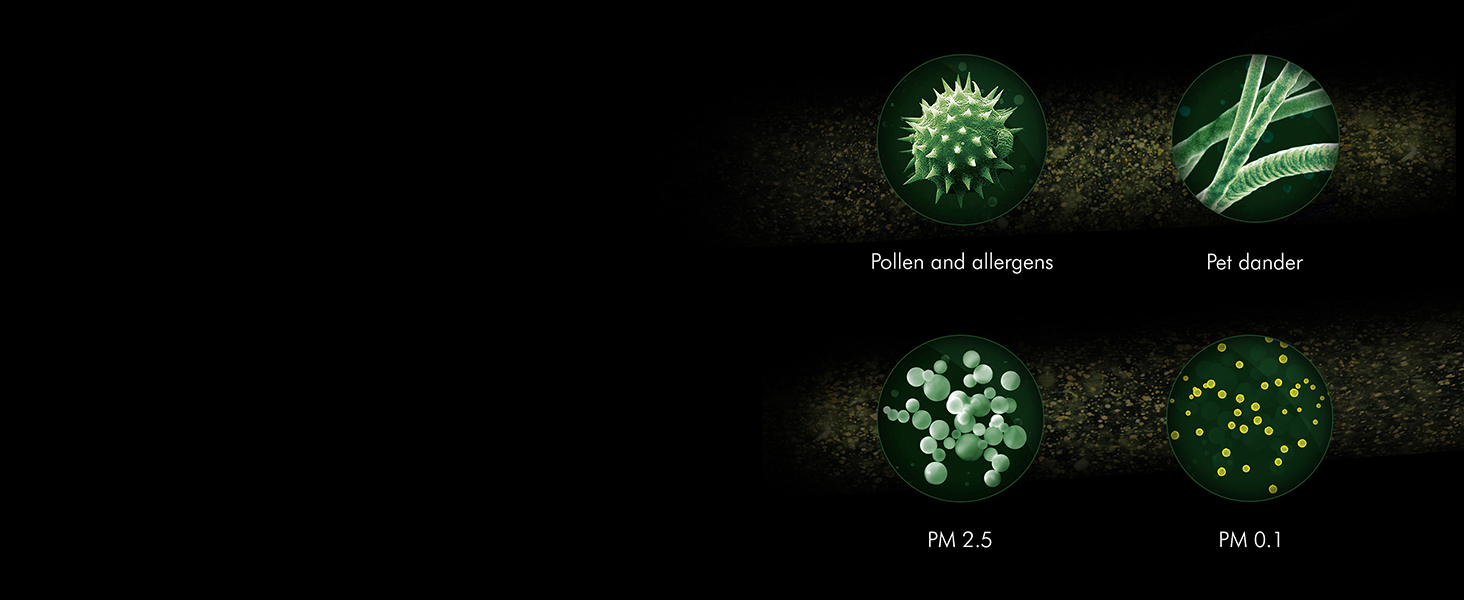
The purifier's sensors detect airborne particles and gases, providing real-time air quality reports.

A fully-sealed filtration system combines an activated carbon filter to remove gases and odors, and a HEPA filter to capture 99.95% of microscopic allergens and pollutants as small as 0.1 microns.
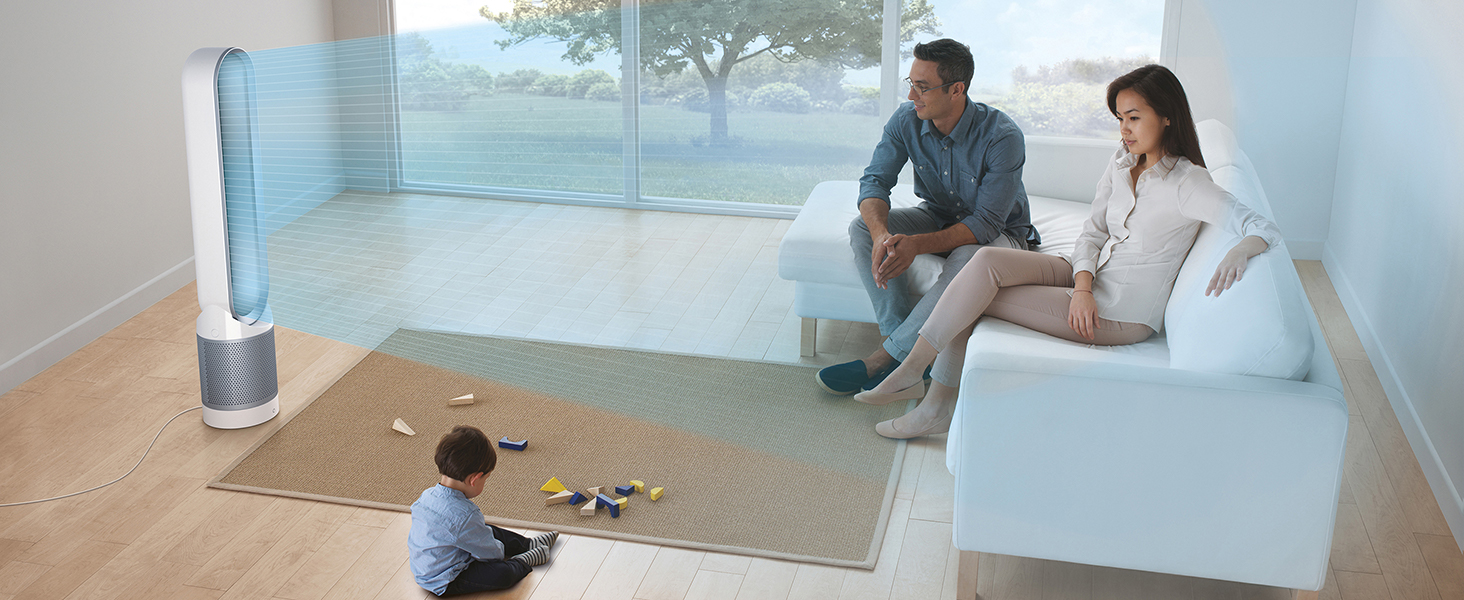
Air Multiplier™ technology projects powerful, purified airflow to every corner of the room.

The Dyson Pure Cool Link is certified asthma & allergy friendly by the Asthma and Allergy Foundation of America.
2. ສິ່ງທີ່ຢູ່ໃນກ່ອງ
Carefully unpack your Dyson Pure Cool Link Air Purifier TP03. The package should contain the following items:
- Dyson Pure Cool Link Air Purifier (main unit)
- ການຄວບຄຸມໄລຍະໄກ
- Composite filter (HEPA + Activated Carbon)
- ຄູ່ມືການປະຕິບັດ (ເອກະສານນີ້)

The main Dyson Pure Cool Link Air Purifier TP03 unit.

The magnetic remote control for your purifier.
3. ຕັ້ງຄ່າ
- ການຈັດວາງ: Place the purifier on a stable, level surface, ensuring adequate space around it for optimal airflow. Avoid placing it directly against walls or furniture.
- ການເຊື່ອມຕໍ່ພະລັງງານ: ສຽບສາຍໄຟເຂົ້າໄປໃນບ່ອນສຽບໄຟຟ້າທີ່ເຫມາະສົມ.
- ການຕິດຕັ້ງຕົວກອງ: The composite filter is typically pre-installed. If not, refer to the 'Maintenance' section for filter replacement instructions to install it correctly.
- Dyson Link App Connection (Optional):
- Download the Dyson Link app from your device's app store.
- Open the app and follow the on-screen instructions to connect your purifier to your home Wi-Fi network. This enables remote control and detailed air quality monitoring.

Control your Dyson Pure Cool Link TP03 using the Dyson Link app or compatible voice assistants like Amazon Alexa and Google Assistant.
4. ຄໍາແນະນໍາການດໍາເນີນງານ
Your Dyson Pure Cool Link TP03 can be operated using the included remote control or the Dyson Link app.
ຟັງຊັນການຄວບຄຸມໄລຍະໄກ

The compact remote control allows easy adjustment of settings.
- ປຸ່ມເປີດປິດ: Turns the purifier ON or OFF.
- ປຸ່ມໂໝດອັດຕະໂນມັດ: Activates intelligent purification. The machine will automatically monitor air quality and adjust airflow to reach and maintain target air quality levels.
- Fan Speed Control (+/-): Increases or decreases airflow speed (1-10).
- ແກວ່ງປຸ່ມ: Turns oscillation ON or OFF, allowing the purifier to rotate and circulate air across a wider area.
- ປຸ່ມໂໝດກາງຄືນ: Dims the LED display and operates on the quietest settings (fan speed 1-4) for undisturbed sleep.
- ປຸ່ມຕັ້ງເວລານອນ: Sets the purifier to turn off automatically after a preset duration (e.g., 1, 2, 4, 8 hours).
Dyson Link App Functions
When connected to the Dyson Link app, you gain access to enhanced features:
- ການຄວບຄຸມໄລຍະໄກ: Operate all functions from your smartphone, even when away from home.
- ການຕິດຕາມຄຸນນະພາບອາກາດ: View real-time indoor and outdoor air quality data, including PM2.5, PM10, VOCs, and NO2 levels.
- ຊີວິດການກັ່ນຕອງ: Monitor the remaining filter life and receive notifications when a replacement is needed.
- ກຳນົດເວລາ: Set daily or weekly schedules for your purifier to operate automatically.
- ຂໍ້ມູນປະຫວັດສາດ: Review air quality trends over time.
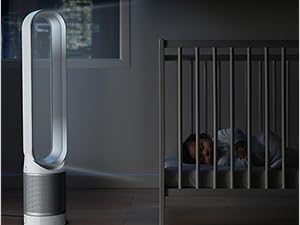
Night mode operates quietly with a dimmed display, ideal for bedrooms.
5. ບໍາລຸງຮັກສາ
ການທົດແທນການກັ່ນຕອງ
The composite filter requires periodic replacement to maintain optimal purification performance. The Dyson Link app will notify you when a filter change is due, typically once a year, depending on usage and air quality.
- ປິດ ແລະຖອດປລັກ: Before replacing the filter, ensure the machine is turned off and unplugged from the power supply.
- Remove Filter Cover: Press the two release buttons on either side of the filter cover and lift it off.
- ເອົາການກັ່ນຕອງເກົ່າອອກ: Carefully lift out the old filter. Dispose of it according to local regulations.
- ຕິດຕັ້ງຕົວກອງໃໝ່: Place the new composite filter onto the base unit, ensuring it is seated correctly.
- ປ່ຽນຝາປົກ: Align the filter cover with the base and push down until it clicks securely into place.
- ຣີເຊັດຊີວິດການກັ່ນຕອງ: If using the Dyson Link app, follow the prompts to reset the filter life counter. If not using the app, hold the 'Night Mode' button on the remote for 5 seconds to reset.
The composite filter, combining HEPA and activated carbon layers, is easily replaceable.
ທໍາຄວາມສະອາດ
- Wipe the exterior surfaces of the purifier with a soft, dry cloth.
- ຢ່າໃຊ້ສານຊັກຟອກຫຼືຂັດ.
- Ensure no water enters the motor assembly.
6. ການແກ້ໄຂບັນຫາ
| ບັນຫາ | ສາເຫດທີ່ເປັນໄປໄດ້ | ການແກ້ໄຂ |
|---|---|---|
| No power / Unit not turning on | Not plugged in; power outlet fault; filter cover not securely closed. | Check power cord connection. Try a different outlet. Ensure filter cover is clicked into place. |
| Poor airflow / Air not purifying effectively | Blocked air inlet/outlet; dirty or expired filter. | Check for obstructions. Clean the exterior. Replace the filter if indicated by the app or display. |
| ການຄວບຄຸມໄລຍະໄກບໍ່ເຮັດວຽກ | Batteries depleted; obstruction between remote and unit; remote not aimed correctly. | Replace remote batteries. Ensure clear line of sight to the unit's display. |
| Dyson Link app not connecting | Wi-Fi network issues; incorrect password; app not updated. | Check your Wi-Fi connection. Re-enter Wi-Fi password in the app. Update the Dyson Link app. Restart your router and purifier. |
| ຫນ່ວຍງານເຮັດໃຫ້ມີສຽງຜິດປົກກະຕິ | Foreign object inside; unit not on a level surface. | Turn off and unplug the unit. Inspect for any foreign objects. Ensure it's on a stable, level surface. If noise persists, contact support. |
7. ຂໍ້ມູນຈໍາເພາະ
| ຄຸນສົມບັດ | ລາຍລະອຽດ |
|---|---|
| ໝາຍເລກຕົວແບບ | TP03 |
| ຍີ່ຫໍ້ | ດິສັນ |
| ສີ | ເງິນ |
| ຂະໜາດສິນຄ້າ (ກວ້າງ x ຍາວ x ສູງ) | 24D x 23W x 117H ຊມ |
| ນ້ໍາຫນັກລາຍການ | 6.6 ກິໂລກຣາມ |
| ແຫຼ່ງພະລັງງານ | ໄຟຟ້າສາຍ |
| ວັດtage | 58 ວັດ |
| ວິທີການຄວບຄຸມ | Remote Control, Voice (via app) |
| ປະເພດການກັ່ນຕອງ | HEPA H13 Filter + Activated Carbon Filter |
| ຂະໜາດເກັບຮັກສາອະນຸພາກ | 0.1 ໄມໂຄມິເຕີ |
| ພື້ນທີ່ຄອບຄຸມພື້ນ | 450 ຕາແມັດ |
| ລະດັບສຽງ | 72 ເດຊີເບວ (ສູງສຸດ) |
| ຄຸນນະສົມບັດພິເສດ | Air Multiplier Technology, Wi-Fi Enabled |
8. ຂໍ້ມູນການຮັບປະກັນ
The Dyson Pure Cool Link Air Purifier TP03 comes with a ຮັບປະກັນ 2 ປີ from the date of purchase. This warranty covers defects in materials and workmanship under normal household use. Please retain your proof of purchase for warranty claims.
For full terms and conditions of the warranty, please refer to the official Dyson website or contact Dyson customer support.
9. ສະຫນັບສະຫນູນ
Should you require assistance with your Dyson Pure Cool Link Air Purifier TP03, please contact Dyson customer support:
- ຜູ້ຜະລິດ: ບໍລິສັດ Dyson Technology India Pvt. Ltd.
- ເບີຕິດຕໍ່: 18002586688
- ອີເມວ: ຖາມ @dyson.in
For online resources, FAQs, and product registration, visit the official Dyson webເວັບໄຊ.