
Amazon Basics B07894S727
Amazon Basics Microwave User Manual
Model: B07894S727
1. ບົດແນະນຳ
This manual provides essential information for the safe and efficient operation of your Amazon Basics Microwave. This compact, 0.7 cubic foot, 700-watt microwave oven is designed for convenient food preparation and reheating. It features integration with Alexa, allowing for voice-controlled cooking and simplified operation when paired with a compatible Echo device (sold separately).
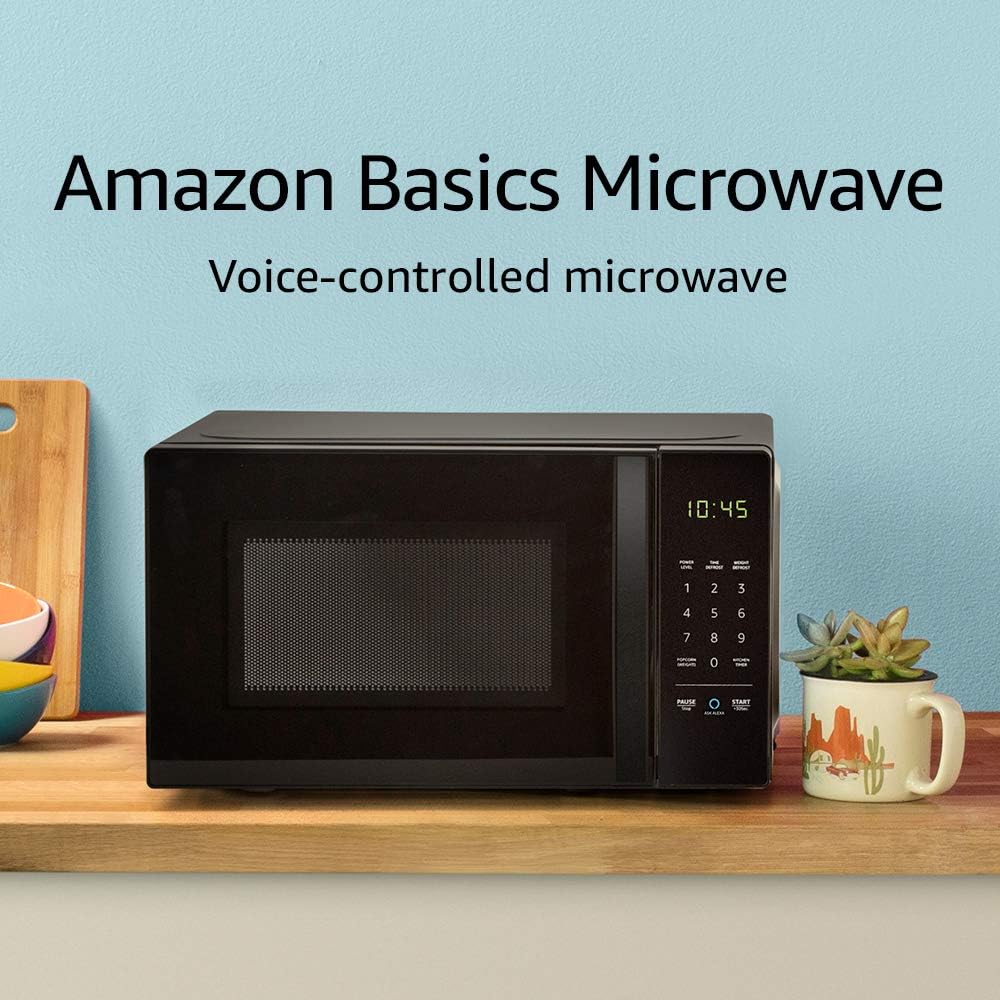
Image: The Amazon Basics Microwave, highlighting its voice-controlled capabilities.
2. ຂໍ້ມູນຄວາມປອດໄພທີ່ສໍາຄັນ
ເພື່ອຫຼຸດຜ່ອນຄວາມສ່ຽງຕໍ່ການເກີດໄຟໄຫມ້, ໄຟຟ້າຊ໊ອກ, ການບາດເຈັບຕໍ່ບຸກຄົນ, ຫຼືການໄດ້ຮັບພະລັງງານໄມໂຄເວຟຫຼາຍເກີນໄປໃນເວລາໃຊ້ເຄື່ອງໃຊ້ຂອງທ່ານ, ປະຕິບັດຕາມຂໍ້ຄວນລະວັງພື້ນຖານ, ລວມທັງສິ່ງຕໍ່ໄປນີ້:
- ອ່ານຄໍາແນະນໍາທັງຫມົດກ່ອນທີ່ຈະໃຊ້ເຄື່ອງໃຊ້.
- ຢ່າພະຍາຍາມເປີດເຕົາອົບນີ້ດ້ວຍການເປີດປະຕູ ເພາະອາດສົ່ງຜົນໃຫ້ເກີດອັນຕະລາຍຕໍ່ພະລັງງານໄມໂຄເວຟໄດ້.
- ຫ້າມວາງວັດຖຸໃດໆລະຫວ່າງໜ້າເຕົາອົບກັບປະຕູ ຫຼືປ່ອຍໃຫ້ດິນ ຫຼືສິ່ງເສດເຫຼືອທີ່ສະອາດສະສົມຢູ່ເທິງໜ້າຝາປິດ.
- ຫ້າມບໍ່ໃຫ້ຄວາມຮ້ອນຂອງນໍ້າ ຫຼືອາຫານອື່ນໆຢູ່ໃນຖັງທີ່ຜະນຶກເຂົ້າກັນ ເພາະມັນມີຄວາມຜິດທີ່ຈະລະເບີດ.
- ຢ່າແຕ່ງອາຫານຫຼາຍເກີນໄປ.
- ຫ້າມໃຊ້ສານເຄມີຫຼືສານລະເຫີຍທີ່ລະລາຍໃນເຄື່ອງໃຊ້ນີ້.
- ຮັບປະກັນການລະບາຍອາກາດທີ່ເໝາະສົມອ້ອມຮອບເຕົາໄມໂຄເວຟສະເໝີ.
- ເຄື່ອງໃຊ້ນີ້ມີຈຸດປະສົງເພື່ອໃຊ້ໃນຄົວເຮືອນເທົ່ານັ້ນ.
3. ການຕິດຕັ້ງແລະການຕິດຕັ້ງ
Follow these steps to set up your Amazon Basics Microwave:
- ການຫຸ້ມຫໍ່: Carefully remove the microwave from its packaging. Retain packaging materials for future transport or storage if needed.
- ການຈັດວາງ: Place the microwave on a flat, stable surface, such as a kitchen counter. Ensure there is adequate space around the unit for ventilation (at least 4 inches on all sides and top). Do not block ventilation openings.
- ການເຊື່ອມຕໍ່ພະລັງງານ: Plug the microwave into a grounded electrical outlet. The power cord is approximately 3-4 feet long.
- Alexa Pairing: To enable voice control, you will need a compatible Echo device (e.g., Echo Dot, Echo Plus). Ensure your Echo device is set up and connected to your Wi-Fi network. The microwave should automatically connect to your Alexa account once powered on and within range of your Echo device. Follow the instructions in the Alexa app for any additional setup.
4. ຄໍາແນະນໍາການດໍາເນີນງານ
Your Amazon Basics Microwave offers both manual keypad operation and convenient Alexa voice control.
4.1 Manual Keypad Operation
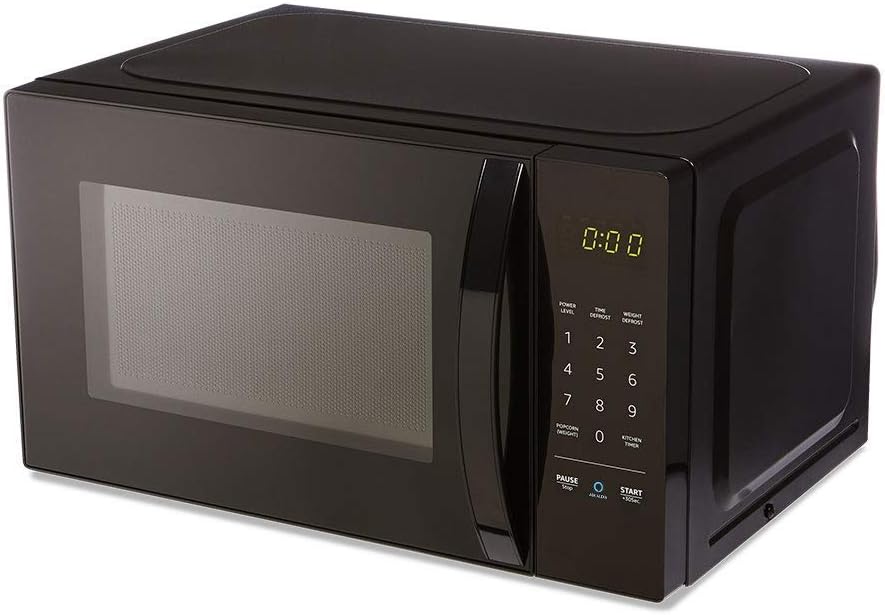
ຮູບພາບ: ທາງຫນ້າ view of the Amazon Basics Microwave, displaying the control panel and digital clock.
- ການກຳນົດເວລາປຸງແຕ່ງອາຫານ: Use the number pad (1-9, 0) to enter the desired cooking time.
- ລະດັບພະລັງງານ: The microwave features 10 power levels. Press the "POWER LEVEL" button and then a number to select the desired power level (e.g., 5 for 50% power).
- ເລີ່ມ: Press the "START +30 SEC." button to begin cooking. Each press of this button adds 30 seconds to the cooking time.
- ຢຸດ/ຢຸດ: Press the "PAUSE/STOP" button once to pause cooking, or twice to cancel the current cooking cycle.
- ເຄື່ອງຈັບເວລາໃນຫ້ອງຄົວ: Use the "KITCHEN TIMER" button to set a countdown timer without activating the microwave function.
4.2 ການຄວບຄຸມສຽງ Alexa
With an Echo device, you can use voice commands for quick and convenient cooking. Ensure your Echo device is active and connected.
- ຄໍາສັ່ງທົ່ວໄປ:
- "Alexa, start microwaving."
- "Alexa, microwave for [X] minutes [Y] seconds."
- "Alexa, set microwave power to [level 1-10]."
- "Alexa, STOP Microwave." (Note: Use "STOP Microwave" specifically to end a cycle.)
- Quick-Cook Presets: Alexa offers various presets for common foods.
- "Alexa, microwave a potato." (Alexa will ask for quantity.)
- "Alexa, reheat one cup of coffee."
- "Alexa, microwave 1.5 ounces of popcorn."
- "Alexa, defrost [X] ounces of frozen vegetables."

Image: Demonstrating voice command for reheating coffee.
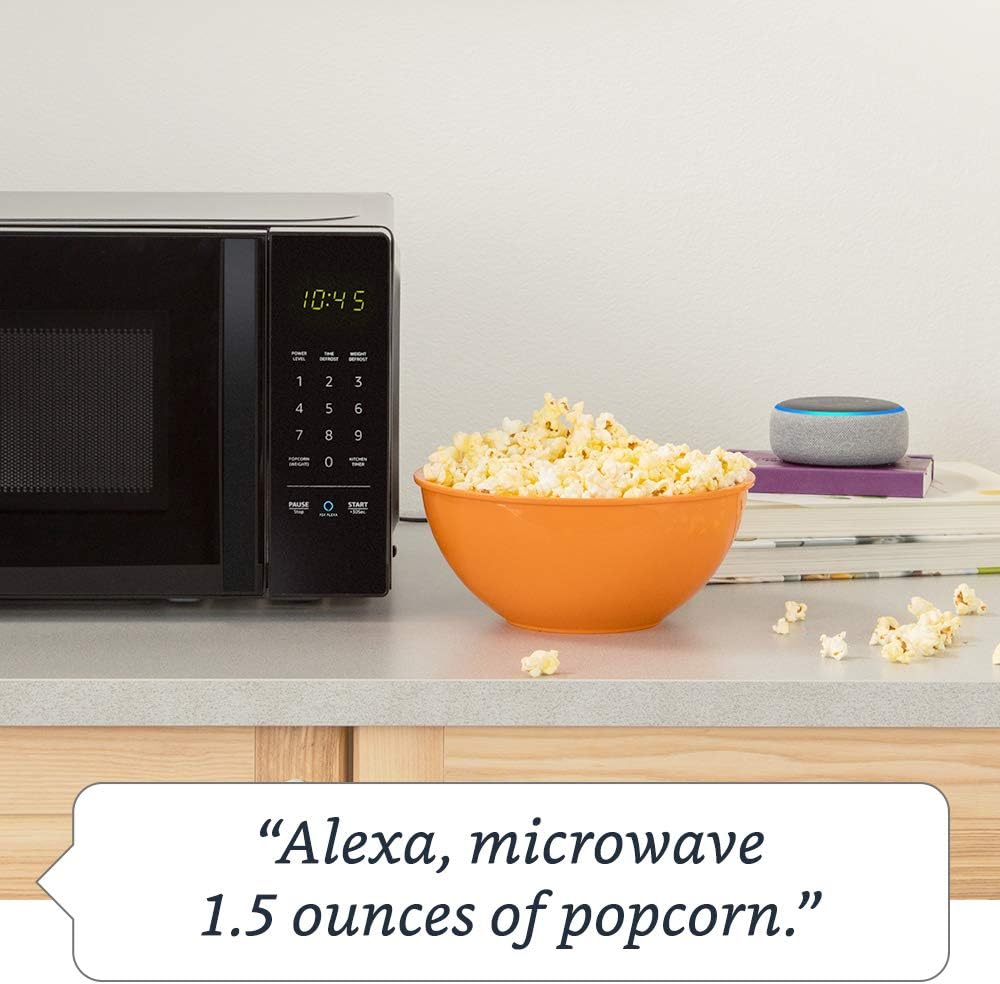
Image: Demonstrating voice command for microwaving popcorn.
4.3 Using the Ask Alexa Button
The "Ask Alexa" button on the microwave's control panel allows you to initiate voice commands without saying the wake word "Alexa".

Image: Detail of the control panel, showing the "Ask Alexa" button for direct voice input.
- ກົດ ຖາມ Alexa button (blue circle icon).
- Once the microwave indicates it's listening, state your command (e.g., "2 minutes," "reheat coffee," "popcorn").
4.4 ຟັງຊັນລັອກເດັກ
To prevent unintended operation, especially by children, you can activate the child lock:
- ເພື່ອກະຕຸ້ນ: Press the "PAUSE/STOP" button once, then press the "0" button twice. The Wi-Fi indicator on the display will turn off, indicating the lock is active.
- ເພື່ອປິດການນຳໃຊ້: Repeat the same process: Press the "PAUSE/STOP" button once, then press the "0" button twice. The Wi-Fi indicator will reappear, and the microwave will be operational.
5. ການບໍາລຸງຮັກສາແລະການທໍາຄວາມສະອາດ
ການທຳຄວາມສະອາດເປັນປະຈຳຈະຊ່ວຍຮັກສາປະສິດທິພາບ ແລະ ອາຍຸການໃຊ້ງານຂອງເຕົາໄມໂຄເວຟຂອງທ່ານໄດ້.
- ພາຍໃນ: ເຮັດຄວາມສະອາດຝາເຕົາອົບຫຼັງຈາກການນໍາໃຊ້ແຕ່ລະຄັ້ງດ້ວຍການໂຄສະນາamp cloth and mild detergent. For stubborn stains, place a bowl of water with lemon slices inside and microwave for a few minutes to loosen residue, then wipe clean.
- ພາຍນອກ: ເຊັດພື້ນຜິວພາຍນອກດ້ວຍຜ້າອ່ອນໆ, ງamp ຜ້າ. ຫຼີກລ້ຽງການເຮັດຄວາມສະອາດຂັດຫຼືສານລະລາຍ.
- ແຜ່ນພັບ: ໂຕະໝຸນແກ້ວ ແລະ ບ່ອນຮອງຮັບໂຕະໝຸນສາມາດຖອດອອກໄດ້ເພື່ອເຮັດຄວາມສະອາດ. ລ້າງພວກມັນດ້ວຍນ້ຳອຸ່ນປະສົມສະບູ ຫຼື ໃນເຄື່ອງລ້າງຈານ. ຮັບປະກັນວ່າພວກມັນແຫ້ງໝົດກ່ອນທີ່ຈະເອົາກັບຄືນໃສ່ເຕົາອົບ.
- ປະທັບຕາປະຕູ: Keep the door seal and adjacent parts clean. Wipe with a damp ຜ້າ.
6. ການແກ້ໄຂບັນຫາ
If you encounter issues with your Amazon Basics Microwave, refer to the following common problems and solutions:
| ບັນຫາ | ສາເຫດ / ການແກ້ໄຂທີ່ເປັນໄປໄດ້ |
|---|---|
| ໄມໂຄເວຟບໍ່ເລີ່ມຕົ້ນ. |
|
| ອາຫານບໍ່ໄດ້ປຸງແຕ່ງຫຼືເຮັດຄວາມຮ້ອນຢ່າງຖືກຕ້ອງ. |
|
| Alexa voice commands are not working. |
|
| ສຽງຜິດປົກກະຕິໃນລະຫວ່າງການປະຕິບັດງານ. |
|
If the problem persists after attempting these solutions, please contact Amazon customer support.
7. ຂໍ້ມູນຈໍາເພາະ
Detailed specifications for the Amazon Basics Microwave:
| ຄຸນສົມບັດ | ຂໍ້ມູນຈໍາເພາະ |
|---|---|
| ໝາຍເລກຕົວແບບ | B07894S727 |
| ຄວາມອາດສາມາດ | 0.7 Cu. ຟ. |
| ພະລັງງານປຸງແຕ່ງອາຫານ | 700 ວັດ |
| ລະດັບພະລັງງານ | 10 |
| ຂະໜາດພາຍນອກ (ກວ້າງ x ສູງ x ຍາວ) | 17.3 ນິ້ວ x 10.1 ນິ້ວ x 14.1 ນິ້ວ |
| Internal Dimensions (W x H x D) | 10 7/8 ນິ້ວ x 6 7/8 ນິ້ວ x 10 ນິ້ວ. |
| ເສັ້ນຜ່າສູນກາງ Turntable | 10 ນິ້ວ |
| Max Popcorn Bag Size | 3 ອໍ |
| ການເຊື່ອມຕໍ່ | Works with Alexa (Echo device required) |
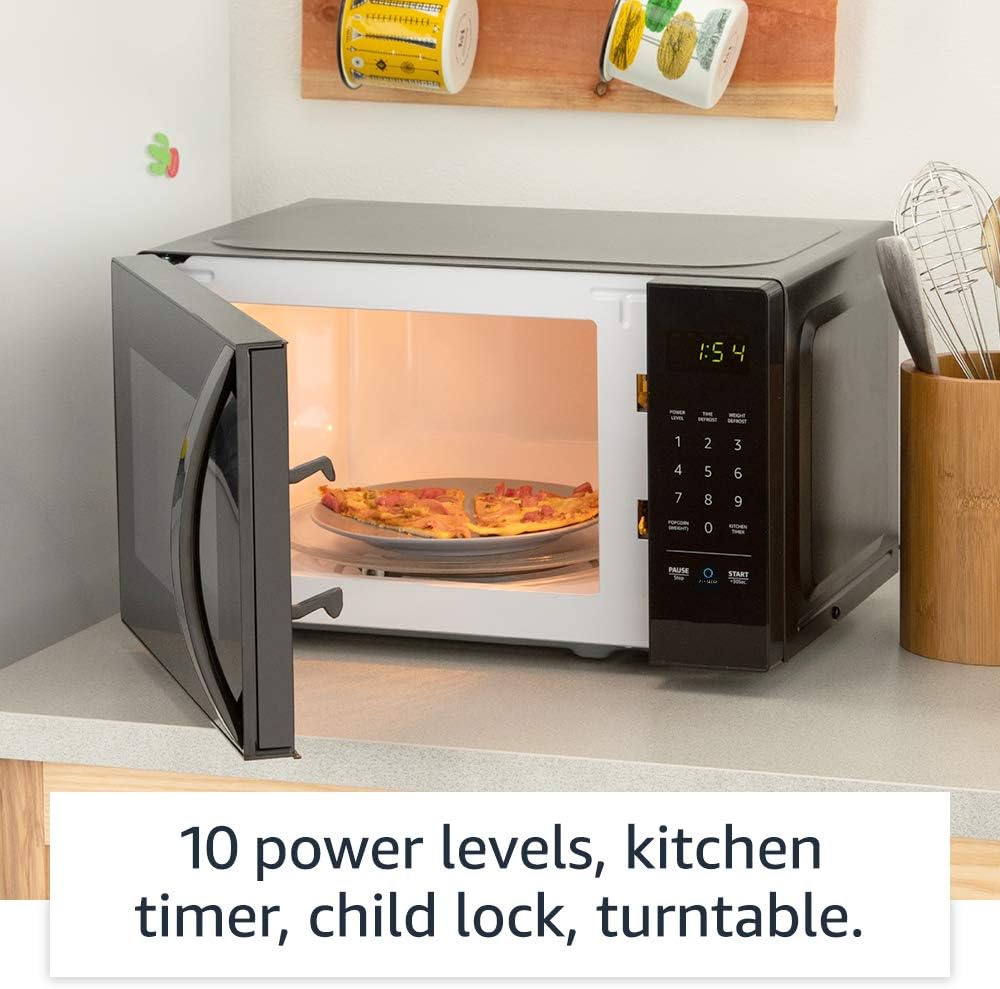
ຮູບພາບ: ພາຍໃນ view of the microwave, highlighting its features like the turntable.
8. ການຮັບປະກັນແລະການສະຫນັບສະຫນູນ
For information regarding your product's warranty, please refer to the warranty card included with your purchase or visit the Amazon Basics official website. For technical support, troubleshooting assistance beyond this manual, or to inquire about replacement parts, please contact Amazon customer support directly.
You can typically find support contact information on the Amazon website under "Help & Customer Service" or by searching for "Amazon Basics Microwave support".
Ask a question about this manual
Ask about setup, troubleshooting, compatibility, parts, safety, or missing instructions. Manuals+ will review the question and use this page’s manual context to help answer it.