
1. ບົດແນະນຳ
ຂອບໃຈສໍາລັບການຊື້asing the Coby CSB04 Bluetooth Soundbar Speaker. This manual provides important information regarding the setup, operation, and maintenance of your new soundbar. Please read this manual thoroughly before using the device and retain it for future reference.
The Coby CSB04 is a sleek and compact soundbar designed to enhance your audio experience. It features wireless Bluetooth connectivity, an RCA line input, and comes with a remote control for convenient operation.
2. ຂໍ້ມູນຄວາມປອດໄພ
ກະລຸນາປະຕິບັດຕາມຂໍ້ຄວນລະວັງດ້ານຄວາມປອດໄພຕໍ່ໄປນີ້ເພື່ອປ້ອງກັນຄວາມເສຍຫາຍຕໍ່ອຸປະກອນ ຫຼື ການບາດເຈັບຕໍ່ຕົວທ່ານເອງ:
- ຢ່າໃຫ້ແຖບສຽງຖືກຝົນ, ຄວາມຊຸ່ມຊື່ນ ຫຼື ອຸນຫະພູມສູງສຸດ.
- ຫ້າມເປີດຄasing. ອ້າງອີງການບໍລິການທັງໝົດໃຫ້ກັບບຸກຄະລາກອນທີ່ມີຄຸນວຸດທິ.
- ໃຫ້ແນ່ໃຈວ່າອະແດັບເຕີໄຟຟ້າເຂົ້າກັນໄດ້ກັບການສະຫນອງພະລັງງານໃນທ້ອງຖິ່ນຂອງທ່ານ.
- Keep the soundbar away from heat sources and direct sunlight.
- ເຮັດຄວາມສະອາດດ້ວຍຜ້າແຫ້ງເທົ່ານັ້ນ.
3. ເນື້ອໃນຊຸດ
Carefully unpack your Coby CSB04 Soundbar and check that all items are present and in good condition. If any items are missing or damaged, contact your retailer.
- Coby CSB04 Bluetooth Soundbar Speaker
- ເຄື່ອງປັບໄຟຟ້າ AC
- ສາຍ RCA
- ການຄວບຄຸມໄລຍະໄກ
- ຄູ່ມືຜູ້ໃຊ້ (ເອກະສານນີ້)

Image 3.1: Coby CSB04 Soundbar packaging. The box displays the Coby logo and "Slim 2.0 Sound Bar" text.
4. ຜະລິດຕະພັນເກີນview
Familiarize yourself with the components and controls of your Coby CSB04 Soundbar.
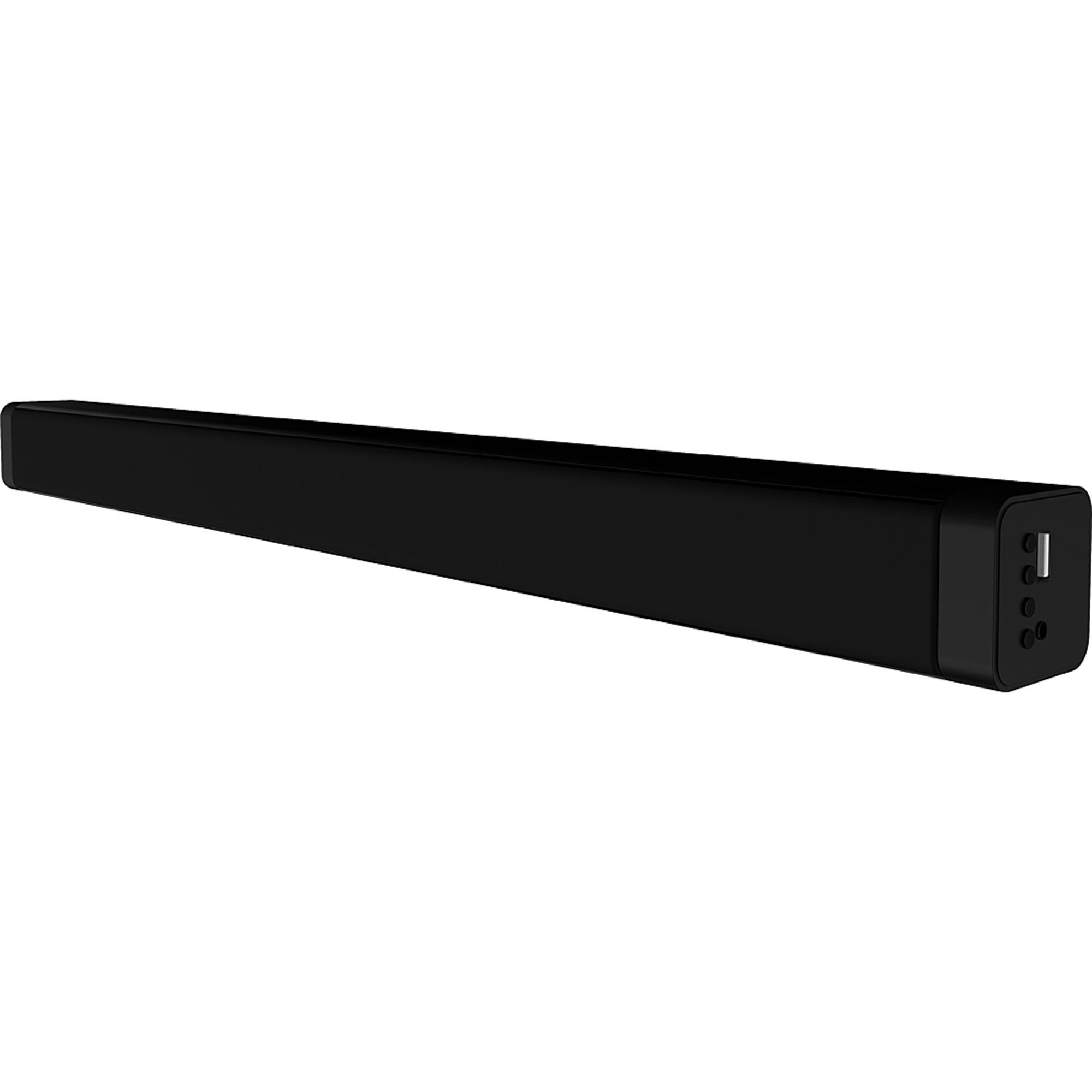
ຮູບພາບ 4.1: ດ້ານຫນ້າ view of the Coby CSB04 Bluetooth Soundbar. The soundbar is black and rectangular.

ຮູບພາບ 4.2: ຂ້າງ view of the Coby CSB04 Soundbar, showing a USB port and other connection points.
4.1. Front Panel / Top Panel Controls
- ປຸ່ມເປີດປິດ: ເປີດ ຫຼືປິດແຖບສຽງ.
- ປະລິມານຂຶ້ນ/ລົງ: ປັບລະດັບສຽງ.
- ປຸ່ມໂໝດ: Switches between input modes (Bluetooth, RCA).
- ຕົວຊີ້ວັດ LED: Shows current status (e.g., Bluetooth pairing, input mode).
4.2. ການເຊື່ອມຕໍ່ແຜງດ້ານຫລັງ
- DC ໃນ: ເຊື່ອມຕໍ່ຕົວເຊື່ອມຕໍ່ໄຟຟ້າ AC ຢູ່ທີ່ນີ້.
- RCA L/R Input: Connect external audio devices using the RCA cable.
- ພອດ USB: For potential firmware updates or specific media playback (functionality may vary).
4.3. ການຄວບຄຸມໄລຍະໄກ
The included remote control allows for convenient operation of the soundbar from a distance. Functions typically include Power, Volume Up/Down, Mode Selection, Mute, and Playback controls for Bluetooth mode.
5. ຕັ້ງຄ່າ
5.1. ການເຊື່ອມຕໍ່ພະລັງງານ
- ເຊື່ອມຕໍ່ອະແດບເຕີໄຟ AC ເຂົ້າກັບ DC IN port on the rear of the soundbar.
- ສຽບປາຍອື່ນຂອງອະແດບເຕີໄຟຟ້າ AC ເຂົ້າໄປໃນເຕົ້າສຽບໃສ່ຝາ.
- ແຖບສຽງຈະເຂົ້າສູ່ໂໝດສະແຕນບາຍ.
5.2. ການເຊື່ອມຕໍ່ສຽງ
You can connect audio sources to the soundbar via Bluetooth or RCA cable.
5.2.1. ການເຊື່ອມຕໍ່ບູທູດ
- Power on the soundbar using the Power button on the unit or remote control.
- ກົດ ໂໝດ button repeatedly until the LED indicator shows Bluetooth mode (usually a blinking blue light).
- ໃນສະມາດໂຟນຂອງທ່ານ ຫຼືອຸປະກອນທີ່ເປີດໃຊ້ Bluetooth, ເປີດໃຊ້ Bluetooth ແລະຊອກຫາອຸປະກອນທີ່ມີຢູ່.
- Select "CSB04" (or similar name) from the list of devices.
- ເມື່ອຈັບຄູ່ແລ້ວ, ໄຟ LED ຈະປ່ຽນເປັນສີຟ້າເຕັມ, ແລະທ່ານຈະໄດ້ຍິນສຽງຢືນຢັນ.
- ດຽວນີ້ທ່ານສາມາດຫຼິ້ນສຽງຈາກອຸປະກອນຂອງທ່ານຜ່ານແຖບສຽງໄດ້ແລ້ວ.
5.2.2. ການເຊື່ອມຕໍ່ RCA
- Connect one end of the RCA cable to the ການປ້ອນຂໍ້ມູນ RCA L / R ports on the soundbar.
- Connect the other end of the RCA cable to the audio output ports (usually "Audio Out" or "L/R Out") of your TV, DVD player, or other audio source.
- ເປີດໃຊ້ແຖບສຽງ.
- ກົດ ໂໝດ button repeatedly until the LED indicator shows RCA mode (e.g., a green light).
- ຫຼິ້ນສຽງຈາກອຸປະກອນທີ່ເຊື່ອມຕໍ່ຂອງທ່ານ.
6. ຄໍາແນະນໍາການດໍາເນີນງານ
6.1. ເປີດ/ປິດ
ກົດ ພະລັງງານ ປຸ່ມເທິງແຖບສຽງ ຫຼືຣີໂໝດຄວບຄຸມເພື່ອເປີດ ຫຼືປິດເຄື່ອງ.
6.2. ປັບລະດັບສຽງ
ໃຊ້ ປະລິມານຂຶ້ນ (+) ແລະ ບໍລິມາດລົງ (-) ປຸ່ມຕ່າງໆໃນແຖບສຽງ ຫຼື ຣີໂໝດຄວບຄຸມເພື່ອປັບລະດັບສຽງ.
6.3. Changing Input Mode
ກົດ ໂໝດ button on the soundbar or remote control to cycle through available input sources: Bluetooth, RCA.
6.4. ການຫຼິ້ນ Bluetooth
Once paired, your Bluetooth device will automatically connect to the soundbar when both are powered on and within range. Use your device's controls or the soundbar's remote control (if applicable) for playback functions like Play/Pause, Next Track, and Previous Track.
7. ບໍາລຸງຮັກສາ
ການບໍາລຸງຮັກສາທີ່ເຫມາະສົມຮັບປະກັນອາຍຸຍືນແລະການປະຕິບັດທີ່ດີທີ່ສຸດຂອງແຖບສຽງຂອງທ່ານ.
- ທໍາຄວາມສະອາດ: Use a soft, dry cloth to wipe the exterior of the soundbar. Do not use liquid cleaners or aerosols.
- ການເກັບຮັກສາ: ຖ້າເກັບຮັກສາແຖບສຽງໄວ້ເປັນເວລາດົນ, ໃຫ້ຖອດມັນອອກຈາກສາຍໄຟ ແລະເກັບໄວ້ໃນບ່ອນທີ່ເຢັນ, ແຫ້ງ.
- ການລະບາຍອາກາດ: Ensure the soundbar has adequate ventilation and is not covered, to prevent overheating.
8. ການແກ້ໄຂບັນຫາ
If you encounter issues with your Coby CSB04 Soundbar, refer to the following common problems and solutions:
| ບັນຫາ | ສາເຫດທີ່ເປັນໄປໄດ້ | ການແກ້ໄຂ |
|---|---|---|
| ບໍ່ມີພະລັງງານ | ອະແດບເຕີໄຟບໍ່ໄດ້ເຊື່ອມຕໍ່ ຫຼືປລັກສຽບເກີດຄວາມຜິດພາດ. | Ensure the power adapter is securely connected to the soundbar and a working power outlet. Try a different outlet. |
| ບໍ່ມີສຽງ | Incorrect input mode, low volume, or incorrect cable connection. |
|
| ການຈັບຄູ່ Bluetooth ລົ້ມເຫລວ | Soundbar ບໍ່ຢູ່ໃນໂໝດຈັບຄູ່, ອຸປະກອນຢູ່ໄກເກີນໄປ, ຫຼື ມີການລົບກວນ. |
|
| ການຄວບຄຸມໄລຍະໄກບໍ່ເຮັດວຽກ | ແບດເຕີຣີທີ່ຕາຍແລ້ວຫຼືສິ່ງກີດຂວາງ. | Replace the batteries in the remote control. Ensure there is no obstruction between the remote and the soundbar's sensor. |
9. ຂໍ້ມູນຈໍາເພາະ
Here are the technical specifications for the Coby CSB04 Bluetooth Soundbar Speaker:
- ຕົວແບບ: CSB04
- ປະເພດລຳໂພງ: ແຖບສຽງ
- ເຕັກໂນໂລຍີການເຊື່ອມຕໍ່: Bluetooth
- ພະລັງງານອອກຂອງລໍາໂພງສູງສຸດ: 10 ວັດ
- ອຸປະກອນທີ່ເຂົ້າກັນໄດ້: Smartphone (and other Bluetooth/RCA audio sources)
- ວິທີການຄວບຄຸມ: ການຄວບຄຸມໄລຍະໄກ
- ແຫຼ່ງພະລັງງານ: Electric Cable (AC Adapter)
- ສີ: ດຳ
- ຂະໜາດ: 85.09 x 14.22 x 38.35 cm (ປະມານ 33.5 x 5.6 x 15.1 ນິ້ວ)
- ນ້ຳໜັກ: 1.54 ກິໂລ (ປະມານ 3.4 lbs)
- ປະເພດການຕິດຕັ້ງ: ຕິດຕັ້ງຕັ້ງໂຕະ
10. ການຮັບປະກັນແລະການສະຫນັບສະຫນູນ
For warranty information and technical support, please refer to the warranty card included with your product or visit the official Coby webເວັບໄຊ. ຮັກສາໃບຮັບເງິນການຊື້ຂອງທ່ານໄວ້ເປັນຫຼັກຖານການຊື້.
For further assistance, you may contact Coby customer service through their official channels.