
1. ບົດແນະນຳ
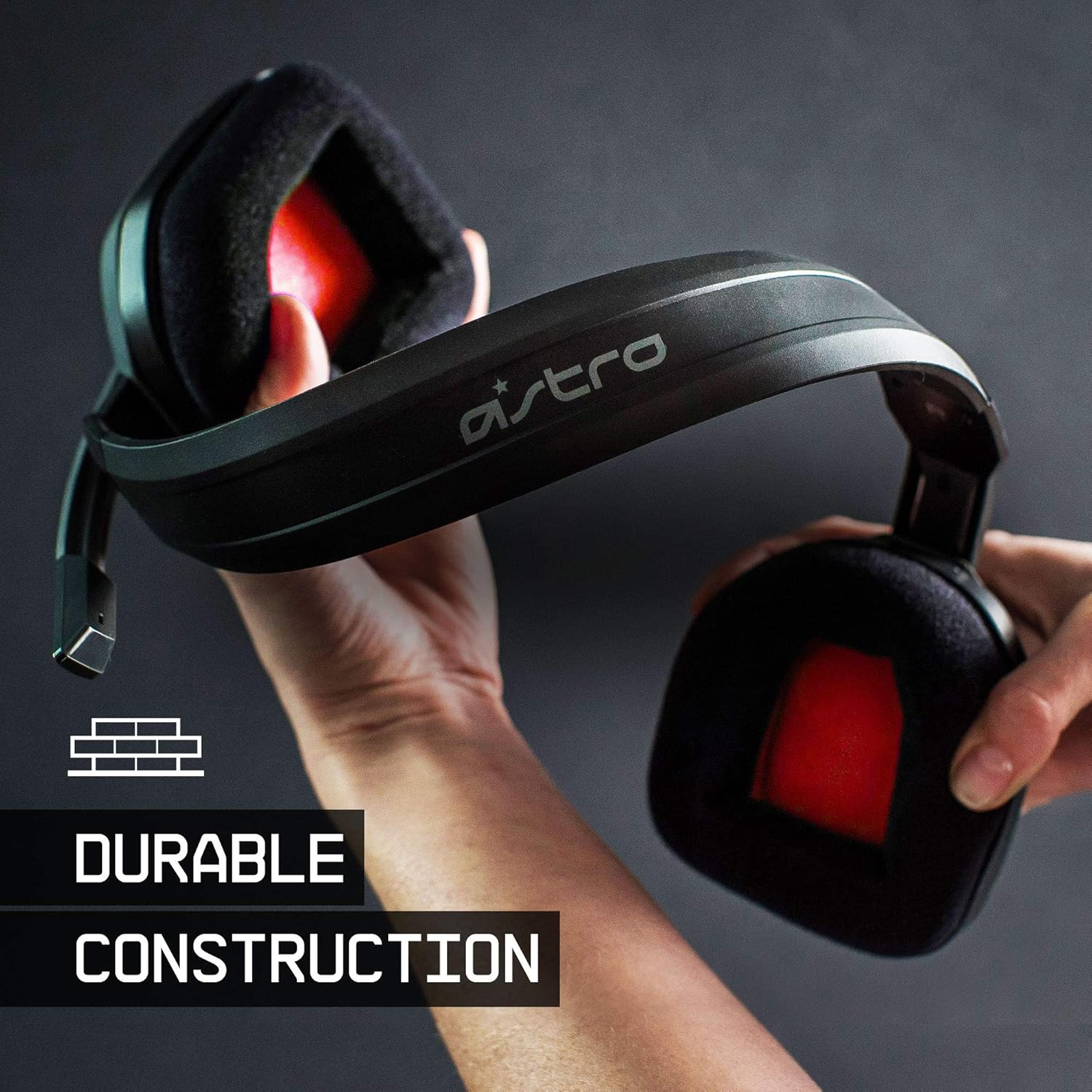
The ASTRO Gaming A10 Headset is engineered for gaming, offering durable construction and extended comfort for prolonged use. It features ASTRO Audio for clear and precise sound, an omnidirectional microphone with flip-up mute functionality, and in-line volume control for a comprehensive audio experience.
2. ສິ່ງທີ່ຢູ່ໃນກ່ອງ
Upon unboxing your ASTRO Gaming A10 Headset, you should find the following components:
- ASTRO Gaming A10 Headset
- A10 Volume Cable (3.5mm jack)

3. ຄຸນລັກສະນະຂອງຜະລິດຕະພັນ
- ຄວາມທົນທານ: The A10 Headset is constructed with a durable headband made of anodized aluminum and a damage-resistant polycarbonate blend, designed to withstand rigorous use.
- ຄວາມສະດວກສະບາຍ: Featuring extended comfort memory foam ear-cushions, the headset is designed to minimize fatigue during long gaming sessions.
- ການສື່ສານ: An omnidirectional microphone with flip-up mute functionality and in-line volume control ensures clear communication with teammates.
- ຄຸນະພາບສຽງ: Tuned with ASTRO Audio, the A10 delivers immersive and accurate audio, providing low latency and precise voice communication.
- ຄວາມເຂົ້າກັນໄດ້: The headset is compatible with multiple platforms including PS5, PC/MAC, XBOX SERIES X|S, NINTENDO SWITCH, VR, and streaming devices.



4. ຄໍາແນະນໍາການຕິດຕັ້ງ
- Connect the A10 Volume Cable: Insert the smaller end of the A10 Volume Cable into the 3.5mm port located on the left earcup of the ASTRO A10 Headset. Ensure it is securely connected.
- ເຊື່ອມຕໍ່ຫາອຸປະກອນ: Plug the larger end of the A10 Volume Cable into the 3.5mm headphone jack on your gaming controller (e.g., Xbox, PlayStation), PC, Mac, Nintendo Switch, or other compatible device.
- ປັບລະດັບສຽງ: Use the in-line volume control wheel on the A10 Volume Cable to adjust the audio level to your preference.
- ໄມໂຄຣໂຟນຕຳແໜ່ງ: Lower the microphone boom arm to activate the microphone. Position it appropriately for clear voice capture.

5. ຄໍາແນະນໍາການດໍາເນີນງານ
Microphone Usage (Flip-to-Mute)
The ASTRO A10 Headset features a convenient flip-to-mute microphone. To activate the microphone, simply lower the boom arm into the speaking position. To mute the microphone, flip the boom arm upwards until it clicks into the vertical position. This action instantly mutes your voice input.
ການຄວບຄຸມປະລິມານ
Adjust the audio volume using the in-line control wheel located on the A10 Volume Cable. Rotate the wheel upwards to increase volume and downwards to decrease volume.
6. ຄວາມເຂົ້າກັນໄດ້
The ASTRO Gaming A10 Headset is designed for broad compatibility across various gaming and media platforms:
- PlayStation 5 (PS5)
- PlayStation 4 (PS4)
- Xbox Series X|S
- Xbox One
- Nintendo Switch
- PC
- Mac
- VR devices
- ອຸປະກອນການຖ່າຍທອດ
- Most mobile phones and tablets with a 3.5mm jack

7. ບໍາລຸງຮັກສາ
- ທໍາຄວາມສະອາດ: ໃຊ້ຜ້າປຽກແຫ້ງເພື່ອເຮັດຄວາມສະອາດຊຸດຫູຟັງ. ຫຼີກເວັ້ນການນໍາໃຊ້ສານເຄມີທີ່ຮຸນແຮງຫຼືວັດສະດຸຂັດ.
- ການເກັບຮັກສາ: ເກັບຮັກສາຊຸດຫູຟັງໄວ້ໃນບ່ອນທີ່ເຢັນ, ແຫ້ງ, ຫ່າງຈາກແສງແດດໂດຍກົງ ແລະອຸນຫະພູມທີ່ຮຸນແຮງ.
- ການດູແລສາຍໄຟ: ຫຼີກເວັ້ນການງໍແຫຼມຫຼືດຶງຫຼາຍເກີນໄປກ່ຽວກັບສາຍເຄເບີນເພື່ອປ້ອງກັນຄວາມເສຍຫາຍ.
- ເບາະຫູ: Periodically check ear cushions for wear and tear. Replacement cushions may be available from the manufacturer.
8. ການແກ້ໄຂບັນຫາ
- ບໍ່ມີສຽງ / ສຽງຕ່ໍາ:
- ໃຫ້ແນ່ໃຈວ່າສາຍ 3.5 ມມ ຖືກສຽບເຂົ້າໄປໃນທັງຫູຟັງ ແລະ ອຸປະກອນຢ່າງຄົບຖ້ວນແລ້ວ.
- Check the in-line volume control and ensure it is turned up.
- Verify that the audio output settings on your device are correctly configured for the headset.
- ທົດສອບຊຸດຫູຟັງກັບອຸປະກອນອື່ນເພື່ອກວດສອບບັນຫາສະເພາະຂອງອຸປະກອນ.
- ໄມໂຄຣໂຟນບໍ່ເຮັດວຽກ:
- Ensure the microphone boom arm is fully lowered into the speaking position (not flipped up for mute).
- Check the microphone input settings on your device to ensure the headset microphone is selected and not muted.
- ທົດສອບໄມໂຄຣໂຟນດ້ວຍແອັບພລິເຄຊັນ ຫຼືອຸປະກອນອື່ນ.
- Static or Distorted Audio:
- Ensure the 3.5mm cable connections are secure and free from debris.
- Try using a different 3.5mm cable if available, to rule out a faulty cable.
- Reduce the volume on your device or headset if the audio is clipping.
9. ຂໍ້ມູນຈໍາເພາະ
| ຄຸນສົມບັດ | ລາຍລະອຽດ |
|---|---|
| ຍີ່ຫໍ້ | ເກມ ASTRO |
| ຊື່ຕົວແບບ | ASTRO ເກມ A10 |
| ໝາຍເລກຕົວແບບ | 939-001508 |
| ເຕັກໂນໂລຊີການເຊື່ອມຕໍ່ | ມີສາຍ |
| Jack ຫູຟັງ | Jack ຂະ ໜາດ 3.5 ມມ |
| ນ້ໍາຫນັກລາຍການ | 12.35 ອອນ |
| ຊ່ວງຄວາມຖີ່ | 20 Hz - 20 kHz |
| ປະເພດໄດເວີສຽງ | ໄດນາມິກໄດເວີ |
| ວັດສະດຸຫຸ້ມຫໍ່ | ອາລູມີນຽມ |
| ຄຸນສົມບັດເພີ່ມເຕີມ | Microphone Included, Volume Control |
| ອຸປະກອນທີ່ເຂົ້າກັນໄດ້ | PS5, PC/MAC, XBOX SERIES X|S, NINTENDO SWITCH, VR, STREAMING, most mobile phones, tablets |
10. ການຮັບປະກັນແລະການສະຫນັບສະຫນູນ
The ASTRO Gaming A10 Headset comes with a ການຮັບປະກັນຂອງຜູ້ຜະລິດ 2 ປີ. For warranty claims, technical support, or additional product information, please visit the official ASTRO Gaming webເວັບໄຊ ຫຼືຕິດຕໍ່ບໍລິການລູກຄ້າຂອງເຂົາເຈົ້າໂດຍກົງ.
11. ວິດີໂອຜະລິດຕະພັນ
ASTRO A10 Experience
ວິດີໂອ: ການສະແດງວິດີໂອຢ່າງເປັນທາງການasing the overall experience and key aspects of the ASTRO A10 Headset. This video provides a visual overview ການອອກແບບ ແລະການເຮັດວຽກຂອງຜະລິດຕະພັນ.