
ສິນຄ້າເກີນview
The Ultimate Ears WONDERBOOM is a compact, portable, and waterproof Bluetooth speaker designed to deliver surprisingly serious sound. Its robust design makes it ideal for outdoor adventures, poolside parties, or even use in the shower. With 360-degree sound and impressive battery life, the WONDERBOOM ensures your music is always with you.
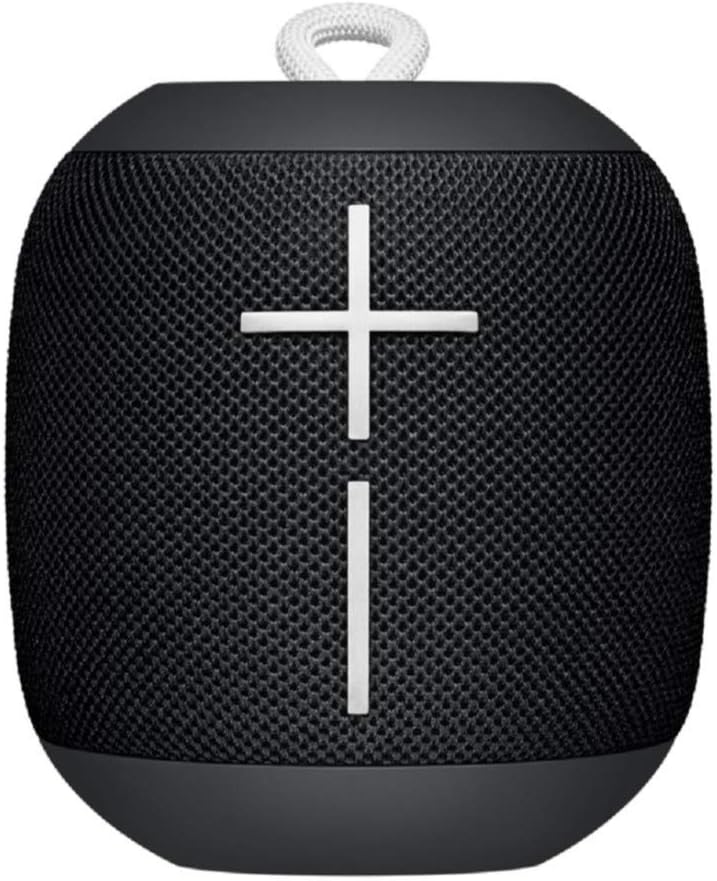
ຮູບພາບ: ທາງຫນ້າ view of the Ultimate Ears WONDERBOOM speaker in Phantom Black, showcasing its compact, cylindrical design with large volume controls.
ແມ່ນຫຍັງຢູ່ໃນກ່ອງ
- Ultimate Ears WONDERBOOM Speaker
- ສາຍສາກ USB
- ຄູ່ມືຜູ້ໃຊ້ເລີ່ມຕົ້ນດ່ວນ
ຕັ້ງຄ່າ
1. ເປີດເຄື່ອງ
Press the power button located on the top of the speaker. A sound will indicate that the speaker is powered on and ready for pairing.
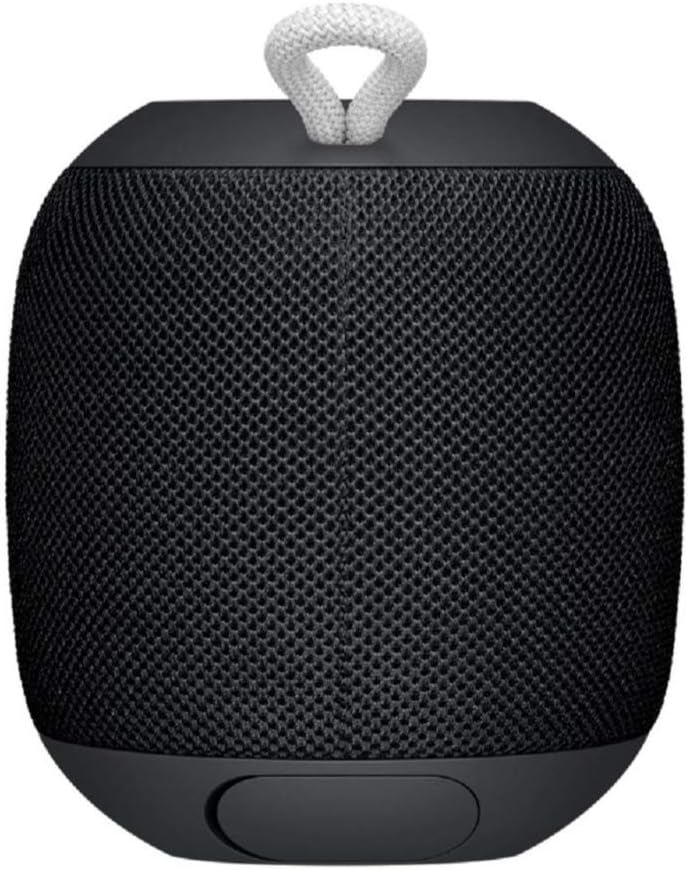
Image: Close-up of the top surface of the WONDERBOOM speaker, highlighting the power button and the Ultimate Ears logo.
2. ການຈັບຄູ່ Bluetooth
- Turn on your WONDERBOOM speaker.
- ໃນອຸປະກອນມືຖືຂອງທ່ານ, ໃຫ້ໄປທີ່ການຕັ້ງຄ່າ Bluetooth.
- Select 'WONDERBOOM' from the list of available devices to pair.
- Once paired, the speaker will emit a confirmation sound.
ຄໍາແນະນໍາການດໍາເນີນງານ
ການຄວບຄຸມພື້ນຖານ
- ຫຼິ້ນ/ຢຸດ: Press the UE logo button on the top of the speaker once.
- ຂ້າມເພງ: Double-tap the UE logo button to skip to the next track.
- ການຄວບຄຸມລະດັບສຽງ: Use the large '+' and '-' buttons on the front of the speaker to adjust the volume.

ຮູບພາບ: ທາງຫນ້າ view of the WONDERBOOM speaker, clearly showing the prominent '+' and '-' buttons for volume control.
Double Up (Pairing Two WONDERBOOMs)
For a louder and more immersive audio experience, you can wirelessly pair two WONDERBOOM speakers together.
- Ensure both WONDERBOOM speakers are powered on.
- On one speaker, press and hold the UE logo button on the top until you hear a confirmation tone.
- Repeat the process on the second speaker.
- Both speakers will now play audio from the same source, creating a stereo sound.

Image: Two individuals interacting with two WONDERBOOM speakers, demonstrating the 'Double Up' pairing feature for enhanced sound.
ຄຸນສົມບັດກັນນ້ໍາ
The WONDERBOOM is IPX7 rated, meaning it can be immersed in water up to 1 meter (3.3 feet) for up to 30 minutes. It is designed to float, making it perfect for use around pools, beaches, or in the shower.
Video: An official product video demonstrating the Ultimate Ears WONDERBOOM's waterproof capabilities and robust design.
ອາຍຸແບັດເຕີຣີ & ການສາກໄຟ
The WONDERBOOM offers up to 10 hours of continuous playback on a single charge. When the battery is low, the speaker will indicate this with an audible alert.
ກຳລັງສາກໄຟ
To charge your WONDERBOOM, open the weather door at the bottom of the speaker and connect the included USB charging cable to a power source. A full charge takes approximately 2.8 hours.
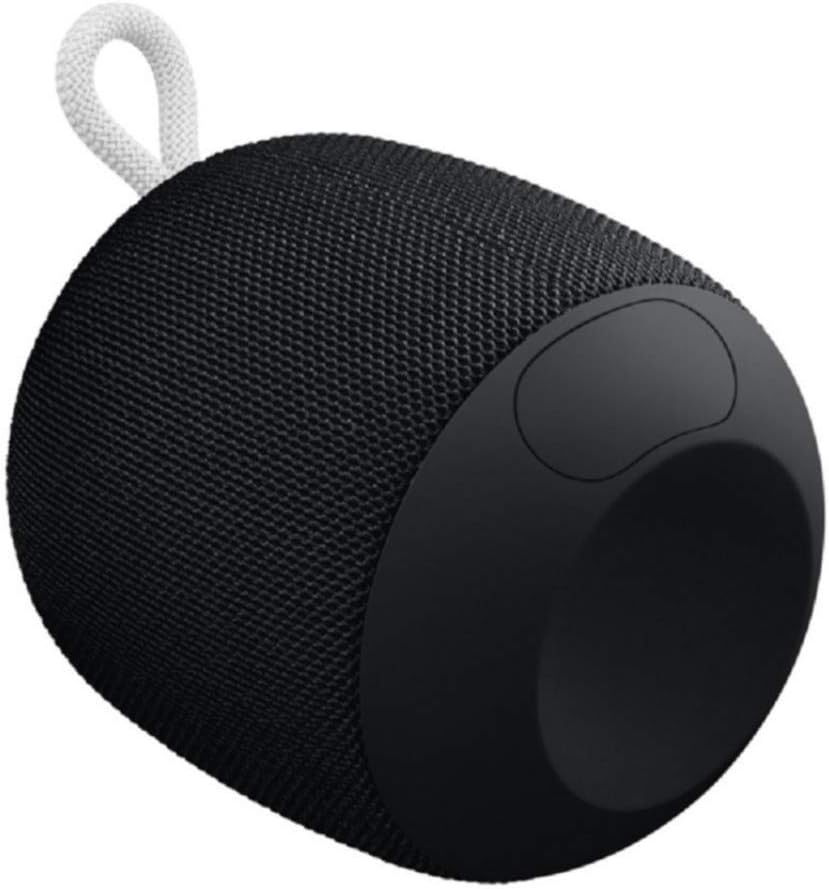
Image: The underside of the WONDERBOOM speaker, showing the protective flap covering the charging port in an open position.
ຂໍ້ມູນຈໍາເພາະ
| ຄຸນສົມບັດ | ລາຍລະອຽດ |
|---|---|
| ຊື່ຕົວແບບ | WONDERBOOM |
| ປະເພດລຳໂພງ | ກາງແຈ້ງ |
| ຄຸນນະສົມບັດພິເສດ | Stereo pairing, Portable |
| ຊີວິດຫມໍ້ໄຟ | ສູງສຸດ 10 ຊົ່ວໂມງ |
| ການຕໍ່ຕ້ານນ້ໍາ | IPX7 (Waterproof up to 1m for 30 mins) |
| ເວລາສາກໄຟ | ປະມານ. 2.8 ຊົ່ວໂມງ |
| Range ໄຮ້ສາຍ | ສູງເຖິງ 100 ຟຸດ (30 ແມັດ) |
| ນ້ໍາຫນັກລາຍການ | 0.5 ປອນ (8 ອອນສ໌) |
| ຂະໜາດສິນຄ້າ | 4.2"D x 4.6"W x 5.3"H |
| ການເຊື່ອມຕໍ່ | Bluetooth |
| ຜູ້ຜະລິດ | Logitech |
ບໍາລຸງຮັກສາ
To ensure the longevity of your WONDERBOOM speaker, follow these maintenance guidelines:
- ທໍາຄວາມສະອາດ: ເຊັດລໍາໂພງດ້ວຍສຽງອ່ອນ, ງamp ຜ້າ. ຢ່າໃຊ້ສານເຄມີທີ່ຮຸນແຮງຫຼືເຄື່ອງເຮັດຄວາມສະອາດຂັດ.
- ການເກັບຮັກສາ: Store the speaker in a cool, dry place when not in use. Avoid prolonged exposure to extreme temperatures.
- ຊ່ອງສາກໄຟ: Ensure the charging port cover is securely closed when the speaker is not charging, especially when near water, to maintain its waterproof integrity.
ການແກ້ໄຂບັນຫາ
If you encounter issues with your WONDERBOOM speaker, try the following solutions:
- ບໍ່ມີພະລັງງານ: Ensure the speaker is fully charged. Connect it to a power source using the provided USB cable.
- ບັນຫາການເຊື່ອມຕໍ່ Bluetooth:
- ໃຫ້ແນ່ໃຈວ່າ Bluetooth ຖືກເປີດໃຊ້ຢູ່ໃນອຸປະກອນຂອງທ່ານ.
- ຍ້າຍລຳໂພງເຂົ້າໃກ້ອຸປະກອນຂອງທ່ານ.
- Forget the speaker from your device's Bluetooth settings and re-pair.
- ຣີສະຕາດທັງລຳໂພງ ແລະອຸປະກອນຂອງທ່ານ.
- ບໍ່ມີສຽງ/ສຽງຕ່ຳ:
- ກວດເບິ່ງລະດັບສຽງໃນທັງລຳໂພງ ແລະອຸປະກອນທີ່ເຊື່ອມຕໍ່ຂອງທ່ານ.
- ໃຫ້ແນ່ໃຈວ່າລຳໂພງບໍ່ໄດ້ຖືກປິດສຽງໄວ້.
- If using 'Double Up', ensure both speakers are properly paired.
ການຮັບປະກັນແລະການສະຫນັບສະຫນູນ
The Ultimate Ears WONDERBOOM comes with a Limited Warranty. For detailed warranty information and support, please refer to the official User Guide (PDF) available for download or visit the Ultimate Ears support webເວັບໄຊ.