
1. ບົດແນະນຳ
This manual provides essential instructions for the safe and efficient operation of your Candy X-Range CMXG 30DS Microwave with Grill. Please read this manual thoroughly before using the appliance and keep it for future reference. This microwave features a 30-liter capacity, digital controls, 5 power levels, and 40 automatic programs, including a grill function and smart connectivity via the simply-Fi app.
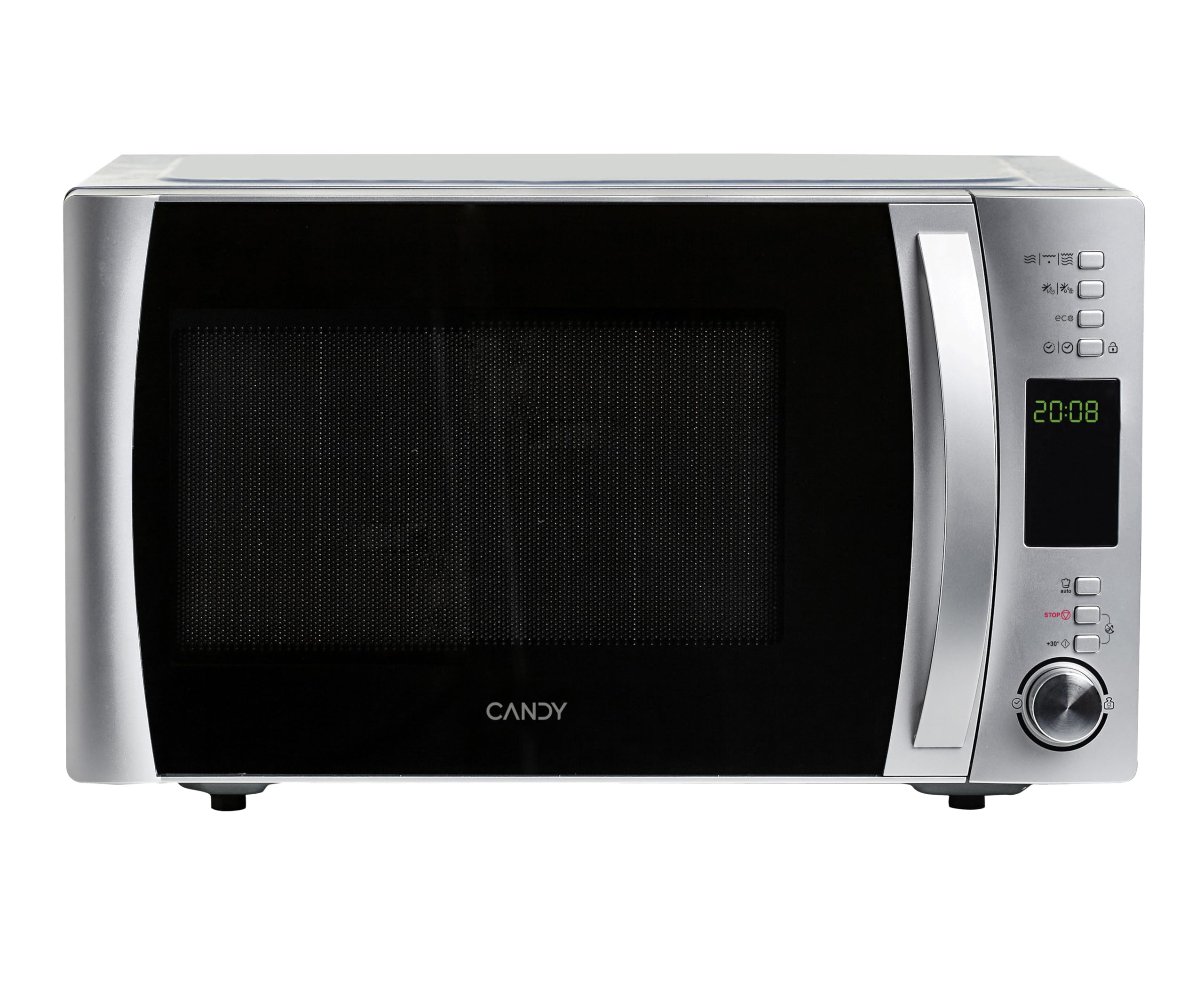
ດ້ານໜ້າ view of the Candy X-Range CMXG 30DS Microwave with Grill.
2. ຂໍ້ມູນຄວາມປອດໄພ
ປະຕິບັດຕາມຄວາມລະມັດລະວັງດ້ານຄວາມປອດໄພຂັ້ນພື້ນຖານສະເໝີເມື່ອໃຊ້ເຄື່ອງໃຊ້ໄຟຟ້າເພື່ອຫຼຸດຜ່ອນຄວາມສ່ຽງຕໍ່ການເກີດອັກຄີໄພ, ໄຟຟ້າຊອດ, ການບາດເຈັບຕໍ່ຄົນ, ຫຼືການໄດ້ຮັບພະລັງງານໄມໂຄເວຟຫຼາຍເກີນໄປ.
- ອ່ານຄໍາແນະນໍາທັງຫມົດ: Before operating the appliance, read all instructions in this manual.
- ການຕໍ່ດິນທີ່ເໝາະສົມ: Ensure the appliance is properly grounded according to local electrical codes.
- Do not operate if damaged: Never operate the microwave if it has a damaged cord or plug, if it is not working properly, or if it has been dropped or damaged.
- Avoid heating sealed containers: Liquids or other foods must not be heated in sealed containers as they are liable to explode.
- Child supervision: ການເບິ່ງແຍງຢ່າງໃກ້ຊິດແມ່ນມີຄວາມຈໍາເປັນໃນເວລາທີ່ອຸປະກອນຖືກນໍາໃຊ້ໂດຍຫຼືຢູ່ໃກ້ກັບເດັກນ້ອຍ.
- Microwave-safe utensils: ໃຊ້ພຽງແຕ່ເຄື່ອງໃຊ້ທີ່ເຫມາະສົມສໍາລັບເຕົາອົບໄມໂຄເວຟ.
- Do not overcook food: Overcooking food can lead to fire.
- ທໍາຄວາມສະອາດປົກກະຕິ: ທຳຄວາມສະອາດເຕົາໄມໂຄເວຟເປັນປະຈຳ ແລະ ກຳຈັດສິ່ງເສດເຫຼືອຈາກອາຫານ. ການບໍ່ຮັກສາເຕົາອົບໃຫ້ຢູ່ໃນສະພາບທີ່ສະອາດອາດຈະນຳໄປສູ່ການເສື່ອມສະພາບຂອງພື້ນຜິວ ເຊິ່ງອາດສົ່ງຜົນກະທົບທາງລົບຕໍ່ອາຍຸການໃຊ້ງານຂອງເຄື່ອງໃຊ້ ແລະ ອາດຈະເຮັດໃຫ້ເກີດສະຖານະການອັນຕະລາຍໄດ້.
3. ການຕິດຕັ້ງແລະການຕິດຕັ້ງ
3.1 ການຫຸ້ມຫໍ່
Carefully remove all packaging materials from the microwave oven and its accessories. Check the oven for any damage, such as dents or a misaligned door. Do not install if the oven is damaged.
3.2 ການຈັດວາງ
Place the microwave oven on a stable, level surface that can support its weight and the heaviest food likely to be cooked in it. Ensure adequate ventilation by leaving a minimum of 10 cm (4 inches) clearance at the rear, 20 cm (8 inches) at the top, and 5 cm (2 inches) on each side. Do not block any ventilation openings.
3.3 ສະພານໂຕະ
Place the turntable support ring in the center of the microwave cavity. Position the glass turntable plate securely on top of the support ring. Ensure it rotates freely.
Interior of the microwave with the turntable and grill rack.
3.4 ການເຊື່ອມຕໍ່ພະລັງງານ
Plug the power cord into a standard, grounded electrical outlet. Ensure the voltage ກົງກັບປ້າຍການຈັດອັນດັບໃນເຄື່ອງໃຊ້.
4. ຄໍາແນະນໍາການດໍາເນີນງານ
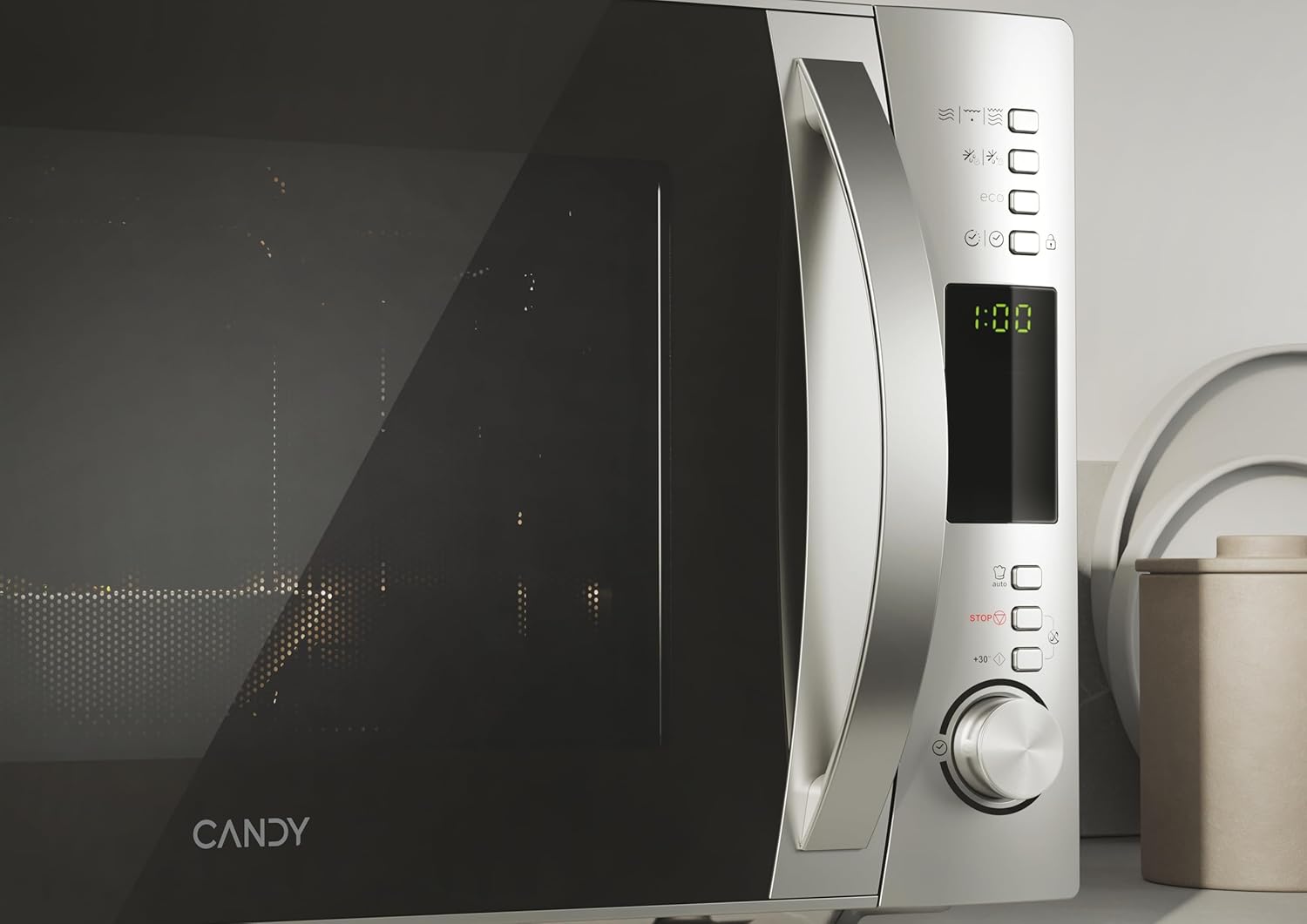
Your Candy X-Range CMXG 30DS microwave offers various cooking functions. Familiarize yourself with the control panel for optimal use.

Digital control panel with various function buttons and a rotary knob.
4.1 ການປຸງແຕ່ງອາຫານໄມໂຄເວຟພື້ນຖານ
- ວາງອາຫານໃສ່ໃນຖັງທີ່ປອດໄພດ້ວຍໄມໂຄເວຟຢູ່ເທິງໂຕະ.
- ປິດປະຕູຢ່າງປອດໄພ.
- ເລືອກລະດັບພະລັງງານທີ່ຕ້ອງການ (5 ລະດັບທີ່ມີຢູ່) ໂດຍໃຊ້ປຸ່ມທີ່ເຫມາະສົມຫຼືລູກບິດຫມຸນ.
- Set the cooking time using the rotary knob or time buttons.
- ກົດປຸ່ມ Start ເພື່ອເລີ່ມຕົ້ນການປຸງແຕ່ງອາຫານ.
4.2 ຟັງຊັນປີ້ງ
ຟັງຊັນປີ້ງແມ່ນເຫມາະສົມສໍາລັບອາຫານທີ່ມີສີນ້ໍາຕານແລະຈືດໆ.
- Place food on the grill rack provided, then place the rack on the turntable.
- ເລືອກຟັງຊັນ Grill.
- ຕັ້ງເວລາປີ້ງທີ່ຕ້ອງການ.
- ກົດເລີ່ມຕົ້ນ.
4.3 ການປຸງອາຫານປະສົມ
Combine microwave and grill cooking for faster results with a crispy finish.
- ເອົາອາຫານໃສ່ໃນຖັງທີ່ເຫມາະສົມ.
- Select a Combination mode (e.g., Microwave + Grill).
- Set the total cooking time.
- ກົດເລີ່ມຕົ້ນ.
4.4 ຟັງຊັນ defrost
Defrost food efficiently by weight or time.
- ນ້ ຳ ໜັກ ໂດຍນ້ ຳ ໜັກ: Select the defrost by weight function, input the food's weight, and the oven will automatically calculate the defrosting time.
- ລົງຈາກເວລາ: Select the defrost by time function and manually set the desired defrosting duration.
4.5 ໂປຣແກຣມອັດຕະໂນມັດ
The microwave includes 40 pre-set automatic programs for various food types, including a dedicated baby & healthy menu. Simply select the desired program, and the oven will set the optimal cooking time and power level.
4.6 ການປຸງອາຫານດ່ວນ
For quick heating, use the Express Cooking function. Press the corresponding button to start cooking immediately for a short duration (e.g., 30 seconds) at full power. Pressing it repeatedly adds more time.
4.7 ຟັງຊັນຈັບເວລາ
The microwave can also be used as a standalone kitchen timer. Set the desired time, and it will count down without activating the microwave function.
4.8 ລັອກເດັກ
Activate the Child Lock to prevent accidental operation by children. Refer to the control panel instructions for activating and deactivating this feature.
4.9 simply-Fi App Connectivity
Connect your microwave to the simply-Fi app on your smartphone for access to cooking tips, tricks, recipes, and food information.

A user interacting with the simply-Fi app on a smartphone, demonstrating smart control over the microwave.
4.10 ຟັງຊັນ Eco
The Eco function allows you to turn off the digital display when the microwave is not in use, contributing to energy saving.
Official Product Video: Candy Microwave with Grill and Cook in App
This video demonstrates the features of the Candy microwave with grill and its integration with the Cook in App, showcasing various functionalities and smart controls.
5. ບໍາລຸງຮັກສາ
ການທໍາຄວາມສະອາດແລະການບໍາລຸງຮັກສາເປັນປົກກະຕິຈະຮັບປະກັນອາຍຸຍືນແລະປະສິດທິພາບທີ່ດີທີ່ສຸດຂອງເຕົາອົບໄມໂຄເວຟຂອງທ່ານ.
- ທຳ ຄວາມສະອາດພາຍໃນ: ຫຼັງຈາກການນຳໃຊ້ແຕ່ລະຄັ້ງ, ໃຫ້ເຊັດຊ່ອງພາຍໃນດ້ວຍຜ້າເຊັດໂຕamp cloth and mild detergent. For stubborn stains, a microwave-safe cleaner can be used. Ensure the interior is dry before closing the door.
- ການອະນາໄມພາຍນອກ: ເຮັດຄວາມສະອາດພື້ນຜິວພາຍນອກດ້ວຍຄວາມອ່ອນໂຍນ, ງamp cloth. Do not use abrasive cleaners or harsh chemicals, as these can damage the stainless steel finish.
- Turntable and Support Ring: The glass turntable and its support ring can be removed for cleaning. Wash them in warm, soapy water or in the dishwasher. Ensure they are completely dry before placing them back in the oven.
- ປະທັບຕາປະຕູ: Keep the door seals clean to ensure a proper seal during operation.
6. ການແກ້ໄຂບັນຫາ
If you encounter any issues with your microwave, refer to the following common problems and solutions:
| ບັນຫາ | ສາເຫດທີ່ເປັນໄປໄດ້ | ການແກ້ໄຂ |
|---|---|---|
| Microwave not starting | Power cord unplugged; Door not closed properly; Blown fuse/tripped circuit breaker | Check power plug; Ensure door is fully closed; Check household fuse/circuit breaker |
| ອາຫານບໍ່ຮ້ອນ | Incorrect power level or cooking time set; Non-microwave-safe dish used | Adjust power and time; Use microwave-safe cookware |
| Turntable ບໍ່ຫມຸນ | Turntable not correctly placed; Obstruction under turntable | Ensure turntable is seated correctly on the support ring; Remove any obstructions |
| ສິ່ງລົບກວນຜິດປົກກະຕິໃນລະຫວ່າງການປະຕິບັດງານ | Food container touching cavity walls; Turntable not properly seated | Ensure proper clearance; Re-seat turntable |
| ຈໍສະແດງຜົນດິຈິຕອນບໍ່ເຮັດວຽກ | Power issue; Eco function activated | Check power supply; Deactivate Eco function if enabled |
ຖ້າບັນຫາຍັງຄົງຢູ່ຫຼັງຈາກພະຍາຍາມແກ້ໄຂເຫຼົ່ານີ້, ກະລຸນາຕິດຕໍ່ຝ່າຍຊ່ວຍເຫຼືອລູກຄ້າ.
7. ຂໍ້ມູນຈໍາເພາະ
- ຍີ່ຫໍ້: ເຂົ້າຫນົມ
- ຊື່ຕົວແບບ: Candy X-Range CMXG 30DS
- ໝາຍເລກຕົວແບບ: CMXG30DS
- ຄວາມອາດສາມາດ: 30 ລິດ
- ພະລັງງານໄມໂຄເວຟ: 900 ວັດ
- ລະດັບພະລັງງານ: 5
- ປະເພດການຄວບຄຸມ: Digital, Buttons
- ເສັ້ນຜ່າສູນກາງ Turntable: 31.5 ຊຕມ
- ວັດສະດຸ: ສະແຕນເລດ (ພາຍໃນ ແລະ ພາຍນອກ)
- ຂະໜາດ (ເລິກ x ກວ້າງ x ສູງ): 43.5ຊມ x 52ຊມ x 32.6ຊມ
- ນ້ຳໜັກ: 16.1 ກິໂລກຣາມ
- ໂຄງການ: 40 ໂປຣແກຣມອັດຕະໂນມັດ
- ຄຸນນະສົມບັດພິເສດ: Control Panel Lock, Automatic Cooking, Defrost, Eco Mode, Programmable, Timer Function, simply-Fi App Connectivity.
8. ການຮັບປະກັນແລະການສະຫນັບສະຫນູນ
8.1 ຂໍ້ມູນການຮັບປະກັນ
This Candy X-Range CMXG 30DS microwave oven comes with a ຮັບປະກັນ 3 ປີ from the date of purchase. Please retain your proof of purchase for warranty claims. The warranty covers manufacturing defects and malfunctions under normal household use.
8.2 ສະຫນັບສະຫນູນລູກຄ້າ
For technical assistance, spare parts, or any questions regarding your appliance, please contact Candy customer service or your retailer. Refer to the contact information provided in your purchase documentation or on the official Candy webເວັບໄຊ.