
ແນະນຳ
The Philips LED A19 SceneSwitch light bulb offers three distinct light settings without the need for a dimmer switch. This innovative bulb allows you to easily change the ambiance of your room using your existing standard light switch. Enjoy functional light, natural light, or a cozy warm glow, all from a single bulb.
This manual provides essential information for the proper installation, operation, maintenance, and troubleshooting of your Philips SceneSwitch LED bulbs.
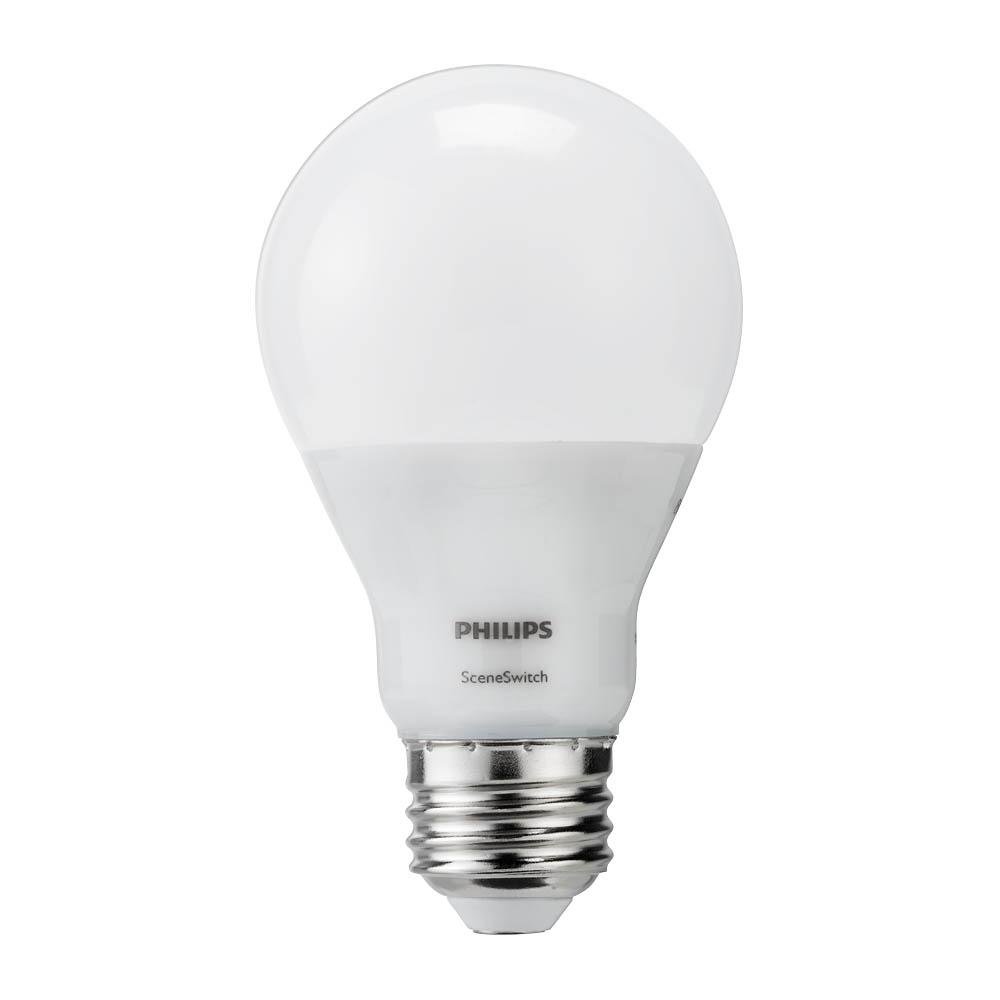
Image: The Philips LED A19 SceneSwitch bulb, demonstrating its ability to provide different light settings from a single unit.
ຕັ້ງຄ່າ
ການຕິດຕັ້ງ
- Ensure the power to the light fixture is turned off at the wall switch or circuit breaker before installation.
- Carefully remove your existing light bulb from the fixture.
- Screw the Philips LED A19 SceneSwitch bulb into the E26 medium base socket until it is finger-tight. Do not overtighten.
- ຟື້ນຟູພະລັງງານໃຫ້ກັບອຸປະກອນແສງສະຫວ່າງ.
ບັນທຶກຄວາມເຂົ້າກັນໄດ້
- These bulbs are designed to work with standard on/off light switches.
- Philips SceneSwitch bulbs are ບໍ່ເຂົ້າກັນໄດ້ with traditional dimmer switches. Using them with a dimmer may cause flickering or damage.
- ຫລອດໄຟເຫຼົ່ານີ້ແມ່ນ ບໍ່ເຂົ້າກັນໄດ້ with Philips HUE products or other smart home systems.
ຄໍາແນະນໍາການດໍາເນີນງານ
Changing Light Settings
The Philips SceneSwitch bulb features three distinct light settings that can be cycled through using your standard light switch:
- Bright (Functional Light): Turn the switch ON. The bulb will illuminate at its brightest setting (800 lumens, 2700 Kelvin).
- Medium (Warm and Inviting): Turn the switch OFF, then immediately ON again (within 5 seconds). The bulb will switch to a medium brightness (320 lumens, 2500 Kelvin).
- Low (Warmer and Cozy): Turn the switch OFF, then immediately ON again (within 5 seconds). The bulb will switch to its lowest brightness (80 lumens, 2200 Kelvin).
Repeat the OFF-ON sequence to cycle through the settings. If the bulb is left OFF for more than 6 seconds, its auto-memory feature will recall the last used setting when turned ON again.
ວິດີໂອສາທິດ
Video: This video demonstrates the Philips SceneSwitch functionality, showing how to cycle through different brightness levels using a standard light switch.
ບໍາລຸງຮັກສາ
ທໍາຄວາມສະອາດ
To clean the bulb, ensure the power is off and the bulb is cool. Wipe gently with a dry, soft cloth. Do not use liquid cleaners or abrasive materials.
ການທົດແທນ
These LED bulbs have an expected lifespan of 15,000 hours under normal use. When the bulb reaches the end of its life, replace it with another Philips SceneSwitch LED A19 bulb or a compatible LED bulb.
ການແກ້ໄຂບັນຫາ
- Bulb is flickering or not changing settings:
Ensure the bulb is not installed in a fixture controlled by a dimmer switch. SceneSwitch bulbs are not compatible with dimmers. If multiple bulbs are in one fixture and get out of sync, quickly toggle the switch OFF and ON several times to reset them to the brightest setting. - Bulb does not turn on:
Check that the bulb is screwed in securely into the socket. Verify that the light fixture has power and that the circuit breaker is not tripped. - Bulbs in a multi-bulb fixture are out of sync:
If multiple SceneSwitch bulbs are connected to the same switch and their settings become unsynchronized, quickly toggle the light switch OFF and ON several times. This action should reset all bulbs to the brightest setting, allowing you to then cycle them together.
ຂໍ້ມູນຈໍາເພາະ
| ຍີ່ຫໍ້ | ຟີລິບ |
| ໝາຍເລກຕົວແບບ | 464883 |
| ປະເພດແສງສະຫວ່າງ | LED |
| ຂະໜາດຮູບຮ່າງຂອງດອກໄຟ | A19 |
| Bulb Base | E26 ພື້ນຖານຂະຫນາດກາງ |
| ວັດtage (ສູງສຸດ) | 9/4/2 Watts (depending on setting) |
| Incandescent ທຽບເທົ່າ | 60 ວັດ |
| ຄວາມສະຫວ່າງ | 800 / 320 / 80 Lumens (depending on setting) |
| ອຸນຫະພູມສີ | 2700K / 2500K / 2200K (depending on setting) |
| ສີອ່ອນ | Soft White with Warm Glow Effect |
| ສະບັບtage | 120 ໂວນ |
| ອາຍຸຍືນ | 15,000 ຊົ່ວໂມງ |
| ການນຳໃຊ້ພາຍໃນ/ນອກ | Indoor (suitable for humid indoor areas) |
| ຄຸນນະສົມບັດພິເສດ | 3-Setting SceneSwitch, Energy Efficient |
ຂໍ້ມູນການຮັບປະກັນ
Philips SceneSwitch LED bulbs come with a 5-year limited warranty. This warranty covers defects in materials and workmanship under normal use. Please retain your proof of purchase for warranty claims.
For detailed warranty terms and conditions, please refer to the official Philips webເວັບໄຊທ໌ຫຼືຕິດຕໍ່ສະຫນັບສະຫນູນລູກຄ້າ.
ການຊ່ວຍເຫຼືອລູກຄ້າ
If you encounter any issues or have questions regarding your Philips LED A19 SceneSwitch light bulbs that are not addressed in this manual, please contact Philips customer support.
ຢ້ຽມຢາມ Philips ຢ່າງເປັນທາງການ webເວັບໄຊທ໌ສຳລັບຂໍ້ມູນຕິດຕໍ່, ຄຳຖາມທີ່ຖືກຖາມເລື້ອຍໆ, ແລະຊັບພະຍາກອນຜະລິດຕະພັນເພີ່ມເຕີມ.