
AmazonBasics PBH-991
AmazonBasics Heavy-Duty, Full Motion Articulating TV Wall Mount
ຮູບແບບ: PBH-991
ແນະນຳ
This manual provides detailed instructions for the safe and proper installation, operation, and maintenance of your AmazonBasics Heavy-Duty, Full Motion Articulating TV Wall Mount. Designed for 12-inch to 39-inch LED, LCD, and Flat Screen TVs, this mount offers flexibility and an optimal viewing experience. Please read all instructions carefully before beginning installation.
ຂໍ້ມູນຄວາມປອດໄພ
WARNING: Improper installation may result in serious personal injury or damage to equipment. If you do not understand these instructions or have doubts about the safety of the installation, consult a qualified professional.
- This mount is intended for use with televisions weighing up to 18 kg (40 lbs). Exceeding this weight limit may result in instability and potential injury.
- ໃຫ້ແນ່ໃຈວ່າໂຄງສ້າງກໍາແພງສາມາດຮອງຮັບນ້ໍາຫນັກລວມຂອງ mount ແລະໂທລະທັດໄດ້ຢ່າງປອດໄພ.
- Do not install this product on drywall alone. It must be mounted to wood studs or solid concrete/brick walls.
- Always use a stud finder to locate the center of wood studs.
- Tighten all screws firmly but do not overtighten. Overtightening can damage the screws or the mounting surface.
- ຮັກສາເດັກນ້ອຍຢູ່ໄກໃນລະຫວ່າງການຕິດຕັ້ງ.

This image shows the AmazonBasics full motion articulating TV wall mount in its folded position, highlighting the compact design and the integrated warning label regarding weight capacity and installation.
ເນື້ອໃນຊຸດ
Verify that all components are present and undamaged before installation. If any parts are missing or defective, contact customer support.
- Articulating TV Wall Mount Assembly
- ວົງເລັບຕິດໂທລະທັດ
- ແຜ່ນຕິດຝາ
- ລະດັບຟອງ
- ແມ່ແບບການຕິດຕັ້ງ
- Assorted Mounting Hardware (screws, anchors, washers)

This image displays the complete set of installation components for the AmazonBasics TV wall mount, including a bubble level for accurate positioning, various screws and anchors, and a detailed installation template to guide the mounting process.
ການຕິດຕັ້ງແລະການຕິດຕັ້ງ
ປະຕິບັດຕາມຂັ້ນຕອນເຫຼົ່ານີ້ຢ່າງລະມັດລະວັງເພື່ອການຕິດຕັ້ງທີ່ປອດໄພ.
ເຄື່ອງມືທີ່ຕ້ອງການ (ບໍ່ລວມ):
- ສໍ
- ເຈາະ
- Drill Bits (appropriate for wall type and screw size)
- Screwdriver ຫົວ ໜ້າ Phillips
- Stud Finder (ສໍາລັບການຕິດຕັ້ງ stud ໄມ້)
- ເທບການວັດແທກ
ຂັ້ນຕອນທີ 1: ກໍານົດສະຖານທີ່ຕິດຕັ້ງ
Choose a location on your wall that is structurally sound and can support the weight of your TV and the mount. Use a stud finder to locate the center of two adjacent wood studs if mounting to wood. For concrete or brick walls, ensure the wall is solid.
ຂັ້ນຕອນທີ 2: Mark ເຈາະຮູ
Position the installation template at the desired height on the wall. Use the included bubble level to ensure it is perfectly horizontal. Mark the drill hole locations with a pencil. For wood studs, mark the center of the studs. For concrete/brick, mark the desired locations.
ຂັ້ນຕອນທີ 3: ເຈາະຮູນັກບິນ
- ສໍາລັບໄມ້ Studs: Drill pilot holes into the center of the marked studs.
- ສໍາລັບຝາຄອນກີດ/ອິດ: Drill pilot holes and insert the appropriate wall anchors (if included and suitable for your wall type).
Step 4: Mount the Wall Plate
Align the wall plate with the drilled holes. Secure the wall plate to the wall using the provided lag bolts and washers. Tighten firmly with a wrench, ensuring the mount is level and secure.

ຂ້າງ view of the AmazonBasics TV wall mount, illustrating its robust aluminum and steel construction. The image also indicates that all necessary mounting hardware is included for installation.
ຂັ້ນຕອນທີ 5: ຕິດວົງເລັບໂທລະພາບກັບໂທລະພາບ
Identify the VESA mounting holes on the back of your television. Select the appropriate screws, washers, and spacers from the provided hardware kit that fit your TV's VESA pattern. Attach the TV mounting brackets to the back of your TV. Ensure the brackets are securely fastened and centered.

A diagram demonstrating the diverse VESA compatibility of the mount, fitting patterns such as 200x200, 200x100, 100x100, and 75x75 mm. It clarifies that VESA patterns correspond to the distance between the four screw holes on the back of the TV.
ຂັ້ນຕອນທີ 6: ຕິດຕັ້ງໂທລະພາບໃສ່ກັບແຜ່ນຕິດຝາ
With assistance, carefully lift the television and hook the TV brackets onto the wall plate. Ensure the TV is securely seated on the mount. Tighten any safety screws or locking mechanisms to prevent accidental dislodgement.
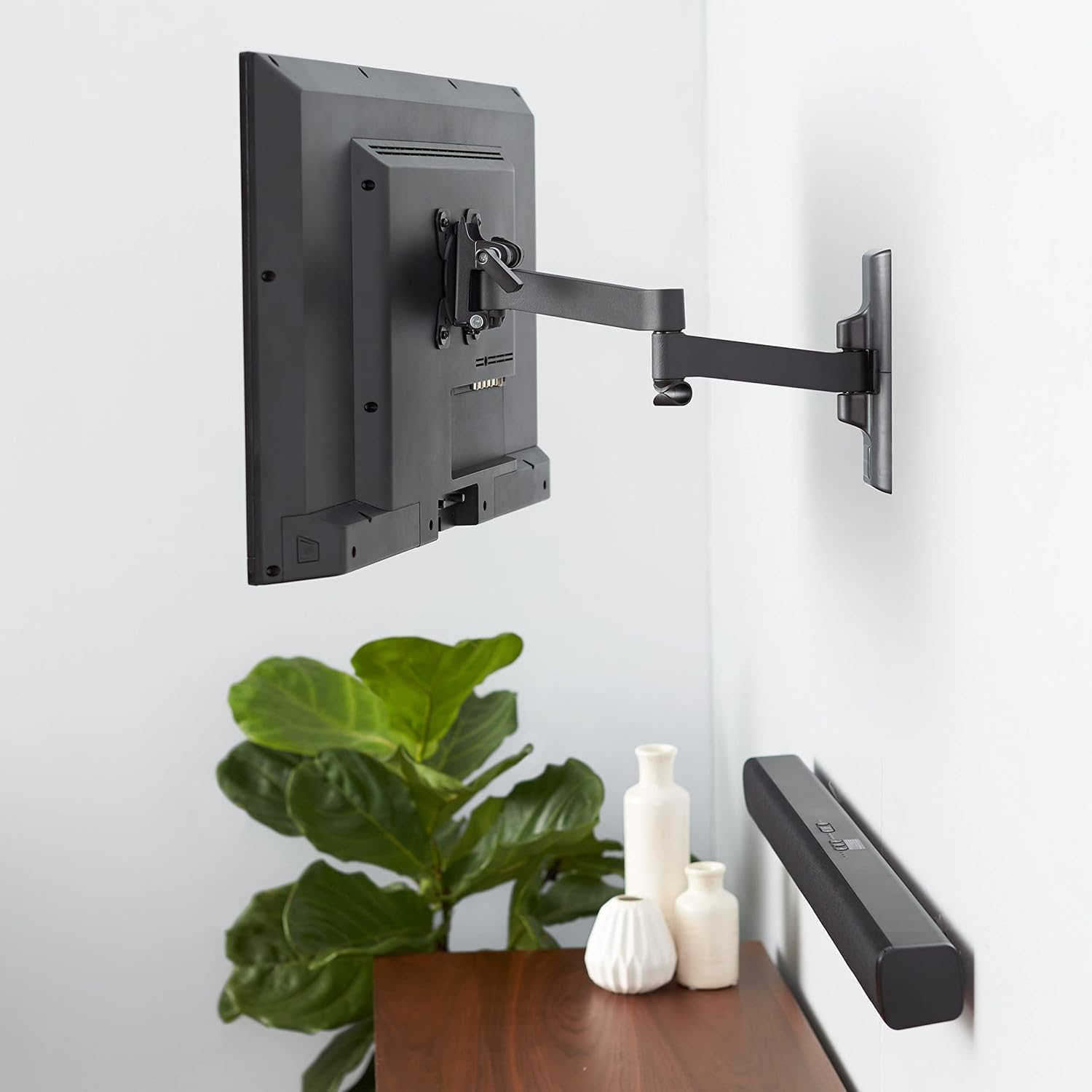
ອະດີດample of the AmazonBasics TV wall mount installed in a home setting, securely holding a television on the wall and demonstrating its aesthetic integration and functional use.
Operating the Mount (Adjustments)
Your full motion articulating TV wall mount allows for various adjustments to achieve the best viewມຸມ ing.
- ສ່ວນຂະຫຍາຍ: Gently pull the TV away from the wall to extend the articulating arm. The mount can extend up to 16.1 inches (40.89 cm).
- ໝູນ: Rotate the TV left or right to adjust the horizontal viewມຸມ ing.
- ອຽງ: Loosen the tilt adjustment knobs (if present) on the TV brackets, adjust the TV to the desired vertical angle (+15 to -3 degrees), and then re-tighten the knobs to secure the position.

This diagram details the mount's versatility, showing it extends up to 16.1 inches (40.89 cm) from the wall, accommodates 12- to 39-inch TVs (up to 40 pounds/18 kg), and offers a tiltable range of -3 to +15 degrees.
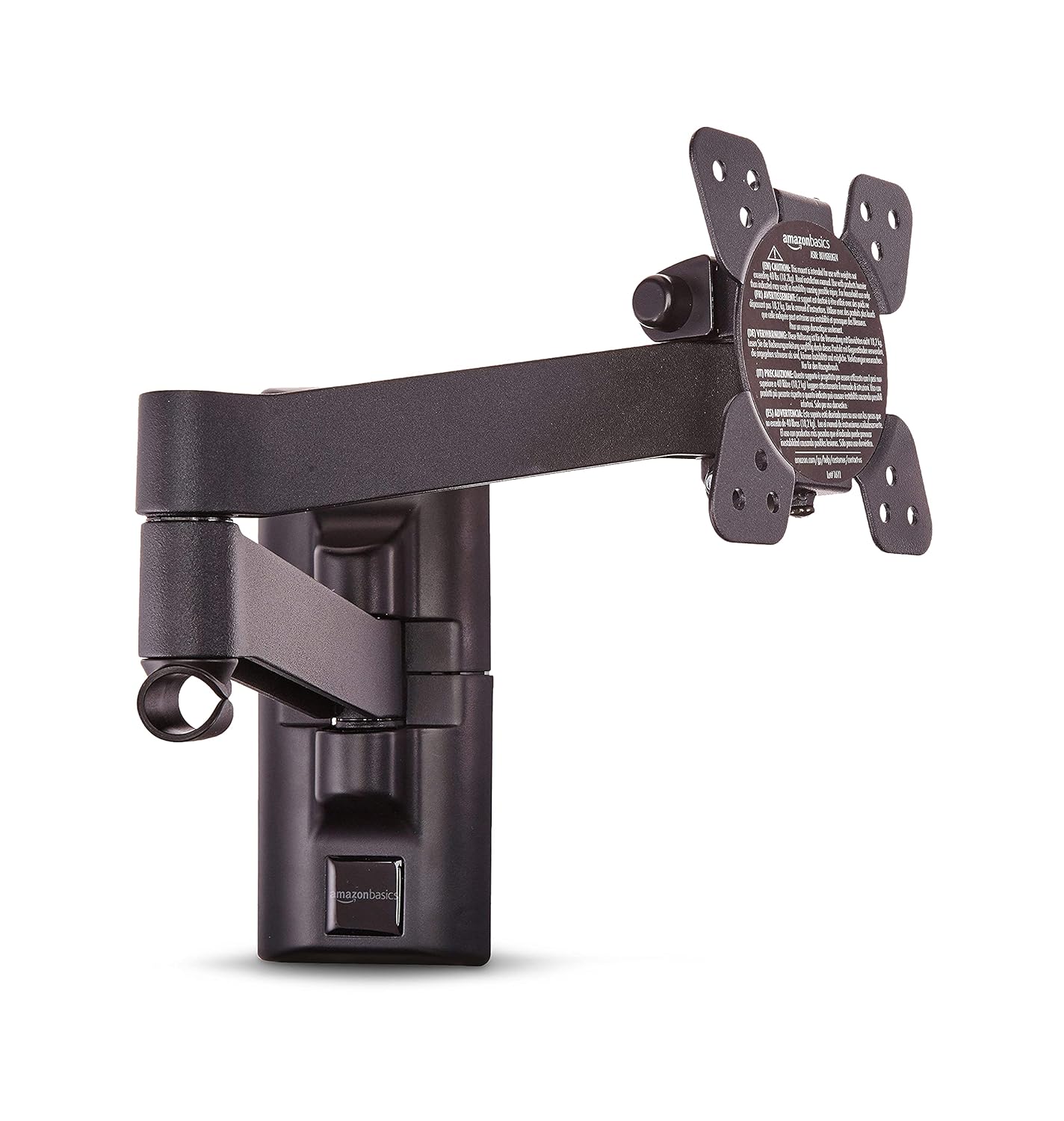
The AmazonBasics TV wall mount is shown fully extended, demonstrating its articulating arm capability to position the TV further from the wall for flexible viewມຸມ.
ການຄຸ້ມຄອງສາຍໄຟ:
Utilize the integrated cable management system to route and conceal cables for a neat and organized appearance. Secure cables along the articulating arm to prevent snagging during adjustments.
ບໍາລຸງຮັກສາ
- ກວດສອບສະກູ ແລະ ນັອດທັງໝົດເປັນໄລຍະເພື່ອຮັບປະກັນວ່າພວກມັນແໜ້ນ ແລະ ແໜ້ນໜາ.
- ເຮັດຄວາມສະອາດ mount ດ້ວຍຜ້າອ່ອນ, ແຫ້ງ. ຫຼີກລ້ຽງການເຮັດຄວາມສະອາດຂັດຫຼືສານລະລາຍ.
- Ensure no cables are pinched or stressed during TV adjustments.
ການແກ້ໄຂບັນຫາ
- ໂທລະພາບບໍ່ແມ່ນລະດັບ: Check the wall plate installation with a bubble level. Adjust if necessary by slightly loosening and re-tightening the wall plate screws.
- Mount ຮູ້ສຶກບໍ່ຫມັ້ນຄົງ: Re-check all mounting screws on both the wall plate and the TV brackets. Ensure the wall structure is adequate for the weight. Do not exceed the maximum weight capacity of 18 kg (40 lbs).
- ຄວາມຫຍຸ້ງຍາກໃນການປັບໂທລະພາບ: Ensure no cables are obstructing movement. Check if any adjustment knobs (for tilt) are overtightened.
ຂໍ້ມູນຈໍາເພາະ
| ຄຸນສົມບັດ | ຂໍ້ມູນຈໍາເພາະ |
|---|---|
| ຍີ່ຫໍ້ | AmazonBasics |
| ຕົວແບບ | PBH-991 |
| ຂະໜາດໂທລະພາບທີ່ເຂົ້າກັນໄດ້ | 12 ນິ້ວ ຫາ 39 ນິ້ວ |
| ຄວາມອາດສາມາດນ້ໍາຫນັກສູງສຸດ | 18 ກິໂລ (40 ປອນ) |
| ຄວາມເຂົ້າກັນໄດ້ຂອງ VESA | 75x75mm, 100x100mm, 200x100mm, 200x200mm |
| ຊ່ວງອຽງ | +15 ຫາ -3 ອົງສາ |
| ສ່ວນຂະຫຍາຍຈາກ Wall | ສູງສຸດ 16.1 ນິ້ວ (40.89 ຊຕມ) |
| ວັດສະດຸ | ເຫຼັກໂລຫະປະສົມ |
| ຂະໜາດສິນຄ້າ | 42.21 x 22 x 22 cm (ພັບ) |
| ນ້ໍາຫນັກລາຍການ | 1.54 ກິໂລ |
ຮັບປະກັນ
This AmazonBasics TV Wall Mount comes with a 1-year limited warranty from the date of purchase. This warranty covers manufacturing defects under normal use. For warranty claims or details, please contact customer support.
ການຊ່ວຍເຫຼືອລູກຄ້າ
For assistance, troubleshooting, or warranty inquiries, please contact:
Cloudtail India Private Limited
Customer Support Desk
6th & 7th Floor, Divyasree Chambers, ‘B’ Wing, #11, O’Shaugnessy Road, Langford Town, Bangalore, Karnataka - 560025.
ເບີໂທ: 18004190416
ອີເມວ: cloudtail@blubirch.com
Ask a question about this manual
Ask about setup, troubleshooting, compatibility, parts, safety, or missing instructions. Manuals+ will review the question and use this page’s manual context to help answer it.