
1. ການແນະນໍາ ແລະຫຼາຍກວ່າview
The Epson Home Cinema 5040UB is a high-performance 3LCD projector designed to deliver an exceptional home theater experience. It features 4K Enhancement Technology, which accepts 4K UHD content and upscales non-4K content for lifelike images. The advanced 3-Chip 3LCD design ensures accurate color reproduction without a color wheel, white segment, or rainbow effect.
Key features include HDR10 support, L*a*b* Ultra Wide Color Gamut for extraordinary color, 2,500 lumens of equal color and white brightness for vibrant images, and an UltraBlack contrast ratio of up to 1,000,000:1 for deep blacks and detailed dark scenes.

Figure 1: Epson Home Cinema 5040UB Projector - At a Glance. This image highlights the projector's PRO-UHD, 4Ke, HDR10, 1,000,000:1 Contrast Ratio, 2,500 Lumens Color Brightness, and 2,500 Lumens White Brightness, along with additional features like Ultra Wide Color Gamut and 100% Balanced Color Brightness.
2. ສິ່ງທີ່ຢູ່ໃນກ່ອງ
Carefully unpack the box and ensure all items listed below are present:
- Epson Home Cinema 5040UB Projector
- ສາຍໄຟ
- Remote control with AA batteries
- 2x HDMI® cable clamps
- Quick Setup Guide and CD with User Guide Link

Figure 2: Included Accessories. This image displays the projector, power cord, remote control with batteries, HDMI cable clamps, and the Quick Setup Guide with User Guide CD.
3. ຕັ້ງຄ່າ
Follow these general steps to set up your projector:
- ການຈັດວາງ: Position the projector on a stable, flat surface or mount it to the ceiling. Ensure adequate ventilation around the unit.
- ການເຊື່ອມຕໍ່ພະລັງງານ: Connect the power cord to the projector and then to a power outlet.
- ການເຊື່ອມຕໍ່ແຫຼ່ງ: Connect your video source (e.g., Blu-ray player, gaming console, streaming device) to the projector using an appropriate HDMI cable.
- ເປີດ: ກົດປຸ່ມເປີດປິດຢູ່ໂປເຈັກເຕີ ຫຼືຣີໂໝດຄວບຄຸມເພື່ອເປີດເຄື່ອງ.
- ໂຟກັສ ແລະ ຊູມ: Adjust the focus and zoom rings on the lens to achieve a clear and sharp image that fills your screen.
- Lens Shift: Use the lens shift controls to fine-tune the image position vertically and horizontally without moving the projector.
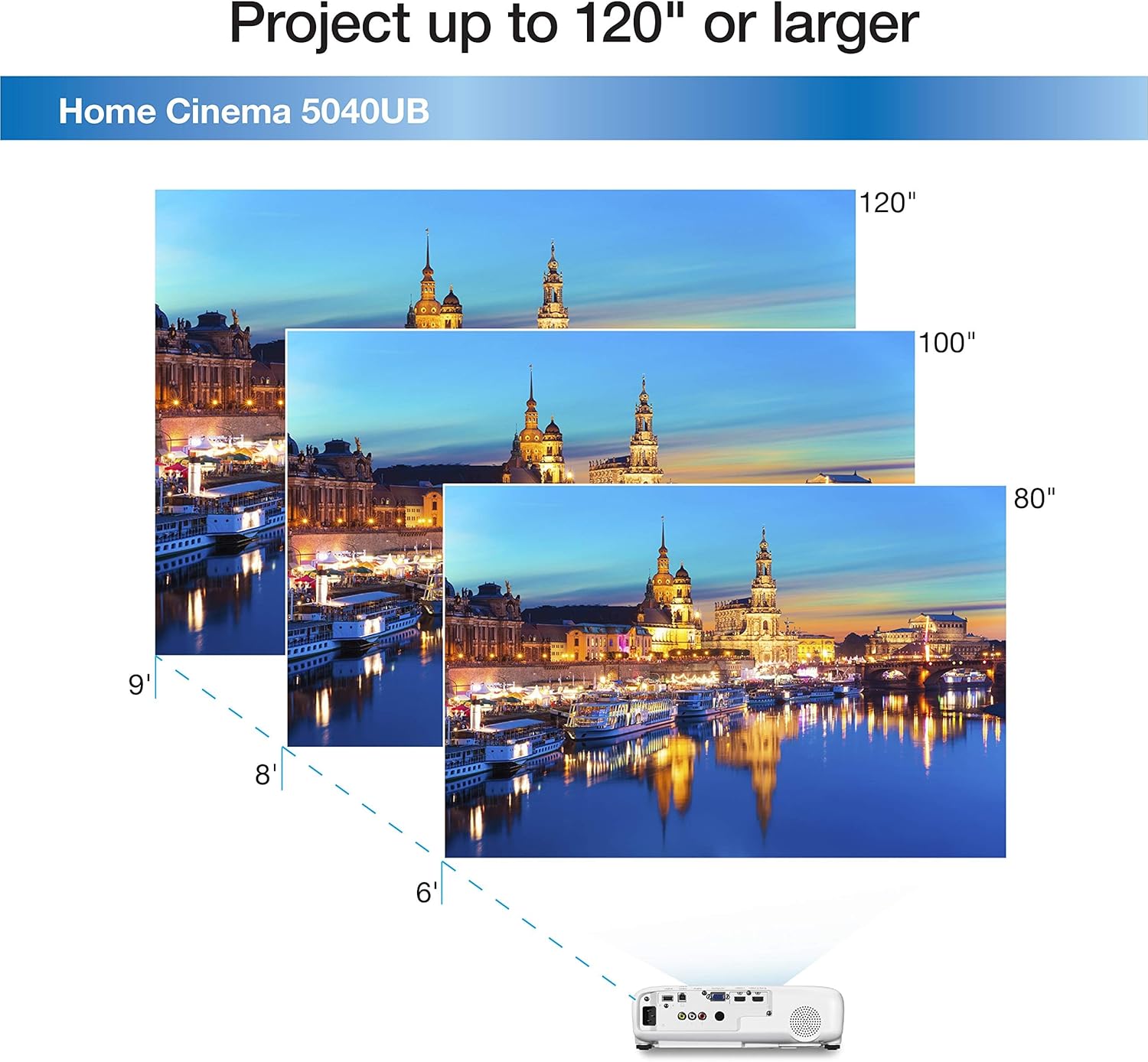
Figure 3: Projector in a Home Environment. This image shows the projector mounted on a ceiling, projecting a large image onto a screen in a living room setup.
4. ການເຊື່ອມຕໍ່
The Epson Home Cinema 5040UB offers a variety of connectivity options to integrate with your existing home entertainment system:
- HDMI: Two HDMI ports (HDCP 2.2 and HDCP 1.4) for connecting high-definition sources like Blu-ray players, gaming consoles, and streaming devices.
- USB: USB Type A and Mini USB (service only) ports.
- ເຄືອຂ່າຍ LAN (RJ-45): ສໍາລັບການເຊື່ອມຕໍ່ເຄືອຂ່າຍ.
- Computer/D-sub 15 pin: ສໍາລັບການເຊື່ອມຕໍ່ກັບຄອມພິວເຕີ.
- RS-232c: ສໍາລັບການເຊື່ອມໂຍງລະບົບການຄວບຄຸມ.
- Trigger out 12 V DC: ສູງສຸດ 200 mA.

Figure 4: Connectivity Options. This image illustrates the various input and output ports on the projector, along with examples of compatible devices such as tablets, smartphones, laptops, game consoles, and Blu-ray players.
5. ຄໍາແນະນໍາການດໍາເນີນງານ
Refer to the Quick Setup Guide for initial power-on and basic navigation. The projector can be controlled via the included remote control or the buttons on the unit itself. Use the menu system to adjust picture settings, input sources, and other advanced features.
The projector supports a wide range of image sizes, from 6.7 inches minimum to 300 inches maximum, allowing flexibility for various room sizes and viewໃນຄວາມມັກ.
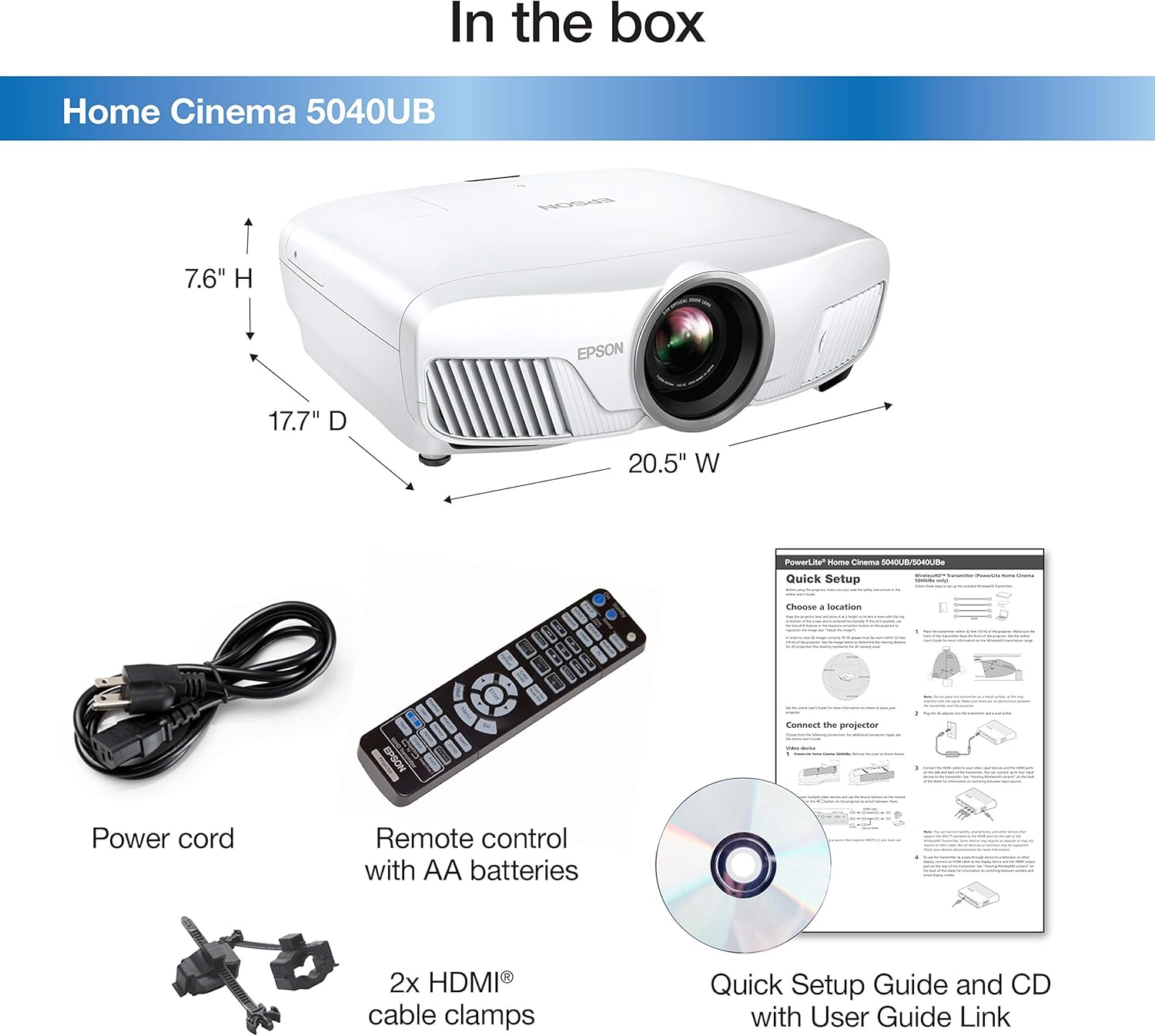
Figure 5: Flexible Projection Sizes. This image demonstrates the projector's capability to project images of different sizes, from 80 inches to 120 inches, suitable for various viewໃນໄລຍະຫ່າງ.
Video 1: Epson Home Cinema 5040UBe Overview. ວິດີໂອນີ້ສະຫນອງການທົ່ວໄປview of the Epson Home Cinema 5040UBe, a similar model to the 5040UB, showcasing its features and capabilities as a 3LCD home theater projector with 4K Enhancement and HDR10.
6. ບໍາລຸງຮັກສາ
To ensure optimal performance and longevity of your Epson Home Cinema 5040UB projector, regular maintenance is recommended:
- ການອະນາໄມເລນ: Gently wipe the projector lens with a soft, lint-free cloth. Avoid using abrasive cleaners.
- ການເຮັດຄວາມສະອາດ/ການປ່ຽນໄສ້ກອງອາກາດ: Periodically clean or replace the air filter to prevent dust buildup, which can affect performance and lamp life. Refer to the full user manual for specific instructions.
- Lamp ຊີວິດ: The light source has an operating life of up to 5000 hours. Replace the lamp when the indicator light suggests it or when brightness significantly decreases.
7. ການແກ້ໄຂບັນຫາ
If you encounter any issues with your projector, consult the full user manual for detailed troubleshooting steps. Common issues may include:
- ບໍ່ມີຮູບພາບສະແດງ
- ຮູບພາບມົວຫຼືບິດເບືອນ
- Color abnormalities
- ການຄວບຄຸມໄລຍະໄກບໍ່ຕອບສະຫນອງ
- Overheating warnings
For persistent problems, contact Epson customer support.
8. ຂໍ້ມູນຈໍາເພາະ
| ຄຸນສົມບັດ | ລາຍລະອຽດ |
|---|---|
| ຍີ່ຫໍ້ | Epson |
| ຊື່ຕົວແບບ | 5040UB |
| ປະເພດການສະແດງ | ຈໍ LCD |
| ຄວາມລະອຽດເດີມ | 2049 x 1080 |
| ການສະແດງຄວາມລະອຽດສູງສຸດ | 1920 x 1080p |
| ຄວາມສະຫວ່າງ | 2500 lumen |
| ອັດຕາສ່ວນກົງກັນຂ້າມ | 1000000:1 |
| ເຕັກໂນໂລຊີການເຊື່ອມຕໍ່ | HDMI, USB, Mini USB, LAN, Computer/D-sub 15 pin, RS-232c |
| ຊີວິດການດໍາເນີນງານຂອງແຫຼ່ງແສງສະຫວ່າງ | 5000 ຊົ່ວໂມງ |
| ຂະໜາດຮູບພາບສູງສຸດ | 300 ນິ້ວ |
| ຂະໜາດລາຍການ L x W x H | 20.5"L x 17.7"W x 7.6"H |
| ນ້ໍາຫນັກລາຍການ | 24.3 ປອນ |
9. ການຮັບປະກັນແລະການສະຫນັບສະຫນູນ
The Epson Home Cinema 5040UB is covered by an Epson warranty. For specific details regarding warranty coverage, terms, and conditions, please refer to the warranty documentation included with your product or visit the official Epson webເວັບໄຊ.
For technical assistance, troubleshooting, or service inquiries, please contact Epson customer support. Support contact information can typically be found in your user manual or on the Epson webເວັບໄຊ.