
ແນະນຳ
The HyperGear Rave Wireless Stereo Speaker delivers high-fidelity sound with an interactive multi-colored LED light show. It features Bluetooth connectivity, a built-in speakerphone, and an FM radio, making it suitable for various audio needs.
ເນື້ອໃນຊຸດ
- Rave Wireless Speaker
- 3.5mm Stereo Auxiliary Cable
- ສາຍສາກ Micro USB
- ຄູ່ມືຜູ້ໃຊ້ (ເອກະສານນີ້)

ສິນຄ້າເກີນview
ຄຸ້ນເຄີຍກັບການຄວບຄຸມ ແລະ ພອດຂອງລຳໂພງ.

ປຸ່ມຄວບຄຸມ
- ປຸ່ມເປີດປິດ: ກົດຄ້າງໄວ້ເພື່ອເປີດ ຫຼືປິດລຳໂພງ.
- ປຸ່ມໂໝດ (M): ກົດເພື່ອສະຫຼັບລະຫວ່າງໂໝດ Bluetooth, ວິທະຍຸ FM ແລະ AUX.
- Play/Pause Button (►/∕): Press to play or pause audio. In call mode, press to answer/end calls.
- Volume Down / Previous Track (-/◀◀): ກົດເພື່ອຫຼຸດລະດັບສຽງ. ກົດຄ້າງໄວ້ເພື່ອໄປທີ່ເພງກ່ອນໜ້າ.
- Volume Up / Next Track (+/►►): ກົດເພື່ອເພີ່ມລະດັບສຽງ. ກົດຄ້າງໄວ້ເພື່ອໄປເພງຕໍ່ໄປ.
- ປຸ່ມໂໝດໄຟ (*): Press to cycle through different LED light patterns or turn off the light show.
ທ່າເຮືອ
- ພອດສາກ Micro USB: ສໍາລັບການສາກໄຟຫມໍ້ໄຟພາຍໃນຂອງລໍາໂພງ.
- 3.5mm AUX Input: ສຳລັບການເຊື່ອມຕໍ່ອຸປະກອນສຽງພາຍນອກຜ່ານສາຍຊ່ວຍ.
ຕັ້ງຄ່າ
ກຳລັງສາກລຳໂພງ
Before first use, fully charge the speaker. Connect the Micro USB charging cable to the speaker's charging port and the other end to a USB power adapter (not included) or a computer's USB port. The charging indicator light will illuminate during charging and turn off when fully charged. A full charge takes approximately 3-4 hours and provides up to 8 hours of playback.
ເປີດ/ປິດ
ກົດຄ້າງໄວ້ ປຸ່ມເປີດປິດ for approximately 3 seconds to turn the speaker on or off. A voice prompt will indicate the power status.
ຄໍາແນະນໍາການດໍາເນີນງານ
ການຈັບຄູ່ Bluetooth
- ໃຫ້ແນ່ໃຈວ່າລຳໂພງເປີດຢູ່ ແລະ ຢູ່ໃນໂໝດ Bluetooth. ຖ້າບໍ່, ໃຫ້ກົດປຸ່ມ ປຸ່ມໂໝດ (M) until you hear the Bluetooth pairing prompt. The LED indicator will flash, indicating it is ready to pair.
- ໃນອຸປະກອນມືຖືຂອງທ່ານ, ເປີດໃຊ້ Bluetooth ແລະຊອກຫາອຸປະກອນທີ່ມີຢູ່.
- Select "HyperGear Rave" from the list of devices.
- Once paired, the speaker will emit a confirmation tone, and the LED indicator will stop flashing.

ຫຼີ້ນດົນຕີ
ແບບ Bluetooth
After successful pairing, you can play music from your connected device. Use the speaker's ຫຼິ້ນ/ຢຸດຊົ່ວຄາວ, ເພີ່ມສຽງຂຶ້ນ/ຕິດຕາມຖັດໄປ, ແລະ ຫຼຸດລະດັບສຽງລົງ/ເພງກ່ອນ ໜ້າ buttons to control playback, or control directly from your device.
ແບບ AUX
Connect one end of the 3.5mm auxiliary cable to the speaker's AUX input and the other end to the audio output of your external device. Press the ປຸ່ມໂໝດ (M) to switch to AUX mode. Audio will play directly from your connected device.
ໂທຟຣີ
When connected via Bluetooth, the speaker can be used as a speakerphone. When a call comes in, the music will pause. Press the ປຸ່ມຫຼິ້ນ/ຢຸດຊົ່ວຄາວ to answer an incoming call. Press it again to end the call. Press and hold the ປຸ່ມຫຼິ້ນ/ຢຸດຊົ່ວຄາວ ປະຕິເສດການໂທເຂົ້າ.
ການດໍາເນີນງານວິທະຍຸ FM
ກົດ ປຸ່ມໂໝດ (M) to switch to FM Radio mode. The speaker will automatically scan and save available stations. Use the ເພີ່ມສຽງຂຶ້ນ/ຕິດຕາມຖັດໄປ ແລະ ຫຼຸດລະດັບສຽງລົງ/ເພງກ່ອນ ໜ້າ buttons to navigate between saved stations. Press and hold these buttons to fine-tune the frequency.
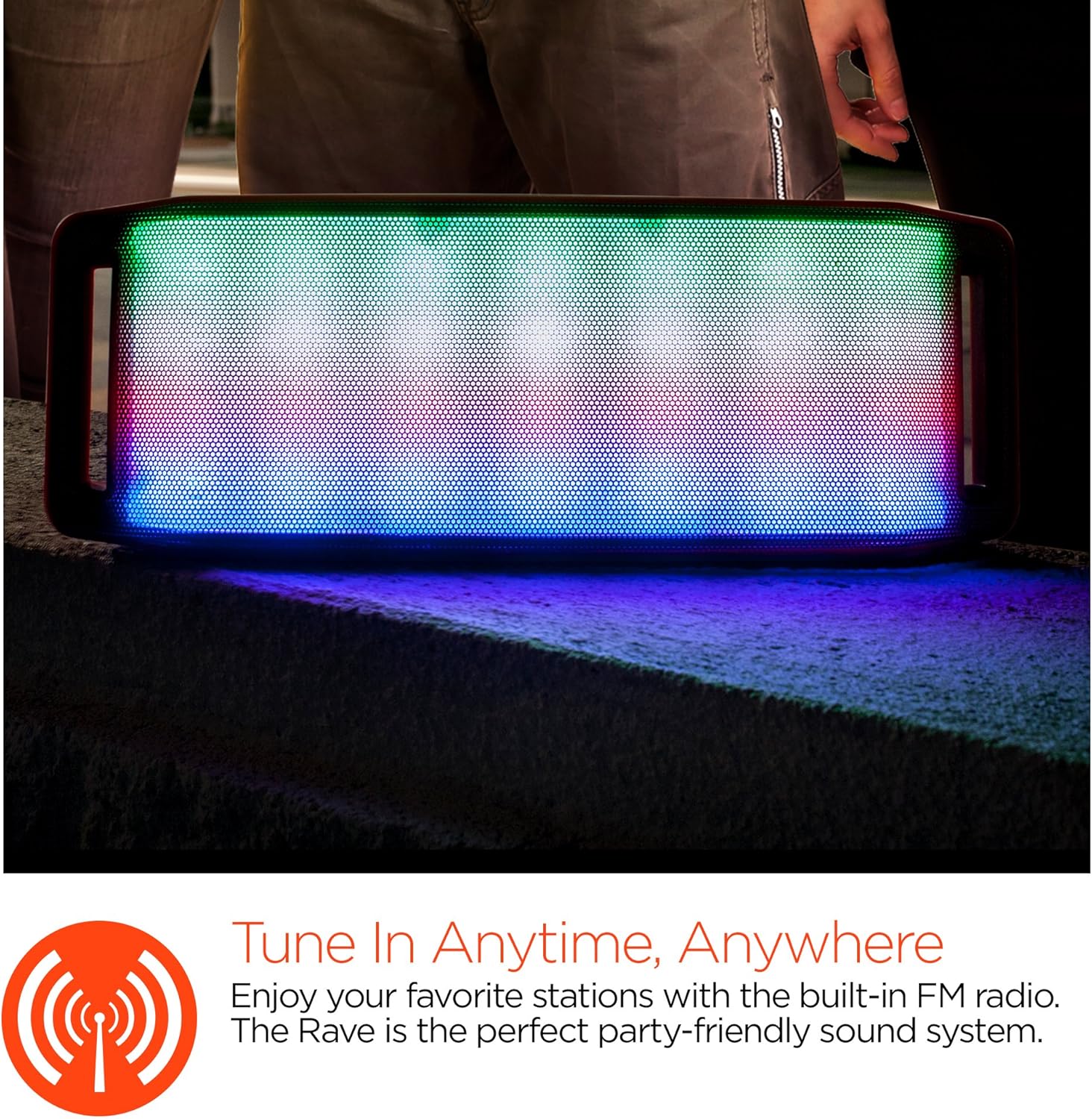
ການສະແດງໄຟ LED
The speaker features an interactive multi-colored LED light show. Press the Light Mode Button (*) to cycle through different light patterns or to turn the light show off.

ບໍາລຸງຮັກສາ
ທໍາຄວາມສະອາດ
Wipe the speaker with a soft, dry cloth. Do not use abrasive cleaners or solvents. Avoid exposing the speaker to excessive moisture.
ການເກັບຮັກສາ
ເກັບຮັກສາລຳໂພງໄວ້ໃນບ່ອນທີ່ເຢັນ, ແຫ້ງ, ຫ່າງຈາກແສງແດດໂດຍກົງ ແລະ ອຸນຫະພູມທີ່ຮ້າຍກາດ. ຖ້າເກັບຮັກສາໄວ້ເປັນເວລາດົນ, ໃຫ້ສາກແບັດເຕີຣີເປັນໄລຍະໆເພື່ອຮັກສາອາຍຸຂອງມັນ.
ການດູແລຫມໍ້ໄຟ
To prolong battery life, avoid fully discharging the speaker frequently. Charge the speaker regularly, even if not in use, to prevent deep discharge.
ການແກ້ໄຂບັນຫາ
| ບັນຫາ | ສາເຫດທີ່ເປັນໄປໄດ້ | ການແກ້ໄຂ |
|---|---|---|
| ລຳໂພງບໍ່ເປີດ. | ແບັດເຕີຣີໝົດ. | ສາກລຳໂພງໂດຍໃຊ້ສາຍ Micro USB. |
| ບໍ່ສາມາດຈັບຄູ່ຜ່ານ Bluetooth ໄດ້. | ລຳໂພງບໍ່ໄດ້ຢູ່ໃນໂໝດຈັບຄູ່; Bluetooth ປິດຢູ່ໃນອຸປະກອນ; ອຸປະກອນຢູ່ໄກເກີນໄປ. | Ensure speaker is in Bluetooth pairing mode (flashing LED). Turn on Bluetooth on your device. Move device closer to speaker (within 10 meters). |
| ບໍ່ມີສຽງ. | Volume is too low; incorrect mode selected; device not playing. | Increase volume on both speaker and connected device. Ensure correct mode (Bluetooth/AUX/FM) is selected. Verify audio is playing on the source device. |
| ການບິດເບືອນສຽງ. | ປະລິມານສູງເກີນໄປ; ຫມໍ້ໄຟຕ່ໍາ; ແຊກແຊງ. | ຫຼຸດສຽງລົງ. ສາກໄຟລຳໂພງ. ຍ້າຍລຳໂພງອອກຈາກອຸປະກອນເອເລັກໂຕຣນິກອື່ນໆ. |
| ການຮັບວິທະຍຸ FM ແມ່ນບໍ່ດີ. | ສັນຍານອ່ອນ; ການແຊກແຊງສິ່ງແວດລ້ອມ. | Relocate the speaker to an area with better reception. Extend the charging cable (if connected) as it can act as an antenna. |
ຂໍ້ມູນຈໍາເພາະ
| ຄຸນສົມບັດ | ລາຍລະອຽດ |
|---|---|
| ໝາຍເລກຕົວແບບ | 13604 |
| ລຸ້ນ Bluetooth | 3.0 ± EDR |
| ລຳໂພງກຳລັງອອກ | 2 x 5W (ທັງໝົດ 10W) |
| ອັດຕາສ່ວນສັນຍານຫາສຽງລົບກວນ (S/N) | 80dB |
| ຄວາມອາດສາມາດຫມໍ້ໄຟ | 1500mAh |
| ເວລາຫຼິ້ນ | ສູງສຸດ 8 ຊົ່ວໂມງ |
| ຊ່ວງ Bluetooth | ເຖິງ 33ft / 10m |
| ເຕັກໂນໂລຊີການເຊື່ອມຕໍ່ | Bluetooth, Wireless |
| ຮູບແບບການອອກສຽງ | ສະເຕຣິໂອ |
| ວິທີການຄວບຄຸມ | ແຕະ |
| ນ້ຳໜັກ | 2.25 ປອນ |
| ຄຸນນະສົມບັດພິເສດ | Bass Boost, Display, Multi-colored LED Light Show, Built-in Speakerphone, FM Radio |
ການຮັບປະກັນແລະການສະຫນັບສະຫນູນ
For warranty information or technical support, please refer to the contact details provided on the product packaging or visit the official HYPERGEAR webເວັບໄຊ. ຮັກສາໃບຮັບເງິນການຊື້ຂອງທ່ານໄວ້ເປັນຫຼັກຖານການຊື້.