
1. ບົດແນະນຳ
ຂອບໃຈສໍາລັບການຊື້asing the Cheerlux C6 Mini Portable LED Home Cinema Projector. This manual provides essential information for the safe and efficient operation of your projector. Please read it thoroughly before use and retain it for future reference.
2. ຜະລິດຕະພັນເກີນview
The Cheerlux C6 is a compact and portable LED projector designed for home cinema use. It features an integrated speaker and multiple connectivity options.
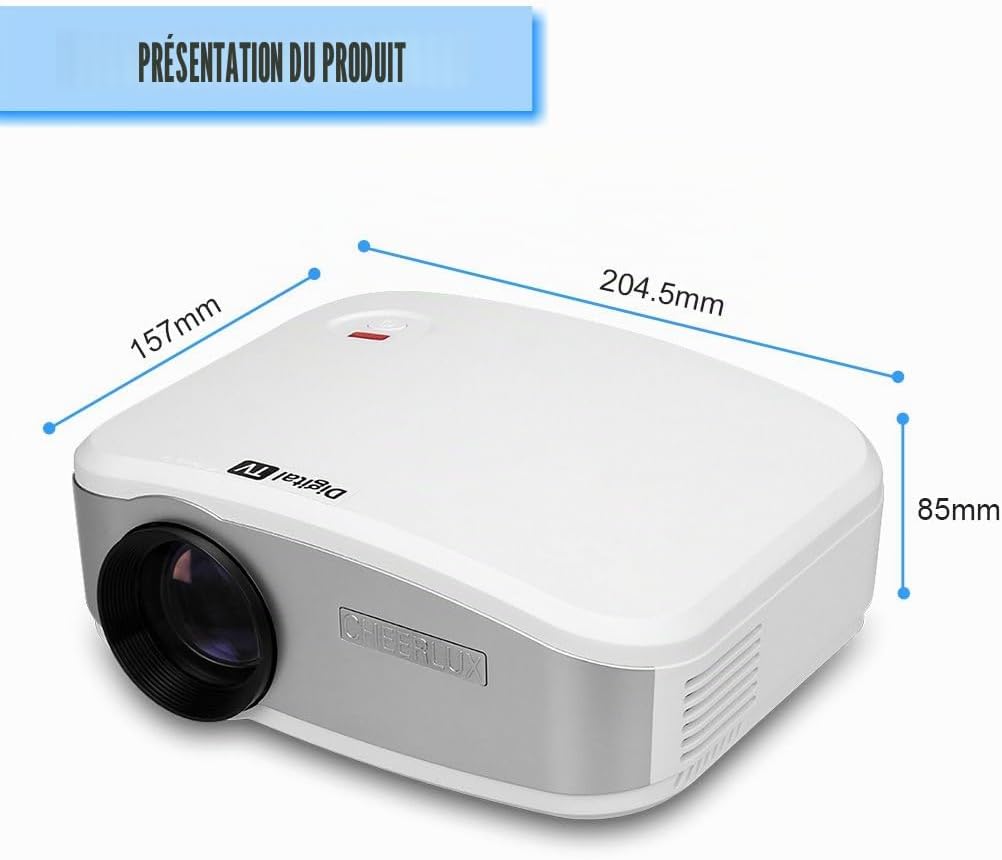
ຮູບທີ 2.1: ດ້ານໜ້າ view of the Cheerlux C6 projector with its dimensions (204.5mm x 157mm x 85mm).
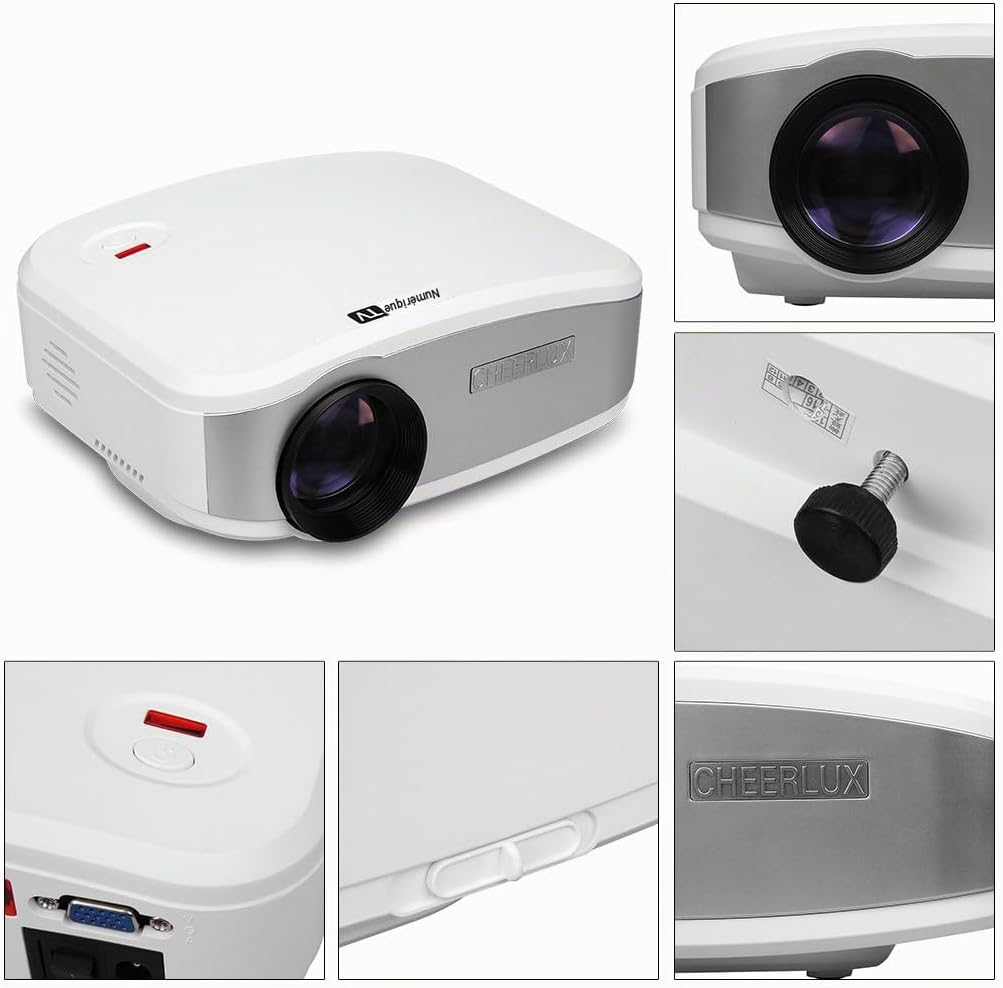
ຮູບທີ 2.2: ລະອຽດ views highlighting the projector's design, lens, power button, and branding.
2.1 ເນື້ອໃນຊຸດ
ກວດສອບວ່າລາຍການທັງຫມົດແມ່ນມີຢູ່ໃນຊຸດ:
- ໂປເຈັກເຕີ Cheerlux C6
- Power Adapter
- Video Cable (AV cable)
- ການຄວບຄຸມໄລຍະໄກ
- ຄູ່ມືຜູ້ໃຊ້ (ເອກະສານນີ້)

ຮູບທີ 2.3: Standard accessories included with the Cheerlux C6 projector.
2.2 Projector Ports and Controls

ຮູບທີ 2.4: Rear panel connections and controls.
- ການປ້ອນຂໍ້ມູນໂທລະພາບ: For connecting to an antenna or cable TV source.
- ພອດ USB: For connecting USB storage devices (e.g., flash drives) to play media files.
- HDMI Port: For connecting high-definition devices such as laptops, game consoles, or Blu-ray players.
- 3.5mm ສຽງອອກ: ສໍາລັບການເຊື່ອມຕໍ່ລໍາໂພງພາຍນອກຫຼືຫູຟັງ.
- ຕົວຮັບ IR: ເຄື່ອງຮັບອິນຟາເລດສໍາລັບການຄວບຄຸມໄລຍະໄກ.
- ການປ້ອນຂໍ້ມູນ AV: For connecting devices using a composite video and stereo audio cable.
- ຜອດ VGA: For connecting computers or laptops with a VGA output.
- ສັບປ່ຽນພະລັງງານ: Main power on/off switch.
- ການແກ້ໄຂ Keystone: Manual adjustment for image distortion.
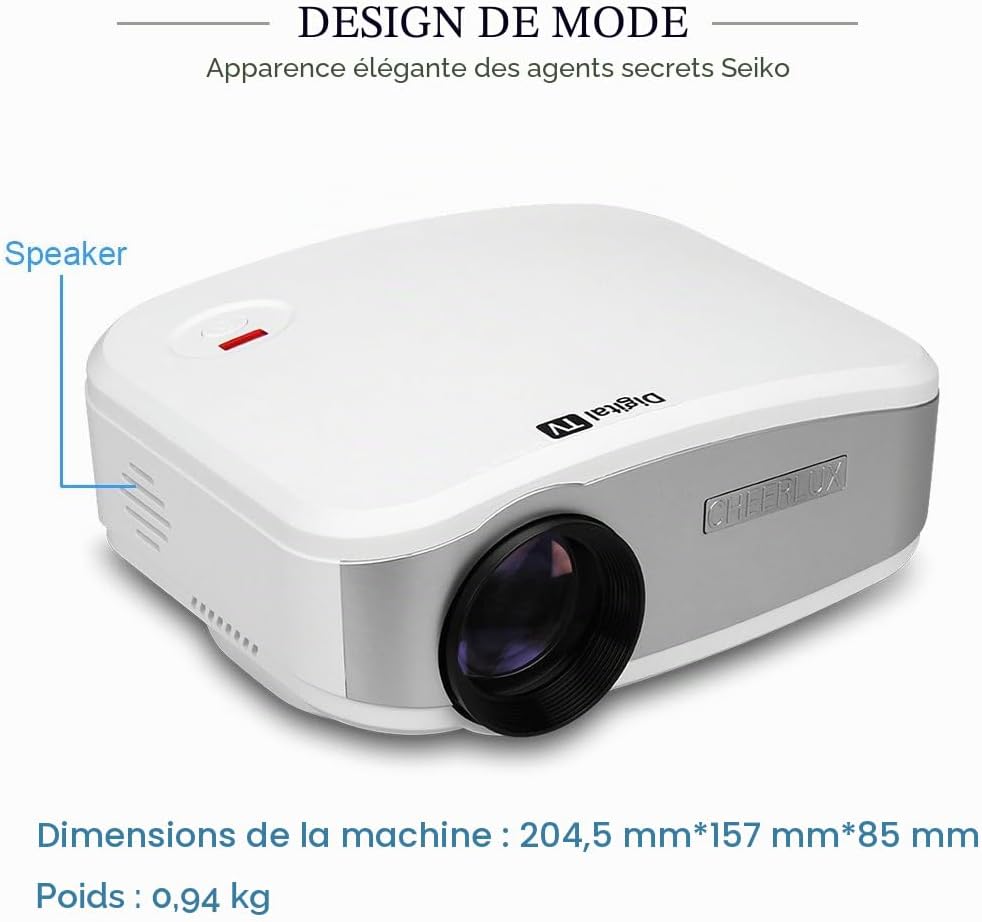
ຮູບທີ 2.5: ຂ້າງ view indicating the location of the integrated speaker.
3. ຕັ້ງຄ່າ
3.1 ການຈັດວາງ
Place the projector on a stable, flat surface. Ensure there is adequate ventilation around the projector to prevent overheating. The projection distance will determine the image size. Adjust the distance to achieve your desired screen size.
3.2 ການເຊື່ອມຕໍ່ພະລັງງານ
- ເຊື່ອມຕໍ່ອະແດບເຕີໄຟຟ້າເຂົ້າກັບຊ່ອງສຽບພະລັງງານຂອງໂປເຈັກເຕີ.
- ສຽບອະແດບເຕີໄຟເຂົ້າໄປໃນບ່ອນສຽບໄຟຟ້າທີ່ເຫມາະສົມ.
- Flip the main power switch (located on the rear panel) to the "ON" position. The power indicator light should illuminate.
3.3 ການເປີດເຄື່ອງເບື້ອງຕົ້ນ ແລະ ການປັບໂຟກັດ
- ກົດປຸ່ມເປີດປິດຢູ່ໂປເຈັກເຕີ ຫຼືຣີໂມດຄວບຄຸມເພື່ອເປີດເຄື່ອງ.
- Project an image onto a screen or wall.
- ໝຸນວົງການໂຟກັສໃສ່ເລນໂປເຈັກເຕີ ຈົນກວ່າພາບຈະປາກົດຄົມຊັດ ແລະຊັດເຈນ.
- If the image appears trapezoidal, use the keystone correction knob (located on the rear panel) to adjust the image geometry until it is rectangular.
4. ຄໍາແນະນໍາການດໍາເນີນງານ
4.1 ການດໍາເນີນງານການຄວບຄຸມໄລຍະໄກ
The included remote control allows for convenient operation of the projector from a distance. Ensure the remote is pointed towards the IR receiver on the projector's rear panel.
ຮູບທີ 4.1: The remote control for navigating menus and functions.
- ປຸ່ມເປີດປິດ: ເປີດ ຫຼືປິດໂປຣເຈັກເຕີ.
- ປຸ່ມທີ່ມາ: Selects the input source (HDMI, VGA, USB, AV, TV).
- ປຸ່ມລູກສອນ: ນຳທາງຜ່ານເມນູ ແລະຕົວເລືອກຕ່າງໆ.
- ຕົກລົງ/ໃສ່ປຸ່ມ: ຢືນຢັນການເລືອກ.
- ປຸ່ມເມນູ: ເຂົ້າເຖິງເມນູການຕັ້ງຄ່າຕົ້ນຕໍ.
- ປຸ່ມລະດັບສຽງ: ປັບລະດັບສຽງ.
- ປິດສຽງ: ປິດສຽງ ຫຼືປິດສຽງ.
4.2 ການເລືອກແຫຼ່ງປ້ອນຂໍ້ມູນ
After connecting your desired device, press the "Source" button on the remote control or the projector's control panel to cycle through available input sources (HDMI, VGA, USB, AV, TV) until your device's signal is displayed.
4.3 ເມນູນໍາທາງ ແລະການຕັ້ງຄ່າ
Press the "Menu" button to access the projector's settings. Use the arrow keys to navigate and the "OK" button to select. Common settings include:
- ການຕັ້ງຄ່າຮູບ: Adjust brightness, contrast, color, sharpness, and aspect ratio.
- ການຕັ້ງຄ່າສຽງ: Adjust volume, sound mode, and balance.
- ການຕັ້ງຄ່າເວລາ: Set sleep timer or clock.
- ການຕັ້ງຄ່າທາງເລືອກ: Language, factory reset, software update.
5. ການເຊື່ອມຕໍ່
The Cheerlux C6 projector offers various connection options to suit different devices.

ຮູບທີ 5.1: Examples of compatible devices for the Cheerlux C6 projector.
- HDMI: Connect to laptops, desktop computers, game consoles (e.g., PS3), Blu-ray players, and TV decoders for high-quality digital video and audio.
- VGA: Connect to older desktop computers or laptops for analog video signals.
- USB: Insert a USB flash drive to play supported media files (videos, photos, music, text documents) directly from the drive.
- AV (ວິດີໂອປະກອບ): Connect to DVD players, VCRs, older game consoles, or cameras using the included AV cable for standard definition video and stereo audio.
- ໂທລະພາບ: Connect an antenna or cable TV source to watch broadcast television channels.
- 3.5mm ສຽງອອກ: Connect external speakers or headphones for enhanced audio experience. The projector has an integrated speaker, but external audio devices can be used for louder or higher quality sound.
6. ບໍາລຸງຮັກສາ
6.1 ການເຮັດຄວາມສະອາດເລນ
ໃຊ້ຜ້າອ່ອນໆທີ່ບໍ່ມີຂົນທີ່ອອກແບບມາສະເພາະສຳລັບເລນ optical ເພື່ອເຊັດເລນໂປເຈັກເຕີຢ່າງອ່ອນໂຍນ. ຢ່າໃຊ້ນໍ້າຢາເຮັດຄວາມສະອາດທີ່ມີສີຂັດ ຫຼື ໃຊ້ແຮງເກີນໄປ ເພາະມັນສາມາດເຮັດໃຫ້ເລນຂູດໄດ້.
6.2 ລະບາຍອາກາດ
Ensure the projector's ventilation vents are clear and unobstructed. Blocked vents can lead to overheating and damage the projector. Periodically clean dust from the vents using a soft brush or compressed air.
6.3 ການເກັບຮັກສາ
ເມື່ອບໍ່ໄດ້ໃຊ້ງານເປັນເວລາດົນ, ໃຫ້ເກັບຮັກສາໂປເຈັກເຕີໄວ້ໃນບ່ອນທີ່ເຢັນ, ແຫ້ງ, ຫ່າງຈາກແສງແດດໂດຍກົງ ແລະ ອຸນຫະພູມທີ່ຮຸນແຮງ. ປິດຝາເລນດ້ວຍຝາປິດເພື່ອປົກປ້ອງມັນຈາກຝຸ່ນ.
7. ການແກ້ໄຂບັນຫາ
ຖ້າເຈົ້າພົບບັນຫາກັບໂປເຈັກເຕີຂອງເຈົ້າ, ໃຫ້ອ້າງອີງເຖິງບັນຫາ ແລະວິທີແກ້ໄຂບັນຫາທົ່ວໄປຕໍ່ໄປນີ້:
| ບັນຫາ | ສາເຫດ / ການແກ້ໄຂທີ່ເປັນໄປໄດ້ |
|---|---|
| ບໍ່ມີຮູບພາບສະແດງ |
|
| ຮູບພາບມົວ |
|
| Image is distorted (trapezoidal) |
|
| ບໍ່ມີສຽງ |
|
| ການຄວບຄຸມໄລຍະໄກບໍ່ເຮັດວຽກ |
|
8. ຂໍ້ມູນຈໍາເພາະ
| ຄຸນສົມບັດ | ລາຍລະອຽດ |
|---|---|
| ຍີ່ຫໍ້ | ເຊຍລັກ |
| ໝາຍເລກຕົວແບບ | C6 |
| ການນໍາໃຊ້ທີ່ແນະນໍາ | Home Cinema |
| ຄຸນນະສົມບັດພິເສດ | Portable, Integrated Speaker |
| ເຕັກໂນໂລຊີການເຊື່ອມຕໍ່ | USB, VGA, HDMI, AV, TV |
| ຄວາມລະອຽດການສະແດງ | 800 x 480 ພິກເຊລ |
| ຄວາມລະອຽດຈໍສະແດງຜົນສູງສຸດ | 800 x 480 ພິກເຊລ |
| ປະເພດການສະແດງ | LED |
| ປັດໄຈແບບຟອມ | ແບບພົກພາ |
| ຄວາມສະຫວ່າງ | 3000 Lumens |
| ອັດຕາສ່ວນກົງກັນຂ້າມ | 1000:1 |
| ອຸປະກອນທີ່ເຂົ້າກັນໄດ້ | Laptop, Tablet, Game Console, Smartphone, Speaker, Television |
| ວິທີການຄວບຄຸມ | ການຄວບຄຸມໄລຍະໄກ |
| ການເຂົ້າລະຫັດວິດີໂອ | H.264, H.265 |
| ນ້ໍາຫນັກລາຍການ | 2.07 ປອນ (ປະມານ 0.94 ກິໂລ) |
| ສີ | ສີຂາວ |
9. ການຮັບປະກັນແລະການສະຫນັບສະຫນູນ
For warranty information or technical support, please refer to the documentation provided at the time of purchase or contact Cheerlux customer service. Keep your purchase receipt as proof of purchase.