
1. ບົດແນະນຳ
This manual provides essential information for the safe and efficient operation of the SICK VS180-D430 Photoelectric Sensor. It covers installation, configuration, maintenance, and troubleshooting. Please read this manual thoroughly before operating the device to ensure proper function and to prevent damage or injury.
2. ຂໍ້ມູນຄວາມປອດໄພ
ປະຕິບັດຕາມຄວາມລະມັດລະວັງດ້ານຄວາມປອດໄພຕໍ່ໄປນີ້ສະເໝີ:
- ຕັດການເຊື່ອມຕໍ່ໄຟຟ້າກ່ອນທີ່ຈະຕິດຕັ້ງ, ບໍາລຸງຮັກສາ, ຫຼືສ້ອມແປງ.
- ຮັບປະກັນການຕໍ່ຫນ້າດິນທີ່ເຫມາະສົມເພື່ອປ້ອງກັນການຊ໊ອກໄຟຟ້າ.
- Do not expose the sensor to extreme temperatures, moisture, or corrosive substances beyond its specified operating conditions.
- ມີພຽງແຕ່ພະນັກງານທີ່ມີຄຸນວຸດທິເທົ່ານັ້ນທີ່ຄວນປະຕິບັດການຕິດຕັ້ງ ແລະ ສາຍໄຟ.
- ກວດສອບການເຊື່ອມຕໍ່ທັງຫມົດແມ່ນປອດໄພກ່ອນທີ່ຈະນໍາໃຊ້ໄຟ.
3. ຜະລິດຕະພັນເກີນview
The SICK VS180-D430 is a compact photoelectric sensor designed for reliable object detection in industrial environments. It features a robust cylindrical housing and an M12 connector for easy integration.

ຮູບ 3.1: ເກີນview of the SICK VS180-D430 Photoelectric Sensor. This image shows the full cylindrical body of the sensor, including the threaded end for mounting and the M12 connector at the opposite end.

ຮູບທີ 3.2: ໄລຍະໃກ້ view of the SICK VS180-D430 sensor's identification label. The label clearly displays the model number "VS180-D430" and other manufacturing details.
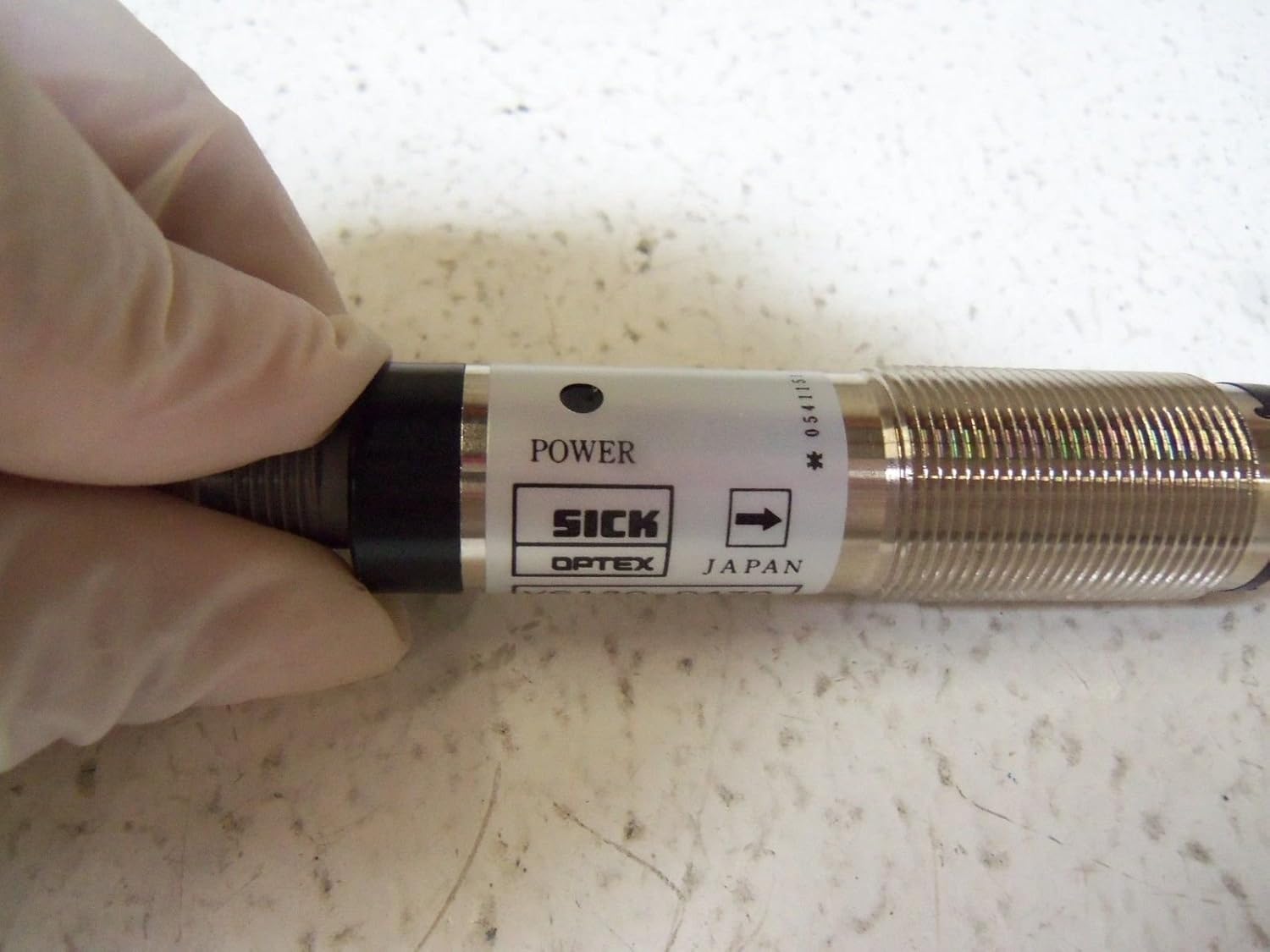
Figure 3.3: Detail of the SICK VS180-D430 sensor showing the 'POWER' indicator. This indicator illuminates when the sensor is receiving power, aiding in quick status checks.

ຮູບທີ 3.4: View of the M12 connector end of the SICK VS180-D430 sensor. This threaded connector is standard for industrial applications, ensuring a secure and reliable electrical connection.
4. ການຕິດຕັ້ງແລະການຕິດຕັ້ງ
4.1 ການຕິດຕັ້ງ
The VS180-D430 sensor features a cylindrical M18 threaded housing for easy mounting. Secure the sensor using appropriate mounting brackets and nuts, ensuring it is firmly positioned to prevent vibration.
4.2 ສາຍໄຟ
The sensor uses a 4-pin M12 connector. Refer to the following pin assignment for correct wiring:
| ປັກໝຸດ | ລາຍລະອຽດ | Wire Color (Standard) |
|---|---|---|
| 1 | L+ (12-24VDC) | ສີນ້ຳຕານ |
| 2 | Output (PNP/NPN) | ສີຂາວ |
| 3 | M (0V / GND) | ສີຟ້າ |
| 4 | Output (PNP/NPN) | ດຳ |
Ensure the power supply is within the specified 12-24VDC range.
5. ຄໍາແນະນໍາການດໍາເນີນງານ
Once installed and wired correctly, the VS180-D430 sensor operates automatically. The sensor emits a light beam and detects objects based on the reflection or interruption of this beam.
5.1 ແສງຕົວຊີ້ວັດ
- ຕົວຊີ້ບອກພະລັງງານ: A green LED indicates that the sensor is powered on.
- ຕົວຊີ້ວັດຜົນຜະລິດ: An orange or yellow LED indicates that the sensor has detected an object and the output is active.
5.2 Range Adjustment
Some models may feature a potentiometer for fine-tuning the detection range. If present, gently turn the potentiometer with a small screwdriver to adjust the sensitivity until reliable detection is achieved for your application.
6. ບໍາລຸງຮັກສາ
The SICK VS180-D430 sensor is designed for low maintenance. However, regular checks can extend its lifespan and ensure optimal performance.
- ທໍາຄວາມສະອາດ: Periodically clean the optical surfaces (lens) with a soft, lint-free cloth. Do not use abrasive cleaners or solvents.
- ກວດສອບການເຊື່ອມຕໍ່: ໃຫ້ແນ່ໃຈວ່າການເຊື່ອມຕໍ່ໄຟຟ້າທັງຫມົດຍັງຄົງແຫນ້ນແລະບໍ່ມີການກັດກ່ອນ.
- ສະຖຽນລະພາບການຕິດຕັ້ງ: Verify that the sensor is still securely mounted and has not shifted due to vibration.
7. ການແກ້ໄຂບັນຫາ
If the sensor is not functioning as expected, refer to the following common issues and solutions:
| ບັນຫາ | ສາເຫດທີ່ເປັນໄປໄດ້ | ການແກ້ໄຂ |
|---|---|---|
| Sensor not powering on (no power LED) | No power supply; incorrect wiring; faulty cable. | ກວດສອບການສະຫນອງພະລັງງານ voltage (12-24VDC); verify wiring connections; test cable continuity. |
| ເຊັນເຊີບໍ່ກວດພົບວັດຖຸ | Dirty lens; misaligned sensor; object out of range; incorrect sensitivity setting. | Clean lens; realign sensor; ensure object is within specified range; adjust sensitivity if applicable. |
| ການກວດພົບເປັນລະຫວ່າງ | Vibration; unstable mounting; electrical interference. | Secure mounting; check for sources of vibration; ensure proper shielding of cables. |
8. ຂໍ້ມູນຈໍາເພາະ
Detailed technical specifications for the SICK VS180-D430 Photoelectric Sensor:
- ຕົວແບບ: VS180-D430
- ປະເພດເຊັນເຊີ: Photoelectric ເຊັນເຊີ
- ການດໍາເນີນງານ Voltage: 12-24 VDC
- ການເຊື່ອມຕໍ່: 4-pin M12 Connector
- ໄລຍະການກວດຫາ: 0-25 meters (depending on specific variant and reflector)
- ວັດສະດຸທີ່ຢູ່ອາໄສ: Typically nickel-plated brass or stainless steel
- ຂະໜາດ: Cylindrical, M18 thread (approx. 3.15 x 1.18 x 1.18 inches)
- ນ້ຳໜັກ: ປະມານ 1.49 ປອນ
- ຜູ້ຜະລິດ: ເຈັບ
- ວັນທີທໍາອິດທີ່ມີ: ວັນທີ 1 ມັງກອນ 2016
9. ການຮັບປະກັນແລະການສະຫນັບສະຫນູນ
For warranty information and technical support, please contact SICK customer service or visit their official webເວັບໄຊທ໌. ເກັບຮັກສາໃບຮັບເງິນຊື້ ແລະ ເລກລຳດັບຜະລິດຕະພັນຂອງທ່ານໄວ້ໃກ້ໆເພື່ອການບໍລິການທີ່ໄວຂຶ້ນ.
SICK Official Webເວັບໄຊ: www.sick.com