
1. ບົດແນະນຳ
Thank you for choosing the Casio Baby-G BG-6903-2ER Digital Watch. This timepiece is designed for durability and functionality, featuring shock resistance and 200-meter water resistance, making it suitable for various activities. This manual provides essential information for setting up, operating, and maintaining your watch.
ຮູບພາບ 1.1: ດ້ານຫນ້າ view of the Casio Baby-G BG-6903-2ER digital watch, showcasing its blue resin case and strap, and digital display.
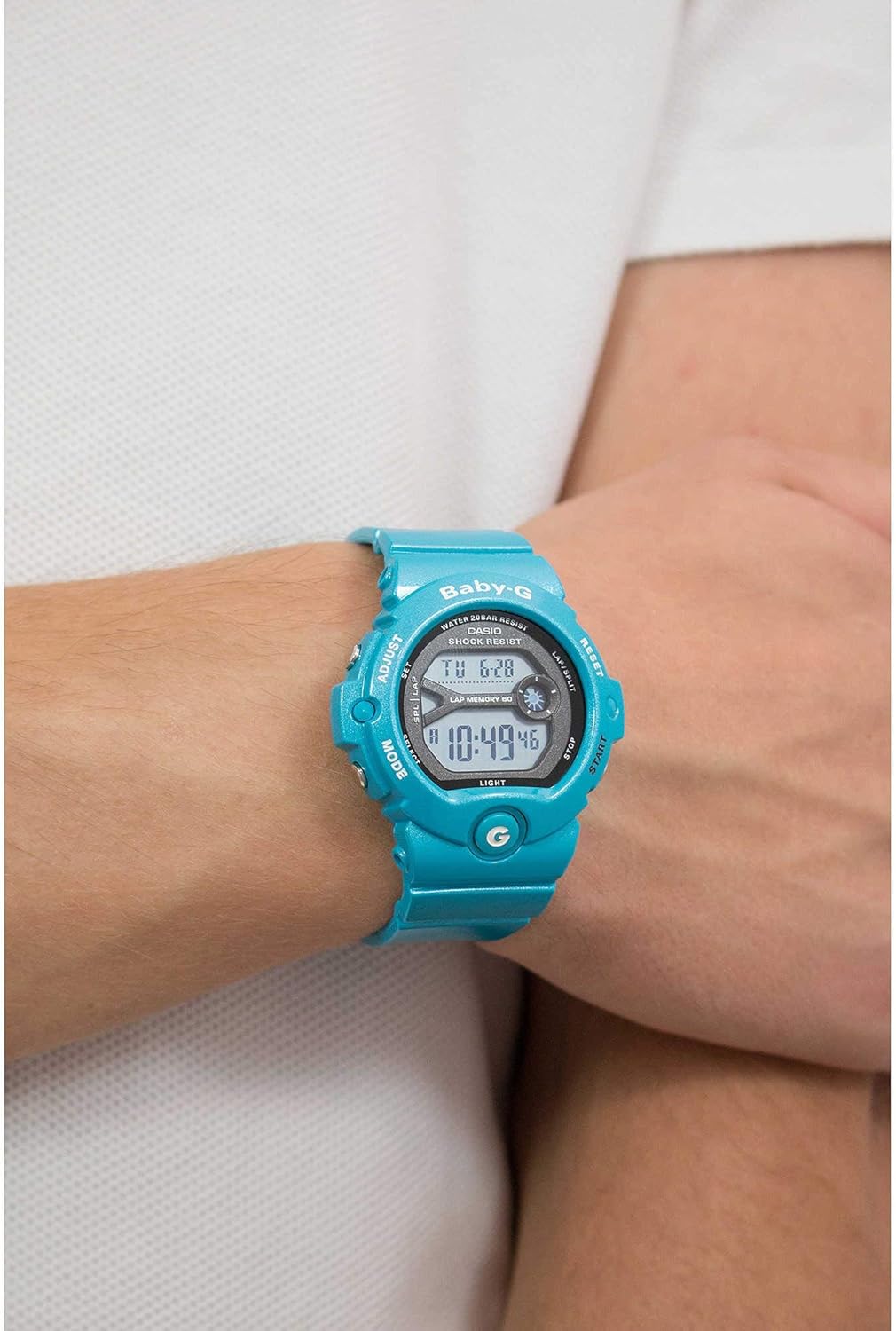
Image 1.2: The Casio Baby-G BG-6903-2ER watch worn on a wrist, illustrating its size and fit.
2. ຕັ້ງຄ່າ
2.1 Unboxing ແລະ Initial Inspection
Upon receiving your watch, carefully remove it from its packaging. Inspect the watch for any visible damage. Ensure all protective films are removed from the display and case back.
Image 2.1: The hexagonal tin packaging for the Casio Baby-G watch.
2.2 ການກໍານົດເວລາ ແລະວັນທີ
- In the Timekeeping Mode, press and hold the ປັບ button (top left) until the city code starts to flash, indicating the setting screen.
- ໃຊ້ ໂໝດ button (bottom left) to cycle through the settings: City Code, DST (Daylight Saving Time), 12/24-hour format, Seconds, Hour, Minute, Year, Month, Day.
- ໃຊ້ ເລີ່ມ button (bottom right) and ຣີເຊັດ button (top right) to change the flashing value.
- ເມື່ອການຕັ້ງຄ່າທັງຫມົດຖືກຕ້ອງ, ກົດປຸ່ມ ປັບ button again to exit the setting screen.
2.3 ການປັບສາຍ
The resin strap features a buckle closure. Adjust the strap length by selecting the appropriate hole for a comfortable and secure fit on your wrist. Ensure the watch is not too tight to allow for proper circulation, nor too loose to prevent excessive movement.
3. ປະຕິບັດການໂມງ
3.1 ໂໝດການນຳທາງ
ກົດ ໂໝດ button (bottom left) to cycle through the different modes:
- ໂໝດການຈັບເວລາ: ສະແດງເວລາ ແລະວັນທີປັດຈຸບັນ.
- ໂໝດເວລາໂລກ: Displays the current time in various cities around the world.
- ແບບ Stopwatch: Used for measuring elapsed time.
- ໂໝດຈັບເວລາ: A countdown timer function.
- ໂມດແຈ້ງເຕືອນ: Allows setting multiple daily alarms.
3.2 ຟັງຊັນໂມງຈັບເວລາ
- Navigate to the Stopwatch Mode using the ໂໝດ ປຸ່ມ.
- ກົດ ເລີ່ມ button (bottom right) to begin timing.
- ກົດ ເລີ່ມ ອີກເທື່ອໜຶ່ງເພື່ອຢຸດເວລາໄວ້ຊົ່ວຄາວ.
- ກົດ ຣີເຊັດ button (top right) to reset the stopwatch to zero.
- The watch also features a Lap Memory function, indicated by "LAP MEMORY 60" on the display, allowing you to record up to 60 lap/split times.
3.3 ຟັງຊັນຈັບເວລາ
- Navigate to the Timer Mode.
- ກົດຄ້າງໄວ້ ປັບ ປຸ່ມເພື່ອເຂົ້າສູ່ໂໝດຕັ້ງເວລາ.
- ໃຊ້ ໂໝດ ປຸ່ມເພື່ອເລືອກການຕັ້ງຄ່າຊົ່ວໂມງ ຫຼືນາທີ.
- ໃຊ້ ເລີ່ມ ແລະ ຣີເຊັດ ປຸ່ມເພື່ອປ່ຽນຄ່າ.
- ກົດ ປັບ ເພື່ອອອກຈາກໂໝດການຕັ້ງຄ່າ.
- ກົດ ເລີ່ມ to begin the countdown. An alarm will sound when the timer reaches zero.
3.4 ຟັງຊັນປຸກ
- Navigate to the Alarm Mode.
- ໃຊ້ ເລີ່ມ button to scroll through the available alarms (AL1, AL2, etc.) and the Hourly ສັນຍານເວລາ (SIG).
- To set an alarm, select the desired alarm and press and hold the ປັບ ປຸ່ມ.
- ໃຊ້ ໂໝດ button to select hour or minute, and ເລີ່ມ/ຣີເຊັດ ການປ່ຽນແປງຄຸນຄ່າ.
- ກົດ ປັບ ເພື່ອຢືນຢັນແລະອອກ.
- ກົດ ເລີ່ມ to toggle the alarm or hourlສັນຍານເວລາ y ເປີດ/ປິດ.
3.5 ໄຟ Backlight
ກົດ ແສງສະຫວ່າງ button (bottom left, below MODE) to illuminate the display for easy viewຢູ່ໃນສະພາບແສງສະຫວ່າງຕ່ໍາ.
4. ບໍາລຸງຮັກສາ
4.1 ເຮັດຄວາມສະອາດໂມງຂອງເຈົ້າ
To maintain the appearance of your watch, wipe it regularly with a soft, dry cloth. For stubborn dirt, use a soft cloth dampເຊັດອອກດ້ວຍນໍ້າ ແລະ ນໍ້າຢາຊັກຜ້າທີ່ເປັນກາງອ່ອນໆ, ຈາກນັ້ນເຊັດໃຫ້ແຫ້ງ. ຫຼີກລ່ຽງການໃຊ້ສານລະເຫີຍເຊັ່ນ: ນໍ້າຢາລະລາຍ ຫຼື ນໍ້າມັນເບນຊິນ, ເພາະມັນອາດຈະທໍາລາຍສ່ວນປະກອບຂອງເຣຊິນໄດ້.
4.2 ການຕໍ່ຕ້ານນ້ໍາ
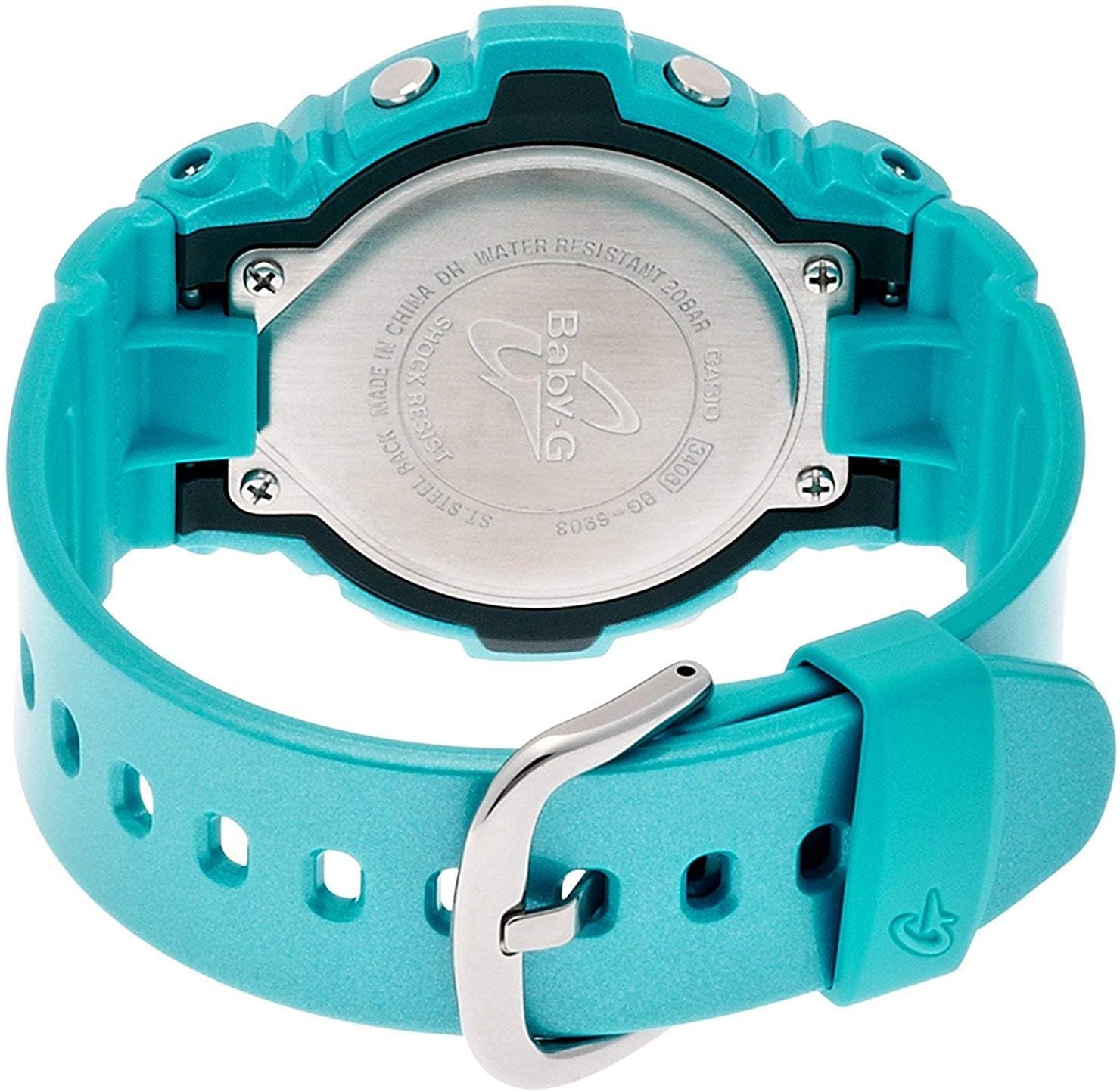
Your Casio Baby-G BG-6903-2ER watch is water resistant to 200 meters (20 bar). This means it is suitable for swimming, showering, and snorkeling. However, avoid operating buttons while the watch is submerged in water or wet, as this can compromise the water resistance. Do not expose the watch to hot water or steam, as this can also affect the seals.

ຮູບພາບ 4.1: ດ້ານຫລັງ view of the Casio Baby-G BG-6903-2ER watch, showing the stainless steel case back with "WATER RESISTANT 20BAR" and "SHOCK RESIST" engravings.
4.3 ການທົດແທນຫມໍ້ໄຟ
The watch is powered by a product-specific battery. When the display becomes dim or functions become erratic, it may be time for a battery replacement. It is recommended to have the battery replaced by an authorized Casio service center to ensure proper sealing and maintain water resistance.
5. ການແກ້ໄຂບັນຫາ
5.1 ບັນຫາທົ່ວໄປ ແລະການແກ້ໄຂ
- Blank Display or Dim Digits: The battery may be low. Consider battery replacement.
- ເວລາ/ວັນທີບໍ່ຖືກຕ້ອງ: Re-adjust the time and date settings as described in Section 2.2. Ensure the correct city code and DST setting are selected.
- ປຸ່ມບໍ່ຕອບສະໜອງ: Ensure the watch is not in a locked mode (if applicable, though this model typically does not have a button lock). If the issue persists, a battery issue or internal malfunction may be present.
- Condensation Inside Display: If condensation appears and does not clear within a short period, the watch's water resistance may be compromised. Avoid further water exposure and seek professional inspection immediately.
For issues not covered here, please contact Casio customer support.
6. ຂໍ້ມູນຈໍາເພາະ
| ຍີ່ຫໍ້ | ຄາຊິໂອ |
| ໝາຍເລກຕົວແບບ | BG-6903-2ER |
| ປະເພດການສະແດງ | ດິຈິຕອລ |
| ການເຄື່ອນໄຫວ | Quartz |
| ວັດສະດຸກໍລະນີ | ຢາງ |
| ວັດສະດຸສາຍ | ຢາງ |
| ເສັ້ນຜ່າສູນກາງຂອງກໍລະນີ | 45 ມິນລິແມັດ |
| ຄວາມຫນາຂອງກໍລະນີ | 14 ມິນລິແມັດ |
| ຄວາມກວ້າງຂອງແຖບ | 18 ມິນລິແມັດ |
| ນ້ໍາຫນັກລາຍການ | 47 ກຣາມ |
| ຄວາມເລິກທົນທານຕໍ່ນ້ໍາ | 200 Meters (20 Bar) |
| ແບັດເຕີຣີ | 1 ແບດເຕີລີ່ສະເພາະຜະລິດຕະພັນ (ລວມ) |
| ຄຸນສົມບັດເພີ່ມເຕີມ | Shock Resistant, Stopwatch, Timer, Alarm, World Time, Backlight |
7. ການຮັບປະກັນ
This Casio watch is covered by a manufacturer's warranty. The specific terms and duration of the warranty may vary by region. Please refer to the warranty card included with your purchase for detailed information regarding coverage, limitations, and how to make a claim. Keep your proof of purchase for warranty service.
8. ສະຫນັບສະຫນູນ
For further assistance, technical support, or service inquiries regarding your Casio Baby-G BG-6903-2ER watch, please visit the official Casio website or contact their customer service department in your region. Contact information can typically be found on the Casio webສະຖານທີ່ ຫຼື ໃນເອກະສານທີ່ສະໜອງໃຫ້ພ້ອມກັບໂມງຂອງທ່ານ.