
Jam Audio HX-P430BL
JAM XT Extreme Wireless Speaker Instruction Manual
Model: HX-P430BL | Brand: Jam Audio
ແນະນຳ
The JAM XT Extreme Wireless Speaker is designed for robust performance in various environments. Featuring an IP64 rating, it is splash-proof, drop-proof, and dirt-proof, making it suitable for outdoor adventures and demanding work sites. This portable Bluetooth speaker offers high-quality sound and hands-free calling, connecting wirelessly to most Bluetooth-enabled devices up to 30 feet away. Its integrated carabiner clip provides convenient transport and versatile mounting options.
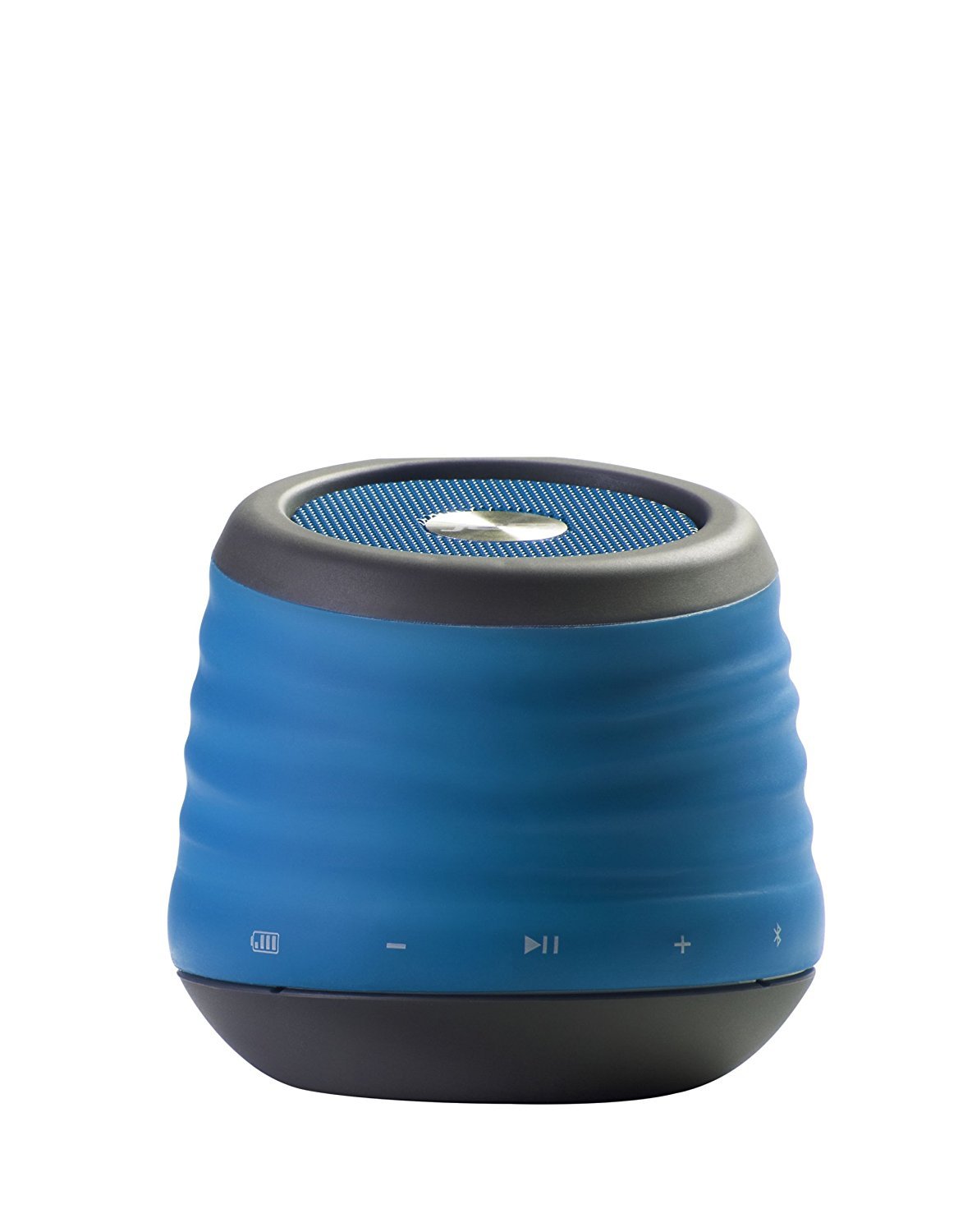
Image: The JAM XT Extreme Wireless Speaker in blue, featuring its durable design and integrated carabiner clip for portability.
ແມ່ນຫຍັງຢູ່ໃນກ່ອງ
- JAM XT Extreme Wireless Speaker (Model: HX-P430BL)
- ສາຍສາກ USB
- ຄູ່ມືການສອນ
ຕັ້ງຄ່າ
1. ການສາກໄຟ ລຳ ໂພງ
Before initial use, fully charge your JAM XT Extreme speaker. Connect the included USB charging cable to the speaker's charging port and a compatible USB power source (e.g., computer, wall adapter). The LED indicator will show charging status. A full charge provides up to 8 hours of wireless play.

Image: Visual representation of the speaker's rechargeable battery, indicating its capacity for up to 8 hours of wireless playback.
2. ເປີດ / ປິດພະລັງງານ
Locate the power button on the bottom of the unit. Press and hold the power button for a few seconds to turn the speaker ON or OFF. A sound prompt will indicate the power status.

ຮູບພາບ: A close-up view of the JAM XT Extreme speaker's base, highlighting the power button for easy access.
3. ການຈັບຄູ່ Bluetooth
- Ensure the speaker is powered ON and in pairing mode (indicated by a flashing LED).
- ໃນອຸປະກອນຂອງທ່ານ (ໂທລະສັບສະຫຼາດ, ແທັບເລັດ, ແລັບທັອບ), ເປີດໃຊ້ Bluetooth ແລະຊອກຫາອຸປະກອນທີ່ມີຢູ່.
- Select "JAM XT Extreme" from the list of devices.
- Once paired, the speaker will emit a confirmation tone, and the LED will turn solid.
The speaker has a Bluetooth wireless range of up to 30 feet and is compatible with most Bluetooth-enabled devices, including iPhone, Android, iPad, and iPod.

Image: A visual representation of the speaker connecting wirelessly to a device via Bluetooth.
4. Line-In Connection
For devices without Bluetooth capability, use the line-in port on the speaker with a standard 3.5mm audio cable (not included) to connect your audio source.
ປະຕິບັດການລໍາໂພງ
1. ການຄວບຄຸມພື້ນຖານ
- ຫຼິ້ນ/ຢຸດ: Press the Play/Pause button to start or stop audio playback.
- ປະລິມານຂຶ້ນ/ລົງ: ໃຊ້ປຸ່ມ '+' ແລະ '-' ເພື່ອປັບລະດັບສຽງ.
- ຂ້າມເບິ່ງ: Press and hold the '+' button to skip to the next track. Press and hold the '-' button to go to the previous track.
2. ການທໍາງານຂອງລໍາໂພງ
When connected via Bluetooth, the JAM XT Extreme speaker can be used as a speakerphone. Answering and ending calls can typically be done directly from your connected device.
3. ການໃຊ້ຄລິບ Carabiner
The integrated fold-out carabiner clip allows for easy attachment to backpacks, bags, belt loops, or even hanging from a tree branch or tent for optimal sound projection and portability.

Image: The blue JAM XT Extreme speaker securely clipped to a backpack, showcasing its design for convenient outdoor use.

Image: The JAM XT Extreme speaker hanging from a tree branch, illustrating its adaptability for various outdoor settings.
ບໍາລຸງຮັກສາ
1. ທໍາຄວາມສະອາດ
The speaker is IP64 rated for splash, drop, and dirt resistance. To clean, gently wipe the exterior with a soft, damp cloth. Do not use harsh chemicals or abrasive cleaners. Ensure all port covers are securely closed before exposing the speaker to water or dirt.
2. ການດູແລຫມໍ້ໄຟ
To prolong the life of the rechargeable lithium-ion battery, avoid fully discharging it frequently. Recharge the speaker regularly, especially if it will not be used for an extended period. Store in a cool, dry place.
3. ການເກັບຮັກສາ
When not in use, store the speaker in a dry environment away from extreme temperatures and direct sunlight. Ensure the carabiner clip is folded in or secured to prevent damage.
ການແກ້ໄຂບັນຫາ
- ບໍ່ມີພະລັງງານ: Ensure the speaker is fully charged. Connect to a power source and try turning it on again.
- ບໍ່ສາມາດຈັບຄູ່ຜ່ານ Bluetooth:
- ໃຫ້ແນ່ໃຈວ່າ Bluetooth ຖືກເປີດໃຊ້ງານຢູ່ໃນອຸປະກອນຂອງທ່ານ ແລະ ລຳໂພງຢູ່ໃນໂໝດຈັບຄູ່.
- ຍ້າຍລຳໂພງເຂົ້າໃກ້ອຸປະກອນຂອງທ່ານ (ພາຍໃນ 30 ຟຸດ).
- ປິດ ແລະເປີດທັງລຳໂພງ ແລະ Bluetooth ຂອງອຸປະກອນຂອງທ່ານ.
- If previously paired, try 'forgetting' the device on your phone's Bluetooth settings and re-pairing.
- ບໍ່ມີສຽງ:
- ກວດເບິ່ງລະດັບສຽງໃນທັງລຳໂພງ ແລະອຸປະກອນທີ່ເຊື່ອມຕໍ່ຂອງທ່ານ.
- Ensure the speaker is correctly paired or connected via line-in.
- If using line-in, ensure the cable is fully inserted into both devices.
- ຄຸນະພາບສຽງບໍ່ດີ:
- ຍ້າຍລຳໂພງໃຫ້ໃກ້ກັບອຸປະກອນຂອງທ່ານຫຼາຍຂຶ້ນເພື່ອປັບປຸງຄວາມແຮງຂອງສັນຍານ Bluetooth.
- ໃຫ້ແນ່ໃຈວ່າບໍ່ມີສິ່ງກີດຂວາງລະຫວ່າງລໍາໂພງແລະອຸປະກອນຂອງທ່ານ.
- ກວດເບິ່ງແຫຼ່ງສຽງສໍາລັບບັນຫາດ້ານຄຸນນະພາບ.
ຂໍ້ມູນຈໍາເພາະ
| ຄຸນສົມບັດ | ຂໍ້ມູນຈໍາເພາະ |
|---|---|
| ຍີ່ຫໍ້ | ສຽງ Jam |
| ໝາຍເລກຕົວແບບ | HX-P430BL |
| ຊື່ຕົວແບບ | XT Extreme |
| ເຕັກໂນໂລຊີການເຊື່ອມຕໍ່ | Bluetooth, USB |
| ເຕັກໂນໂລຊີໄຮ້ສາຍ | Bluetooth |
| ຊ່ວງ Bluetooth | 30 ຟຸດ |
| ລຳໂພງກຳລັງຜົນຜະລິດສູງສຸດ | 3 ວັດ |
| ຮູບແບບການອອກສຽງ | ສະເຕຣິໂອ |
| ຊີວິດຫມໍ້ໄຟ | Up to 8 hours of wireless play |
| ແຫຼ່ງພະລັງງານ | ແບດເຕີຣີ້ໃຊ້ພະລັງງານ (ມີຫມໍ້ໄຟ Lithium Ion 1 ໜ່ວຍ) |
| ການຈັດອັນດັບຄວາມທົນທານ | IP64 (Splash proof, Drop proof, Dirt proof) |
| ວິທີການຄວບຄຸມ | ແຕະ |
| ນ້ໍາຫນັກລາຍການ | 8.8 ອອນ |
| ສີ | ສີຟ້າ |
| ຄຸນນະສົມບັດພິເສດ | Carabiner Clip, Built-in Speakerphone, Portable |
ການຮັບປະກັນແລະການສະຫນັບສະຫນູນ
The JAM XT Extreme Wireless Speaker comes with a Limited Warranty. For detailed warranty information, product support, or to register your product, please visit the official Jam Audio Store or refer to the warranty card included with your purchase.
Ask a question about this manual
Ask about setup, troubleshooting, compatibility, parts, safety, or missing instructions. Manuals+ will review the question and use this page’s manual context to help answer it.