
ແນະນຳ
ຂອບໃຈສໍາລັບການຊື້asing the Orion 24" SLED2468W LED LCD HDTV. This manual provides essential information for the safe and efficient operation of your television. Please read it thoroughly before using the product and retain it for future reference.
ຂໍ້ມູນຄວາມປອດໄພ
ເພື່ອຮັບປະກັນການດໍາເນີນງານທີ່ປອດໄພແລະປ້ອງກັນຄວາມເສຍຫາຍ, ໃຫ້ສັງເກດເບິ່ງຄວາມລະມັດລະວັງຕໍ່ໄປນີ້:
- ຢ່າເຮັດໃຫ້ໂທລະທັດຖືກຝົນຫຼືຄວາມຊຸ່ມຊື່ນ.
- ຫ້າມກີດຂວາງການເປີດລະບາຍອາກາດ.
- ວາງໂທລະທັດໄວ້ເທິງພື້ນຜິວທີ່ໝັ້ນຄົງ ແລະ ຮາບພຽງ.
- ໃຊ້ພຽງແຕ່ສາຍໄຟທີ່ສະຫນອງກັບຫນ່ວຍງານ.
- ຖອດສາຍໂທລະທັດໃນເວລາມີພາຍຸຟ້າຜ່າ ຫຼືເມື່ອບໍ່ໄດ້ໃຊ້ເປັນເວລາດົນນານ.
- ອ້າງອີງການບໍລິການທັງໝົດໃຫ້ກັບພະນັກງານບໍລິການທີ່ມີຄຸນວຸດທິ.
ແມ່ນຫຍັງຢູ່ໃນກ່ອງ
ຖອດກ່ອງຢ່າງລະມັດລະວັງ ແລະຮັບປະກັນວ່າສິນຄ້າທັງໝົດມີຢູ່:
- Orion 24" SLED2468W LED LCD HDTV
- ໂທລະທັດ
- ຣີໂໝດຄວບຄຸມ (ບໍ່ລວມແບັດເຕີຣີ, ຕ້ອງໃຊ້ແບັດເຕີຣີ AAA 2 ກ້ອນ)
- ສາຍໄຟ
- ຄູ່ມືຜູ້ໃຊ້ (ເອກະສານນີ້)
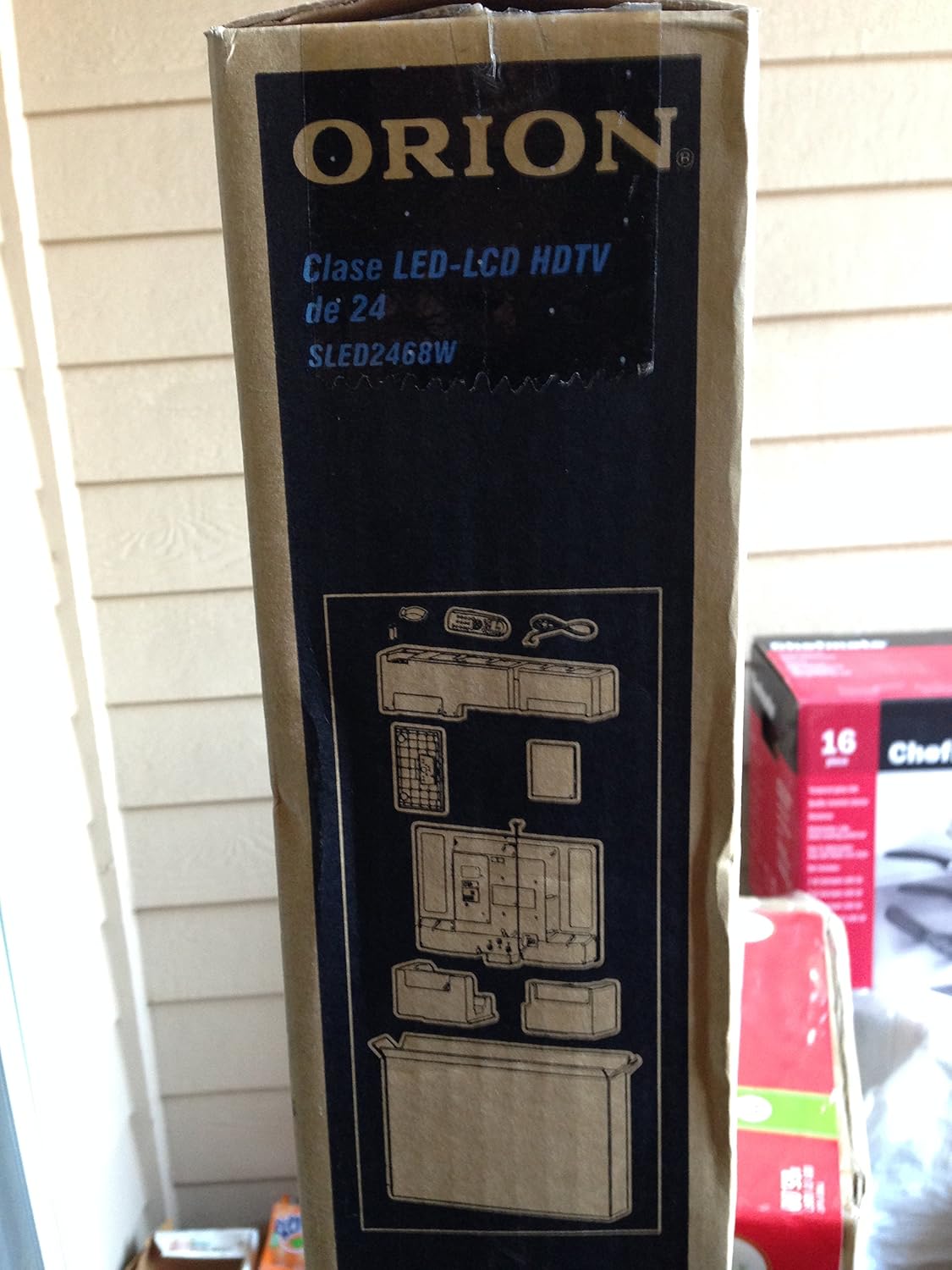
Image: The side of the Orion TV box illustrating the TV and stand components packed inside.
ຕັ້ງຄ່າ
1. ການຫຸ້ມຫໍ່
Remove the TV and all accessories from the packaging. Retain the packaging for future transport or storage.

Image: The front of the Orion 24" LED-LCD HDTV box, displaying the model number SLED2468W and key features such as Integrated Digital Tuner, USB Time Shift, HDMI, and Headphone/Digital Audio Output.
2. ຕິດຂາຕັ້ງ
Place the TV screen-down on a soft, clean surface. Align the TV stand with the mounting holes on the bottom of the TV. Secure the stand using the provided screws.
3. ການເຊື່ອມຕໍ່ພະລັງງານ
Connect the power cord to the TV's power input and then to a standard 110 VAC, 60 Hz electrical outlet.
4. ການເຊື່ອມຕໍ່ອຸປະກອນພາຍນອກ
Your TV supports various connections for external devices:
- HDMI: ສໍາລັບສຽງ ແລະວິດີໂອທີ່ມີຄວາມຄົມຊັດສູງຈາກອຸປະກອນຕ່າງໆ ເຊັ່ນ: ເຄື່ອງຫຼິ້ນ Blu-ray, ເຄື່ອງຫຼິ້ນເກມ ຫຼືກ່ອງສາຍໄຟ/ດາວທຽມ.
- USB: For media playback or USB Time Shift functionality.
- ເສົາອາກາດ/ສາຍ: For receiving broadcast television signals via the integrated ATSC tuner.
- PC Input: For connecting a computer monitor.
- Headphone/Digital Audio Output (Coaxial): ສໍາລັບການເຊື່ອມຕໍ່ລະບົບສຽງພາຍນອກ.

Image: A diagram illustrating various connection ports on the TV, including headphone, audio, PC monitor, and coaxial outputs. Also shown are the unit dimensions and weight.
5. ຕົວຊ່ວຍສ້າງການຕິດຕັ້ງເບື້ອງຕົ້ນ
Upon first power-on, the TV will guide you through an initial setup process, including language selection, channel scanning, and time zone settings.
ປະຕິບັດການ
ໜ້າທີ່ຄວບຄຸມໄລຍະໄກພື້ນຖານ
The remote control allows you to access all TV functions. Ensure batteries are correctly inserted.
- ພະລັງງານ: ເປີດ ຫຼືປິດໂທລະພາບ.
- ຊ່ອງຂຶ້ນ/ລົງ: ປ່ຽນຊ່ອງໂທລະພາບ.
- ປະລິມານຂຶ້ນ/ລົງ: ປັບລະດັບສຽງ.
- ການປ້ອນຂໍ້ມູນ/ແຫຼ່ງຂໍ້ມູນ: ເລືອກແຫຼ່ງປ້ອນຂໍ້ມູນ (HDMI, TV, USB, ແລະອື່ນໆ).
- ເມນູ: ເຂົ້າເຖິງເມນູຫຼັກສໍາລັບການປັບການຕັ້ງຄ່າ.
- ປຸ່ມນຳທາງ (ຂຶ້ນ/ລົງ/ຊ້າຍ/ຂວາ/ຕົກລົງ): ໃຊ້ເພື່ອນຳທາງເມນູ ແລະຢືນຢັນການເລືອກ.
USB Time Shift
The TV features a USB Time Shift function. Connect a USB storage device to pause, rewind, or fast-forward live TV broadcasts. Refer to the on-screen menu for detailed instructions on activating and using this feature.
ຕົວທ່ອງເວັບຂອງອິນເຕີເນັດ
This TV includes a basic internet browser. Connect the TV to your network (if applicable) to access web content. Performance may vary depending on network speed and website complexity.
ບໍາລຸງຮັກສາ
ການທໍາຄວາມສະອາດຫນ້າຈໍ
ເຊັດໜ້າຈໍຢ່າງອ່ອນໂຍນດ້ວຍຜ້າອ່ອນໆ, ບໍ່ມີເຈັ້ຍ. ສໍາລັບຮອຍແຂງ, ເບົາບາງ dampໃສ່ຜ້າດ້ວຍນ້ໍາຫຼືເຄື່ອງເຮັດຄວາມສະອາດຫນ້າຈໍພິເສດ. ຢ່າສີດນໍ້າໂດຍກົງໃສ່ໜ້າຈໍ.
ການດູແລທົ່ວໄປ
Keep the TV free from dust by regularly wiping the cabinet with a dry, soft cloth. Ensure adequate ventilation around the TV to prevent overheating.
ການແກ້ໄຂບັນຫາ
If you encounter issues with your TV, consult the following table before contacting support:
| ບັນຫາ | ການແກ້ໄຂທີ່ເປັນໄປໄດ້ |
|---|---|
| ບໍ່ມີພະລັງງານ | Check if the power cord is securely connected to both the TV and the outlet. Ensure the outlet is functional. |
| ບໍ່ມີຮູບ, ແຕ່ສຽງແມ່ນປະຈຸບັນ | ກວດສອບແຫຼ່ງປ້ອນຂໍ້ມູນທີ່ຖືກຕ້ອງຖືກເລືອກ. ກວດເບິ່ງການເຊື່ອມຕໍ່ອຸປະກອນພາຍນອກ. |
| ບໍ່ມີສຽງ, ແຕ່ມີຮູບພາບ | Check volume level and mute settings. Ensure external audio connections are secure. |
| ການຄວບຄຸມໄລຍະໄກບໍ່ເຮັດວຽກ | ປ່ຽນແບັດ. ໃຫ້ແນ່ໃຈວ່າບໍ່ມີສິ່ງກີດຂວາງລະຫວ່າງຣີໂໝດ ແລະເຊັນເຊີ IR ຂອງໂທລະທັດ. |
| ຄຸນນະພາບຮູບບໍ່ດີ | Check antenna connection. Adjust picture settings in the TV menu. |
ຂໍ້ມູນຈໍາເພາະ
Technical specifications for the Orion 24" SLED2468W LED LCD HDTV:
| ຄຸນສົມບັດ | ຂໍ້ມູນຈໍາເພາະ |
|---|---|
| ໝາຍເລກຕົວແບບ | SLED2468W |
| ຂະໜາດໜ້າຈໍ | 24 ນິ້ວ |
| ເຕັກໂນໂລຊີການສະແດງ | LED-LCD |
| ຄວາມລະອຽດ | 720p |
| ອັດຕາການໂຫຼດຂໍ້ມູນຄືນໃໝ່ | 60 Hz |
| ອັດຕາສ່ວນ | 16:9 |
| ເຕັກໂນໂລຊີການເຊື່ອມຕໍ່ | HDMI, USB |
| ປະເພດເຄື່ອງປັບ | ATSC |
| ບໍລິການອິນເຕີເນັດທີ່ຮອງຮັບ | ຕົວທ່ອງເວັບ |
| ສາຍທີtage | 110 VAC 60 Hz |
| On Mode Power Consumption | 37W (as per box image) |
| ຂະໜາດຫົວໜ່ວຍ (WxDxH) | 21.65" x 5.39" x 14.21" (550 x 136.9 x 361 mm) (as per box image) |
| ນ້ຳໜັກໜ່ວຍ | 3.6 kg (8.0 lbs) (as per box image) |
| ຜູ້ຜະລິດ | Sansui |
| UPC | 755805020776 |
ການຮັບປະກັນແລະການສະຫນັບສະຫນູນ
For warranty information and technical support, please refer to the documentation included with your purchase or visit the official Orion product support webເວັບໄຊ. ຮັກສາຫຼັກຖານການຊື້ຂອງທ່ານສໍາລັບການຮ້ອງຂໍການຮັບປະກັນ.