
1. ບົດແນະນຳ
The JVC HAFR6B Gumy Plus Headphones are designed to provide clear audio with a comfortable in-ear fit. These wired headphones feature a built-in microphone for hands-free communication and sound isolation capabilities to enhance your listening experience. They are lightweight and compatible with various devices through a standard 3.5mm audio jack.
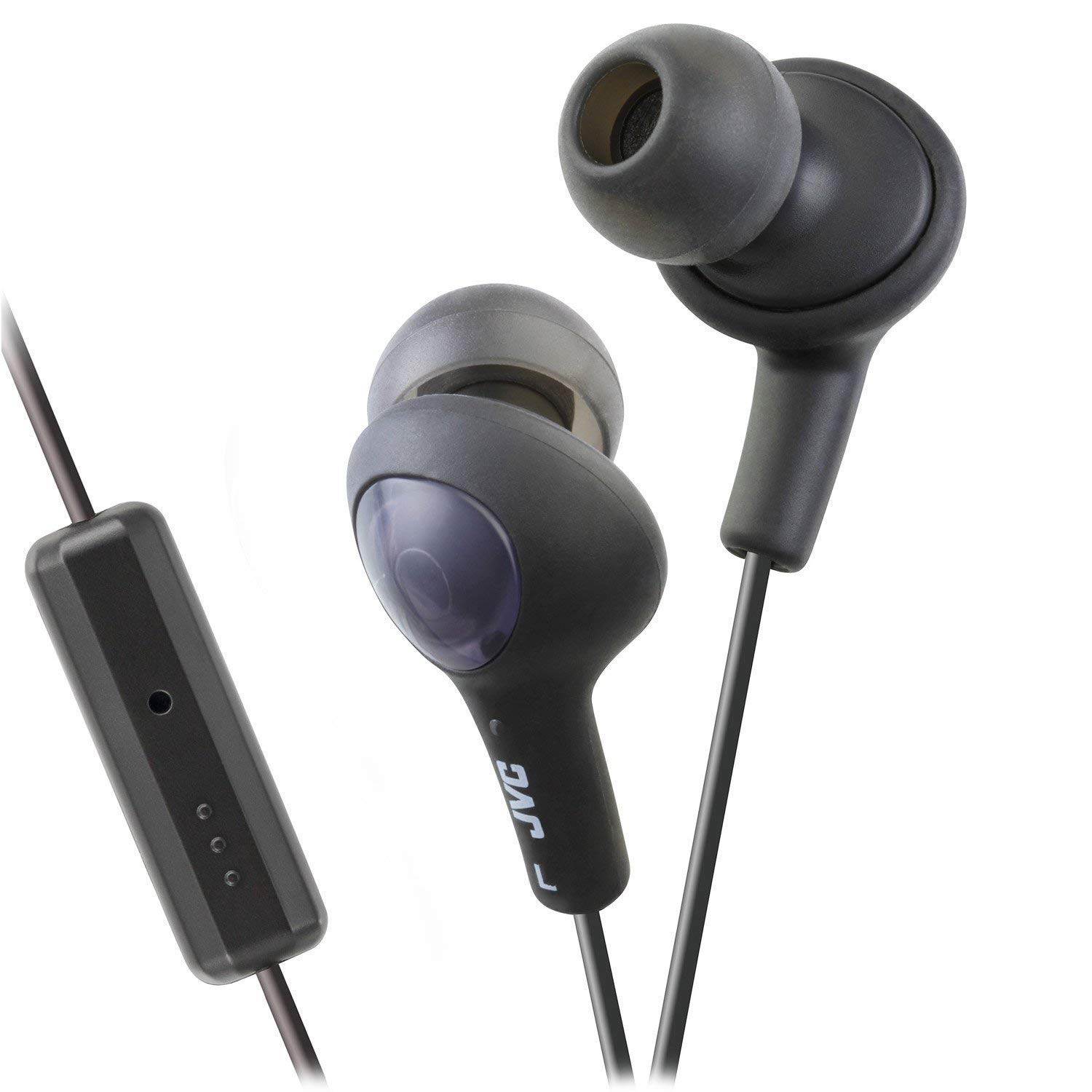
A pair of JVC HAFR6B Gumy Plus in-ear headphones in black, featuring a comfortable earbud design and an inline remote control.
An official product video demonstrating the features and design of the JVC Gumy Plus Headphones, including their hands-free calling, sound isolation, and comfortable fit.
2. ຕັ້ງຄ່າ
To begin using your JVC HAFR6B Gumy Plus Headphones, follow these simple steps:
- ແກະຫູຟັງອອກ: ເອົາຫູຟັງອອກຈາກເຄື່ອງຫຸ້ມຫໍ່ຢ່າງລະມັດລະວັງ. ໃຫ້ແນ່ໃຈວ່າອົງປະກອບທັງຫມົດມີຢູ່.
- ລະບຸຫູຟັງຊ້າຍ ແລະຂວາ: The earbuds are marked with 'L' for left and 'R' for right. Insert them into the corresponding ears.
- ເຊື່ອມຕໍ່ກັບອຸປະກອນຂອງທ່ານ: Plug the 3.5mm audio jack into the headphone port of your smartphone, tablet, computer, or other compatible audio device.
- ປັບເພື່ອຄວາມສະດວກສະບາຍ: The Gumy earbuds are designed for a comfortable and secure fit. Adjust their position in your ear until you achieve optimal comfort and sound isolation.

The retail packaging for JVC Gumy Plus Headphones, displaying the product inside a clear plastic blister pack with branding and key features highlighted.
3. ຄໍາແນະນໍາການດໍາເນີນງານ
The JVC HAFR6B Gumy Plus Headphones offer straightforward operation for audio playback and hands-free communication.
3.1 ການຫຼິ້ນສຽງ
- ເລີ່ມການຫຼິ້ນ: Once connected to your device, begin playing audio from your preferred application.
- ການຄວບຄຸມລະດັບສຽງ: Use the volume controls on your connected device to adjust the audio level. The inline remote may also offer volume adjustment depending on your device's compatibility.
3.2 Hands-Free Calling and Controls
The inline remote control allows for convenient management of calls and music playback without needing to access your device directly.

ໃກ້ຊິດ view of the black inline remote control on the JVC Gumy Plus Headphones cable, showing the microphone and control buttons for managing calls and audio playback.
- ຮັບ/ສາຍໂທ: Press the central button on the inline remote once to answer an incoming call or end an active call.
- ຫຼິ້ນ/ຢຸດດົນຕີ: Press the central button once to play or pause music playback.
- ຂ້າມເບິ່ງ: ກົດປຸ່ມກາງສອງເທື່ອໄວເພື່ອຂ້າມໄປເພງຕໍ່ໄປ.
- ຕິດຕາມກ່ອນ ໜ້າ ນີ້: Press the central button three times quickly to go back to the previous track.
- ໄມໂຄຣໂຟນ: The built-in microphone allows for clear voice transmission during calls. Ensure the microphone is not obstructed.
- iOS Phone Control: These headphones support specific iOS phone control functionalities via the inline remote. Refer to your iOS device's manual for detailed compatibility and functions.
4. ບໍາລຸງຮັກສາ
Proper care and maintenance will extend the lifespan of your JVC HAFR6B Gumy Plus Headphones.
- ການອະນາໄມຫູຟັງ: Gently wipe the silicone ear tips with a soft, dry cloth. For deeper cleaning, remove the ear tips and wash them with mild soap and water, then ensure they are completely dry before reattaching.
- Cleaning the Cable and Remote: ໃຊ້ອ່ອນ, ເລັກນ້ອຍ damp cloth to wipe the cable and inline remote. Avoid using harsh chemicals or abrasive materials.
- ການເກັບຮັກສາ: When not in use, store your headphones in a clean, dry place, away from direct sunlight and extreme temperatures. Avoid tangling the cable to prevent damage.
- ຫຼີກເວັ້ນຄວາມຊຸ່ມ: While the headphones may offer some water resistance, avoid prolonged exposure to water or high humidity.
5. ການແກ້ໄຂບັນຫາ
If you encounter issues with your JVC HAFR6B Gumy Plus Headphones, refer to the table below for common problems and solutions.
| ບັນຫາ | ສາເຫດທີ່ເປັນໄປໄດ້ | ການແກ້ໄຂ |
|---|---|---|
| ບໍ່ມີສຽງຫລືປະລິມານຕ່ ຳ | Incorrect connection, device volume too low, damaged cable/jack | Ensure 3.5mm jack is fully inserted. Increase device volume. Test with another device. Inspect cable for damage. |
| ຄຸນນະພາບສຽງບໍ່ດີ (muffled, ບິດເບືອນ) | Dirty ear tips, improper fit, damaged audio source | Clean ear tips. Adjust earbud position for a secure fit. Test with another audio source. |
| ໄມໂຄຣໂຟນບໍ່ເຮັດວຽກ | Microphone obstructed, device settings, incompatible device | Ensure microphone is clear. Check microphone settings on your device. Confirm device supports inline microphone. |
| ປຸ່ມຄວບຄຸມໄລຍະໄກບໍ່ຕອບສະໜອງ | Incompatible device, software glitch | Ensure your device supports the remote functions. Restart your device. |
6. ຂໍ້ມູນຈໍາເພາະ
Detailed technical specifications for the JVC HAFR6B Gumy Plus Headphones:
| ຄຸນສົມບັດ | ລາຍລະອຽດ |
|---|---|
| ຍີ່ຫໍ້ | JVC |
| ໝາຍເລກຕົວແບບ | HAFR6B |
| ສີ | Olive Black |
| ການຈັດວາງຫູ | ໃນຫູ |
| ປັດໄຈແບບຟອມ | Binaural |
| impedance | 16 ໂອມ |
| ຄວາມອ່ອນໄຫວ | 103 dB |
| Jack ຫູຟັງ | Jack ຂະ ໜາດ 3.5 ມມ |
| ເຕັກໂນໂລຊີການເຊື່ອມຕໍ່ | ມີສາຍ |
| ນ້ໍາຫນັກລາຍການ | 0.01 ອອນ |
| ວັດສະດຸ | ພາດສະຕິກ |
| ປະເພດການຄວບຄຸມ | Volume Control (via inline remote) |
| ການຄວບຄຸມສິ່ງລົບກວນ | ການແຍກສຽງ |
| ຄຸນສົມບັດເພີ່ມເຕີມ | Built-in Microphone, iOS Phone Control |
7. ການຮັບປະກັນແລະການສະຫນັບສະຫນູນ
For warranty information and technical support regarding your JVC HAFR6B Gumy Plus Headphones, please contact the manufacturer directly.
You can find more information and contact details by visiting the official JVC store: