
1. ບົດແນະນຳ
The Genie GT912-1BL 9/12 Switch Remote Controller is designed to operate Genie garage door openers manufactured between 1980 and 1995 that utilize 9 or 12 dip switches. This remote provides a convenient way to control your garage door system. It is compatible with non-Intellicode openers only.
2. ຂໍ້ມູນຄວາມປອດໄພ
Please read and understand all safety instructions before operating this remote control. Failure to follow these instructions may result in property damage, injury, or death.
- ຮັກສາການຄວບຄຸມຫ່າງໄກສອກຫຼີກໃຫ້ຫ່າງຈາກເດັກນ້ອຍ.
- Operate the garage door only when it is in full view, free of obstructions, and the opener is properly adjusted.
- Never allow children to play with or operate the garage door controls.
- Ensure the garage door path is clear before activating the opener.
- Do not attempt to repair the remote control if it is damaged. Contact customer support.
3. ເນື້ອໃນຊຸດ
ກວດສອບວ່າລາຍການທັງຫມົດແມ່ນມີຢູ່ໃນຊຸດຂອງທ່ານ:
- Genie GT912-1BL 9/12 Switch Remote Controller
- One 9V Alkaline Battery (pre-installed or included separately)
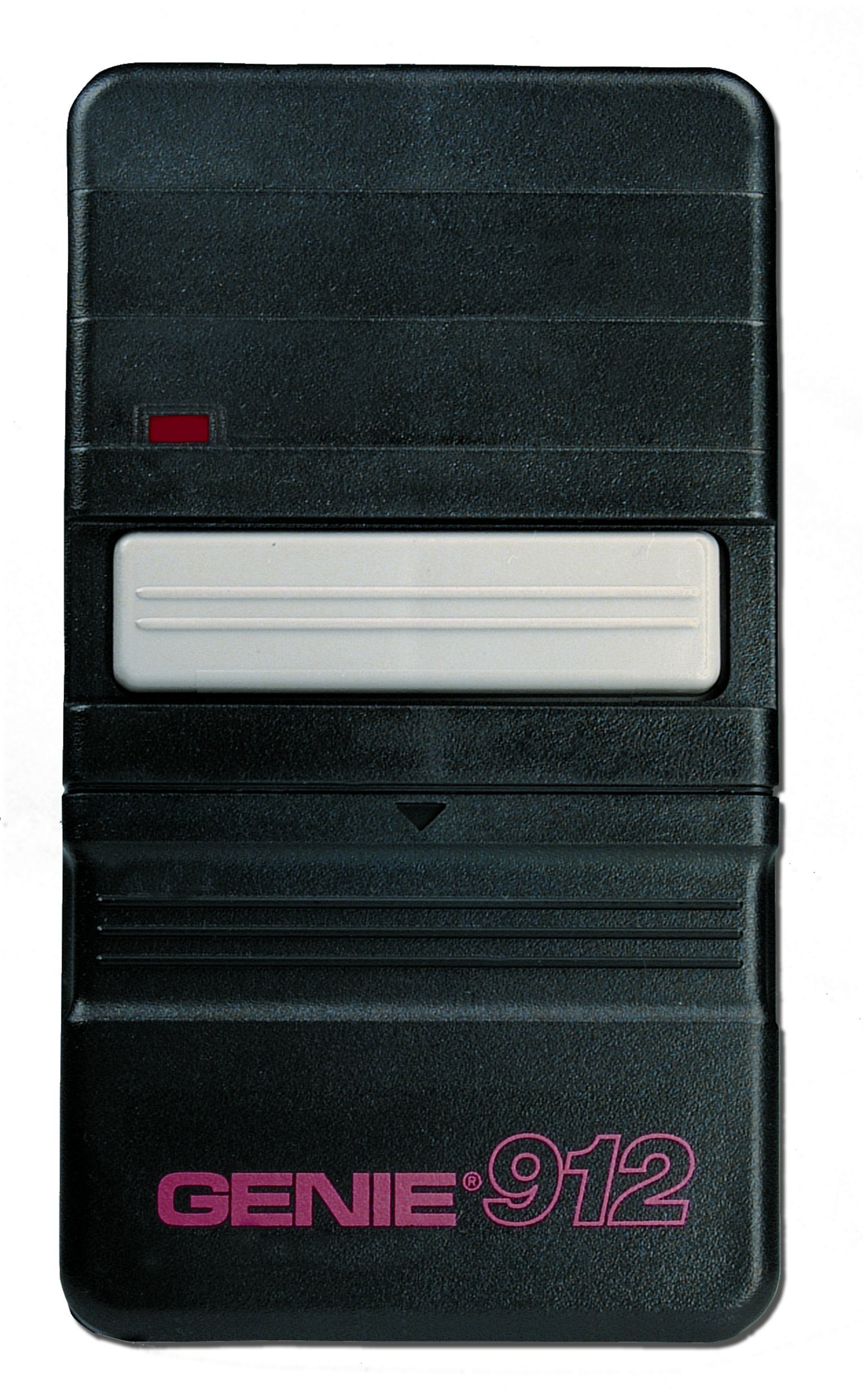
Image: The Genie GT912-1BL 9/12 Switch Remote Controller, showing its compact design and single button.
4. ການຕິດຕັ້ງ ແລະການຂຽນໂປຣແກຣມ
The GT912-1BL remote is designed for easy programming by matching its internal dip switches to your existing remote or garage door opener unit.
- Locate Existing Dip Switches: Identify the dip switches on your existing Genie remote control or directly on the garage door opener power head unit. These switches are typically small, numbered, and can be set to 'ON', 'OFF', or 'MIDDLE' positions. Note the exact pattern of these settings.
- Access New Remote's Dip Switches: Open the battery compartment cover on the back of your new GT912-1BL remote controller. The dip switches will be visible inside.
- Match Switch Settings: Using a small screwdriver or pen, carefully adjust the dip switches on your new GT912-1BL remote to exactly match the pattern you observed on your existing remote or garage door opener unit. Ensure each switch is set to the correct 'ON', 'OFF', or 'MIDDLE' position.
- ຕິດຕັ້ງແບດເຕີລີ່: If not already installed, insert the 9V battery into the compartment, observing the correct polarity (+/-).
- ປິດຝາປິດ: ປ່ຽນຝາປິດຊ່ອງໃສ່ຫມໍ້ໄຟໃຫ້ປອດໄພ.
- ການປະຕິບັດການທົດສອບ: Stand within a reasonable range of your garage door opener and press the button on the new remote. The garage door should activate. If it does not, re-check the dip switch settings.
5. ຄໍາແນະນໍາການດໍາເນີນງານ
To operate your garage door:
- Ensure the garage door path is clear of any obstructions.
- Point the remote control towards the garage door opener.
- Press and release the large button on the remote control. The garage door will begin to open or close.
- Press the button again to stop the door's movement.
6. ບໍາລຸງຮັກສາ
ການປ່ຽນແບັດ
The GT912-1BL remote uses one 9V alkaline battery. When the remote's range decreases significantly or it stops responding, it is likely time to replace the battery.
- ເປີດຊ່ອງໃສ່ຫມໍ້ໄຟ: Slide or unclip the battery compartment cover on the back of the remote.
- ເອົາແບັດເກົ່າອອກ: ຖອດແບັດເຕີຣີ 9V ເກົ່າອອກຢ່າງລະມັດລະວັງ.
- ໃສ່ແບັດໃໝ່: Insert a new 9V alkaline battery, ensuring the positive (+) and negative (-) terminals are correctly aligned.
- ປິດຝາປິດ: ປ່ຽນຝາປິດຊ່ອງໃສ່ຫມໍ້ໄຟໃຫ້ປອດໄພ.
- ການທົດສອບ: Test the remote's operation to ensure it functions correctly with the new battery.
7. ການແກ້ໄຂບັນຫາ
-
ໄລຍະໄກບໍ່ເຮັດວຽກ:
- Check the battery. Replace it if it is weak or dead.
- Verify that the dip switch settings on the remote exactly match those on your garage door opener or original remote.
- Ensure your garage door opener is a non-Intellicode model manufactured between 1980 and 1995. This remote is not compatible with newer Intellicode systems or very old systems operating on 325 MHz (modern systems typically use 390 MHz).
-
ຂອບເຂດຈໍາກັດ:
- Replace the 9V battery with a fresh one.
- Ensure there are no large metal objects or other sources of interference between the remote and the garage door opener.
8. ຂໍ້ມູນຈໍາເພາະ
| ໝາຍເລກຕົວແບບ | GT912-1BL |
| ຄວາມເຂົ້າກັນໄດ້ | Genie non-Intellicode openers (1980-1995) with 9 or 12 dip switches |
| ປະເພດຫມໍ້ໄຟ | 1 x 9V ເປັນດ່າງ (ລວມ) |
| ສະບັບtage | 9 ໂວນ |
| ນ້ໍາຫນັກລາຍການ | 5.6 ອອນ |
| ຂະໜາດສິນຄ້າ | 1 x 7 x 8 ນິ້ວ |
| ສີ | ດຳ |
| ຄຸນນະສົມບັດພິເສດ | Ergonomic |
9. ຂໍ້ມູນການຮັບປະກັນ
This Genie GT912-1BL Remote Controller comes with a ການຮັບປະກັນຫນຶ່ງປີ from the date of purchase. This warranty covers defects in materials and workmanship under normal use. It does not cover damage caused by misuse, accidents, unauthorized repairs, or normal wear and tear. Please retain your proof of purchase for warranty claims.
10. ສະຫນັບສະຫນູນ
For further assistance, technical support, or to inquire about warranty service, please visit the official Genie website or contact Genie customer service through their provided channels. Refer to your product packaging or the Genie webເວັບໄຊສໍາລັບຂໍ້ມູນຕິດຕໍ່ໃນປະຈຸບັນຫຼາຍທີ່ສຸດ.